The convergence of computational photography and digital illustration has reached a critical milestone as mobile applications increasingly leverage artificial intelligence to blur the lines between captured light and hand-drawn media. Once limited to basic color overlays and simple contrast adjustments, the modern landscape of iPhone photography now features sophisticated software capable of performing complex neural style transfers in a matter of seconds. This technological leap has democratized the field of digital art, allowing users with no formal training in illustration to produce works that emulate the techniques of history’s most celebrated masters, from the impressionism of Monet to the cubism of Picasso.
As the global smartphone user base continues to expand, the demand for creative tools that offer more than mere documentation has surged. Market analysts suggest that the "Creator Economy" has fueled a multi-billion dollar industry centered on mobile content creation, with photo and video editing apps consistently ranking among the highest-grossing categories on the Apple App Store. This shift represents a broader cultural movement toward personalized digital expression, where the "filter" is no longer a tool for correction, but a medium for total transformation.
The Technological Genesis: From Pixels to Brushstrokes
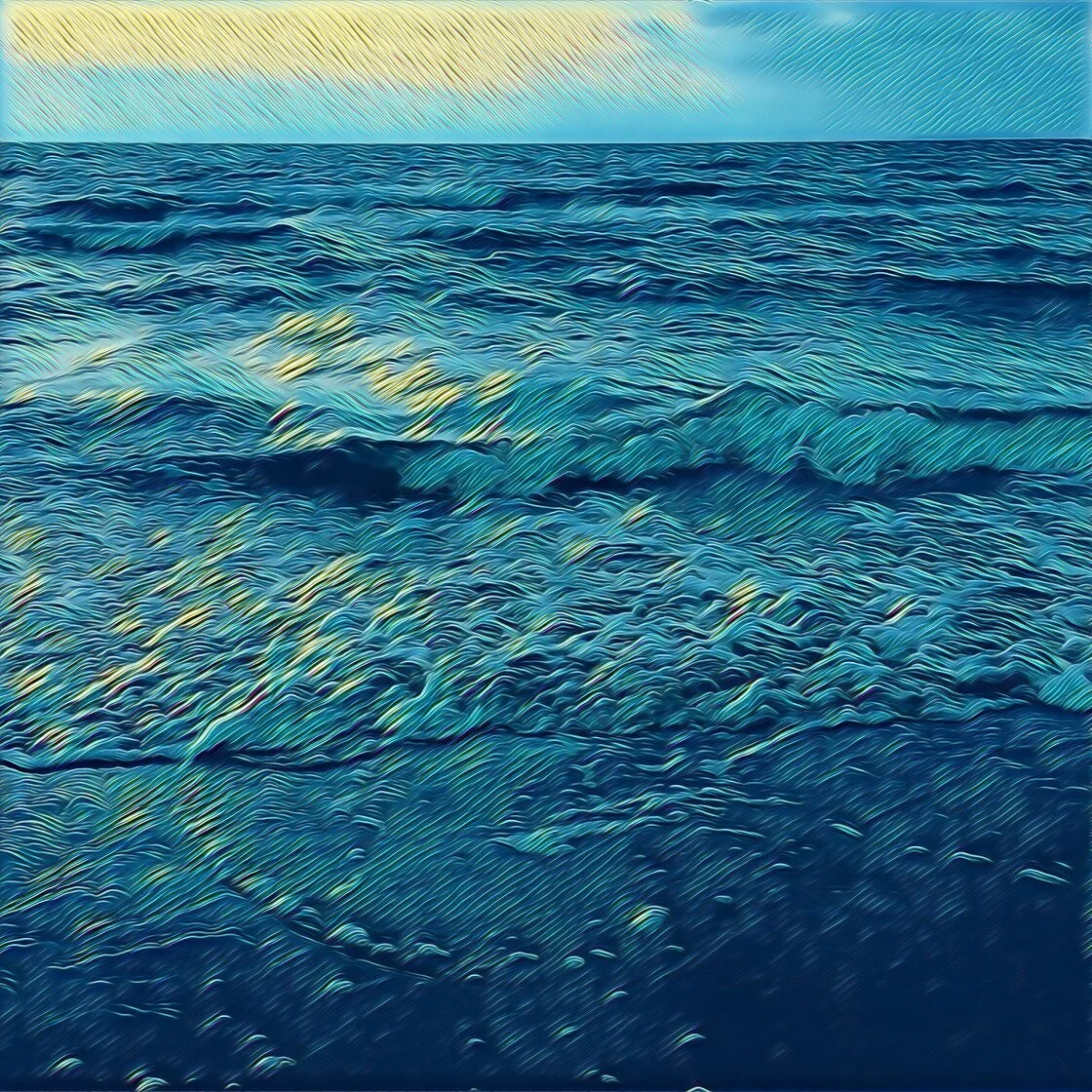
The journey of photo-to-sketch technology began in the early days of the App Store, around 2008, when developers first experimented with edge-detection algorithms to create rudimentary "pencil" effects. However, the true revolution occurred in 2016 with the emergence of Neural Style Transfer (NST). Unlike traditional filters that apply a uniform color layer over an image, NST uses deep learning to analyze the "style" of one image—such as the brushwork and color palette of a painting—and applies it to the "content" of another.
This process requires significant processing power, which was initially handled by external servers. However, with the introduction of Apple’s dedicated Neural Engine in its A-series chips, these complex mathematical operations are now performed locally on the device. This hardware advancement has paved the way for the current generation of applications, which offer real-time previews and high-definition output that were technically impossible just a decade ago.
Leading Platforms in the Digital Art Space
Among the hundreds of applications available to iOS users, five specific platforms have distinguished themselves through a combination of algorithmic precision, user interface design, and stylistic diversity.
Prisma: The Pioneer of Neural Style Transfer
Prisma remains the gold standard for users seeking to replicate the aesthetics of world-renowned artists. By utilizing cloud-based and on-device neural networks, the app goes beyond simple sketching to provide over 300 artistic styles. The platform’s success is built on its ability to recognize structural elements within a photo, ensuring that the applied "paint" or "ink" follows the contours of the subject. While the app operates on a "freemium" model, its subscription-based premium tier offers high-definition rendering, which is essential for users intending to move their digital creations into physical print media.
Clip2Comic: Vector-Style Illustration and Real-Time Processing
While Prisma focuses on fine art, Clip2Comic specializes in the aesthetic of the graphic novel. The application’s primary strength lies in its real-time processing capabilities, allowing users to view the world through a "comic book" lens via the camera viewfinder before the image is even captured. This utility extends into the realm of video, a feature that has made it a favorite among social media influencers looking to create stylized video content. The app’s "Deform" tool further enhances its utility by allowing for the creation of digital caricatures, a task that traditionally required hours of manual manipulation in desktop software like Adobe Photoshop.
Photoleap by Lightricks: The Professional’s Mobile Studio
Photoleap, developed by the unicorn startup Lightricks, represents the high-end segment of the market. It is less of a single-purpose filter app and more of a comprehensive creative suite. Its "Sketch" and "Urban" tools provide users with granular control over the transformation process. A key differentiator for Photoleap is its layer-based editing system, which allows artists to apply drawing effects to specific elements of an image while leaving others untouched. This ability to blend reality with illustration has made it a staple for digital collagists and professional graphic designers working on mobile platforms.
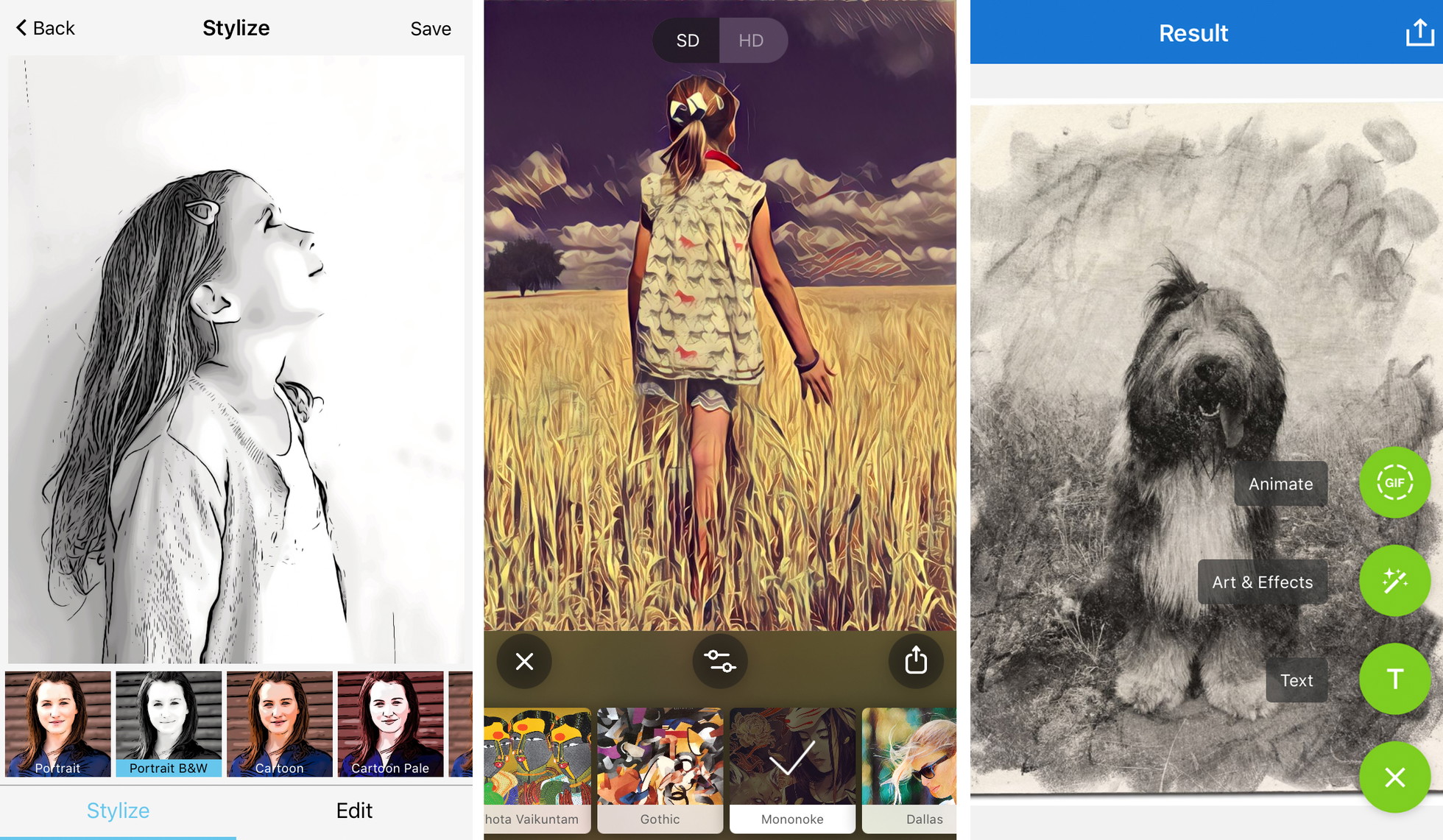
Painnt: The Scale of Stylistic Diversity
For users who prioritize variety, Painnt offers an unparalleled library of over 2,000 filters. The application categorizes its effects into genres such as "Classical," "Modern," and "Mosaic," including 145 filters dedicated specifically to sketching. Painnt’s value proposition is centered on customization; users can adjust the transparency, brightness, and stroke weight of every filter. This level of control addresses a common criticism of AI-driven art: the lack of the "human touch." By allowing users to fine-tune the algorithm’s output, Painnt bridges the gap between automated processing and intentional artistry.
Photo Lab: Realism in Traditional Media Emulation
Photo Lab occupies a unique niche by focusing on the textures of physical media. While other apps may produce "digital-looking" sketches, Photo Lab’s algorithms are designed to mimic the specific behavior of charcoal, pen and ink, and crayon on paper. The application includes a vast array of "e-cards" and collage templates, making it a popular choice for personal use and social sharing. Despite having fewer manual adjustment sliders than Photoleap, its one-tap simplicity makes it highly accessible to the average consumer.
Market Dynamics and the Shift to Subscription Models
The economic landscape of these applications reflects a broader trend in the software industry: the transition from one-time purchases to Software as a Service (SaaS). Most leading drawing apps now utilize a subscription model to fund the continuous development of new AI models and the maintenance of high-speed servers.
Data from mobile intelligence firms suggests that while users initially resisted the subscription shift, the inclusion of "Pro" features—such as the removal of watermarks and the ability to export in 4K resolution—has successfully converted a significant percentage of the user base. For developers, this recurring revenue is vital for keeping pace with Apple’s annual hardware updates, which frequently introduce new camera capabilities that the software must then integrate.
Professional Standards and Best Practices
As these tools become more prevalent, a set of "professional standards" has emerged for those looking to produce high-quality digital art. Industry experts suggest that the success of a photo-to-sketch transformation is largely dependent on the quality of the source material.
- Compositional Integrity: AI algorithms perform best when the subject is clearly defined. Busy backgrounds can often lead to a "muddy" sketch where the primary subject is lost in a sea of algorithmic noise.
- Luminance and Contrast: High-contrast images—those with deep shadows and bright highlights—provide the clearest data for edge-detection software. This results in sharper "pencil" lines and more defined "brushstrokes."
- Intentional Stylization: The choice of filter must align with the emotional tone of the subject. For instance, architectural photography often benefits from the clean, structural lines of a technical pen sketch, whereas portraiture may be better suited for the softer textures of charcoal or pastel.
- Resolution Management: One of the most significant pitfalls for novice users is the degradation of image quality. Saving at the highest possible resolution is a non-negotiable requirement for any work intended for professional portfolios or physical displays.
The Broader Impact on the Art World
The proliferation of these apps has sparked a debate within the artistic community regarding the definition of "creativity." Critics argue that the ease of turning a photo into a drawing devalues the years of study required to master traditional illustration. Conversely, proponents argue that these tools are simply a new form of medium, much like the camera was once viewed by traditional painters in the 19th century.
From a legal and ethical standpoint, the rise of AI-driven stylization also raises questions about intellectual property. When an app applies the style of a living artist to a user’s photo, the boundaries of "fair use" and "transformative work" become increasingly blurred. While most apps currently focus on the styles of deceased masters whose works are in the public domain, the technology’s ability to mimic contemporary artists remains a point of contention.
Future Outlook: Generative AI and Beyond
Looking forward, the next frontier for these applications is the integration of Generative AI. We are already seeing the first iterations of this technology, where users can not only turn a photo into a sketch but also use text prompts to add elements that were never in the original photograph. As the "Neural Engine" in mobile devices becomes more powerful, the distinction between "editing" a photo and "generating" art will likely disappear entirely.
The current suite of iPhone drawing apps represents just the beginning of this evolution. As these tools become more sophisticated, they will continue to empower individuals to tell visual stories in ways that were previously reserved for those with a canvas and a brush. In the modern era, the most powerful tool in an artist’s kit may no longer be the pencil, but the smartphone.