Mobile photography has fundamentally altered the landscape of contemporary art, democratizing a medium once reserved for those with expensive, specialized equipment. As of 2024, industry data suggests that over 90% of all photos taken globally are captured on smartphones, with the iPhone remaining a dominant force in the high-end mobile imaging market. While many casual users relegate their devices to pockets when the clouds gather, professional street photographers view inclement weather not as a deterrent, but as a catalyst for visual storytelling. The transition from sunny, high-contrast environments to the muted, atmospheric conditions of rain, snow, and fog allows for a shift in narrative focus, emphasizing mood over literal representation.
The Technical Foundation of Weather-Based Mobile Photography
The viability of street photography in adverse conditions has been significantly bolstered by hardware advancements. Since the release of the iPhone 7, Apple has integrated varying degrees of water resistance into its devices, with modern iterations like the iPhone 15 boasting an IP68 rating. This technical specification allows for submersion in up to six meters of water for thirty minutes, providing a safety net for photographers operating in heavy downpours. However, the true challenge of bad-weather photography is not merely device survival, but the management of light and composition in low-visibility environments.
Street photography, often defined by the "decisive moment" coined by Henri Cartier-Bresson, requires a heightened state of awareness. In bad weather, this awareness must extend to the physical environment—identifying how water interacts with surfaces, how fog diffuses light, and how snow alters the city’s color palette.
1. Leveraging Rain as a Narrative Element
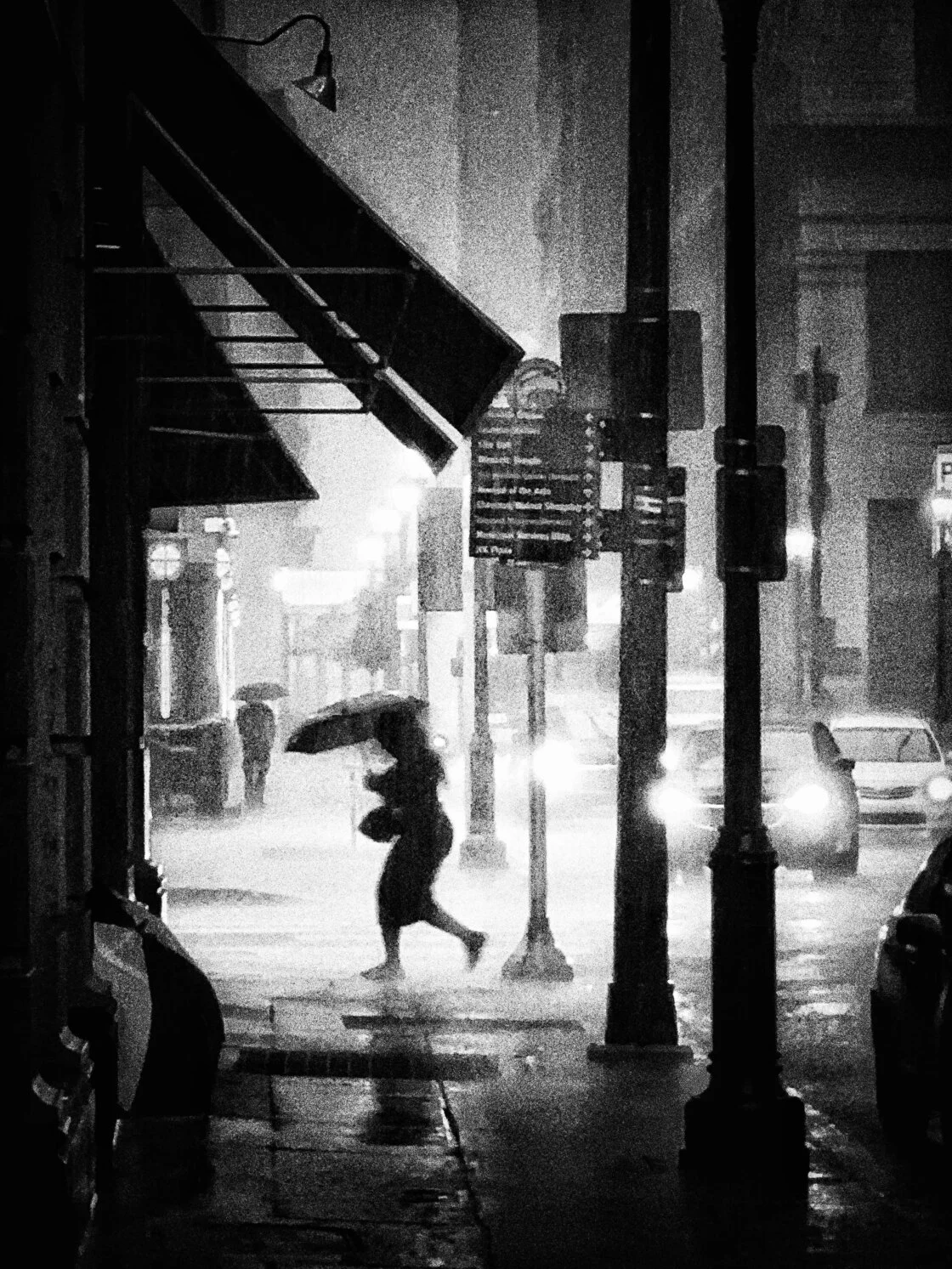
Rain is perhaps the most versatile of "bad" weather conditions for the mobile photographer. It introduces two critical elements to a scene: specialized props and architectural shelter. When precipitation begins, the visual language of the city changes. Umbrellas become dominant geometric shapes that can serve as strong focal points. The bold colors of a red or yellow umbrella against a gray, rain-slicked street provide an immediate point of interest and a sense of scale.
Andrew Gimblet, a Philadelphia-based fine art street photographer, emphasizes the importance of utilizing the city’s infrastructure to stay dry while capturing the action. Archways, bus stops, and building awnings serve as "hunting blinds" for the photographer. From these vantage points, one can observe the hurried movements of pedestrians, capturing the authentic, often frantic energy of a city reacting to a storm.
2. The Macro Perspective: Shooting Through Glass
One of the most effective creative techniques involves using glass as a literal and metaphorical filter. Shooting through windows—whether in a cafe, a bus, or a sheltered transit stop—adds a layer of texture to the image. By positioning the iPhone lens close to the glass and manually setting the focus on the raindrops, the background is rendered into a soft, impressionistic blur.
This technique utilizes the iPhone’s relatively large aperture and sophisticated image processing to create a sense of depth. The result is often an abstract representation of the city, where the viewer is forced to look through the "noise" of the weather to see the subject. This approach is particularly effective in transit photography, where the movement of a bus or train adds a sense of kinetic energy to the frame.
3. The Physics of Puddle Reflections
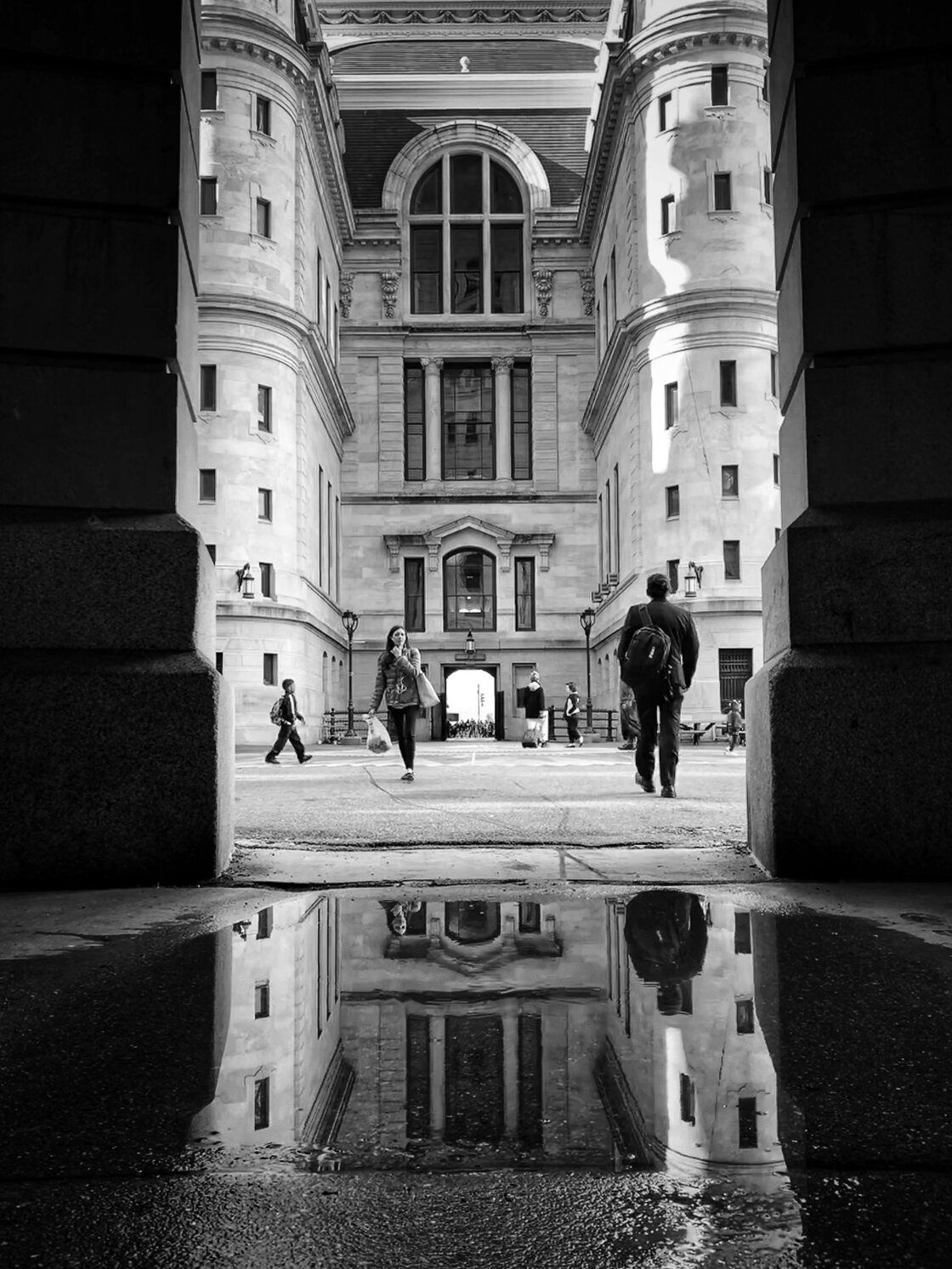
Once the initial downpour subsides, the street becomes a mirror. Puddle photography is a staple of the genre, but its execution requires a specific physical approach. To maximize the reflective surface, the photographer must lower the camera’s perspective.
The recommended technique involves flipping the iPhone upside down, placing the lens as close to the water’s surface as possible without making contact. This lowers the vanishing point and allows the reflection of buildings and sky to fill more of the frame. This "low-angle" approach transforms a mundane sidewalk into a sprawling architectural study.
4. Utilizing Burst Mode for Precise Timing
Timing is critical when a subject enters a reflection. To ensure the "perfect" stride or body position is captured, photographers utilize "Burst Mode." On modern iPhones, this is activated by dragging the shutter button to the left (in vertical orientation). This triggers a rapid succession of captures—ten frames per second—allowing the photographer to choose the exact millisecond where the subject’s foot hits the ground or their silhouette aligns with a background element.
Data from mobile photography workshops indicates that users who utilize burst mode in high-action environments increase their "keeper" rate by over 40% compared to those using single-shutter presses.
5. Post-Processing: The "Flip" Technique
A common trend in contemporary mobile street photography is the inversion of reflection photos. By rotating the image 180 degrees in post-processing, the reflection becomes the "ground," while the actual ground and the subject’s feet appear at the top of the frame. This simple edit creates a surreal, disorienting effect that challenges the viewer’s perception. It moves the photograph away from a literal document of a street and toward a piece of fine art. This can be done within the native iOS Photos app or third-party suites like Lightroom Mobile and Snapseed.
6. Snow and the Challenge of Exposure Compensation
Snow offers a unique aesthetic by simplifying the urban landscape, effectively "cleaning" the streets of visual clutter. However, it presents a significant technical challenge to the iPhone’s internal light meter. Because camera sensors are calibrated to "18% gray," a frame filled with bright white snow can trick the device into underexposing the image, resulting in gray, muddy-looking snow.
To counteract this, photographers must use the exposure compensation slider. By tapping the screen to set focus and then swiping up on the sun icon, the photographer can manually brighten the scene. This ensures the snow remains white and vibrant. Conversely, swiping down can create a dark, moody "high-key" effect that emphasizes the isolation of a lone figure in a blizzard.
7. Atmospheric Mystery: Navigating Fog
Fog acts as a natural diffuser, softening harsh lines and eliminating distant distractions. In street photography, fog is used to create a sense of mystery and depth. The primary strategy here is the use of "leading lines"—roads, bridges, or rows of streetlamps that fade into the distance.
The lack of visibility in fog forces the viewer to focus on the immediate foreground. A lone silhouette emerging from a white void is a powerful narrative tool. This requires patience; the photographer must often wait at a pre-selected "fishing hole"—a location with strong architectural lines—until a compelling subject enters the frame.
8. The Black and White Aesthetic
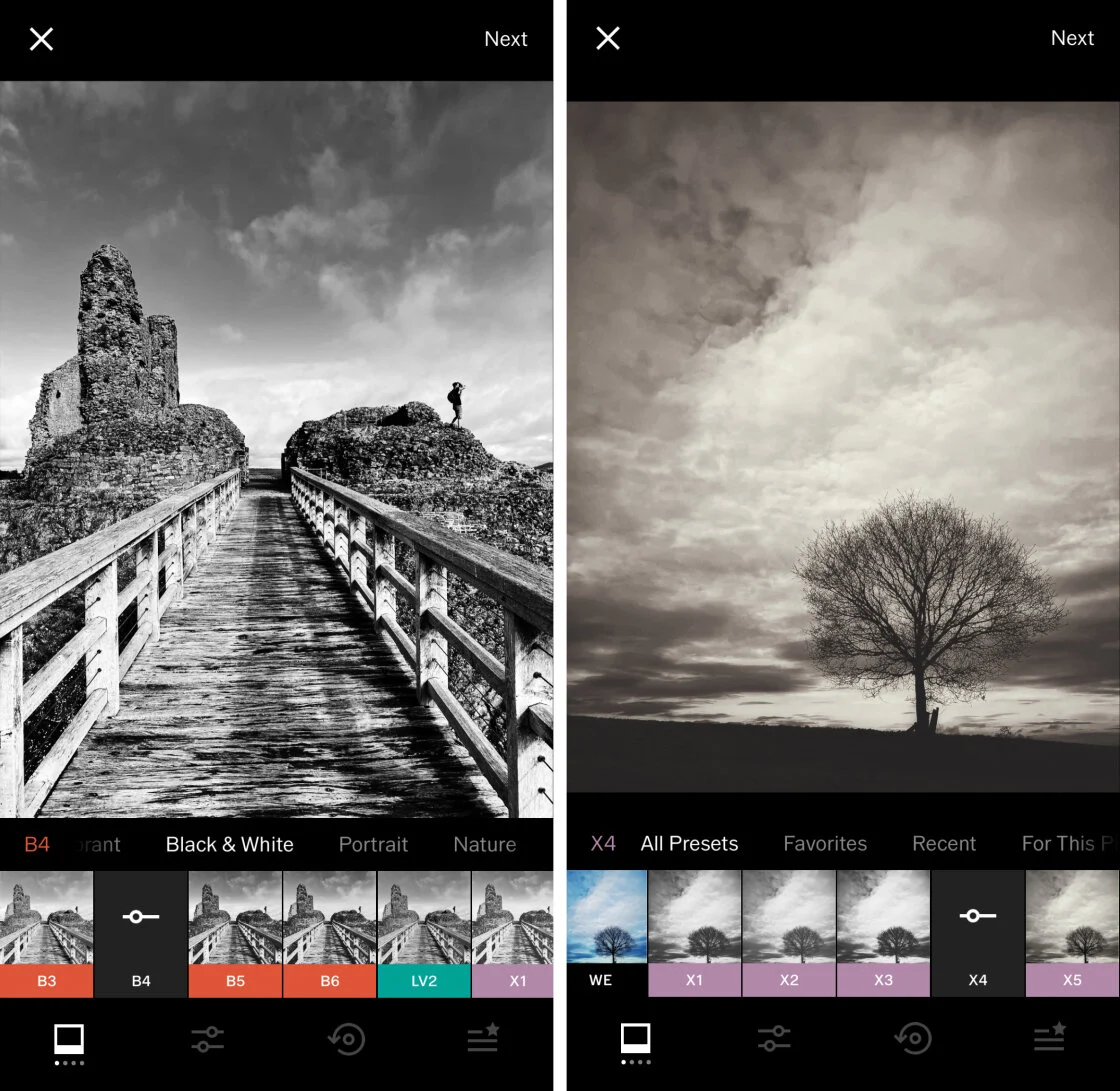
Inclement weather often results in "muddy" colors—dull browns, grays, and muted greens that can make a photo feel flat. Converting these images to black and white is a strategic move to emphasize texture, contrast, and form.
In a black-and-white edit, the focus shifts from the hue of an object to the play of light upon it. The glare of a streetlamp on a wet sidewalk or the texture of falling snow against a dark coat becomes the subject. Professional analysis suggests that black-and-white imagery evokes a stronger emotional response in viewers when the subject matter involves solitude or struggle—themes often prevalent in bad-weather street photography.
9. Specialized Editing Tools and Apps
While the native iOS app is powerful, professional street photographers often look toward specialized applications to refine their work.
- Lightroom Mobile: Offers advanced masking tools to brighten a subject while keeping a stormy sky dark.
- Snapseed: Features a "Tune Image" tool that allows for precise control over "Ambiance," a setting that can enhance the atmospheric quality of fog and rain.
- Blackie: A dedicated app for black-and-white photography that emulates the grain and contrast of classic film stocks like Tri-X or Ilford.
Chronology of a Weather-Based Shoot
The process for capturing these images usually follows a distinct timeline:
- Preparation: Monitoring weather apps (like Dark Sky or Windy) to identify the exact window of "peak" bad weather.
- The Scouting Phase: Arriving at a location just before the weather hits to identify "shelter spots" and composition lines.
- The Capture Phase: Engaging in high-volume shooting during the storm, utilizing burst mode and manual exposure adjustments.
- The Post-Storm Phase: Transitioning to puddle and reflection photography once the rain or snow stops.
- Curation and Editing: Selecting the top 1% of images and applying atmospheric edits to enhance the mood.
Broader Impact and Implications
The rise of high-quality mobile photography in adverse conditions has shifted the "gatekeeping" of the art world. When professional-grade images can be captured on a device that fits in a pocket, the emphasis moves from technical gear-hoarding to pure vision and persistence.
Furthermore, the documentation of cities in "bad" weather provides a more honest and varied look at urban life. It captures the resilience of the population and the transformative power of nature on man-made environments. As social media platforms continue to favor high-mood, atmospheric content, the "bad weather" photographer finds an increasingly engaged audience. The "ugly" day has become the "creative" day, proving that in the realm of street photography, there is no such thing as bad weather—only new opportunities for light and shadow.