The landscape of mobile photography has undergone a radical transformation over the past decade, moving from low-resolution snapshots to high-fidelity imagery that rivals professional DSLR cameras. As Apple continues to advance its hardware—most recently with the introduction of the 48-megapixel Main camera and the integration of Apple ProRAW—the demand for sophisticated post-processing software has reached an all-time high. For the modern "iPhoneographer," the App Store offers a staggering array of tools designed to refine, manipulate, and elevate mobile imagery. However, the saturation of the market makes selecting the appropriate software a complex task. This report analyzes the ten most effective photo editing applications currently available for the iOS platform, evaluating their technical capabilities, user demographics, and market impact.
The Evolution of Mobile Image Processing
The history of photo editing on the iPhone is marked by a shift from simple aesthetic filters to complex, non-destructive editing suites. In the early 2010s, applications like Instagram popularized "one-tap" filters that masked the technical limitations of early mobile sensors. Today, the industry has pivoted toward computational photography and AI-driven enhancements. According to market research data, the global photo editing software market is projected to grow significantly through 2030, driven largely by the "creator economy" and the increasing reliance on mobile devices for professional content production. The integration of high-performance silicon, such as Apple’s A-series Bionic chips, has enabled mobile apps to perform tasks—such as object removal and selective masking—that were previously restricted to desktop environments.
1. Snapseed: The Standard for Comprehensive Mobile Editing
Owned by Google, Snapseed remains a cornerstone of the mobile photography world. Its primary appeal lies in its "completely free" model, offering professional-grade tools without the encumbrance of subscriptions or in-app purchases.
Technically, Snapseed excels in its "Stacks" feature, which allows for non-destructive editing. Users can revert to any stage of the editing process to adjust specific parameters without affecting subsequent changes. Its "Selective" and "Brush" tools utilize "U Point" technology, enabling users to place control points on specific areas of an image to adjust brightness, contrast, and saturation with surgical precision. For beginners, the interface is intuitive, while advanced users benefit from the "Curves" and "Expand" tools, the latter of which uses smart algorithms to fill in the edges of a canvas when straightening or resizing.
2. VSCO: Film Emulation and the Aesthetic Community
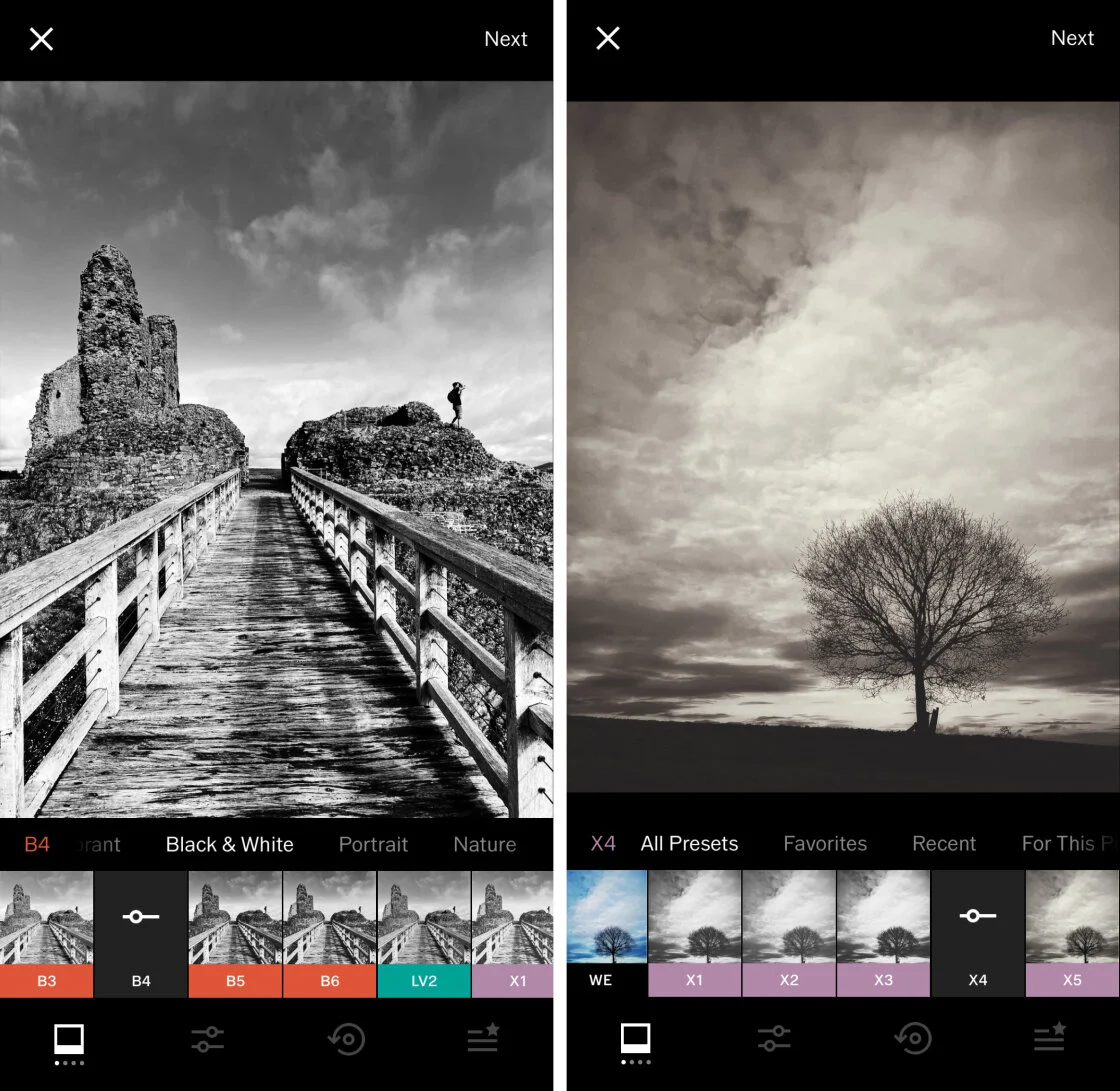
VSCO (Visual Supply Company) has carved a niche by focusing on the "analog" aesthetic. Unlike many competitors that prioritize aggressive retouching, VSCO is renowned for its subtle, high-quality presets that emulate classic film stocks from Kodak, Fuji, and Agfa.
The application operates on a "freemium" model. While the basic version provides essential tools, the VSCO Membership (a subscription-based service) grants access to over 200 presets and advanced tools like the "HLS" (Hue, Lightness, Saturation) color mixer. Industry analysts note that VSCO’s success is partially due to its built-in social platform, which lacks public "like" counts and comments, fostering a more professional, gallery-style environment for creators.
3. TouchRetouch: Specialized Object Removal
While many general editors include "healing" tools, TouchRetouch is a specialized utility designed specifically for the removal of unwanted elements. In the context of urban and landscape photography, this app is frequently cited as an essential tool for its efficiency in handling "visual noise."
The application’s "Line Removal" tool is particularly noteworthy; it allows users to tap a power line or telephone wire, which the AI then tracks and removes entirely across the frame. Its "Blemish Remover" and "Object Removal" tools use content-aware fill algorithms to sample surrounding pixels and seamlessly patch the deleted area. For $3.99, it represents a one-time investment for a tool that often outperforms the healing brushes found in more expensive suites.
4. Carbon: The Precision of Monochromatic Art
Black and white photography requires a different technical approach than color editing, focusing on tonal range, grain structure, and contrast. Carbon is designed specifically for this medium. Developed in collaboration with professional photographers, the app offers 58 specialized filters designed to highlight the nuances of light and shadow.
Beyond simple desaturation, Carbon allows users to add "vintage" textures, light leaks, and "Kuwahara" painterly effects. The app supports a wide range of monochromatic styles, from high-contrast noir to soft, sepia-toned vintage looks. While the app is free to download, a "Pro" subscription is required to unlock the full library of tonal filters and advanced grain controls.
5. Adobe Lightroom: The Professional’s Ecosystem
Adobe Lightroom for mobile is arguably the most powerful editor for those already integrated into the Adobe Creative Cloud ecosystem. Its greatest strength is its ability to handle RAW and Apple ProRAW files, providing the maximum possible dynamic range for editing.
Lightroom’s mobile interface mirrors its desktop counterpart, offering sophisticated sliders for "Light," "Color," "Effects," and "Detail." The "Selective Adjustment" tool, powered by Adobe Sensei AI, can automatically detect a subject or a sky, allowing for targeted masking in seconds. Furthermore, the cloud synchronization feature allows a photographer to start an edit on their iPhone and finish it on a MacBook or iPad with all metadata and history intact.
6. Afterlight: Creative Versatility
Afterlight strikes a balance between professional-grade tools and creative overlays. It is frequently recommended for users who want a "one-stop-shop" for both technical adjustments and artistic flair.
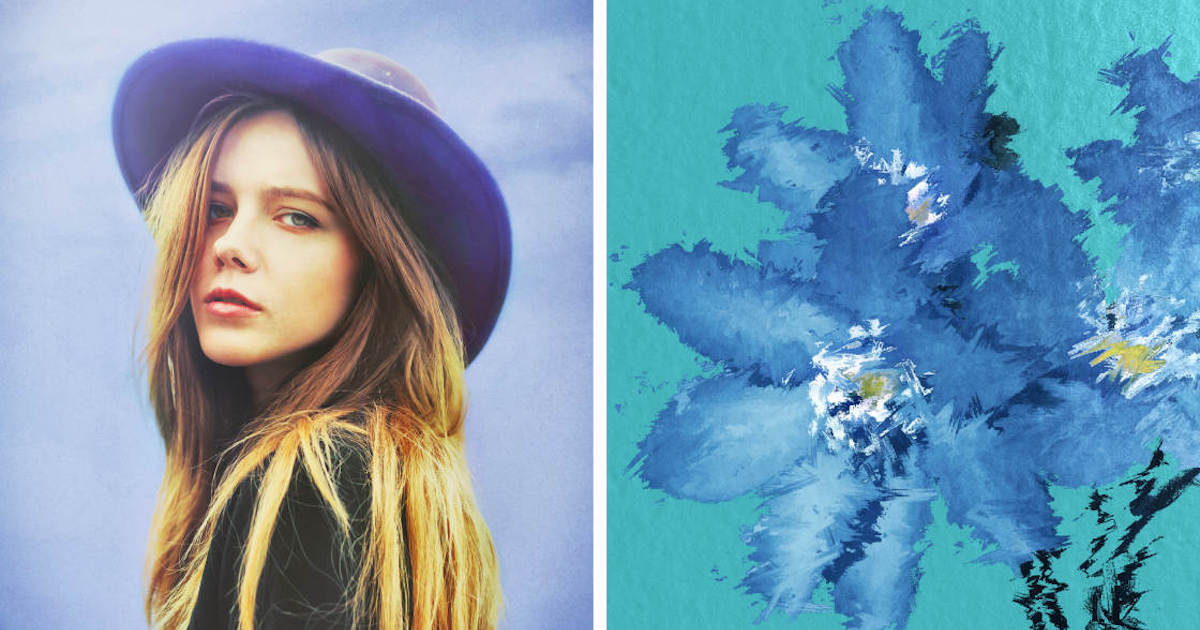
Technically, Afterlight includes advanced features like "Curves" and "Selective Color," but it is best known for its extensive library of over 130 filters and its unique "Double Exposure" tool. This allows users to blend two images together using various blend modes, a technique often used in digital art and high-concept portraiture. The app follows the industry trend of a subscription model for its "Pro" features, though the base version remains a robust entry point for casual editors.
7. Mextures: Non-Destructive Texture Layering
Mextures is unique for its "Formula" based approach to editing. It is designed for photographers who want to apply complex textures, grains, and light leaks through a layering system. Each "layer" can be adjusted for opacity and blend mode, similar to Adobe Photoshop.
One of the most significant features of Mextures is the ability to save an editing chain as a "Formula" which can then be shared with the community or applied to future photos to ensure a consistent brand aesthetic. This makes it a favorite among social media influencers and digital artists who prioritize a signature "look."
8. Lens Distortions: High-Fidelity Optical Effects
Lens Distortions differentiates itself by using actual photographic assets—rather than synthetic filters—to create overlays. When a user adds a lens flare, fog, or rain effect, they are applying a layer captured in a real-world environment using high-end cinema lenses.
This approach results in a level of realism that is difficult to achieve through traditional digital filters. The app allows for the precise positioning and customization of "shimmer," "luminary," and "glass" effects. In landscape photography, these tools are often used to enhance atmospheric perspective, adding depth through simulated fog or natural light streaks.
9. Superimpose X: The Mobile Compositing Suite
For users interested in digital art and heavy manipulation, Superimpose X provides tools that mimic desktop-class compositing. It allows for the creation of complex "composites" by layering multiple images, masking out backgrounds, and blending subjects.
The app features an array of masking tools, including "Magic Wand," "Lasso," and "AI Auto-Masking." It supports multiple layers, each with its own set of adjustment tools, filters, and shadows. This application is often used to create surrealist imagery or "fantasy" edits that go far beyond the scope of traditional photography.
10. Instagram: The Essential Final Polish
While primarily a social network, Instagram’s internal editing suite remains one of the most used tools in the world. Its "Lux" feature—a proprietary algorithm that adjusts contrast and exposure to reveal detail—is highly effective for quick corrections.
For many users, Instagram serves as the final stage of the workflow. Its straightening, perspective correction, and sharpening tools are sufficient for images intended solely for mobile viewing. Despite the rise of more complex apps, Instagram’s ease of use and immediate "shareability" maintain its relevance in the mobile photography ecosystem.
Market Analysis and Broader Implications
The shift toward mobile editing has significant implications for the photography industry. A recent survey of professional photographers indicated that over 40% now use mobile devices for at least some part of their professional post-production workflow. This transition is driven by the speed of the "mobile-first" economy, where the time between capture and publication is increasingly compressed.
Furthermore, the "subscription-ification" of these apps reflects a broader trend in software development. As developers move away from one-time purchases (like TouchRetouch) toward recurring revenue models (like VSCO and Lightroom), the barrier to entry remains low, but the long-term cost for professional users is rising.
Conclusion: Selecting the Strategic Workflow
Choosing the right application depends entirely on the user’s specific requirements. For the cost-conscious beginner, Snapseed provides a comprehensive, professional-grade toolkit at no cost. For the professional photographer, the integration of Adobe Lightroom into the Creative Cloud is often indispensable. Those seeking a specific aesthetic may find their needs met by the film emulations of VSCO or the textures of Mextures.
As Apple’s hardware continues to close the gap between mobile and professional cameras, these software tools will only become more vital. The "best" app is rarely a single choice; rather, most successful mobile photographers utilize a "stack" of applications—perhaps using TouchRetouch to clean an image, Lightroom to balance the colors, and VSCO to apply a final, cohesive aesthetic. In the current era of digital media, the power of a professional darkroom now resides entirely within the pocket of the consumer.