Mobile photography, frequently categorized under the portmanteau "iPhoneography," has evolved from a niche hobby into a dominant force within the global digital imaging landscape. Since the inception of the App Store in 2008, the capability of the iPhone to capture and process high-quality imagery has disrupted the traditional camera industry, leading to a surge in demand for sophisticated post-processing tools. As of 2024, the mobile photo and video app market is valued at billions of dollars, driven by a global user base that captures an estimated 1.8 trillion photos annually. For many of these users, the bridge between a raw snapshot and a professional-grade masterpiece lies in the selection of the right editing software. This report analyzes the top ten photo editing applications currently available for the iOS platform, evaluating their technical capabilities, market positions, and specific utility for varying levels of photographic expertise.
The Professional Standard: Precision and Power
The landscape of mobile editing is anchored by "all-purpose" applications that provide a comprehensive suite of tools designed to handle everything from basic exposure corrections to complex localized adjustments.
1. Snapseed: The Gold Standard for Everyday Editing
Snapseed remains one of the most significant success stories in the history of mobile software. Originally developed by Nik Software and subsequently acquired by Google in 2012, Snapseed revolutionized the mobile interface with its gesture-based editing system. Unlike many of its competitors, Snapseed is entirely free, offering a professional-grade toolkit without the barrier of a subscription model.
The application’s strength lies in its "Control Point" technology, which allows users to make selective adjustments to specific areas of a photo. This precision is complemented by a robust "Healing" tool for removing distractions and a "Portrait" suite that utilizes facial recognition to enhance skin texture and eye clarity. For the journalistic and street photography communities, Snapseed serves as an essential tool for rapid, high-quality turnaround.
2. Adobe Lightroom: The Desktop Powerhouse on Mobile
Adobe Lightroom for mobile represents the successful migration of professional desktop workflows to the palm of the hand. As part of the Adobe Creative Cloud ecosystem, Lightroom offers unparalleled synchronization between devices. For professional photographers, the ability to edit RAW files—retaining the maximum amount of image data—is the app’s primary draw.
Lightroom’s sophisticated sliders for color grading, HSL (Hue, Saturation, Luminance) adjustments, and perspective correction provide a level of control that mirrors the desktop experience. While the basic app is free, the "Premium" version introduces advanced AI-powered features, such as "Generative Remove" and automated masking, reflecting the industry-wide shift toward machine learning-assisted editing.
The Aesthetic Shift: Filter Culture and Film Emulation
As mobile photography matured, a segment of the market moved away from clinical perfection toward "analog" aesthetics. This trend has been driven by applications that prioritize mood and artistic expression over technical transparency.
3. VSCO: The Architect of Modern Film Emulation
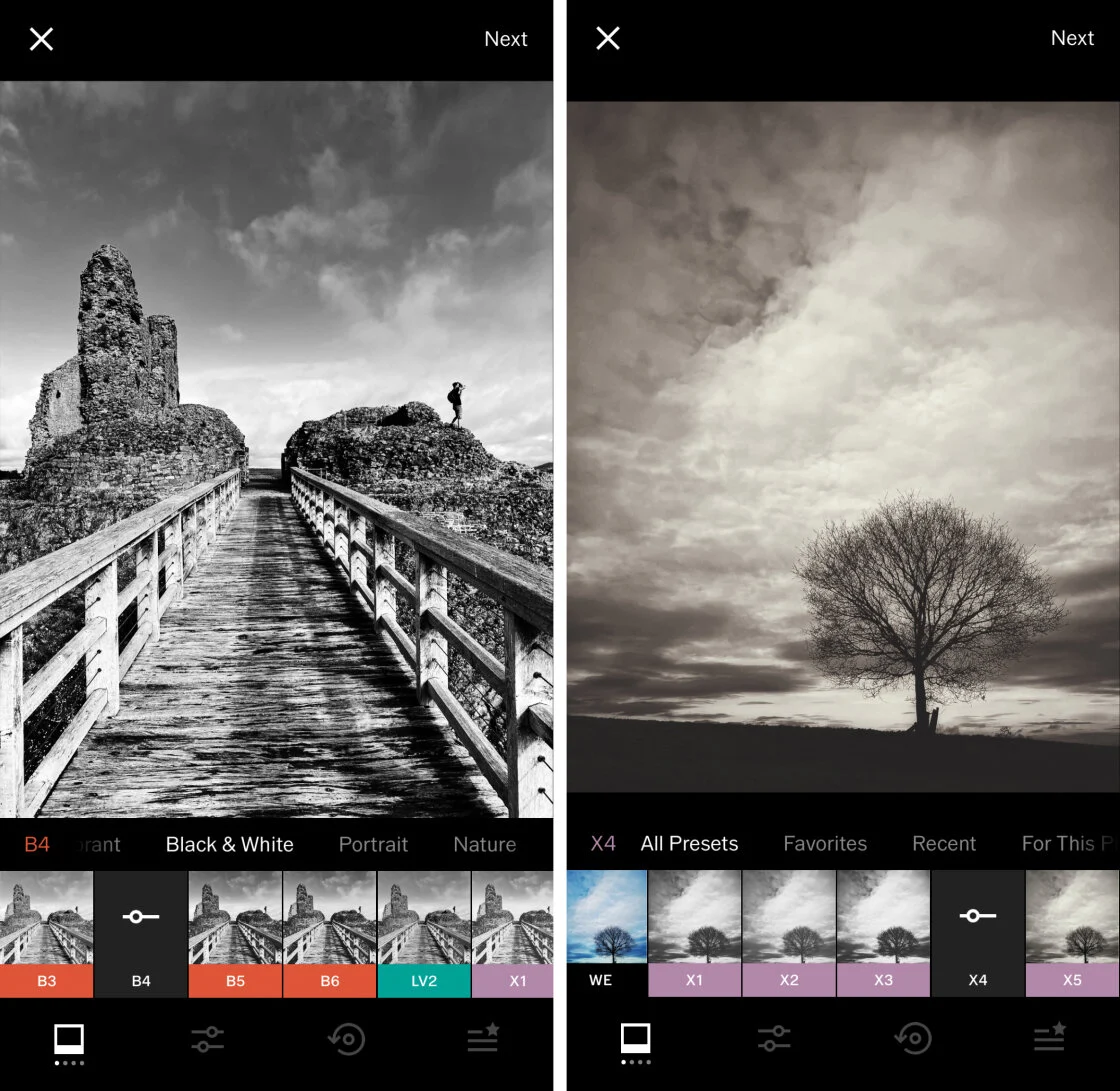
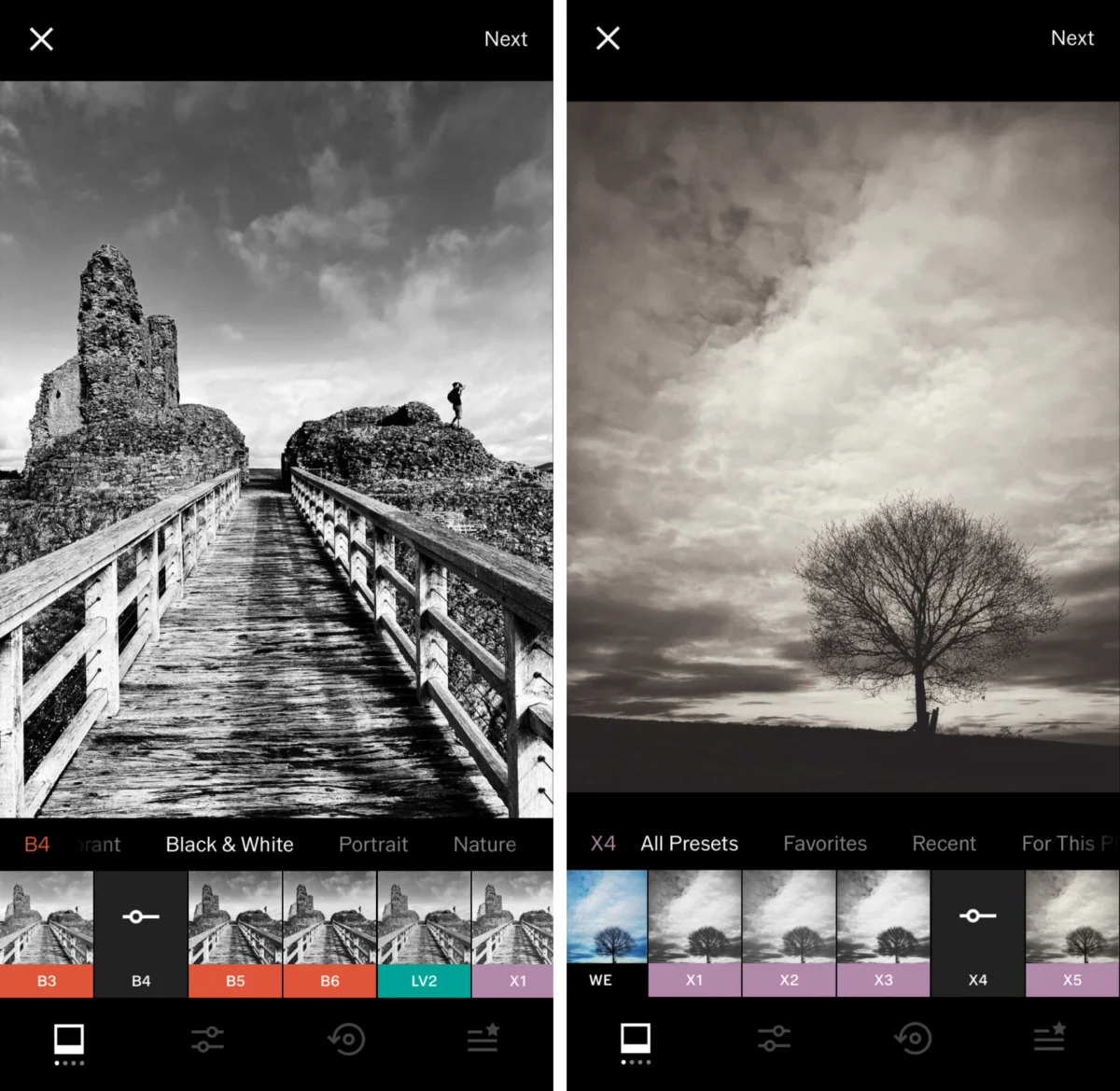
VSCO (Visual Supply Company) has had a profound impact on the visual culture of the 21st century. Launched in 2012, the app gained a cult following for its subtle, high-quality filters that emulate classic film stocks from Kodak, Fuji, and Agfa. Unlike the heavy-handed filters found in earlier social media apps, VSCO presets are designed to be understated, preserving the natural integrity of the image while adding a distinct tonal character.
The "VSCO Membership" model provides users with over 200 presets and advanced tools like the "Grain" and "HSL" sliders. Beyond editing, VSCO has positioned itself as a social platform for "creatives," eschewing traditional metrics like "likes" and "follower counts" in favor of a more curated, professional aesthetic.
4. Carbon: The Specialization of Monochrome
While many apps offer black-and-white filters, Carbon focuses exclusively on the art of monochrome photography. Developed in collaboration with professional photographers, Carbon provides 58 presets that cater to the specific requirements of black-and-white imaging, such as contrast ratios and silver-halide grain emulation. This specialization is a response to a growing market segment that views monochrome not as a secondary option, but as a primary artistic medium.
Targeted Solutions: Retouching and Environmental Effects
The third category of essential apps includes those designed for specific, high-stakes tasks that general editors may struggle to perform with precision.
5. TouchRetouch: Content-Aware Object Removal
Object removal is one of the most technically demanding aspects of photo editing. TouchRetouch, developed by ADVA Soft, is a dedicated utility designed to simplify this process. Using sophisticated content-aware algorithms, the app allows users to remove "photo-bombers," power lines, and skin blemishes with a single stroke.
In an era where "distraction-free" imagery is highly valued for social media and commercial use, TouchRetouch has become a staple for mobile photographers. Industry analysts note that the app’s success is a testament to the "utility-first" model, where a single, perfectly executed feature can be more valuable than a dozen mediocre ones.
6. Lens Distortions: Natural Environmental Overlays
Lens Distortions takes a unique approach to overlays by using actual photographic elements—such as real sunlight, fog, and rain—rather than digitally generated graphics. This results in a level of realism that is difficult to achieve in other applications. For landscape and architectural photographers, the ability to add a subtle lens flare or a layer of atmospheric haze can transform a flat image into a cinematic composition.
Creative Artistry: Beyond the Captured Frame
For some users, the iPhone is not just a camera but a canvas for digital art. This has led to the rise of apps that facilitate complex compositing and heavy texturing.
7. Mextures: The Art of Layered Textures
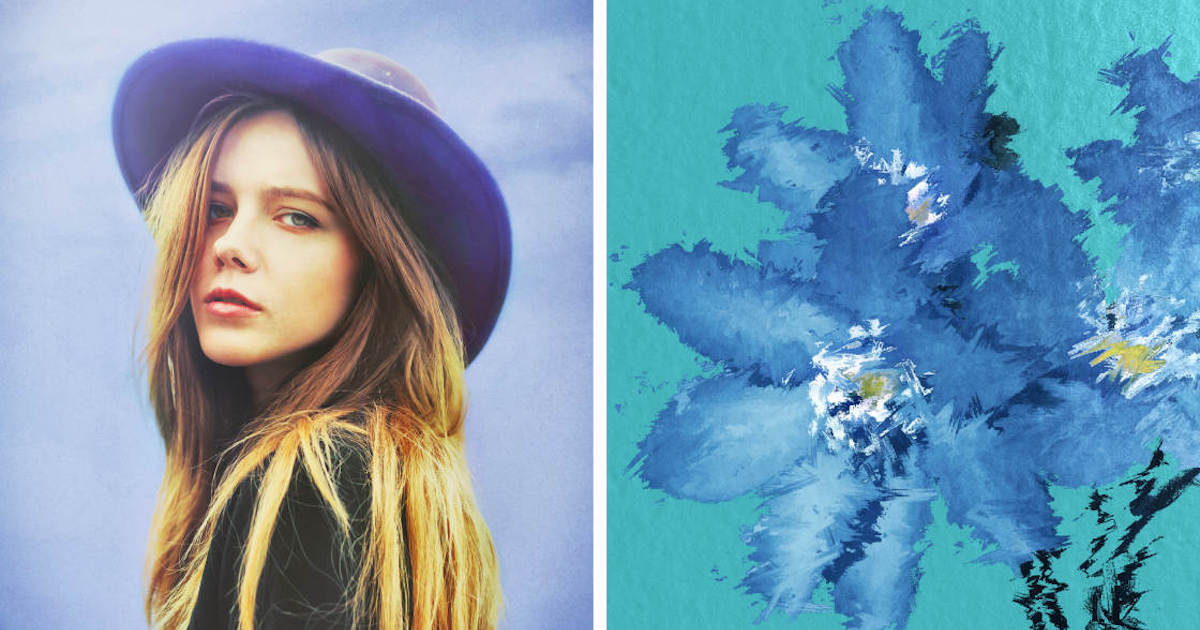
Mextures is a powerhouse for those who wish to apply "grit," grain, and light leaks to their photos. The app’s standout feature is its non-destructive layering system, which allows users to stack an infinite number of effects and adjust their blend modes independently. The "Formulas" feature allows the community to share their layered presets, fostering a collaborative environment for digital artists.
8. Afterlight: The Versatile Creative Suite
Afterlight occupies the middle ground between a traditional editor and a creative art tool. It offers a comprehensive set of "Frames," "Text," and "Double Exposure" tools. The app has evolved significantly since its launch, now offering "Fusion" filters that allow users to create their own unique presets based on their editing history.
9. Superimpose X: The Mobile Photoshop Alternative
Superimpose X is the premier choice for creating composite images on the iPhone. It provides advanced masking tools, including AI-based subject selection, allowing users to cut out elements from one photo and blend them into another. This app is frequently used by digital artists to create surrealist imagery and "fantasy" landscapes that would traditionally require a desktop computer and a copy of Adobe Photoshop.
The Social Gateway: Integrated Publishing
10. Instagram: The Essential Final Step
While often criticized by purists for its simplified editing tools, Instagram remains the most influential photo app in the world. Since its $1 billion acquisition by Facebook (now Meta) in 2012, Instagram has pivoted toward video (Reels), yet its photo editing suite remains a vital "final polish" tool for millions. Its "Lux" feature, which adjusts exposure and contrast simultaneously, is a hallmark of the app’s user-friendly philosophy.
Market Context and Industry Trends
The proliferation of these applications is supported by significant hardware advancements. Apple’s introduction of the "ProRAW" format with the iPhone 12 Pro marked a turning point, providing third-party apps with access to uncompressed data that was previously the exclusive domain of DSLR cameras. Furthermore, the integration of the "Neural Engine" in Apple’s A-series chips has enabled real-time AI editing features that were technically impossible a decade ago.
According to data from Sensor Tower, the "Photo & Video" category consistently ranks among the top-grossing segments of the App Store. This financial success has led to a controversial shift in the industry: the move from one-time purchases to subscription-based "SaaS" (Software as a Service) models. While this provides developers with a steady stream of revenue for ongoing updates, it has also led to "subscription fatigue" among consumers.
Chronology of Mobile Photography Milestones
- 2007: Launch of the original iPhone; photography is limited to a 2-megapixel fixed-focus camera.
- 2008: Launch of the App Store; the first third-party photo filters appear.
- 2010: Launch of Instagram and the iPhone 4; the "Retina Display" and improved camera sensor ignite the "iPhoneography" movement.
- 2012: Google acquires Snapseed; Facebook acquires Instagram.
- 2016: Apple introduces "Portrait Mode" on the iPhone 7 Plus, utilizing dual-lens technology.
- 2020: Apple introduces "ProRAW," significantly increasing the utility of apps like Lightroom and Snapseed.
- 2023-2024: Generative AI becomes the primary focus of mobile editing updates.
Analysis of Implications
The democratization of professional-grade editing tools has significant implications for the photography industry. On one hand, it has lowered the barrier to entry, allowing talented individuals to produce world-class work without expensive equipment. On the other hand, it has created a "saturated" visual environment where the distinction between a professional and an amateur is increasingly blurred by the power of the software.
Official statements from Adobe executives suggest that the future of mobile editing lies in "assistive creativity," where AI does not replace the photographer but handles the tedious aspects of the workflow, such as masking and noise reduction. This sentiment is echoed by the developer community, which is increasingly focused on "one-tap" solutions that provide "professional-looking" results with minimal user effort.
In conclusion, the selection of a photo editing app on the iPhone is no longer a matter of finding the "best" app, but rather the most appropriate tool for a specific creative intent. Whether it is the technical precision of Lightroom, the analog warmth of VSCO, or the corrective utility of TouchRetouch, these ten applications represent the pinnacle of mobile software engineering, turning the iPhone into the most powerful and versatile camera system in history.