The evolution of mobile imaging has reached a pivotal juncture where the distinction between professional digital single-lens reflex (DSLR) cameras and smartphone technology continues to narrow. Central to this progression is the ability to manipulate depth of field—specifically the creation of a "bokeh" effect, or background blur, which isolates a subject and provides a cinematic quality to still images. For iPhone users, achieving this aesthetic is no longer a matter of expensive glass and manual apertures but is instead a sophisticated blend of optical physics and computational photography. As the mobile photography market continues to expand, understanding the multifaceted approach to background manipulation has become essential for both casual creators and professional social media strategists.
The Technological Evolution of iPhone Depth Sensing
The journey toward professional-grade background blur began in earnest in 2016 with the release of the iPhone 7 Plus. This device introduced the first dual-camera system to the Apple ecosystem, utilizing a wide-angle lens and a telephoto lens in tandem to create a "depth map." This map allowed the software to distinguish between the foreground subject and the background environment, applying a Gaussian blur to the latter.
Over the subsequent years, Apple’s hardware iterations have significantly refined this process. The introduction of the A-series Bionic chips enabled real-time machine learning, allowing the camera to recognize human features, hair strands, and even the edges of glasses with increasing precision. By the launch of the iPhone 12 Pro and subsequent models, the integration of LiDAR (Light Detection and Ranging) scanners further revolutionized the process. LiDAR allows the device to measure the distance to objects by timing how long it takes for light to reflect back, enabling accurate depth-of-field effects even in challenging low-light conditions where traditional contrast-detection systems often fail.
Utilizing Portrait Mode for Instant Background Isolation
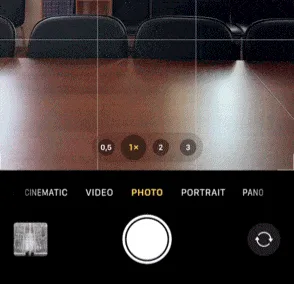
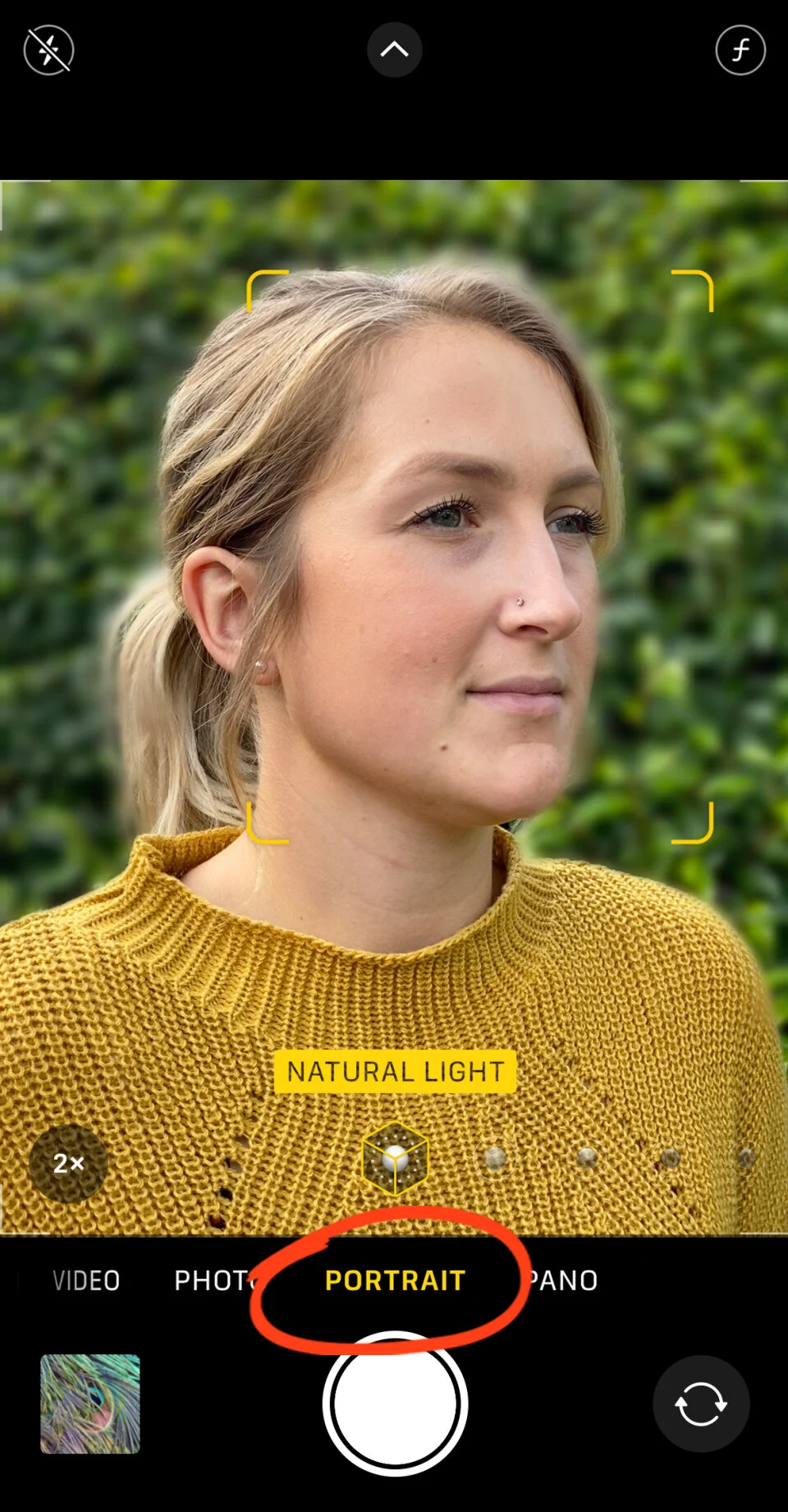
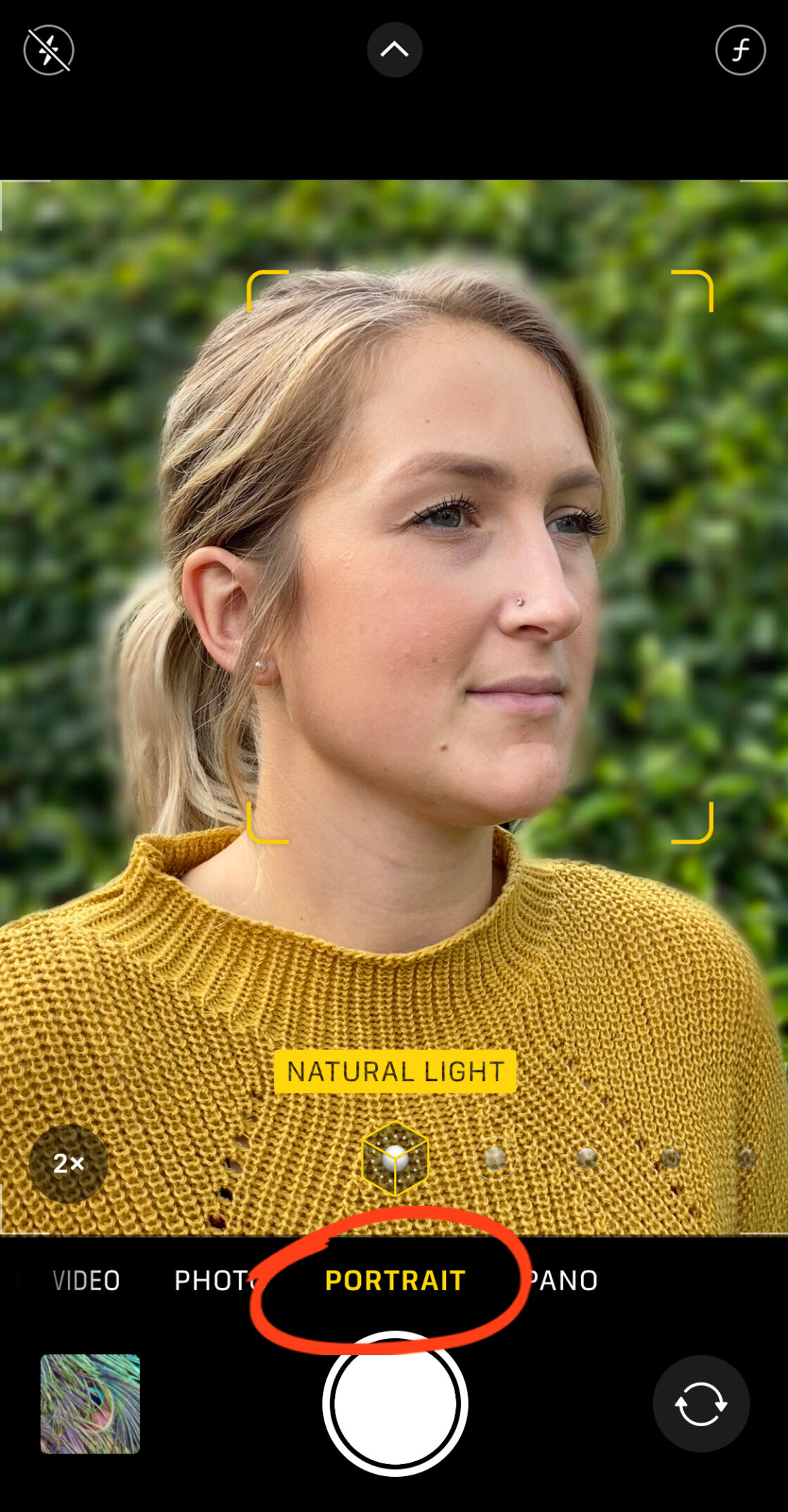
Portrait Mode remains the primary tool for users seeking to emulate the look of a high-end prime lens. This feature is currently available on a wide range of devices, spanning from the iPhone 7 Plus to the latest iPhone 15 series. To engage this tool, the user must navigate to the Portrait section of the native Camera app.
The software requires specific conditions to function optimally. Generally, the subject must be positioned between two and eight feet from the lens. If the user is too close or too far, the interface provides haptic and visual prompts to adjust the distance. Once the "Natural Light" or "Depth Effect" indicator illuminates in yellow, the computational engine has successfully locked onto the subject.
A significant advancement in recent iOS versions is the ability to adjust the "Virtual Aperture" after the photo has been taken. By selecting a photo in the Photos app and tapping "Edit," users can access an f-stop slider. A lower f-number (such as f/1.4) results in a shallower depth of field and more pronounced blur, while a higher f-number (such as f/16) brings more of the background into focus. This non-destructive editing capability provides a level of flexibility that was historically reserved for RAW processing in professional desktop suites.
The Role of Portrait Lighting and Studio Effects
Beyond simple blurring, the iPhone’s Portrait Mode incorporates "Portrait Lighting," a feature that uses artificial intelligence to simulate professional studio environments. These effects—Studio Light, Contour Light, Stage Light, and High-Key Mono—do more than just blur the background; they re-map the light hitting the subject’s face.
For instance, "Stage Light" completely removes the background, replacing it with a deep black void, effectively isolating the subject as if they were under a spotlight. "High-Key Light Mono" performs a similar feat but utilizes a white background for a minimalist, editorial look. These tools represent the democratization of lighting equipment, allowing users to achieve complex visual styles without the need for physical softboxes or reflectors.
Achieving Optical Blur Through Physical Proximity
While software-based blur is the most common method, the laws of physics offer a more organic alternative: the "macro" approach. Every lens has a minimum focus distance and a specific focal length. By moving the iPhone camera physically closer to a subject, the depth of field naturally narrows.
This technique does not rely on software algorithms, meaning it is available on every iPhone model ever produced. When the lens is focused on a very near object—such as a flower, an insect, or a textured detail—the distance between the subject and the background increases relative to the lens. This creates a natural optical blur that many professional photographers prefer due to its smooth transitions and lack of "edge artifacts" sometimes seen in computational portraits.
For users seeking extreme close-ups, the market for add-on lenses, such as those produced by Moment or Sandmarc, has flourished. These macro attachments allow the iPhone to focus within millimeters of a subject, creating a dramatic background melt that rivals professional macro lenses.
Post-Production Workflow: Third-Party Applications
In scenarios where a photo was taken in the standard "Photo" mode rather than "Portrait" mode, or for users with older hardware, third-party applications provide a secondary path to background blur. Two applications have become industry standards for this purpose: AfterFocus and Snapseed.
Precision Editing with AfterFocus
AfterFocus utilizes a "Smart Selection" tool that allows users to draw rough outlines around the foreground and background. The app’s algorithm then refines these edges. For complex subjects—such as a cyclist with spokes or a person with frizzy hair—the app offers a manual "Pencil" mode. By zooming in and painting the mask with precision, users can create a highly realistic depth effect. The app also includes a "Motion Blur" feature, which simulates a slow shutter speed, adding a sense of kinetic energy to stationary subjects.

Artistic Vignetting with Snapseed
Google’s Snapseed offers a "Lens Blur" tool that operates on a different principle. Rather than masking a specific subject, it uses a radial or linear tilt-shift effect. Users can position a "focus circle" over their subject and adjust the "Transition" and "Blur Strength" sliders. This creates a dreamy, vignetted look where the edges of the frame gradually melt away. This technique is particularly effective for centered subjects or for creating a sense of scale in miniature-style photography.
Supporting Data and Market Impact
The shift toward high-quality mobile imaging is reflected in consumer behavior and industry data. According to the 2023 Camera & Imaging Products Association (CIPA) report, while the market for entry-level point-and-shoot cameras has declined by over 90% in the last decade, the quality of smartphone sensors has seen a linear increase in surface area and pixel density.
Internal data from social media platforms like Instagram and Flickr consistently show that the iPhone is the most used "camera" in the world. The "Shot on iPhone" campaign, launched by Apple, has further cemented the device’s status as a legitimate tool for high-end creative work. Professional photographers have noted that the ability to blur backgrounds effectively has been the single most important factor in making mobile photos "look professional" to the average viewer.
Official Responses and Industry Implications
Apple’s Vice President of Worldwide iPhone Product Marketing, Kaiann Drance, has frequently emphasized that the goal of iPhone photography is to make "the complex simple." In various keynote addresses, Apple executives have framed Portrait Mode not just as a filter, but as a sophisticated hardware-software integration that mimics the "physics of a 50mm prime lens."
The implications of this technology are far-reaching. For small business owners, the ability to take professional product shots with a blurred background reduces the barrier to entry for e-commerce. For journalists, the iPhone provides a discrete way to capture high-quality portraits in the field. However, some traditionalists argue that "computational bokeh" can occasionally look "clinical" or "uncanny" compared to the unpredictable, organic nature of glass optics.
Conclusion: The Future of Mobile Depth Manipulation
As we look toward future iterations of the iPhone, the role of Artificial Intelligence (AI) and Generative Fill is expected to further enhance background manipulation. We are moving toward a "post-capture" world where every aspect of a photo’s focus, lighting, and depth can be re-imagined long after the shutter has closed.
Whether through the precision of Portrait Mode, the raw physics of close-up shooting, or the creative flexibility of post-production apps, the ability to blur the background on an iPhone is more than a gimmick—it is a powerful compositional tool. It allows the photographer to strip away distractions, direct the viewer’s eye, and imbue a simple digital file with the weight and emotion of traditional film photography. As these tools become more accessible, the art of photography continues to evolve from a technical challenge into a purely creative endeavor.