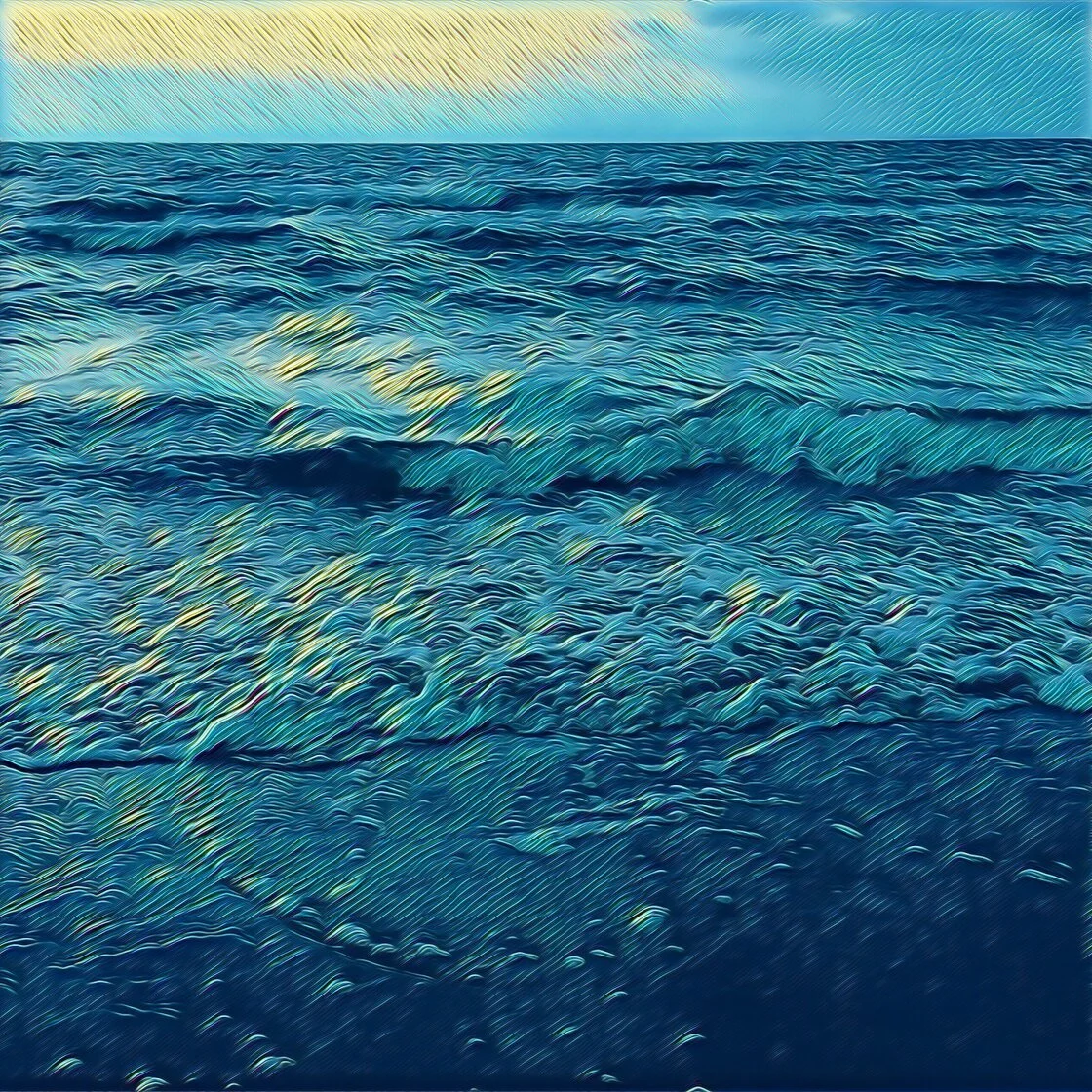
The evolution of mobile photography has transitioned from a pursuit of realistic documentation to a sophisticated medium for digital artistry. With the advent of advanced computational photography and the proliferation of high-performance mobile processors, the boundaries between traditional fine art and digital manipulation have blurred. The modern iPhone, equipped with high-resolution sensors and dedicated neural engines, has become a primary tool for creators seeking to transform standard imagery into stylized illustrations. This technological shift has fostered a competitive market for applications designed to convert photographs into sketches, paintings, and cartoon-style graphics. As the demand for unique social media content and personalized digital art continues to rise, five specific applications have distinguished themselves through technical precision, user accessibility, and algorithmic sophistication.
The Technological Evolution of Mobile Digital Art
The journey of photo-to-sketch technology began in the early days of the iOS App Store with rudimentary filters that simply adjusted contrast and overlaid textures. However, the introduction of Neural Style Transfer (NST) around 2016 marked a paradigm shift. Unlike traditional filters, NST uses deep learning algorithms to analyze the "style" of a reference image—such as a famous painting—and apply it to the "content" of a user’s photo. This results in a comprehensive re-rendering of the image rather than a simple aesthetic overlay.
Today, the industry has moved into an era of real-time processing, where complex artistic effects can be applied to live video feeds or high-definition images in seconds. This democratization of art tools has allowed individuals without formal training in illustration or graphic design to produce work that mimics the techniques of charcoal, pen and ink, and oil painting.
1. Prisma: The Benchmark for AI-Driven Stylization
Prisma remains a seminal figure in the landscape of digital art applications. Launched in 2016 by Prisma Labs, the app gained global recognition for its use of artificial intelligence to re-draw images from scratch. Rather than applying a transparent layer over a photo, Prisma’s server-side and on-device neural networks interpret the structural elements of a photograph and reconstruct them using the brushwork and color palettes of legendary artists.
The application’s library includes over 300 styles, many of which are directly inspired by the aesthetics of masters such as Pablo Picasso, Edvard Munch, and Salvador Dalí. Journalistic analysis of the app’s success points to its "one-tap" simplicity as a key driver of adoption. Users can select a style and immediately see their landscape transformed into a Munch-inspired expressionist piece or a Cubist portrait.
Beyond its artistic filters, Prisma provides a suite of fine-tuning tools. Users can adjust the intensity of the filter by swiping across the screen, allowing for a blend between the original photographic detail and the artistic abstraction. While the basic version offers a robust selection of styles, the premium subscription model provides access to the full HD library and a daily release of new artistic filters, ensuring the platform remains relevant in an ever-changing digital landscape.
2. Clip2Comic: Precision in Graphic Illustration
While Prisma focuses on fine art, Clip2Comic specializes in the niche of graphic illustration and comic book aesthetics. Developed by Digital_Labs, this application is optimized for users who desire high-contrast, line-heavy sketches that resemble hand-drawn cartoons or caricatures.
Clip2Comic’s technical strength lies in its edge-detection algorithms, which are designed to identify and emphasize the contours of a subject. This makes it particularly effective for portraiture and urban photography. The app offers 14 different sketch styles, ranging from "Realistic Sepia" to "Cartoon," providing a spectrum of stylization that caters to both subtle and exaggerated tastes.
A notable feature of Clip2Comic is its integration with the iPhone’s video capabilities. Users can shoot live video through a cartoon filter, a feature that has seen significant uptake among content creators on platforms like TikTok and Instagram. Furthermore, the application includes a "deform" tool, which allows for the manual manipulation of facial features to create caricatures. For professional users, the app supports high-resolution exports and even offers an in-app service for ordering physical prints of the digital creations.
3. Photoleap: The Professional Creative Suite
Photoleap, a product of the Jerusalem-based "unicorn" startup Lightricks, represents a more sophisticated tier of mobile editing. Formerly known as Enlight Photofox, Photoleap is not merely a filter app but a comprehensive creative suite that incorporates layers, masks, and advanced blending modes.
The "Sketch" tool within Photoleap is highly regarded for its ability to mimic traditional graphite and charcoal textures. What sets Photoleap apart is the level of control it affords the user. Instead of applying a global filter to the entire image, photographers can use masking tools to apply a sketch effect only to the background, leaving the subject in high-definition color, or vice versa. This capability facilitates the creation of surrealist, double-exposure compositions that would typically require desktop-class software like Adobe Photoshop.
Industry analysts note that Lightricks has positioned Photoleap as a bridge between casual social media users and professional graphic designers. By integrating sophisticated AI tools with a layer-based workflow, the app empowers users to engage in "creative storytelling" rather than simple image modification.
4. Painnt: Algorithmic Diversity and Customization
For users who prioritize variety above all else, Painnt offers one of the most extensive libraries in the App Store. With over 2,000 filters, the application covers every conceivable artistic movement, from classical Renaissance styles to modern pop art and mosaic patterns.
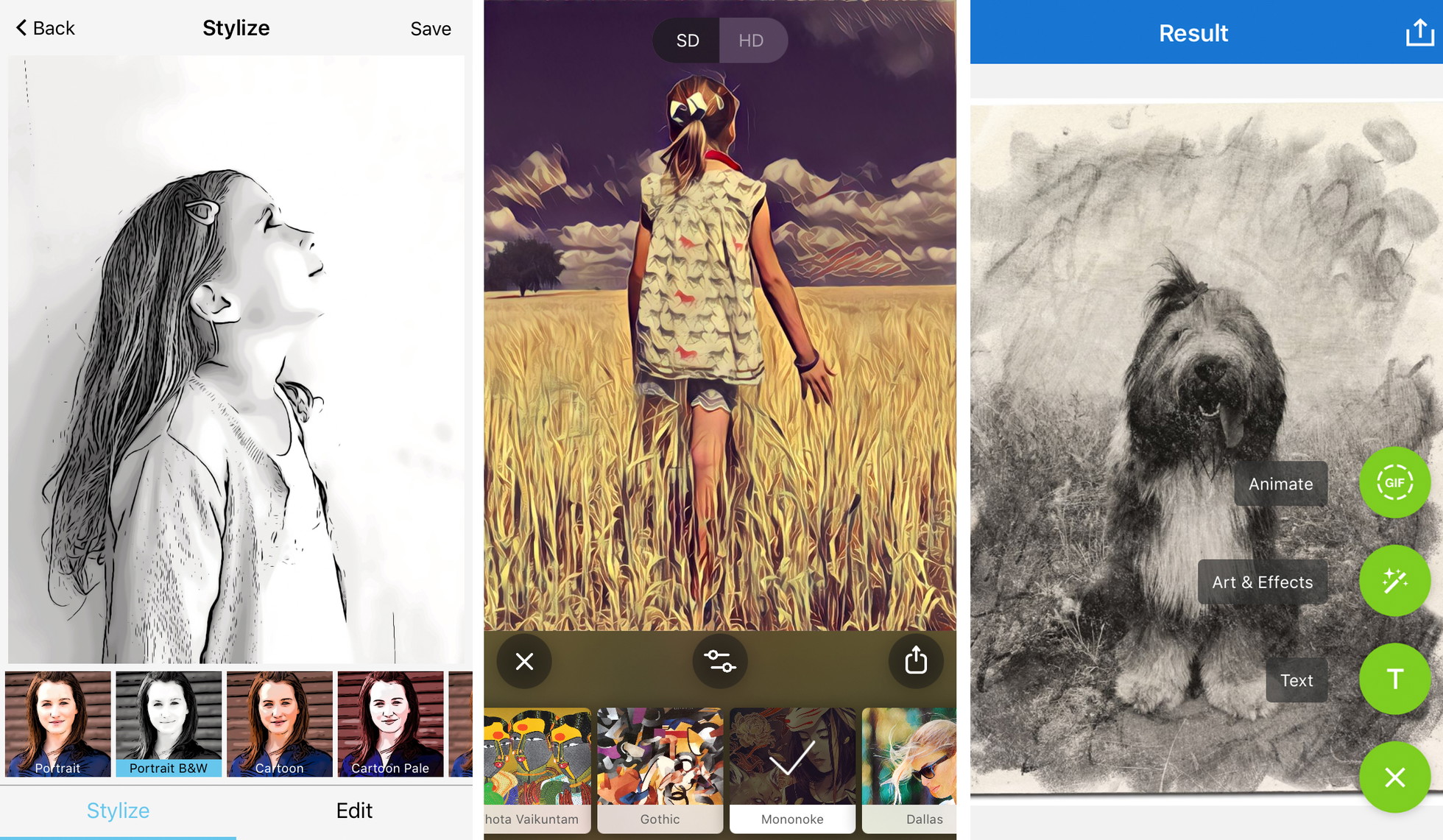
The technical appeal of Painnt lies in its granular customization. Once a sketch or paint filter is selected, users can manipulate variables such as stroke thickness, color saturation, and brightness. This level of transparency in the algorithmic process allows users to move away from the "canned" look of standard filters and toward a more bespoke artistic result.
Painnt’s developer, Moonlighting, has implemented a community-driven aspect to the app, where users can share their creations and discover new styles curated by other artists. This social integration has helped maintain a steady user base despite the crowded nature of the photo-editing market. Like its competitors, Painnt utilizes a freemium model, where high-resolution rendering and the removal of watermarks are reserved for premium subscribers.
5. Photo Lab: Skeuomorphic Realism and Collage
Photo Lab takes a different approach by emphasizing skeuomorphic realism—digital effects that look like physical objects or traditional media. While other apps might focus on the "vibe" of a drawing, Photo Lab offers filters that specifically replicate the look of pen and ink, charcoal, pastel, and crayon on specific paper textures.
The application is particularly popular for its "Artistic Effects" category, which includes complex montages and scrapbook-style layouts. From a technical standpoint, Photo Lab’s strength is its facial recognition and automated masking, which allows for the seamless insertion of a user’s portrait into a pre-designed artistic template.
While it offers fewer manual adjustment sliders than Photoleap or Painnt, Photo Lab excels in speed and "shareability." It is designed for the user who wants an immediate, high-impact result with minimal effort. The app’s vast collection of frames and overlays makes it a versatile tool for creating digital greeting cards and personalized social media headers.
Chronology of Development in the Photo-to-Art Sector
The timeline of these applications reflects the broader history of mobile software:
- 2010–2012: The rise of Instagram popularizes basic color-grading filters.
- 2013–2015: Apps like Paper and Procreate begin to turn the iPad into a canvas, but photo-to-sketch conversion remains rudimentary.
- 2016: Prisma Labs launches Prisma, introducing the world to Neural Style Transfer and AI-based art.
- 2017–2019: Established players like Lightricks (Photoleap) and Digital_Labs (Clip2Comic) integrate AI into more complex, layer-based editing environments.
- 2020–Present: The focus shifts toward real-time video stylization and "Generative AI," where apps can not only stylize photos but also add elements that were never there.
Market Data and User Trends
According to market research from Sensor Tower, the "Photo & Video" category consistently ranks as one of the highest-grossing segments of the App Store. In 2023, consumer spending on mobile photo editing apps exceeded $1.5 billion globally. This growth is driven by the "creator economy," where unique visual branding is a prerequisite for success.
Data indicates that users are increasingly willing to move away from one-time purchase apps in favor of subscription models (SaaS), provided the developers offer continuous updates and new artistic styles. Prisma, for instance, reported over 50 million downloads within its first few months, a testament to the public’s appetite for sophisticated artistic tools.
Official Responses and Ethical Considerations
The rise of these applications has not been without controversy. Traditional artists have occasionally voiced concerns that AI-driven stylization devalues the skill required for manual illustration. In response, developers like Lightricks have emphasized that their tools are intended to "augment" human creativity rather than replace it. In a statement regarding the role of AI in art, a spokesperson for the industry noted that these apps serve as a "gateway" for people to explore artistic concepts like composition and color theory.
Furthermore, the debate over digital rights and the training of AI models has led many developers to clarify that the styles used in their apps are either based on public domain works or are original algorithms developed in-house, ensuring that contemporary artists are not being plagiarized by the software.
Broader Impact and Future Outlook
The broader impact of photo-to-sketch applications extends beyond social media aesthetics. They are used in storyboarding for film, architectural visualization, and even therapeutic art settings. By lowering the barrier to entry for visual expression, these apps have transformed the smartphone from a passive consumption device into a versatile digital studio.
Looking forward, the integration of Generative AI is expected to be the next frontier. Future iterations of these apps will likely allow users to give text prompts to modify their sketches—for example, "turn this photo into a pencil sketch in the style of Leonardo da Vinci but with a futuristic neon color palette."
Technical Recommendations for Optimal Results
To achieve professional-grade results with these applications, journalists and digital artists recommend adhering to specific technical principles:
- Compositional Simplicity: High-detail, cluttered photos often result in "muddy" sketches. Algorithms perform best when there is a clear distinction between the subject and the background.
- Contrast Management: Sketch filters rely on detecting luminance changes to create lines. Using photos with strong highlights and deep shadows will yield a more defined drawing.
- Resolution Awareness: Users must ensure they are exporting at the highest possible resolution (HD or 4K) to avoid pixelation, particularly if the intention is to print the artwork.
- Mood-Filter Alignment: The choice of filter should complement the emotional tone of the image. For example, architectural photos often benefit from the precision of pen and ink, while portraits may be better suited for the softer textures of charcoal or pastel.
In conclusion, the five applications highlighted—Prisma, Clip2Comic, Photoleap, Painnt, and Photo Lab—represent the pinnacle of current mobile artistic technology. Each offers a unique balance of algorithmic power and user control, enabling the modern iPhone user to participate in the ongoing evolution of digital fine art.