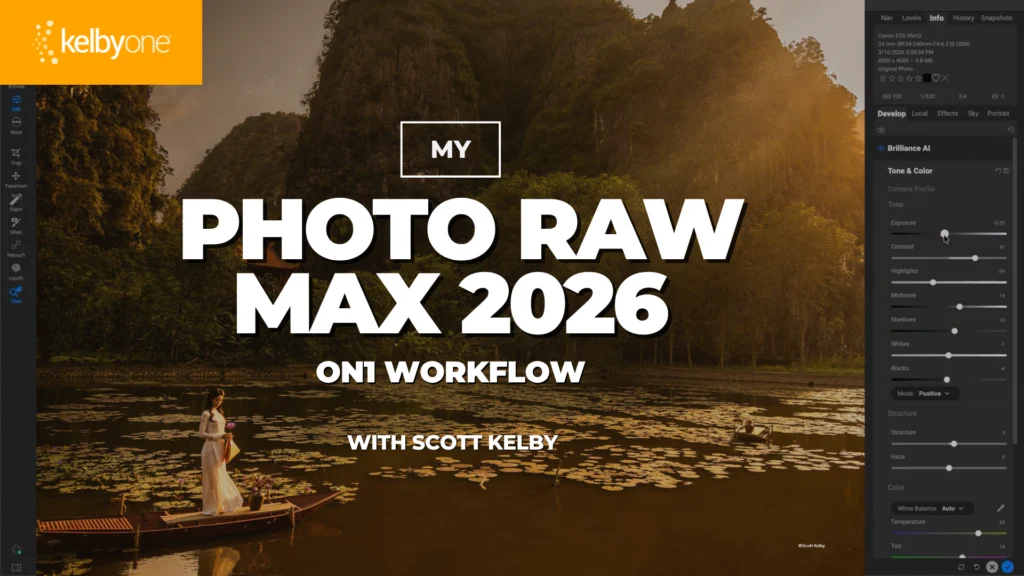
The renowned photography educator and author, Scott Kelby, has announced the launch of a new, in-depth class designed to demystify and streamline the workflow within ON1 Photo RAW MAX. This educational offering promises to guide photographers through a complete editing process, from initial adjustments to final creative enhancements, providing a repeatable methodology for users of all skill levels. In a significant move to broaden access to this valuable training, the entire class is being made available for free for a limited period, allowing a wider audience to benefit from Kelby’s extensive expertise.
Understanding the Core Offering: A Deep Dive into ON1 Photo RAW MAX
The newly launched class, titled "My Photo Raw Max 2026 ON1 Workflow with Scott Kelby," is positioned as an indispensable resource for anyone looking to master ON1 Photo RAW MAX. Kelby, known for his practical, no-nonsense teaching style, takes participants through a start-to-finish edit, explicitly detailing the order in which tools are utilized, identifying frequently accessed features, and highlighting those he typically bypasses. This approach is crucial for developing an efficient workflow, a common challenge for photographers navigating complex editing software.
The curriculum is meticulously structured to cover a suite of ON1 Photo RAW MAX’s most powerful AI-driven tools and classic creative effects. Among the key AI features explored are:
- NoNoise AI: This tool is designed to intelligently reduce image noise, particularly prevalent in high-ISO shots or low-light conditions. Kelby’s instruction will likely emphasize how to achieve clean, sharp images without sacrificing fine detail, a common pitfall in noise reduction. The effectiveness of AI in distinguishing noise from legitimate image detail has significantly advanced, making tools like NoNoise AI a cornerstone of modern image processing.
- Resize AI: Addressing the critical need for high-quality image enlargement, Resize AI leverages artificial intelligence to scale images up without the typical loss of clarity or introduction of artifacts associated with traditional resizing methods. This is particularly vital for photographers preparing images for large-format prints, intricate composites, or extensive cropping, where pixel integrity is paramount. Kelby will likely demonstrate how to use this tool to maximize image potential for various output needs.
- Brilliance AI: Positioned as an intelligent one-click solution, Brilliance AI analyzes an image to automatically apply optimal tone and color adjustments. While offering a quick starting point, Kelby’s class will undoubtedly delve into how to fine-tune these AI-generated adjustments, ensuring that the automated results align with the photographer’s specific creative vision and photographic intent.
- Sky Swap AI: This feature has revolutionized landscape and outdoor photography by allowing seamless replacement of skies. Whether due to an overcast day or a desire for a more dramatic backdrop, Sky Swap AI offers a powerful solution. Kelby’s workflow will likely cover not just the technical application but also the artistic considerations involved in selecting and integrating a new sky naturally into an existing scene.
- Tack Sharp AI: Essential for ensuring maximum image sharpness, Tack Sharp AI aims to correct minor blur from camera shake or focus issues, and to enhance overall detail. In a world where even slight imperfections can detract from an image’s impact, mastering this tool is vital for delivering professional-grade results. Kelby will likely guide users on how to apply this intelligently without over-sharpening or introducing undesirable halos.
Beyond the AI-powered functionalities, the class will also explore a selection of Kelby’s "favorite creative effects." These include:
- Bleach Bypass: A classic photographic darkroom technique, this effect mimics the result of skipping the bleaching step in the color film processing, leading to desaturated colors, increased contrast, and often a gritty, cinematic feel. Kelby will likely show how to apply this digitally to achieve a distinct artistic mood.
- LUTs (Lookup Tables): LUTs are essentially color grading presets that can dramatically alter the look and feel of an image with a single click. The class will likely cover how to apply and customize various LUTs to achieve specific stylistic outcomes, from vintage looks to modern cinematic grades.
- Sun Flares: These optical effects, often sought after for their dramatic and atmospheric qualities, can be digitally added or enhanced. Kelby will instruct on how to realistically integrate sun flares to add warmth, depth, and a sense of natural light to an image.
- Vignettes: A classic framing technique, vignettes subtly darken the edges of an image to draw the viewer’s eye towards the center. The class will cover how to apply vignettes tastefully, controlling their shape, feathering, and intensity to complement the image’s composition.
The overarching goal, as articulated in the announcement, is to equip photographers with a "simple, repeatable workflow." This emphasis on efficiency and consistency is designed to benefit users irrespective of their primary editing environment—whether ON1 Photo RAW MAX serves as their sole editor or as a powerful companion tool alongside industry stalwarts like Adobe Lightroom and Photoshop. This flexible approach acknowledges the diverse software ecosystems photographers employ today.
Scott Kelby: A Pillar of Photography Education
Scott Kelby’s announcement carries significant weight within the photography community due largely to his distinguished career and profound influence. As the President and CEO of KelbyOne, an online educational platform for photographers, designers, and Photoshop users, Kelby has cultivated a reputation for delivering accessible, high-quality instruction. He is also the editor and publisher of Photoshop User magazine and the host of The Grid, an influential weekly talk show for photographers.
With over 100 books authored on Photoshop, Lightroom, and digital photography, many of which have become international bestsellers, Kelby’s ability to break down complex technical concepts into digestible, actionable steps is unparalleled. His practical, real-world approach to teaching resonates deeply with photographers who seek not just theoretical knowledge but tangible skills they can immediately apply to their work. The release of a class detailing his personal ON1 Photo RAW MAX workflow is therefore seen as a valuable opportunity for many to learn directly from one of the industry’s most trusted voices. His long-standing commitment to empowering photographers through education makes his endorsement and detailed instructional approach to ON1 Photo RAW MAX particularly noteworthy.
ON1 Photo RAW MAX in the Competitive Landscape
ON1 Photo RAW MAX is a comprehensive photo editing software that aims to be an all-in-one solution for photographers, encompassing photo organization, non-destructive editing, effects, and raw processing. Its "MAX" designation typically signifies a subscription-based model that provides users with continuous updates, access to new features, and sometimes additional cloud storage or bundled services, ensuring they always have the latest technology.
In an increasingly competitive market dominated by Adobe’s Creative Cloud suite (Lightroom and Photoshop), ON1 Photo RAW MAX has carved out a niche by offering a powerful alternative with a strong emphasis on AI-driven features and a perpetual license option (for its standard Photo RAW product, while MAX is subscription). The integration of AI tools like NoNoise AI, Resize AI, and Sky Swap AI is indicative of a broader industry trend where artificial intelligence is being leveraged to automate tedious tasks, enhance image quality, and unlock new creative possibilities. This trend reflects photographers’ growing demand for tools that can accelerate their workflow without compromising on quality or creative control.
The mention of using ON1 Photo RAW MAX "alongside Lightroom and Photoshop" highlights its role as a specialized tool that can complement existing workflows. Many photographers might use Lightroom for cataloging and initial raw adjustments, then move to ON1 Photo RAW MAX for its specific AI capabilities or unique creative effects, and finally to Photoshop for complex compositing or pixel-level manipulation. Kelby’s class is thus crucial in demonstrating how ON1 Photo RAW MAX can integrate seamlessly into a hybrid workflow, maximizing its utility for users who operate within a multi-software environment.
The Evolving Landscape of Photography Education and Professional Development
The launch of this class, particularly with its limited-time free access, underscores several key trends in photography education. The proliferation of online platforms like KelbyOne has democratized access to high-quality instruction, allowing photographers globally to learn from experts without geographical barriers. This accessibility is vital for continuous professional development in an industry characterized by rapid technological advancements.
Photographers, whether amateurs or seasoned professionals, constantly seek to improve their skills and adapt to new software capabilities. Workflow efficiency is a perennial concern, as time saved in post-processing can be redirected to shooting, client work, or creative exploration. Classes that offer structured, repeatable workflows are highly valued because they provide a clear roadmap for navigating complex software and achieving consistent, high-quality results.
The decision to offer the class for free, albeit for a limited duration, serves multiple strategic purposes. It significantly lowers the barrier to entry, allowing a vast number of photographers to experience Kelby’s teaching style and the capabilities of ON1 Photo RAW MAX without an initial financial commitment. This strategy can foster goodwill, encourage broader adoption or deeper engagement with the ON1 platform, and potentially convert free viewers into long-term subscribers to KelbyOne or purchasers of ON1 Photo RAW MAX. It also acts as a powerful promotional tool, generating buzz and demonstrating the value proposition of both the instructor and the software.
Broader Implications and Future Outlook
The release of Scott Kelby’s ON1 Photo RAW MAX workflow class is more than just an educational announcement; it reflects broader shifts within the photography industry. It signals the increasing maturity and competitive standing of alternative editing platforms like ON1 Photo RAW MAX, which are continuously innovating with AI-powered features. It also reaffirms the enduring demand for expert-led instruction that translates complex software into practical, creative tools.
For photographers, this class represents an opportunity to refine their post-processing skills, embrace new AI technologies, and potentially optimize their overall workflow. The ability to learn a streamlined approach from a respected figure like Scott Kelby can significantly reduce the learning curve often associated with mastering new software, thereby empowering users to unlock their creative potential more quickly and efficiently.
The limited-time free access period is a critical window for photographers to evaluate the software’s capabilities through the lens of an expert’s workflow. It is an investment in community engagement, likely leading to increased user proficiency and satisfaction with ON1 Photo RAW MAX. As the photography software market continues to evolve, driven by advancements in AI and user demand for intuitive yet powerful tools, educational initiatives like this will play an increasingly vital role in shaping how photographers interact with and master their digital darkrooms. The long-term impact could see a wider adoption of ON1 Photo RAW MAX as a primary or supplementary editor, driven by the practical insights and confidence instilled by Kelby’s comprehensive instruction.