The burgeoning landscape of digital media has ushered in an era where video content reigns supreme, captivating audiences across platforms from social media to professional broadcasts. Following our recent exploration into rectifying common photography missteps, this analysis turns its focus to the equally critical realm of videography, where aspiring content creators and professional filmmakers alike frequently encounter a distinct set of technical and practical challenges. As individuals delve into the intricate art and science of capturing moving images, an understanding of prevalent issues and their strategic resolutions becomes paramount. This article aims to dissect key videography pitfalls, offering actionable insights and contextual understanding to elevate production quality and ensure a more polished final product.
The Democratization of Video Production and Its Accompanying Challenges
In recent years, the accessibility of high-quality video recording equipment, from advanced smartphone cameras to sophisticated mirrorless systems, has democratized video production. This shift has empowered a vast new generation of videographers, ranging from hobbyists documenting personal experiences to burgeoning professionals building their portfolios. However, this accessibility often means that many enter the field without formal training in fundamental principles, leading to common errors that can significantly detract from the professionalism and effectiveness of their work. While cameras have become smarter, the human element of technique and understanding remains indispensable. The journey from capturing raw footage to producing compelling video is often fraught with learning curves, and recognizing these common issues early can save considerable time and effort in post-production.
Addressing Shaky Footage: The Foundation of Visual Stability
One of the most pervasive and immediately noticeable flaws in nascent videography is unstable or shaky footage. The human body, despite its remarkable dexterity, is inherently incapable of providing the smooth, controlled camera movements required for professional-grade video, especially when handheld for extended periods. This instability can manifest as minor jitters or pronounced wobbles, often leading to a disorienting viewing experience and, in severe cases, motion sickness for the audience. Research into viewer psychology consistently indicates that visual stability is a critical factor in audience engagement and retention; excessively shaky video can cause viewers to disengage within seconds.
The evolution of camera stabilization technology offers a compelling narrative of innovation. Early filmmakers relied on cumbersome dollies, tracks, and cranes to achieve smooth motion. The advent of the Steadicam in the 1970s revolutionized handheld cinematography, introducing a mechanical arm and vest system that isolated the camera from the operator’s movements. This paved the way for modern electronic stabilization systems. Today, cameras frequently incorporate built-in optical image stabilization (OIS) in lenses or in-body image stabilization (IBIS) within the camera sensor, which use gyroscopes and accelerometers to detect and counteract minor shakes. While effective for subtle movements, these internal systems often fall short for dynamic motion or prolonged handheld shooting.
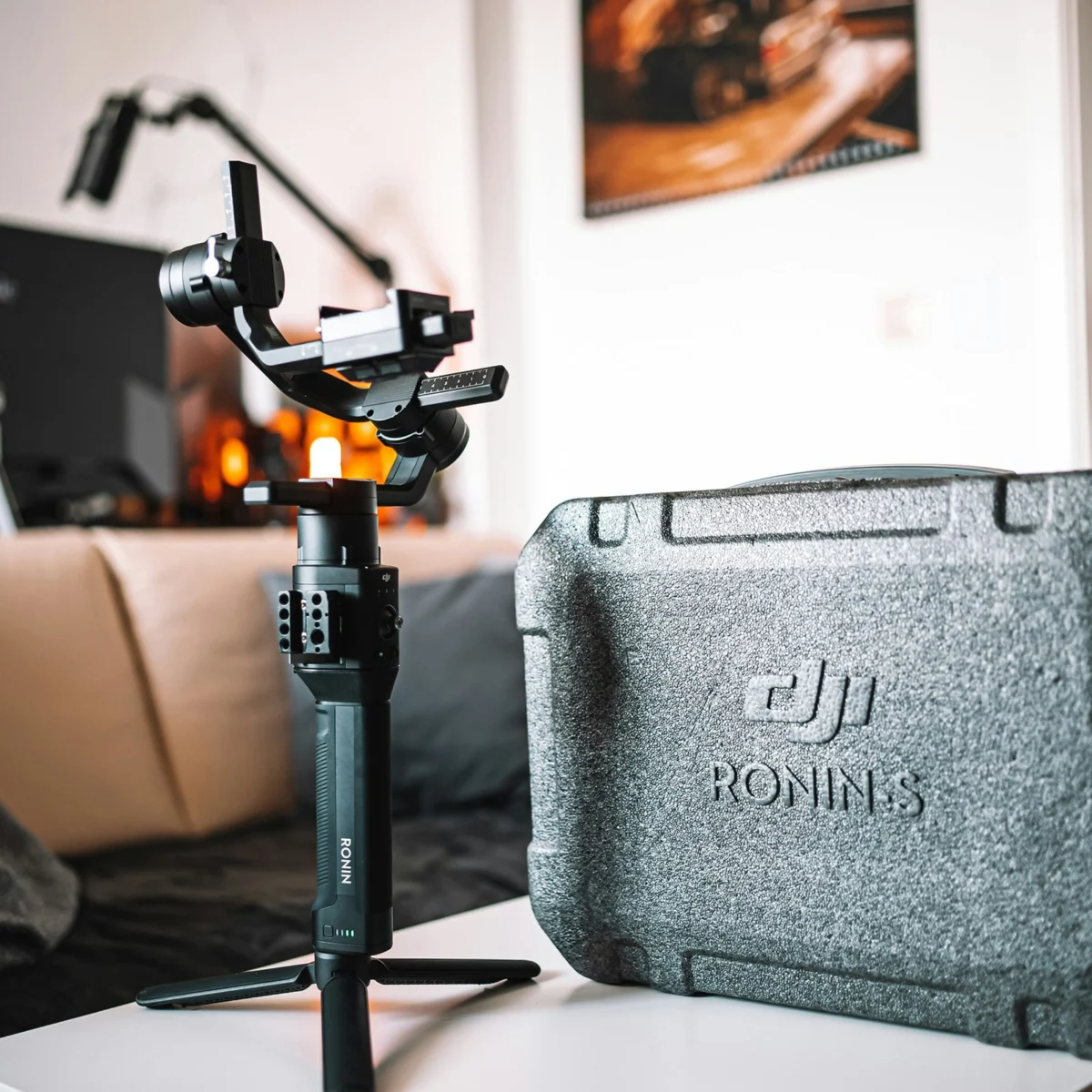
This is where external stabilization tools become indispensable. Gimbal systems, powered by brushless motors and advanced Inertial Measurement Units (IMUs), represent the pinnacle of accessible stabilization technology. These devices actively counteract camera movement across three axes (pan, tilt, and roll), delivering incredibly smooth and cinematic footage even during rapid motion. For smartphone videographers, entry-level gimbals like the DJI Mobile offer an excellent starting point, providing significant improvements in fluidity for pans and tracking shots without a substantial financial outlay. Stepping up to smaller mirrorless and DSLR cameras, options such as the DJI Ronin-SC provide robust three-axis stabilization, capable of handling payloads typically up to 4.5 pounds, making it a favorite for independent filmmakers and content creators. For heavier professional camera setups exceeding 4.5 pounds, the DJI Ronin-S offers enhanced motor torque and build quality to manage the increased weight and dimensions.
Beyond gimbals, fundamental stabilization techniques should not be overlooked. A high-quality tripod equipped with a fluid head is essential for static shots, precise pans, and tilts. Unlike basic photo tripods, fluid heads offer dampened, controlled movement, preventing jerky starts and stops. For long shooting days with heavy camera rigs, systems like the Easyrig Vario 5 redistribute the camera’s weight from the arms to the operator’s hips, back, and legs, drastically reducing fatigue and improving stability over extended takes. Industry experts, such as veteran film school instructors, consistently emphasize that "stable footage isn’t just about avoiding motion sickness; it’s about establishing visual professionalism and allowing the audience to focus on the narrative, not the camera’s jitters." Investing in appropriate stabilization gear is not merely a technical upgrade; it is a commitment to visual storytelling quality.
The Unseen Imperative: Mastering Audio Quality
While visually striking footage often captures immediate attention, the impact of poor audio is arguably more detrimental to the overall viewing experience. Many new videographers make the critical error of relying solely on their camera’s built-in microphone, only to discover in post-production that the audio is muffled, noisy, or distant. This oversight can render otherwise excellent visuals unusable, as viewers are significantly more tolerant of imperfect visuals than of subpar sound. Studies in media consumption indicate a high correlation between audio quality and audience retention; videos with poor audio are often abandoned much faster than those with minor visual imperfections.
The limitations of built-in microphones stem from their design and placement. Typically small and omnidirectional, they capture sound from all directions, including unwanted ambient noise, camera handling sounds, and reflections, rather than focusing on the primary audio source. Furthermore, their distance from the subject often results in a hollow or echoey sound. To mitigate these issues, recording audio separately, or "double-system sound," is a professional standard.
The choice of external microphone depends heavily on the specific audio requirements. For interview-style scenarios or capturing dialogue from a single subject, a lavalier microphone system is indispensable. These small, discreet microphones clip directly onto the subject’s clothing, ensuring consistent audio capture regardless of camera distance. Wireless lavalier systems, such as the Sennheiser G4 or DJI Mic 2, offer unparalleled freedom of movement and are highly recommended for their clarity and reliability. For capturing the broader acoustic environment of a scene, or for dialogue where a lavalier isn’t practical, a shotgun microphone is the preferred tool. Shotgun mics feature a highly directional (supercardioid or hypercardioid) pickup pattern, allowing them to isolate sound from a specific direction while rejecting off-axis noise. The RODE VideoMic Pro Plus, for instance, is a popular on-camera shotgun microphone known for its excellent sound quality and convenience.
Crucially, external microphones should ideally be paired with a dedicated audio recorder. Devices like the Zoom H6 or H4n offer multiple input channels, professional-grade preamps, and robust recording capabilities, allowing for precise control over audio levels and quality. Recording audio independently provides greater flexibility in mixing and mastering during post-production. A sound engineer often quips that "audio is fifty percent of the video experience, but it’s often the last thing new creators consider. A viewer will forgive a slightly out-of-focus shot before they forgive unintelligible dialogue."
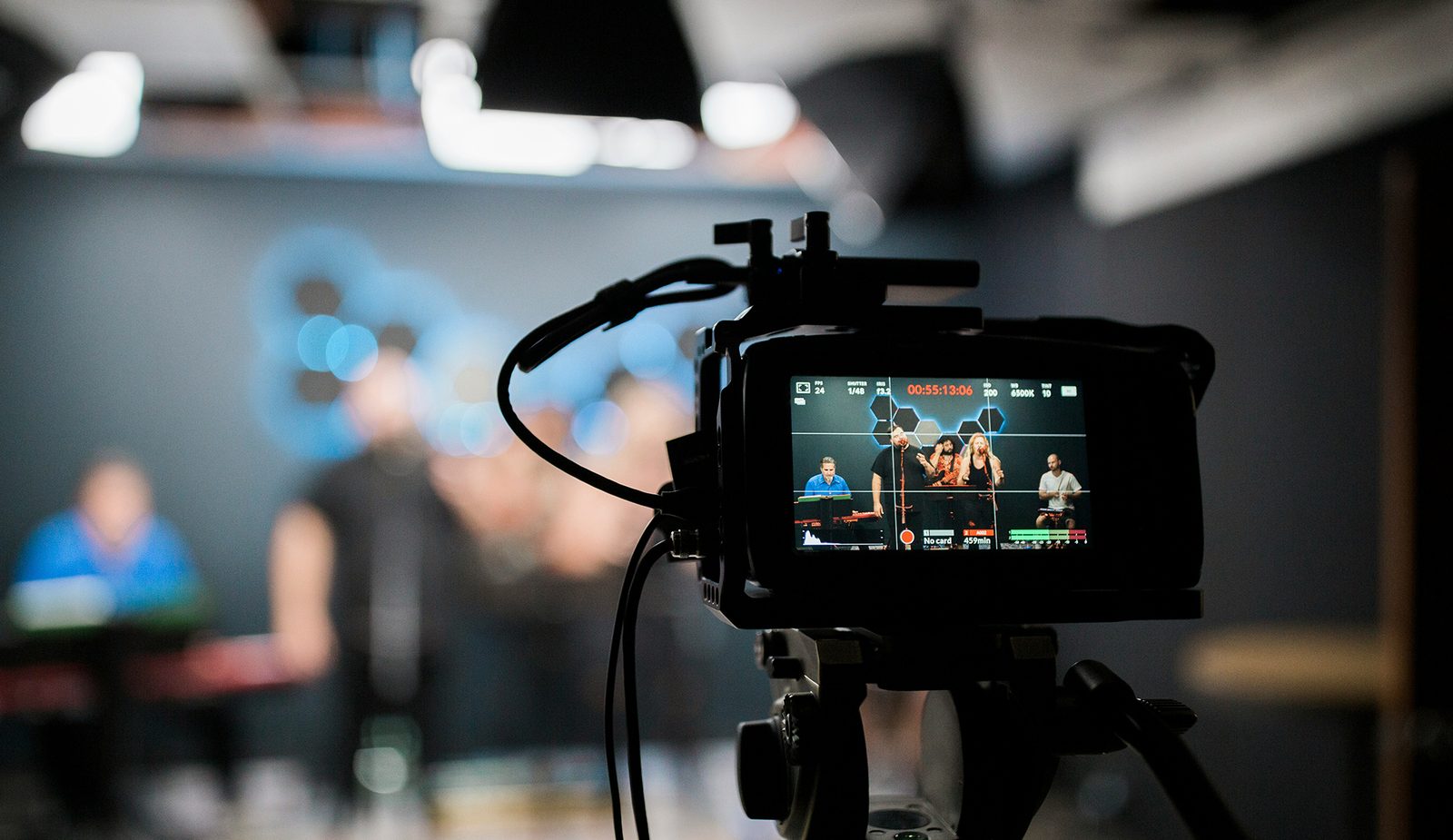
Finally, effective audio monitoring during production is non-negotiable. A quality pair of headphones connected to the camera or, ideally, to the dedicated audio recorder, allows the videographer or sound operator to listen for unwanted noise, clipping, or signal dropouts in real-time. This proactive approach prevents costly and often unfixable audio issues from being discovered only after the shoot has concluded. Proper microphone placement, using wind protection (like dead cats or foam windscreens), and paying attention to the acoustics of the shooting environment are additional steps that collectively contribute to superior audio capture.
Decoding Log Format: Understanding ‘Gray Scale’ Footage
A perplexing issue for many videography newcomers is footage that appears desaturated, flat, and "grayed out" straight out of the camera. This phenomenon is typically a result of shooting in a "log" format, a sophisticated feature designed for advanced color grading workflows. Logarithmic gamma curves (often branded as S-Log by Sony, C-Log by Canon, V-Log by Panasonic, N-Log by Nikon, etc.) are specifically engineered to capture the maximum possible dynamic range from a camera’s sensor. This means preserving detail in both the brightest highlights and the deepest shadows, which would otherwise be clipped in standard video profiles.
The technical rationale behind log formats involves compressing a wide range of luminance information into a manageable video signal, effectively sacrificing initial contrast and saturation. The sensor captures a vast amount of luma (brightness) data, while intentionally stripping much of the color (chroma) data. This is because saturation and contrast can be precisely added back in post-production, offering immense flexibility for colorists to craft a specific look or match footage from different cameras. For instance, a camera shooting in a standard Rec. 709 profile might capture 8-10 stops of dynamic range, whereas a log profile on the same camera could extend that to 12-15 stops or more, especially when paired with higher bit depth recording (e.g., 10-bit or 12-bit). This expanded dynamic range is invaluable for challenging lighting conditions or when a highly stylized cinematic look is desired.
However, for videographers accustomed to "what you see is what you get" footage, log can be confusing and even intimidating. Its low-contrast, low-saturation appearance on standard monitors can be misleading, making it difficult to assess exposure and color accuracy during shooting. This is where Look Up Tables (LUTs) come into play. A monitoring LUT can be applied to the camera’s output (or a connected external monitor) to display a "normalized" version of the log footage, providing a more accurate preview of the final image without affecting the recorded log file. In post-production, a conversion LUT or manual color grading is then applied to transform the flat log footage into vibrant, high-contrast video, leveraging the full dynamic range captured.
A professional colorist might explain, "Log format isn’t a mistake; it’s a tool. It’s like working with a raw photographic file – you get the maximum data, but you have to process it. For quick turnaround projects or beginners who don’t intend to do extensive color grading, shooting in a standard profile like Rec. 709 is often more practical." The good news for those who inadvertently shot in log is that the colors can indeed be easily restored. Even a simple conversion to Rec. 709, often available as a preset in editing software, will bring the footage back to a more vibrant and contrasted state, albeit without fully exploiting the dynamic range benefits that a dedicated color grading workflow would offer. Understanding when and why to use log is key to harnessing its power without falling victim to its initial "gray scale" appearance.
Eliminating Choppiness: Frame Rate and Data Management
Another common frustration for novice videographers is footage that appears choppy, lacking the smooth motion characteristic of professional video. This issue typically stems from one of two primary technical causes: an incorrect frame rate setting or insufficient data transfer speeds of the recording media. Both can severely impact the fluidity and watchability of the final video.
The frame rate, measured in frames per second (FPS), dictates how many individual images are captured and displayed per second. The human eye perceives continuous motion at around 24-30 FPS. While 24 FPS is the standard for cinematic film, providing a distinct motion blur that many associate with movies, 30 FPS (or 29.97 FPS in NTSC regions) is a common standard for television broadcasts and general video content, offering a slightly crisper look. Shooting below these rates, such as 15 FPS, will invariably result in noticeably choppy motion, akin to a stop-motion animation. Therefore, it is generally recommended to shoot at a minimum of 30 FPS for smooth, general-purpose video. Higher frame rates, like 60 FPS or 120 FPS, are used to capture incredibly fluid motion or to enable smooth slow-motion effects when played back at a standard frame rate (e.g., 60 FPS played at 30 FPS results in half-speed slow motion). While most modern cameras default to acceptable frame rates, it is crucial for videographers to confirm this setting before each shoot, especially when experimenting with different shooting modes.
The second, often overlooked, cause of choppy footage relates to the speed of the memory media. Video files, particularly those shot at high resolutions (e.g., 4K, 8K) and high frame rates, generate enormous amounts of data per second. If the memory card (SD, CFexpress, etc.) or external hard drive used for recording cannot write this data quickly enough, the camera’s buffer will fill, leading to dropped frames, corrupted files, or outright recording cessation. This manifests as choppy, incomplete, or frozen segments in the footage.
Memory card manufacturers typically list "write speeds" and "read speeds" on their products. For video, the "write speed" is paramount. Various standards, such as UHS Speed Class (U1, U3) and Video Speed Class (V10, V30, V60, V90), indicate guaranteed minimum sequential write speeds. For instance, a V90 card guarantees a minimum write speed of 90 MB/s, which is essential for recording high-bitrate 4K or 8K video. A video editor often advises, "Never skimp on your memory cards. They are the critical bottleneck in your data pipeline. Always buy the fastest cards you can afford, exceeding your camera’s minimum requirements, because future-proofing your workflow pays dividends." As camera technology advances, producing higher resolution and frame rate video, faster memory media will only become more critical. There is no disadvantage to using a faster card than technically required; it simply ensures reliable recording and faster data transfer during offloading. Additionally, ensuring your editing workstation has sufficient processing power and fast storage (like SSDs) for playback and editing is also vital, as perceived choppiness can sometimes be a playback issue rather than a recording one.
Broader Implications for Content Creators and Industry
The journey through common videography mistakes underscores a fundamental truth in content creation: technical proficiency forms the bedrock upon which artistic vision is built. While creativity drives the narrative and aesthetic, a mastery of basic technical elements—stabilization, audio capture, understanding log profiles, and managing data—is essential for conveying that vision effectively and professionally. For individual content creators, addressing these issues translates directly into higher audience engagement, increased credibility, and greater opportunities for monetization or professional advancement. Brands and businesses, increasingly reliant on video for marketing and communication, stand to gain significantly from producing high-quality, technically sound video content that reflects positively on their image.
The industry as a whole benefits from a more educated base of videographers. As more creators produce professional-grade content, the overall standard of video across digital platforms rises, pushing technological innovation further and fostering a more discerning audience. Educational resources, accessible equipment rental services (like those referenced for gimbals and audio gear), and online communities play a crucial role in disseminating knowledge and providing tools for aspiring videographers. The continuous evolution of cameras and post-production software will undoubtedly introduce new challenges, but the core principles of stable visuals, clear audio, and efficient data handling will remain timeless pillars of effective videography. By proactively tackling these common pitfalls, videographers can transform their initial experimental efforts into polished, impactful, and truly professional video productions.