Mastering Advanced iPhone Camera Controls for DSLR-Quality Photography has become a fundamental requirement for enthusiasts and professionals seeking to bridge the gap between mobile convenience and professional-grade imagery. As the hardware capabilities of the iPhone continue to evolve, the integration of sophisticated sensors and high-performance silicon has transformed the device from a simple point-and-shoot tool into a complex optical instrument. While the default "Auto" mode remains highly effective for casual use, achieving the aesthetic qualities of a Digital Single-Lens Reflex (DSLR) camera—such as shallow depth of field, precise motion control, and grain-free low-light performance—requires a deep dive into the manual parameters of the iOS camera ecosystem.
The Mechanics of Computational Photography and Depth of Field
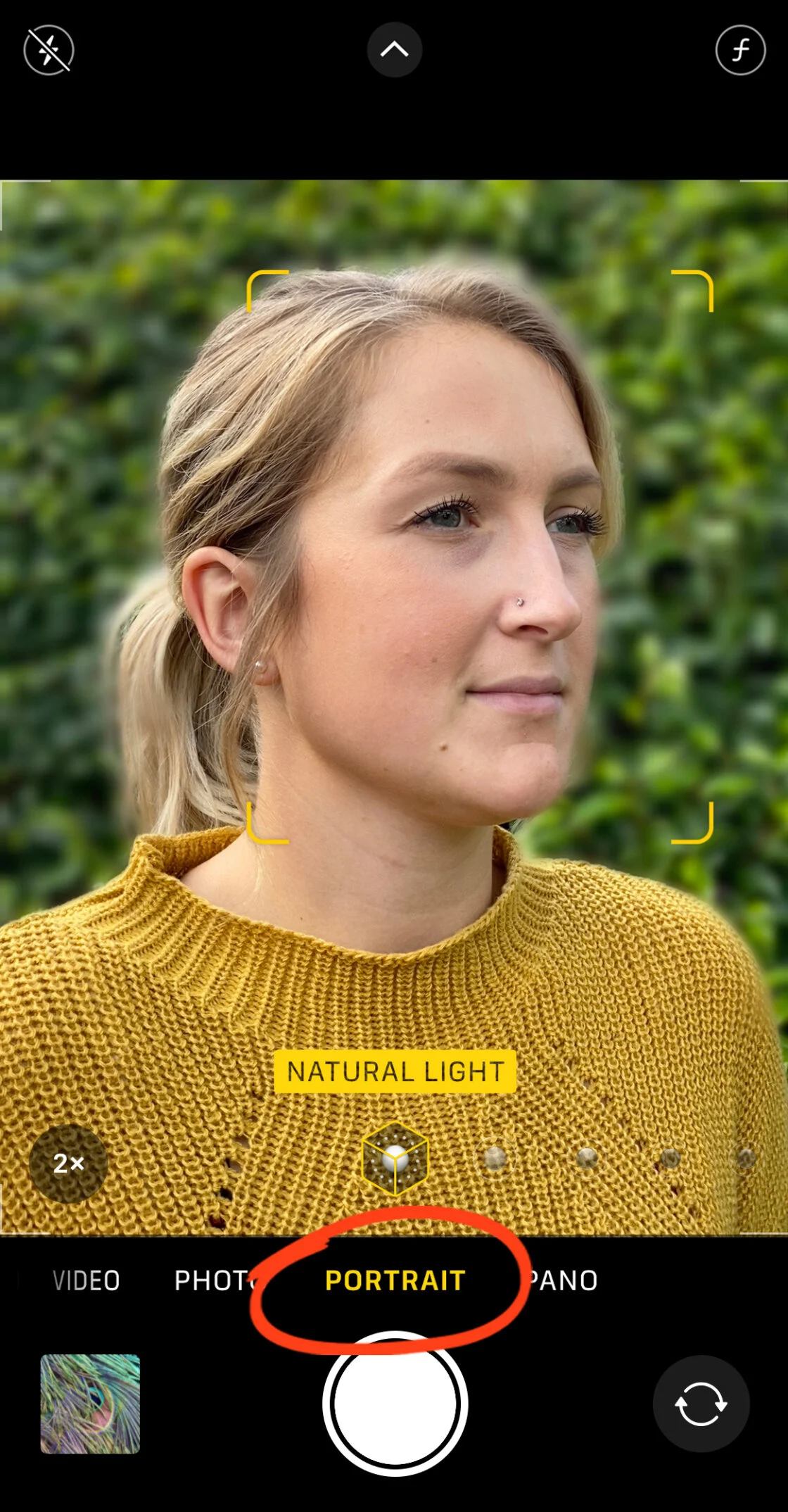
One of the primary distinctions between a smartphone and a traditional DSLR is the management of depth of field. In a DSLR, the aperture—the physical opening in the lens—can be adjusted to control the amount of background blur (bokeh). iPhone lenses, however, feature a fixed aperture (typically ranging from f/1.5 to f/2.4 depending on the model and lens). To compensate for this physical limitation, Apple utilizes computational photography, specifically through the implementation of Portrait Mode.
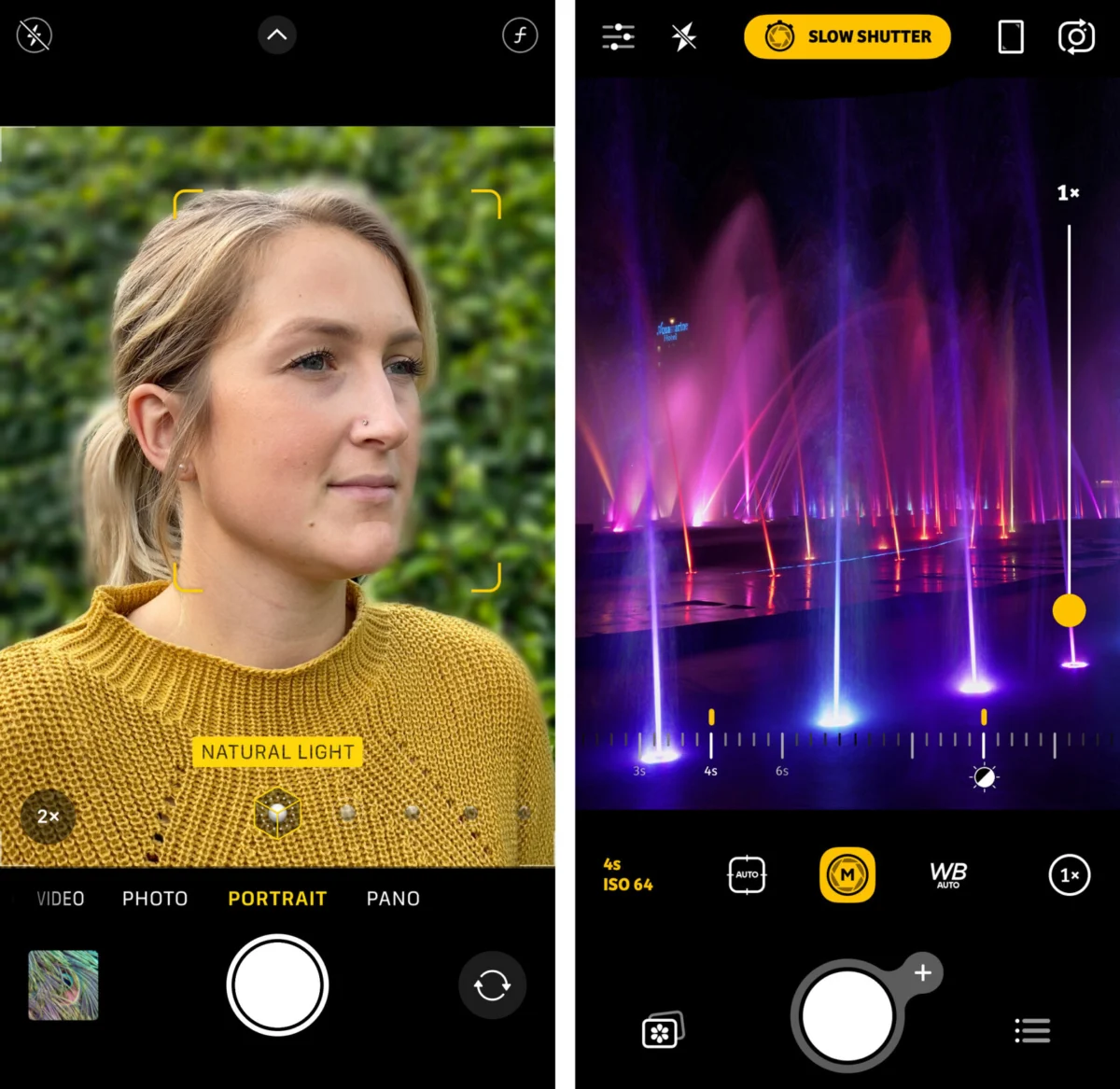
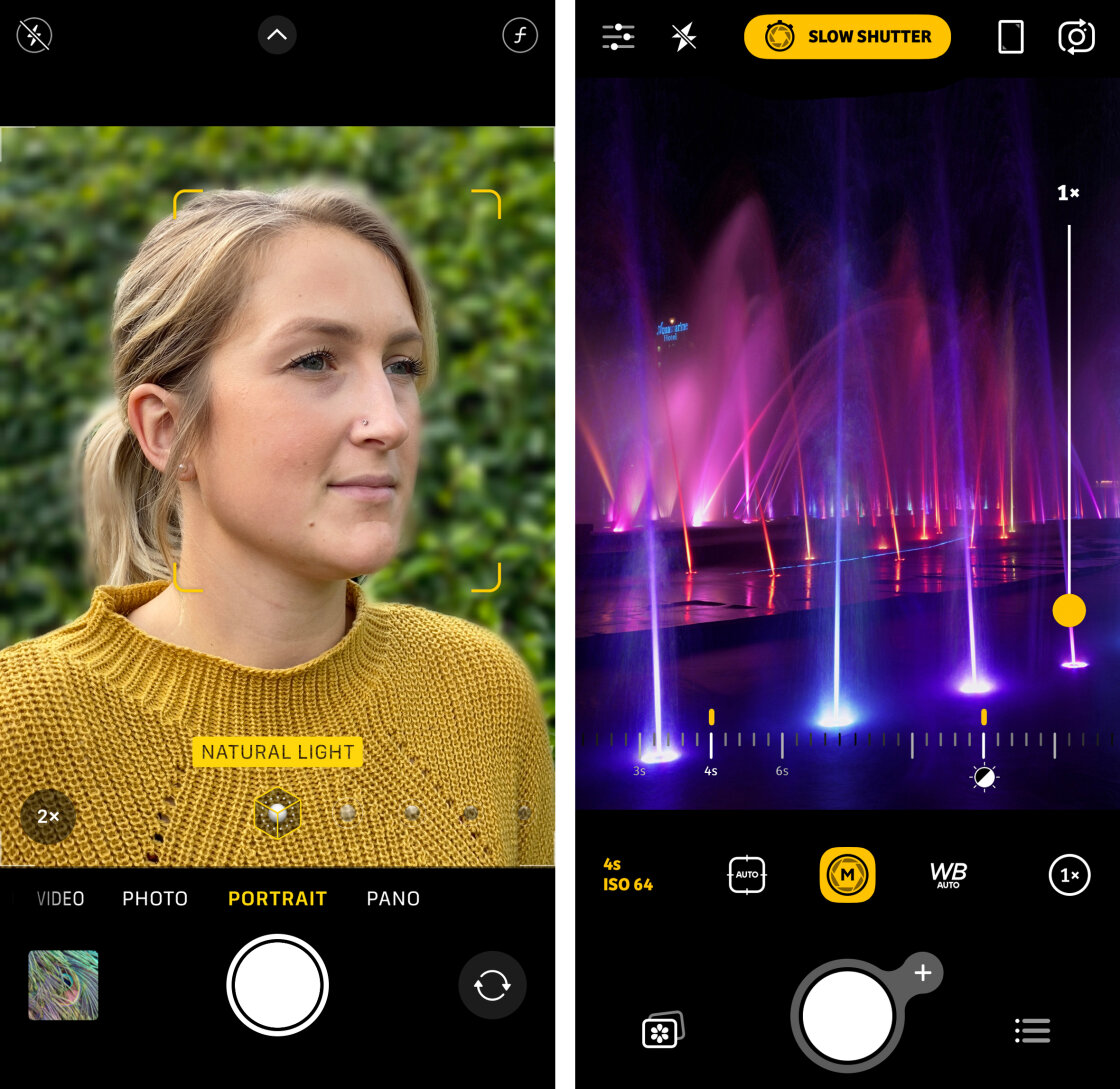
Since its introduction on the iPhone 7 Plus, Portrait Mode has evolved from simple face detection to a sophisticated depth-mapping system. On modern devices equipped with LiDAR (Light Detection and Ranging) scanners, such as the Pro series, the camera can create an instantaneous 3D map of the environment, allowing for highly accurate subject separation. For photographers, the manual control of this feature extends beyond the initial shutter press. Users of the iPhone XS and later can utilize the "Depth Control" slider in the post-processing phase to adjust the simulated f-stop, effectively changing the blur intensity from a sharp f/16 to a creamy f/1.4.
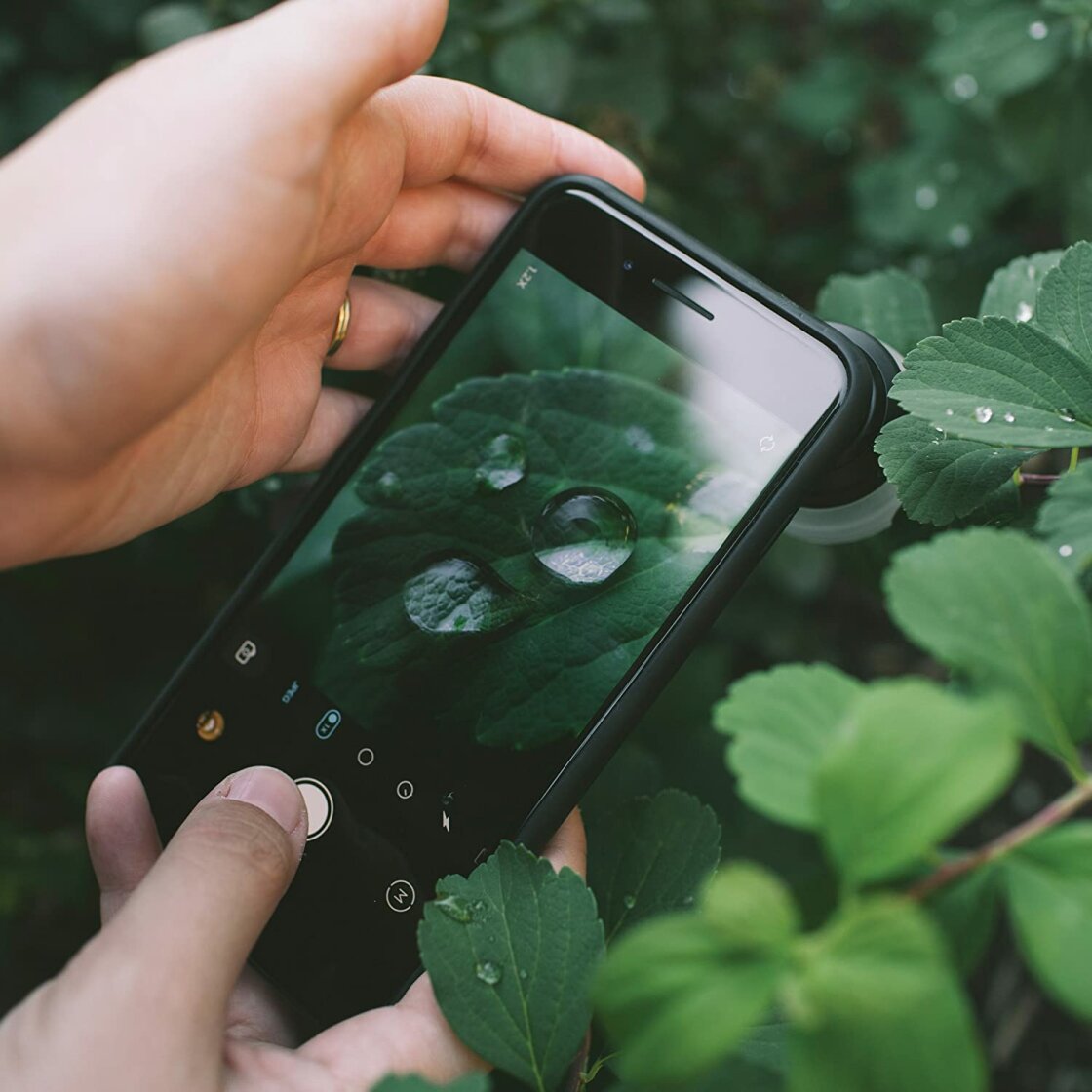
Beyond software simulation, photographers can achieve natural, optical background blur by manipulating the physical distance between the lens and the subject. By moving closer to the subject while maintaining a significant distance between the subject and the background, the lens naturally creates a shallower plane of focus. This technique is essential for macro photography, where the "minimum focus distance" of the lens becomes a critical factor in image composition.
Precision Focus and the Logic of AE/AF Locking
Achieving pin-sharp detail is a hallmark of professional photography, and the iPhone’s tap-to-focus system is the first step in this process. By tapping a specific area of the viewfinder, the camera’s internal actuators adjust the lens elements to prioritize that coordinate. However, the device’s automated systems often attempt to "hunt" for new focus points if the lighting changes or if a subject moves.
To mitigate this, the AE/AF (Auto Exposure/Auto Focus) Lock is an indispensable tool. By pressing and holding the focus point for two seconds, the photographer "locks" both the focus and the exposure levels. This is particularly vital in street photography or architectural shoots where the photographer wants to maintain a consistent look across multiple frames or prevent the camera from refocusing on distracting elements entering the periphery.
For extreme precision, such as in macro or product photography, third-party applications like Camera+ 2 or Halide provide a manual focus slider. This allows the user to bypass the autofocus entirely, moving the lens elements in minute increments to ensure that the critical detail—such as the glint in an eye or the texture of a petal—is perfectly captured.
Exposure Calibration and High Dynamic Range (HDR) Evolution
Exposure refers to the total amount of light reaching the camera sensor, and it is the primary determinant of an image’s mood and clarity. The iPhone’s native camera app allows for immediate exposure manipulation through the "Sun" icon slider that appears next to the focus box. Swiping down reduces the exposure (under-exposure), which is a common technique for creating dramatic silhouettes or preserving detail in bright highlights. Conversely, swiping up increases exposure (over-exposure) for a high-key, airy aesthetic.
In high-contrast environments—such as a landscape with a bright sky and dark shadows—the iPhone utilizes Smart HDR. This technology, which reached its third and fourth iterations in recent years, captures multiple frames at different exposure levels in a single burst. The Neural Engine then analyzes these frames, merging the best-exposed pixels from each to create a final image that retains detail in both the brightest and darkest areas. For professional control, photographers may choose to toggle Smart HDR off in the system settings to manually capture "bracketed" shots, allowing for more creative control during the editing phase in apps like Adobe Lightroom or Capture One.
Shutter Speed Manipulation: Capturing Time and Motion
Shutter speed is the duration for which the camera sensor is exposed to light. Controlling this parameter is essential for two specific creative outcomes: freezing fast action and capturing motion blur. Because the native iPhone app prioritizes a balanced exposure, it often selects a shutter speed that prevents blur, which may not always align with the photographer’s intent.
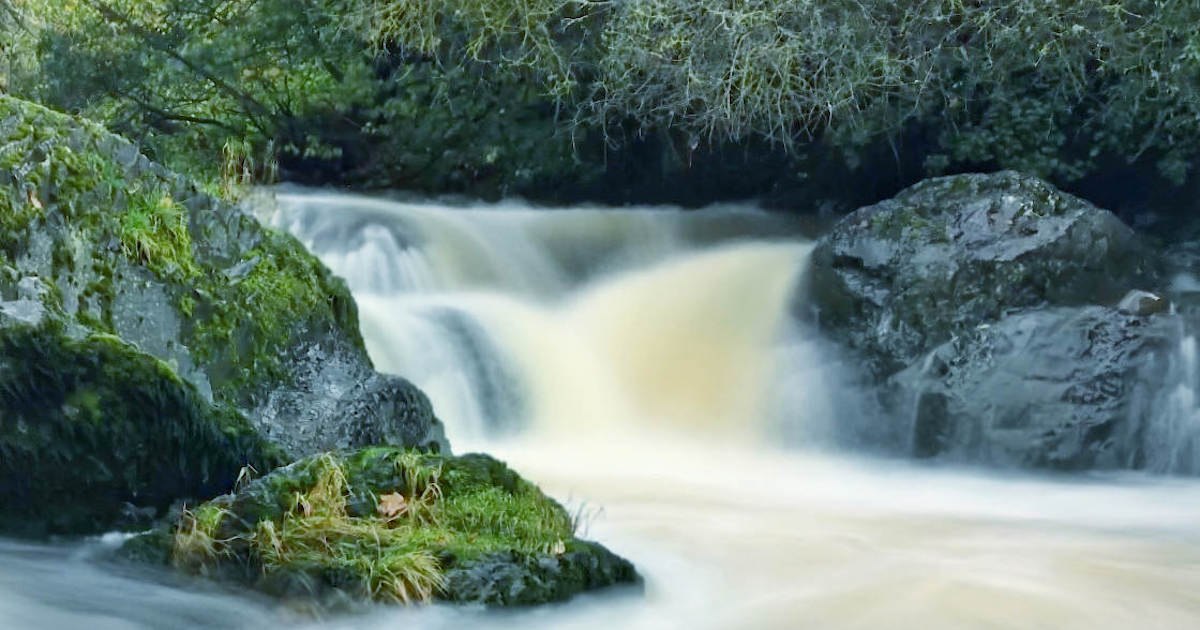
Using third-party manual controls, a photographer can select a fast shutter speed (e.g., 1/1000th of a second) to freeze a bird in flight or an athlete in motion. Alternatively, a slow shutter speed (ranging from 1/2 second to 30 seconds) allows for "long exposure" photography. This technique is famously used to make flowing water appear silky or to capture light trails from moving vehicles.
The introduction of "Live Photos" on iOS has provided a unique, software-based approach to long exposure. By capturing a three-second window of movement, the iPhone allows users to apply a "Long Exposure" effect post-capture, which computationally blends the frames to simulate a slow shutter. However, for true long-exposure work, especially at night, the use of a tripod is mandatory to prevent camera shake from ruining the static portions of the image.
ISO Sensitivity and the Management of Digital Noise
ISO measures the sensitivity of the camera’s sensor to light. In low-light conditions, the iPhone’s auto-mode will naturally increase the ISO to ensure the image is bright enough to be visible. The trade-off for this sensitivity is "digital noise" or grain, which can significantly degrade the image quality.
Professional mobile photographers aim to keep the ISO as low as possible (typically ISO 32 to 100) to ensure the cleanest possible image. To achieve this in dark environments without sacrificing brightness, one must compensate by using a slower shutter speed. This delicate balance between ISO and shutter speed is known as the "Exposure Triangle." With the release of iPhone 11 and subsequent models, Apple’s "Night Mode" has automated much of this process, using extended capture times and multi-frame noise reduction algorithms to produce bright, clear photos that previously required professional gear.
White Balance and Chromatic Accuracy
White balance is the process of removing unrealistic color casts so that objects which appear white in person are rendered white in your photo. Different light sources have different "color temperatures," measured in Kelvin. Incandescent bulbs produce a warm, orange glow, while shade and cloudy skies produce a cool, blue tint.
While the iPhone’s Auto White Balance (AWB) is remarkably accurate, it can be fooled by dominant colors in a scene. Manual white balance presets—such as Daylight, Cloudy, and Tungsten—allow photographers to ensure consistent color reproduction across a series of shots. Furthermore, white balance can be used creatively; warming a scene can enhance a sunset’s glow, while cooling it can emphasize the sterile, cold atmosphere of a winter landscape.
Chronology of iPhone Camera Innovation
To understand the current state of iPhone manual controls, one must look at the timeline of technological milestones that brought mobile photography to its current peak:
- 2016: The iPhone 7 Plus introduces the Dual-Camera system and Portrait Mode, marking the beginning of the computational photography era.
- 2017: The iPhone X introduces the TrueDepth camera system, improving subject separation and facial recognition.
- 2018: The iPhone XS launches Smart HDR, utilizing the A12 Bionic chip to merge multiple exposures with zero shutter lag.
- 2019: The iPhone 11 series introduces Night Mode and the Ultra-Wide lens, significantly expanding the device’s low-light and compositional range.
- 2020: The iPhone 12 Pro Max introduces a 47% larger sensor and "Sensor-Shift" optical image stabilization, alongside Apple ProRAW, which gives photographers the data-rich files needed for professional editing.
- 2021-2023: Introduction of Cinematic Mode and Photographic Styles, further blurring the lines between videography and still photography through real-time AI adjustments.
Industry Impact and the Democratization of Professional Imagery
The shift toward manual iPhone controls has had a profound impact on the photography industry. According to data from the Camera & Imaging Products Association (CIPA), global shipments of digital cameras have seen a significant decline as smartphone image quality has improved. The "democratization" of photography means that high-quality visual storytelling is no longer restricted to those who can afford expensive DSLR or mirrorless kits.
Industry analysts suggest that the next frontier for the iPhone will be the further integration of Artificial Intelligence to predict photographer intent. However, the fundamental principles of manual control—focus, exposure, shutter speed, and ISO—remain the bedrock of the craft. By mastering these settings, users transition from taking "pictures" to creating "photographs," utilizing the device in their pocket to capture the world with professional intentionality.