The evolution of smartphone technology has fundamentally altered the landscape of digital imaging, bringing sophisticated photographic techniques once reserved for high-end Digital Single-Lens Reflex (DSLR) cameras into the pockets of the general public. Among these techniques, the ability to create a "bokeh" effect—the aesthetic quality of the out-of-focus blur in a photograph—has become a hallmark of professional-grade portraiture. For iPhone users, achieving this look is no longer a matter of expensive glass and large sensors; rather, it is a triumph of computational photography and strategic shooting habits. By leveraging a combination of native hardware features, physical proximity, and third-party software, mobile photographers can now isolate subjects with surgical precision, transforming cluttered backgrounds into soft, creamy canvases that emphasize the intended focus.
The Technological Foundation of Mobile Depth Effects
The journey toward sophisticated background blur on the iPhone began in earnest in 2016 with the introduction of the iPhone 7 Plus. This device featured the first dual-camera system in Apple’s lineup, utilizing a wide-angle and a telephoto lens to create a "depth map" of a scene. This map allowed the device’s image signal processor (ISP) to distinguish between the foreground subject and the background, applying a Gaussian blur to the latter.
Since then, the technology has advanced through several iterations. The introduction of the iPhone X and subsequent models incorporated the "TrueDepth" camera system for front-facing portraits, while the iPhone 12 Pro and Pro Max integrated LiDAR (Light Detection and Ranging) scanners. LiDAR significantly improved the camera’s ability to "see" in the dark and map distances with incredible accuracy, leading to better edge detection around complex subjects like hair or transparent objects. Today, computational photography—the use of software algorithms to enhance or emulate optical processes—is the primary driver behind the iPhone’s ability to simulate a shallow depth of field.
A Chronology of Portrait Technology in the iOS Ecosystem
To understand the current capabilities of the iPhone camera, it is essential to trace the development of its portrait features over the last several years:
- 2016 (iPhone 7 Plus): Introduction of Portrait Mode, requiring two lenses to calculate depth.
- 2017 (iPhone 8 Plus and iPhone X): Introduction of Portrait Lighting, allowing users to simulate studio-quality lighting effects.
- 2018 (iPhone XS, XS Max, and XR): Introduction of Depth Control. For the first time, users could adjust the intensity of the background blur after the photo was taken. The iPhone XR demonstrated that Portrait Mode could be achieved with a single lens via machine learning.
- 2019 (iPhone 11 Series): Expanded Portrait Mode to include pets and inanimate objects, alongside the introduction of "High-Key Light Mono."
- 2020 (iPhone 12 Series): Integration of LiDAR for improved low-light portraits and more refined subject isolation.
Executing Professional Portraits via Native iOS Tools
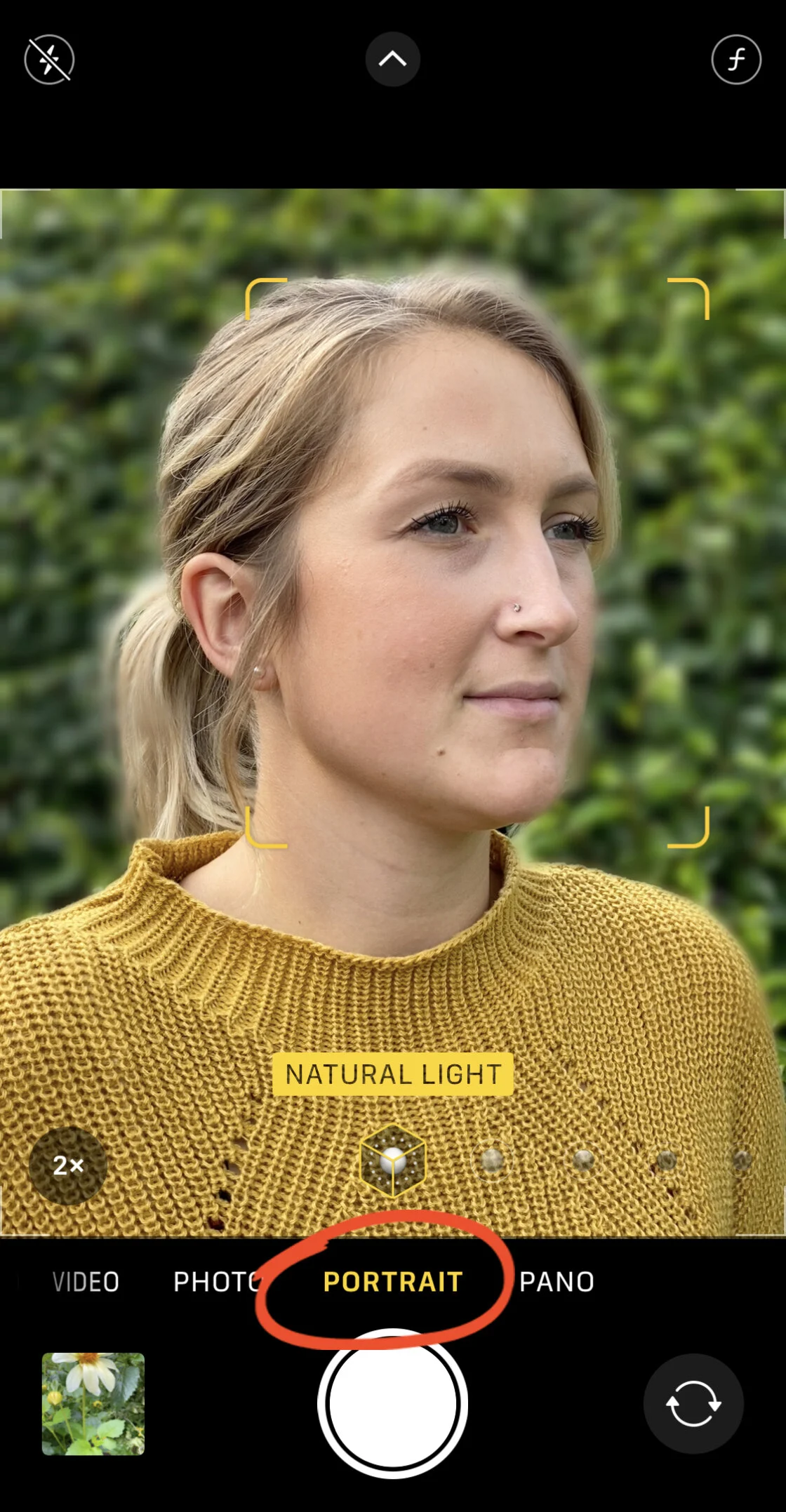
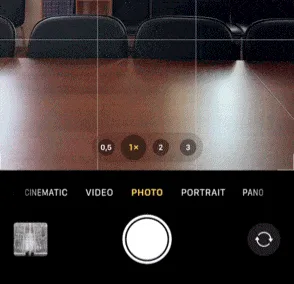
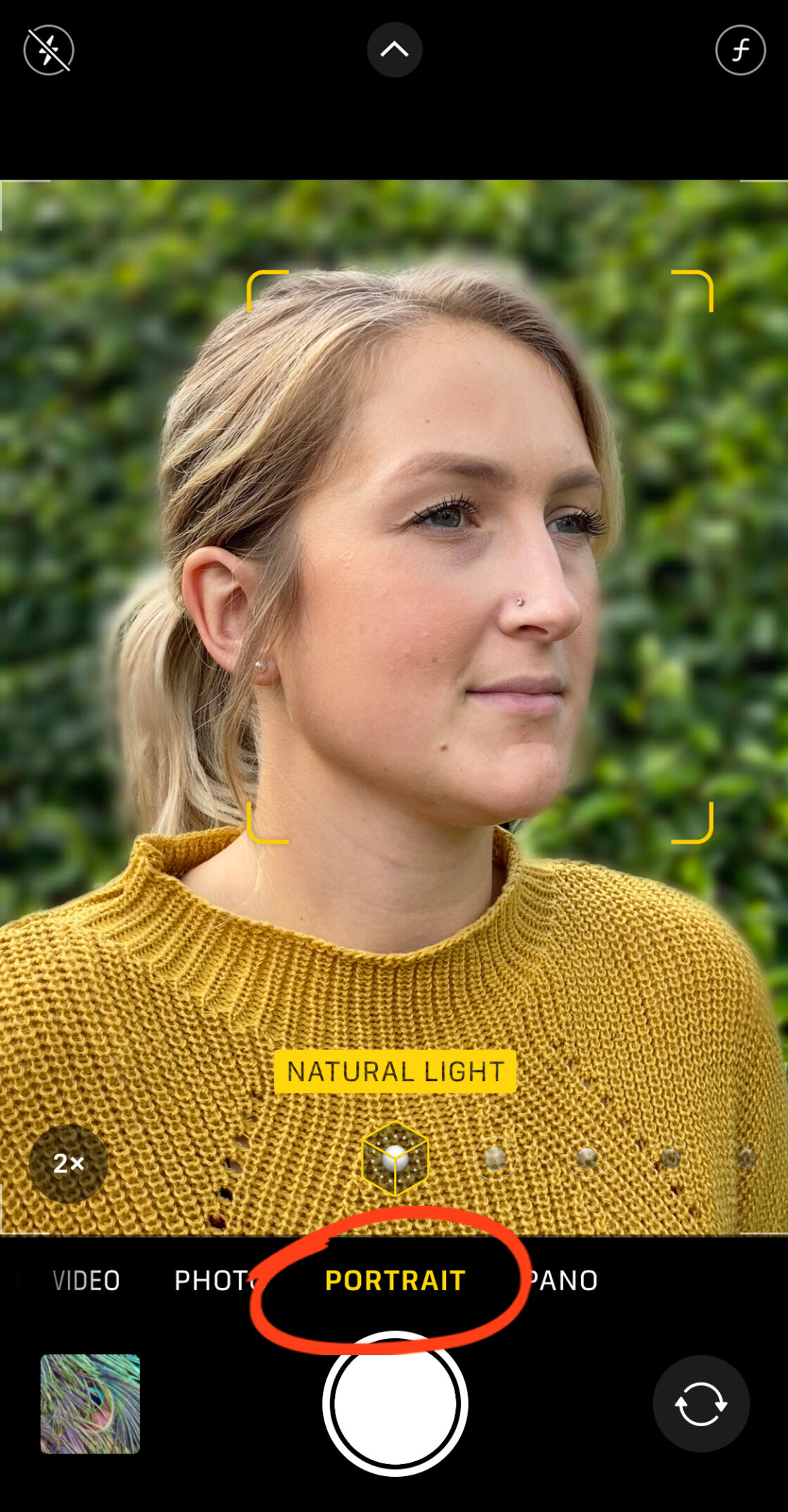
For users of modern iPhones—ranging from the iPhone 7 Plus to the latest iPhone 12 and 13 iterations—the primary method for blurring a background is the native Portrait Mode. This mode is designed to keep the subject sharp while softly blurring the background, mimicking the look of a wide-aperture lens.
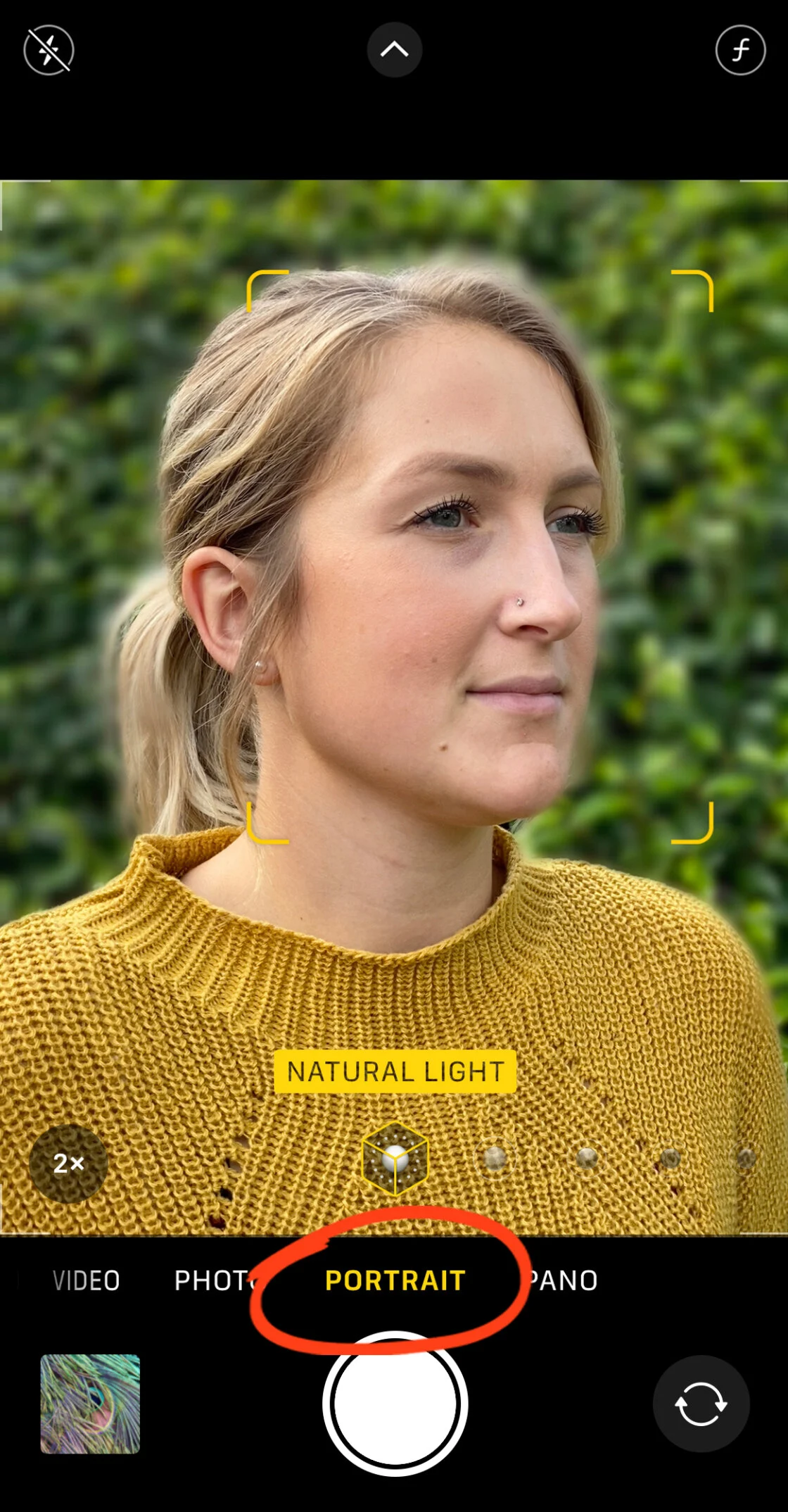
To utilize this feature effectively, photographers must adhere to specific environmental constraints. The Camera app requires the subject to be positioned between two and eight feet from the lens. If the subject is too close or too far, the depth effect will fail to engage. Additionally, lighting plays a critical role; computational depth mapping requires sufficient contrast and detail to distinguish edges. When the "Natural Light" or "Depth Effect" indicator turns yellow on the screen, the system has successfully locked onto the subject and is ready to capture the blurred background.
Post-Capture Refinement: The Power of Depth Control
One of the most significant advancements in mobile photography is the ability to edit the "aperture" of a photo after it has been captured. On devices from the iPhone XS onward, users can open a Portrait Mode photo in the Photos app, select "Edit," and tap the "f/number" icon. This opens the Depth slider, which simulates the f-stop settings on a traditional camera.
A lower f-number (such as f/1.4) creates a much shallower depth of field with a heavy blur, whereas a higher f-number (such as f/16) brings more of the background into focus. This non-destructive editing allows photographers to fine-tune the emotional weight of an image, deciding exactly how much of the environment should be visible. Furthermore, Portrait Lighting options—such as Studio Light, Contour Light, and Stage Light—provide the ability to manipulate the fall of light on the subject’s face, further separating them from the background.
Achieving Optical Blur Without Portrait Mode
While Portrait Mode is a powerful tool, it is not the only way to achieve background blur. In fact, many professional photographers prefer to use the physics of the lens to create a more "natural" blur. This is achieved through a shallow depth of field, which is a byproduct of the distance between the camera and the subject.
The fundamental rule is simple: the closer the camera is to the subject, the shallower the depth of field becomes. By physically moving the iPhone closer to a flower, an insect, or a small detail, the background will naturally begin to fall out of focus. This is an optical blur, not a digital simulation, and it often results in a smoother transition between sharp and blurred areas.
However, every lens has a "minimum focus distance." If a user moves too close, the lens will be unable to lock focus, resulting in a blurry subject. For those interested in extreme close-ups, the market for third-party lenses—such as those produced by Moment or Sandmarc—has expanded significantly. A dedicated macro lens allows the iPhone to focus on subjects just millimeters away, creating an incredibly soft and dramatic background blur that highlights microscopic textures.
Third-Party Applications and Advanced Subject Masking
Despite the prowess of Apple’s native software, some scenarios require more control than the standard Camera app provides. Third-party applications like AfterFocus and Snapseed have become essential tools for photographers looking to "rescue" photos that were not shot in Portrait Mode or to apply more artistic blur effects.
Precision Editing with AfterFocus
AfterFocus is widely regarded for its "Smart Selection" and "Manual Selection" tools. In a newsroom-style analysis of photo editing, AfterFocus represents the "manual transmission" of mobile photography. Users can define the "Focus," "Mid-ground," and "Background" areas by drawing rough lines. The app’s AI then interprets these lines to create a mask.

For complex images where the native iPhone software might struggle—such as a person behind a chain-link fence—AfterFocus allows for manual brush adjustments. This level of granular control ensures that the blur does not "bleed" into the subject. Furthermore, the app offers "Motion Blur," which simulates the effect of a moving camera or subject, adding a sense of kinetic energy to a static frame.
Artistic Vignetting with Snapseed
Google’s Snapseed remains a favorite for its "Lens Blur" tool, which offers a different approach to subject isolation. Rather than masking the subject based on depth, Snapseed uses a linear or elliptical tilt-shift effect. This creates a "dreamy" vignette where the edges of the photo are blurred, drawing the viewer’s eye toward a central point of interest. This technique is particularly effective in street photography and landscape shots where a central subject needs to be emphasized without the use of complex depth mapping.
Market Data and the Democratization of Digital Imaging
The impact of these features extends beyond mere aesthetics. According to data from Flickr’s annual reports, the iPhone has consistently been the most used camera brand on the platform for several years, surpassing traditional giants like Canon and Nikon. This shift is largely attributed to the "good enough" factor provided by computational photography.
Industry analysts suggest that the rise of high-quality background blur on mobile devices has led to a decline in the entry-level DSLR market. Consumers who once bought "rebel" style cameras to get "blurry backgrounds" now find that their smartphones can achieve similar results with significantly less friction. This democratization of professional-style imagery has fueled the growth of visual-centric social media platforms like Instagram and TikTok, where high-production-value visuals are the currency of engagement.
Broader Implications and Future Outlook
As we look toward the future of mobile imaging, the line between "fake" and "real" blur continues to thin. The integration of AI-driven neural engines in the latest A-series chips allows for real-time processing of complex depth data. We are moving toward a period where the iPhone will not only blur the background but will also simulate the specific "lens flare" and "bokeh shapes" of legendary vintage lenses.
Furthermore, the introduction of Cinematic Mode for video in recent iPhone models has brought the concept of background blur to the world of moving images. This feature allows for "rack focusing"—shifting focus from one subject to another—during or after the recording process. This is a clear indication that Apple views the manipulation of depth as a fundamental pillar of the modern creative experience.
In conclusion, blurring the background on an iPhone is no longer a hidden "trick" but a sophisticated suite of tools that combine hardware, software, and the laws of physics. Whether through the ease of Portrait Mode, the precision of third-party apps like AfterFocus, or the simple act of moving closer to a subject, the ability to create stunning, professional-grade photos is now accessible to anyone with the latest mobile technology. As computational photography continues to advance, the smartphone is not merely emulating the professional camera; it is evolving into a new species of creative tool altogether.