The landscape of digital imaging has shifted dramatically over the last decade, moving from dedicated hardware to the pockets of billions of users worldwide. As of 2024, industry data suggests that over 90% of all consumer photos are taken on smartphones, with the iPhone maintaining a dominant position in the premium mobile photography market. While the native "point-and-shoot" philosophy of Apple’s iOS has long prioritized ease of use, a growing segment of "prosumer" users is increasingly leveraging manual camera controls to achieve results once reserved for Digital Single-Lens Reflex (DSLR) cameras. This transition relies on a sophisticated blend of computational photography and manual overrides that allow for precise control over depth of field, focus, exposure, shutter speed, ISO, and white balance.
The Evolution of the iPhone Imaging Pipeline
To understand the current state of advanced iPhone camera controls, one must look at the chronology of Apple’s hardware and software integration. The introduction of the iPhone 7 Plus in 2016 marked a pivotal moment with the debut of the dual-lens system and "Portrait Mode," which utilized depth-mapping technology to simulate optical bokeh. Since then, the progression has been rapid. The iPhone XS introduced Smart HDR in 2018, leveraging the Neural Engine to merge multiple exposures in real-time. By the time the iPhone 11 and 12 series arrived, features like Night Mode and Deep Fusion had transformed the device into a tool capable of handling extreme lighting conditions.
The shift toward manual control is not merely a hobbyist’s preference; it is a necessity for high-level creative output. According to market analysis by CIPA (Camera & Imaging Products Association), the sales of compact digital cameras have plummeted by nearly 90% since 2010, largely because smartphones have integrated the manual capabilities—shutter priority, ISO management, and RAW data capture—that were previously the exclusive domain of dedicated cameras.
Depth of Field: Computational vs. Optical Blur
One of the most sought-after features in professional photography is a shallow depth of field, where the subject is sharp against a creamy, out-of-focus background. In traditional photography, this is achieved through a large lens aperture. However, because smartphone lenses have fixed apertures, the iPhone employs two distinct methods to achieve this effect: physical proximity and computational depth-mapping.
Portrait Mode and Computational Mapping
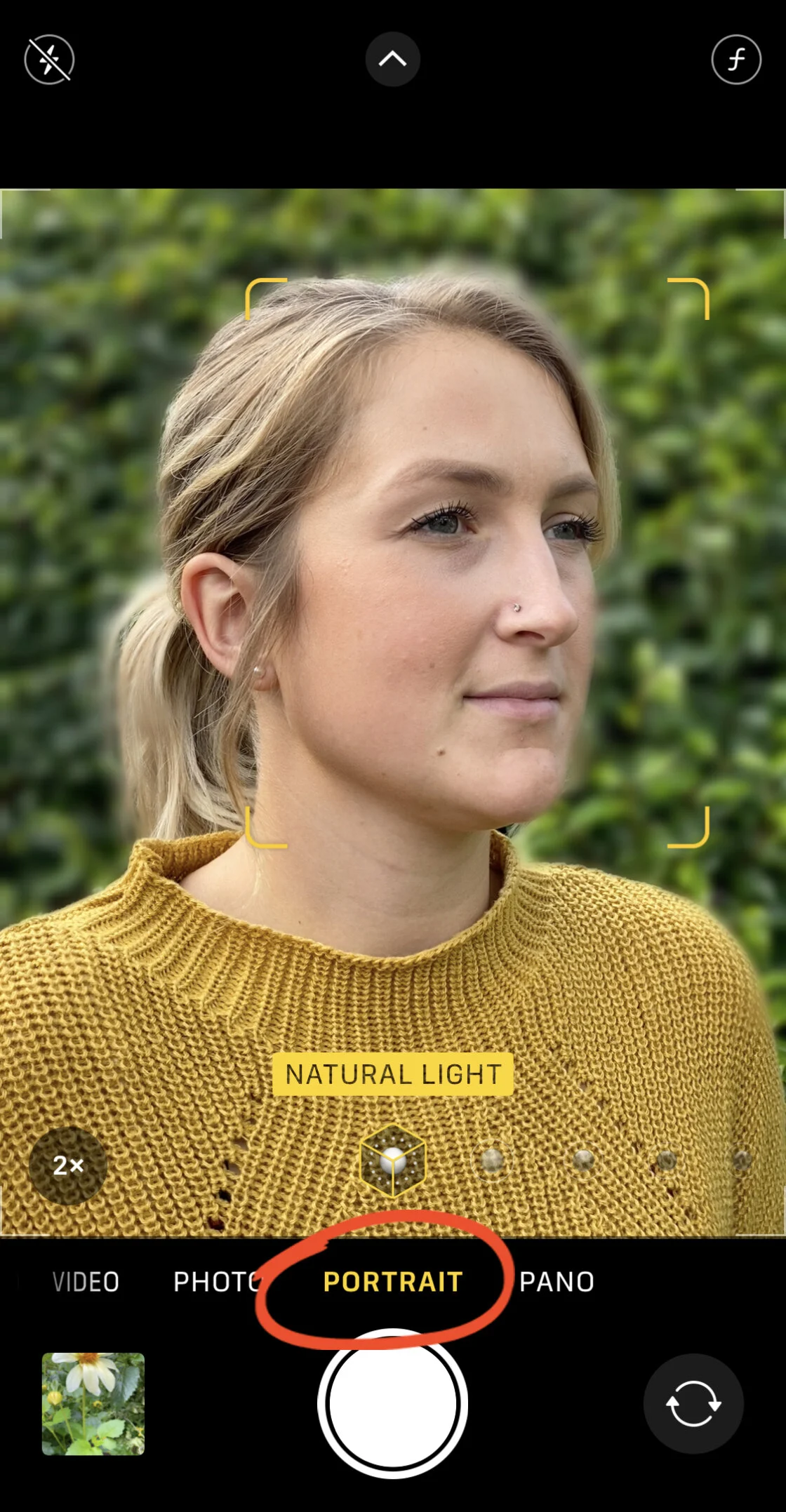
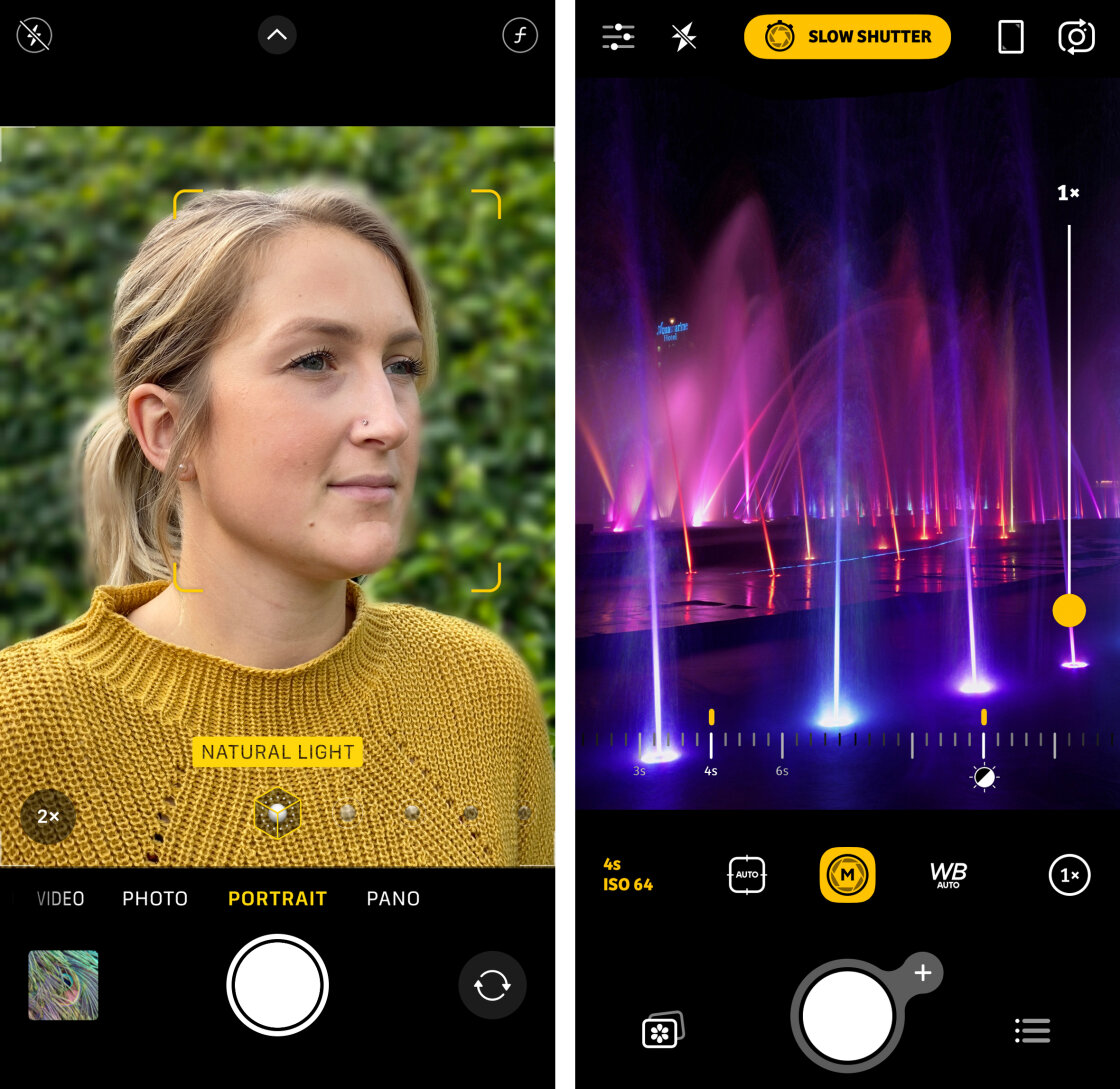
Portrait Mode, available on models ranging from the iPhone 7 Plus to the latest iPhone 15 Pro, uses a "depth-of-field" effect that creates a virtual map of the scene. On newer models, such as the iPhone 12 Pro and later, this is enhanced by LiDAR (Light Detection and Ranging) scanners, which measure the time it takes for light to reflect back from objects, creating a precise 3D map even in low-light conditions.
For the user, this means the ability to adjust the "f-stop" or aperture simulation after the photo has been taken. By selecting a portrait in the Photos app and tapping "Edit," users can manipulate the Depth slider. Moving toward a lower f-number (e.g., f/1.4) increases the background blur, while moving toward a higher number (e.g., f/16) brings more of the background into focus.
The Macro Advantage
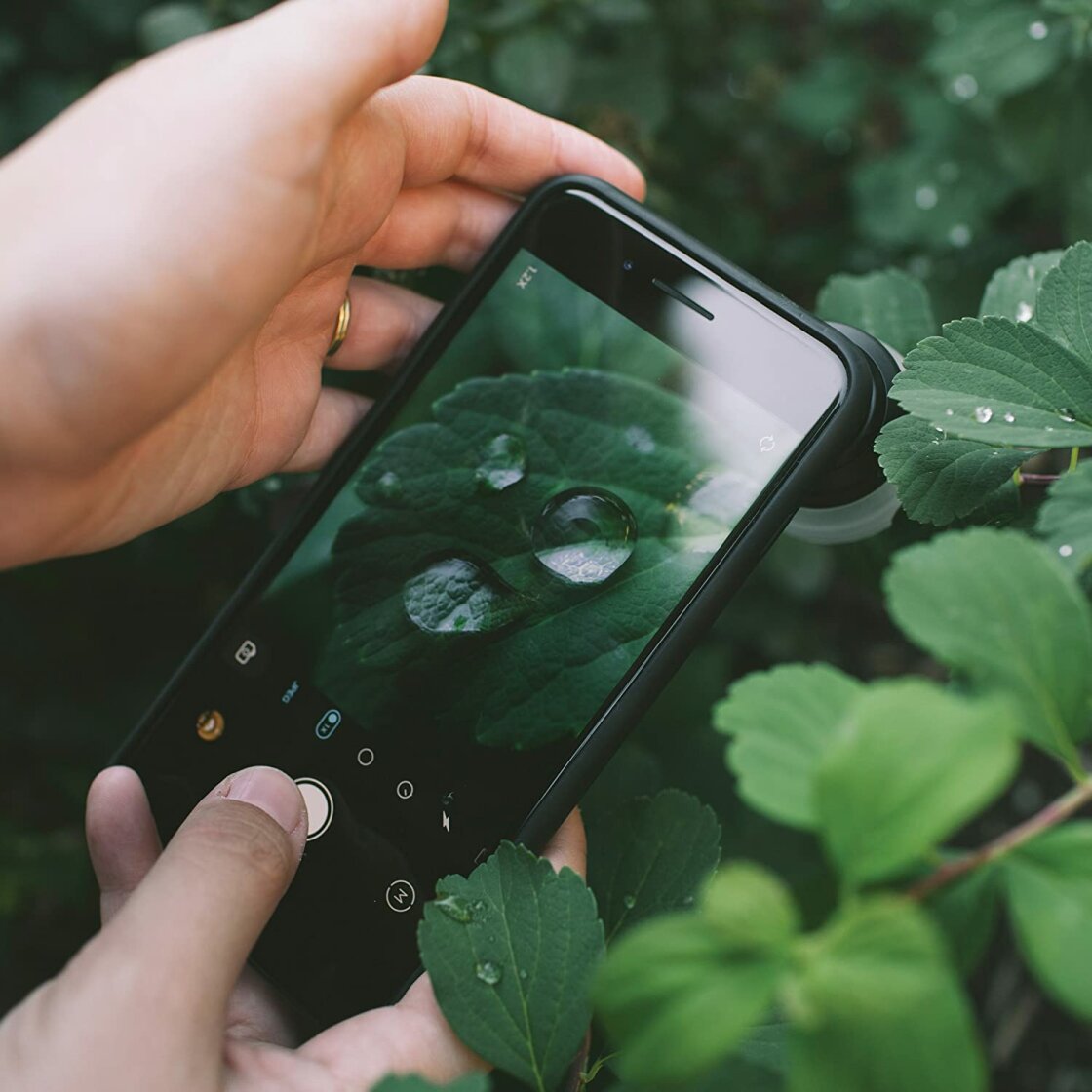
For models without Portrait Mode, or for subjects that do not fit the "human" or "pet" categories the software prioritizes, the laws of physics apply. The closer the camera lens is to the subject, the shallower the depth of field becomes. This physical macro approach is essential for nature and product photography. Industry professionals often supplement this by using add-on lenses, such as those from Moment or Sandmarc, which provide a 10x or 20x magnification, allowing for a level of detail that rivals professional macro glass.
Precision Focus and the Role of AE/AF Lock
Focusing on a smartphone is often handled by a "tap-to-focus" interface, but in complex scenes, the camera’s autofocus (AF) can be indecisive. This is particularly true in high-contrast environments or when shooting through foreground elements like glass or foliage.
Manual Overrides and AE/AF Locking
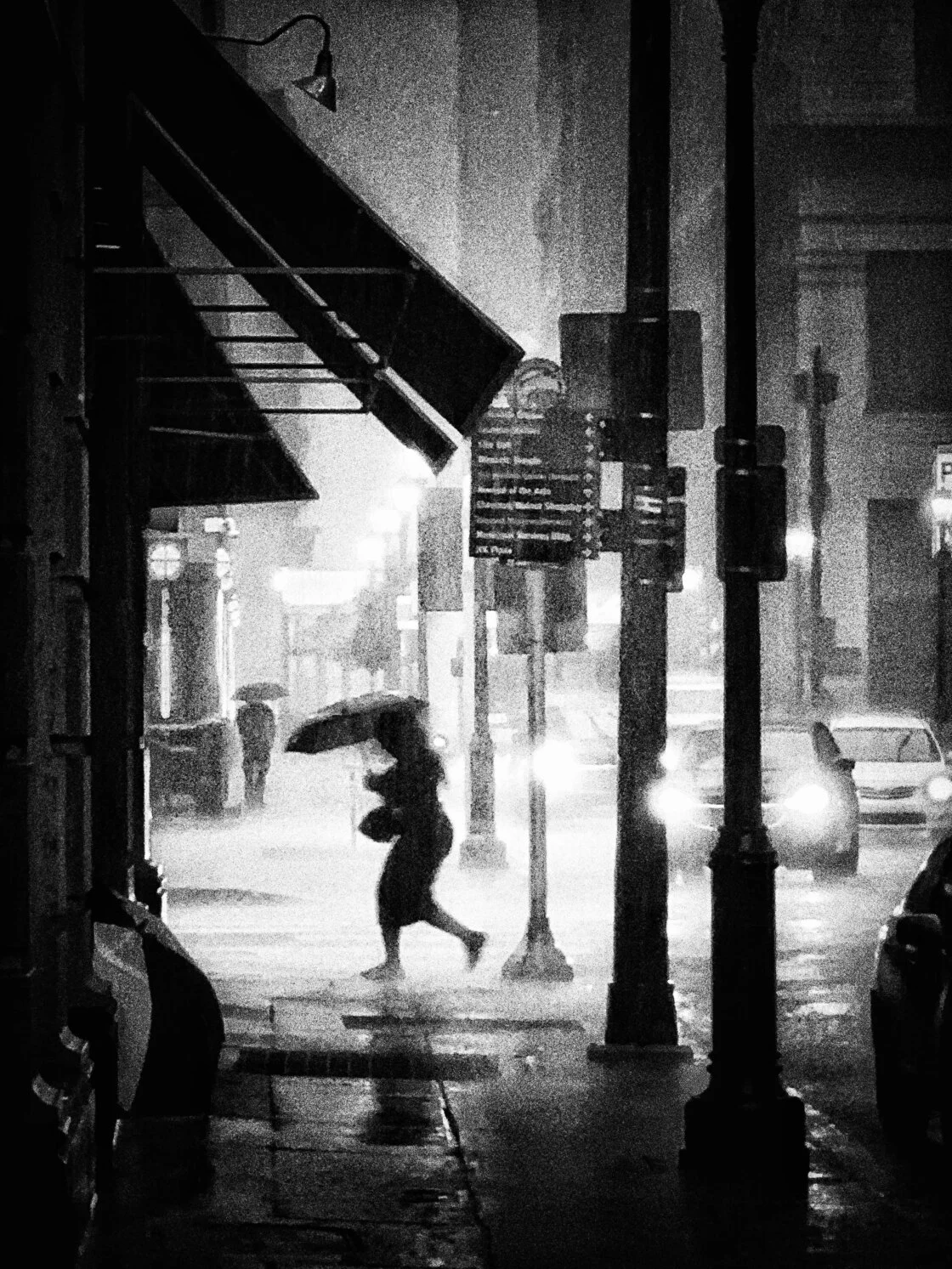
The iPhone allows users to lock both the Auto Exposure (AE) and Auto Focus (AF) by long-pressing on the viewfinder until a yellow "AE/AF LOCK" banner appears. This is a critical technique for street photographers who wish to "pre-focus" on a specific spot where they anticipate a subject will appear. It prevents the camera from hunting for focus at the moment the shutter is pressed.
Third-Party Manual Focus
For the most granular control, professional apps like Camera+ 2 or Halide provide a manual focus slider. This allows the user to rack focus smoothly from the foreground to the infinity point. In macro photography, where the plane of focus may be only a few millimeters thick, the ability to manually dial in the focus point is the difference between a sharp image and a discarded one.
Mastering the Exposure Triangle on Mobile
Exposure is the total amount of light reaching the sensor, determined by the duration of the shutter opening and the sensitivity of the sensor. While the aperture remains fixed on the iPhone, the shutter speed and ISO are the primary levers for brightness control.
Exposure Compensation
The native Camera app provides a quick-access exposure slider. By tapping and swiping up or down, users can brighten or darken the image. On iPhone 11 and later, a dedicated Exposure Compensation slider is hidden in the camera menu, allowing for a persistent setting (e.g., -0.7 EV) that remains active even as the camera moves between different lighting environments. This is particularly useful in snow or beach scenes, where the camera’s meter is often fooled by the bright surroundings and tends to underexpose the subject.
The Power of Smart HDR
Apple’s Smart HDR (High Dynamic Range) is a feat of modern engineering. When the shutter is pressed, the camera actually captures a burst of images at different exposure levels—some designed to save detail in the bright sky, others to pull detail out of the dark shadows. The A-series Bionic chips then stitch these together in milliseconds. For photographers, this means the ability to shoot directly into the sun while still maintaining a visible foreground.
Shutter Speed and the Art of Motion
Controlling shutter speed allows a photographer to either freeze a moment in time or blur it to imply movement. Because the native iOS app does not provide a manual shutter dial, users must turn to professional-grade third-party applications.
Freezing High-Speed Action
A fast shutter speed (e.g., 1/1000s or faster) is essential for sports or wildlife. By forcing a fast shutter, the user eliminates "motion blur," ensuring that a bird in flight or a racing car appears pin-sharp. This requires ample light, as the shutter is open for a very brief period.
Long Exposure and the Silky Water Effect
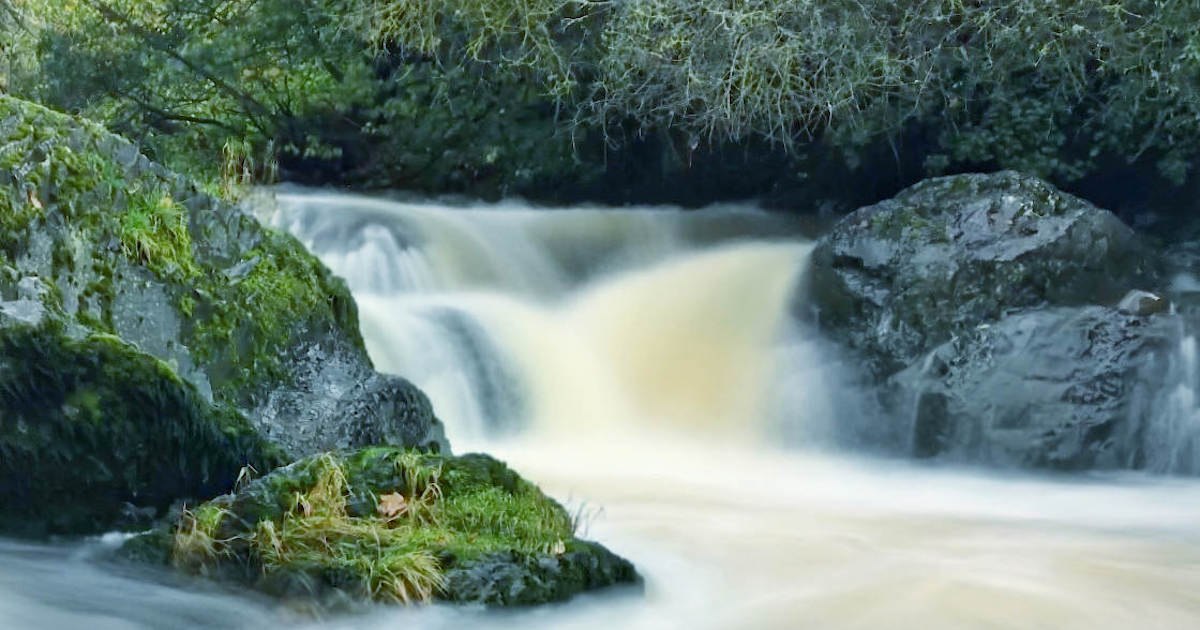
Conversely, a slow shutter speed (ranging from 1 second to 30 seconds) is used for "Long Exposure" photography. This is the secret behind the "silky" look of waterfalls or the light trails of cars on a highway at night. Because a long exposure captures any movement of the camera itself, a tripod is non-negotiable.
Apps like Slow Shutter Cam have gained popularity for their "Light Trail" and "Motion Blur" modes, which simulate long exposures by stacking multiple frames. This software-based approach allows the iPhone to mimic the effects of a neutral density (ND) filter used by professional landscape photographers.
ISO and the Mitigation of Digital Noise
ISO measures the sensitivity of the camera’s sensor to light. In bright daylight, the iPhone defaults to a low ISO (e.g., ISO 32), resulting in clean, detailed images. As light fades, the camera automatically increases the ISO to maintain brightness, but this comes at a cost: digital noise.
Managing Low-Light Grain
Digital noise appears as grain or "chroma" artifacts, particularly in the shadows. By manually setting a lower ISO in an app like Camera+ 2 and compensating with a longer shutter speed (and a tripod), a photographer can produce a night shot that is remarkably clean and professional.
Night Mode Chronology
Apple addressed the ISO-noise problem in 2019 with the introduction of "Night Mode." Unlike a simple ISO boost, Night Mode uses a series of long-exposure frames and advanced denoising algorithms to brighten images while keeping grain to a minimum. This feature activates automatically, but users can manually extend the "capture time" up to 30 seconds when the phone detects it is mounted on a tripod.
White Balance and Color Integrity
White balance (WB) ensures that the colors in a photograph remain true to life, regardless of the temperature of the light source. Light is measured on the Kelvin scale; for example, a candle flame is "warm" (approx. 2000K), while a cloudy day is "cool" (approx. 7000K).
Correcting Color Casts
The iPhone’s Auto White Balance (AWB) is generally accurate, but it can struggle under mixed lighting, such as a room with both orange tungsten bulbs and blue window light. By manually selecting a preset—such as "Cloudy," "Sunlight," or "Fluorescent"—photographers can neutralize unwanted color casts.
Creative White Balance
White balance can also be used as a creative tool. Deliberately setting the camera to a "Cool" white balance can emphasize the frigid atmosphere of a winter morning, while a "Warm" setting can enhance the golden hues of a sunset.
Broader Impact: The Professionalization of Mobile Media
The implications of these advanced controls extend far beyond social media. The "Shot on iPhone" campaign by Apple has highlighted the device’s use in professional film sets and magazine covers. The introduction of Apple ProRAW in the iPhone 12 Pro series was a direct response to the demands of professional editors, providing the uncompressed data of a RAW file with the added benefits of Apple’s computational multi-frame processing.
In conclusion, the iPhone has transitioned from a simple communication device to a sophisticated optical tool. By mastering manual controls—focus, exposure, shutter speed, ISO, and white balance—users are no longer at the mercy of the "Auto" algorithm. As sensor sizes continue to increase and computational power doubles with each hardware cycle, the gap between mobile and traditional professional photography continues to close, democratizing the ability to create high-art imagery for anyone with the technical knowledge to wield the tools in their pocket.