Mobile photography has undergone a radical transformation over the last decade, transitioning from simple point-and-shoot snapshots to sophisticated digital imaging capable of rivaling professional DSLR and mirrorless cameras. Central to this evolution is the ability to create "bokeh," a Japanese term referring to the aesthetic quality of the out-of-focus blur in a photograph. For years, this effect was the exclusive domain of expensive lenses with wide apertures. Today, through a combination of optical physics and advanced computational photography, iPhone users can achieve stunning background isolation with a few taps. This capability has redefined social media aesthetics and professional mobile workflows, allowing creators to emphasize subjects while minimizing distracting environments.
The Evolution of Depth-of-Field in Mobile Imaging
The journey toward professional-grade background blur on the iPhone began in earnest in 2016 with the introduction of the iPhone 7 Plus and its pioneering dual-camera system. This hardware configuration allowed Apple to introduce "Portrait Mode," a feature that used the slight offset between two lenses to create a "depth map" of a scene. By identifying the subject in the foreground and the elements in the background, the device’s Image Signal Processor (ISP) could algorithmically apply blur to the distant layers while keeping the subject sharp.
Since then, the technology has advanced through several key milestones:
- 2018 (iPhone XS/XR): The introduction of "Depth Control," allowing users to adjust the intensity of the blur after the photo was taken.
- 2020 (iPhone 12 Pro): The integration of LiDAR (Light Detection and Ranging) scanners, which significantly improved depth mapping in low-light conditions by using lasers to measure distance.
- 2021-2023 (iPhone 13-15 Series): Refinements in machine learning and the Neural Engine, enabling better edge detection around complex subjects like hair, glasses, and transparent objects.
According to industry data from organizations like the Suite of Mobile Photography Statistics, over 90% of photos taken globally are now captured on smartphones. As of 2023, the iPhone remains the most popular camera in the world, with its Portrait Mode cited as one of the top three most used features by enthusiasts.
Real-Time Execution: Utilizing Native Portrait Mode
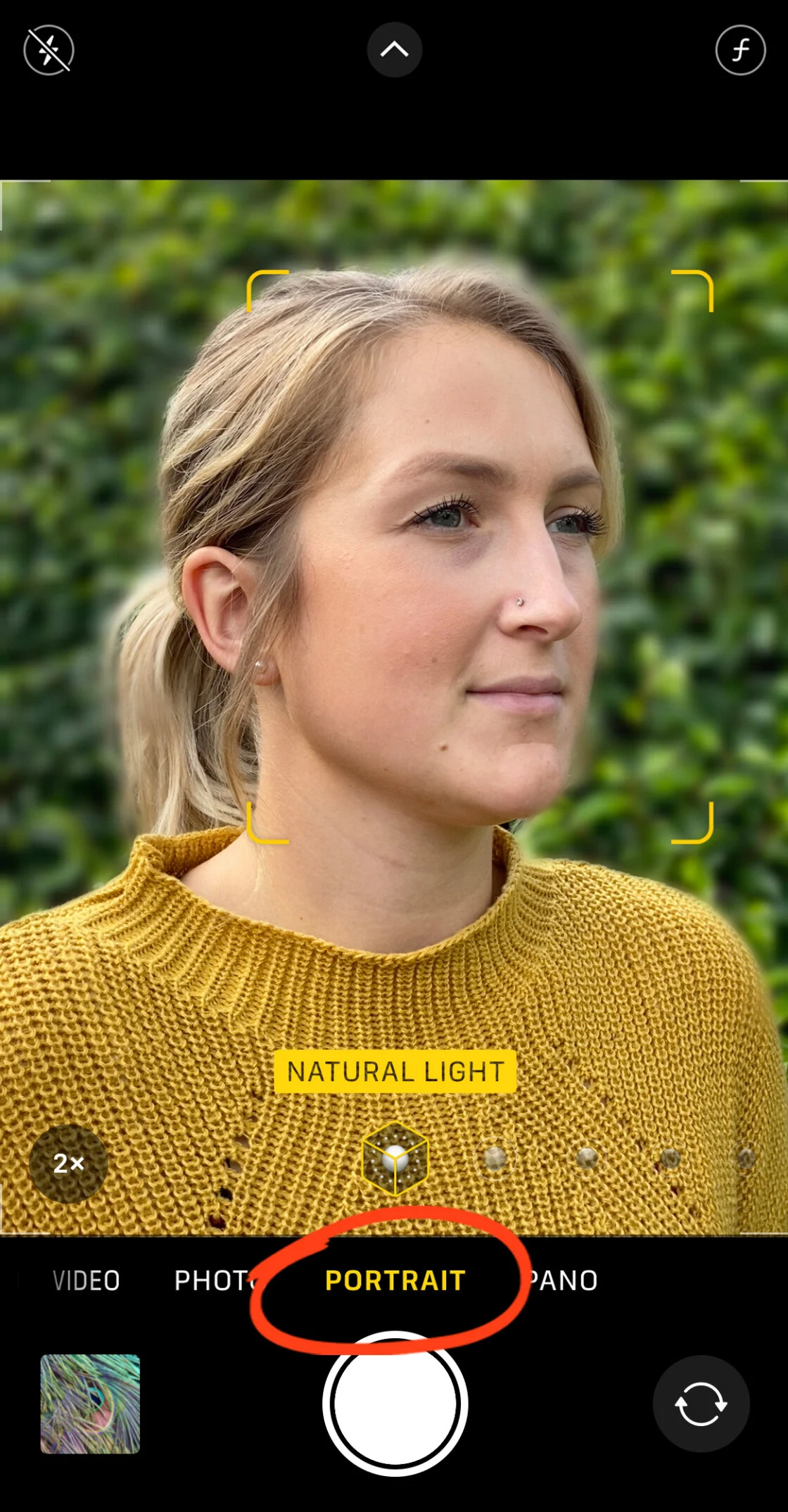
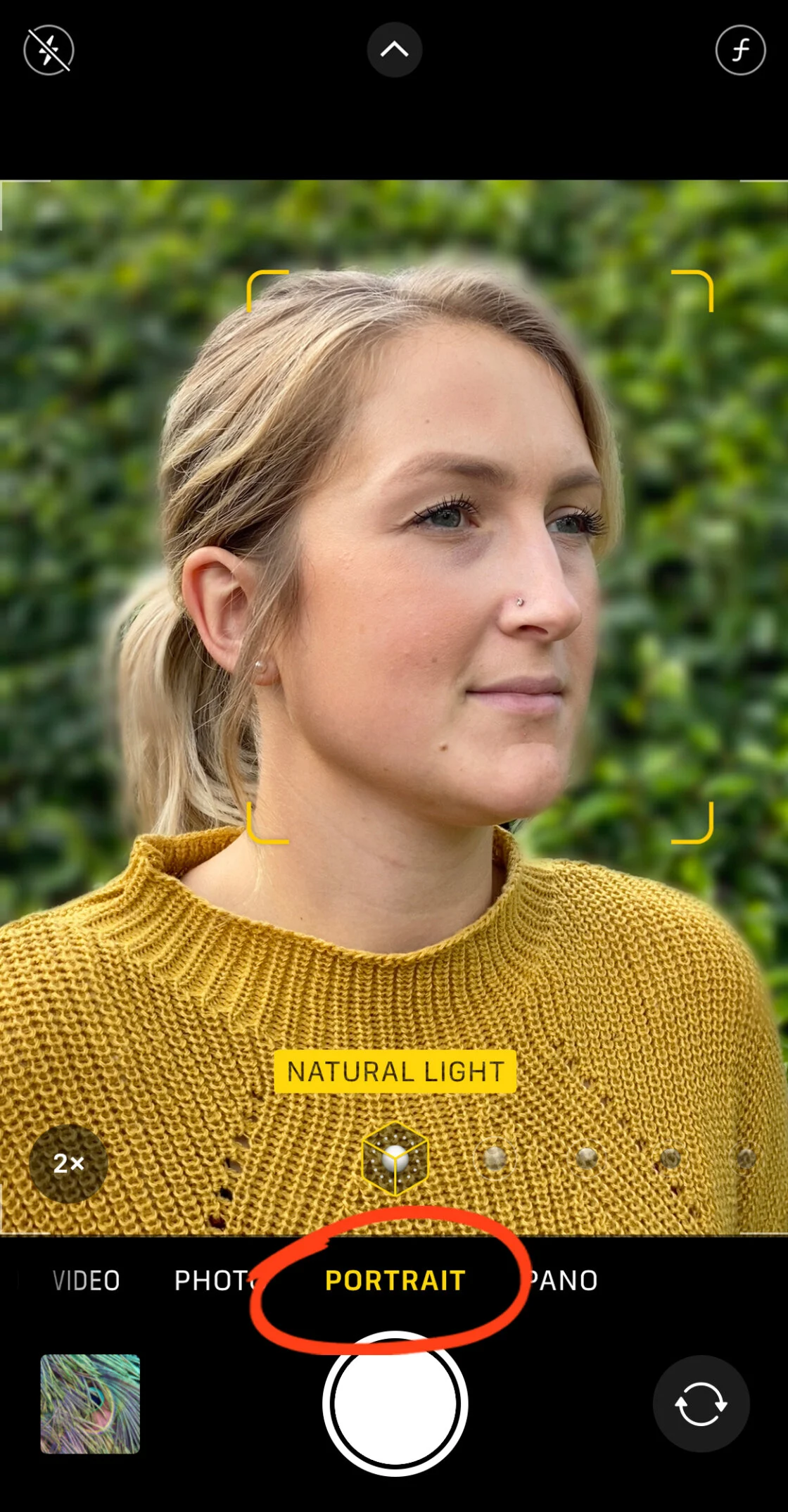
For users with modern iPhone hardware—ranging from the iPhone 7 Plus to the latest iPhone 15 Pro Max—the most efficient way to achieve background blur is through the native Camera app’s Portrait Mode. This tool utilizes computational photography to simulate a shallow depth of field.
Technical Requirements for Optimal Results
To trigger the depth effect successfully, the iPhone’s software requires specific environmental conditions. First, the subject must be positioned between two and eight feet from the camera lens. If the subject is too close, the camera cannot lock focus; if they are too far, the software cannot distinguish the subject from the background.
Second, lighting is a critical variable. Because Portrait Mode relies on high-speed analysis of visual data, low-light environments can introduce "noise" or artifacts, causing the blur to look artificial or preventing the effect from activating entirely. On newer "Pro" models, the LiDAR scanner mitigates this by providing 3D spatial data even in total darkness, though bright, natural light remains the gold standard for quality.
Portrait Lighting and Aesthetic Enhancements
Beyond simple blur, the iPhone offers "Portrait Lighting" effects, which use AI to simulate studio lighting conditions. These include:
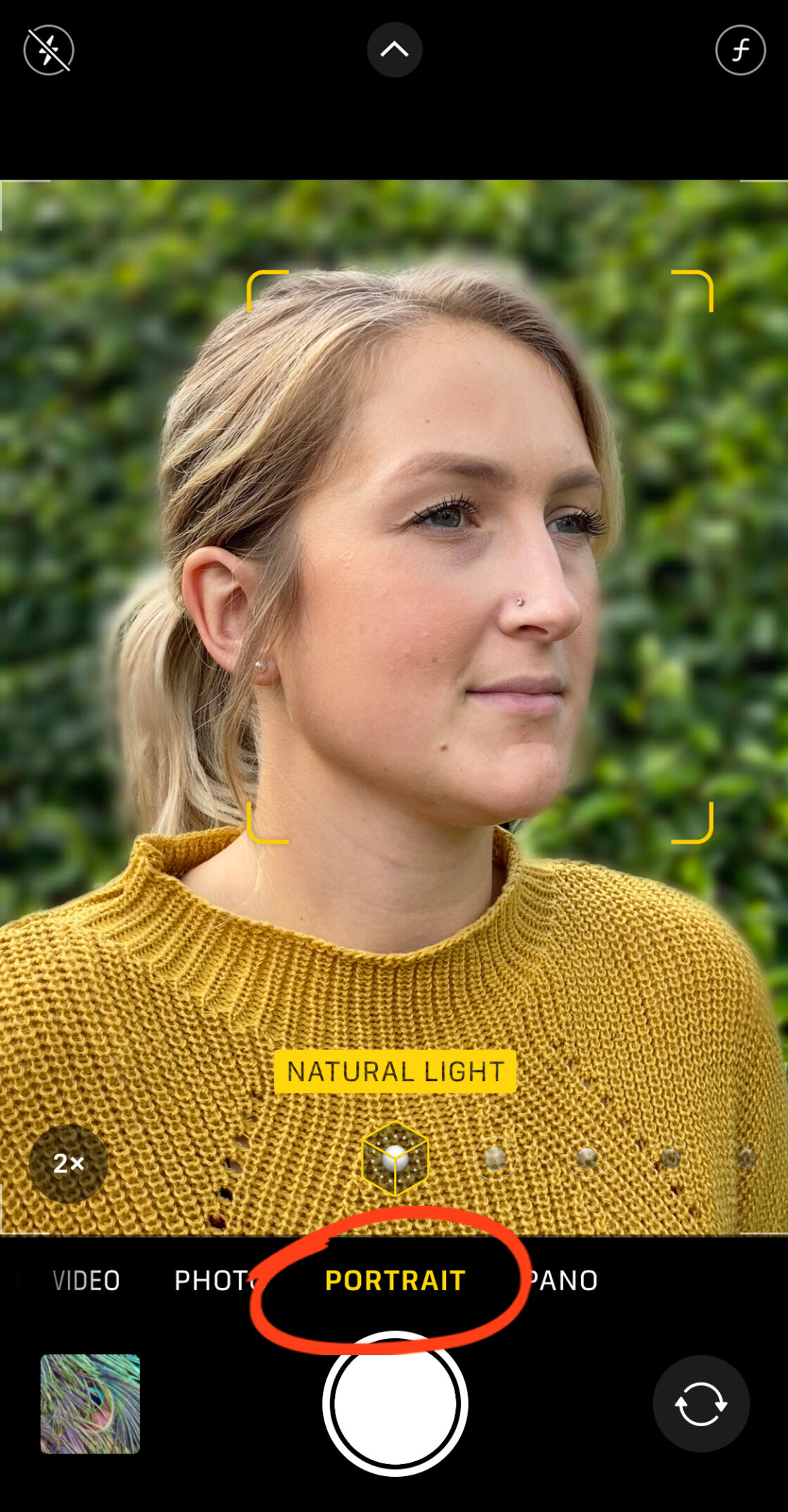
- Studio Light: Brightens facial features for a clean, professional look.
- Contour Light: Adds dramatic shadows to define the jawline and cheekbones.
- Stage Light / Stage Light Mono: Isolates the subject entirely by turning the background black.
- High-Key Light Mono: Creates a high-contrast black-and-white image against a white background.
Post-Capture Refinement: The Power of Computational Editing
One of the most significant advantages of Apple’s imaging ecosystem is the ability to manipulate optical properties after the shutter has been pressed. For devices including the iPhone XS and later, the "Depth Control" feature allows for the adjustment of the simulated aperture.
In photography, the aperture is measured in f-numbers (e.g., f/1.4, f/16). A lower f-number represents a wider aperture and a blurrier background. By entering the "Edit" mode in the Photos app, users can tap the "f" icon to reveal a slider. Moving this slider toward f/1.4 increases the "bokeh" effect, while moving it toward f/16 brings more of the background into focus. This flexibility is invaluable for photographers who may find that the initial AI-generated blur was either too aggressive or too subtle.
The Optical Alternative: Physics-Based Background Blur
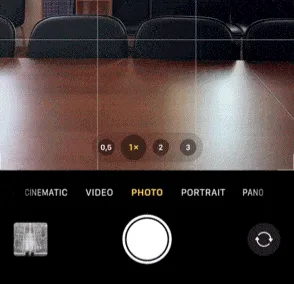
While software-based blur is convenient, it is not the only way to achieve subject isolation. Users with older iPhones or those shooting in "Photo" mode rather than "Portrait" mode can rely on the fundamental principles of optical physics.
The depth of field is inversely proportional to the distance between the camera and the subject. By physically moving the iPhone closer to a subject—such as a flower, an insect, or a small product—the lens is forced to focus at a very short distance. This naturally causes the background to fall out of focus, creating a genuine optical blur that is often smoother and more accurate than algorithmic approximations.
The Role of Macro Photography
For extreme close-ups, Apple introduced a dedicated Macro Mode on the iPhone 13 Pro and subsequent Pro models. This mode utilizes the Ultra-Wide lens and can focus on subjects as close as two centimeters away. For users without this hardware, third-party "Macro Lenses" from manufacturers like Moment or Sandmarc can be clipped onto the device to achieve similar results. These lenses shorten the minimum focus distance, allowing for incredible detail and a razor-thin depth of field that produces professional-level background creaminess.
Third-Party Solutions for Legacy Devices and Complex Scenes
For users whose devices do not support Portrait Mode, or for those who wish to blur the background of a photo taken years ago, third-party applications provide robust solutions. Two of the most prominent tools in this category are AfterFocus and Snapseed.
Precision Masking with AfterFocus
AfterFocus is widely regarded for its "Smart Selection" tool. The app allows users to draw a rough line over the foreground subject and a separate line over the background. Its internal algorithms then calculate the edges of the subject to apply a realistic blur.
For complex images—such as a cyclist with spokes in a wheel or a person with frizzy hair—the app offers a "Manual Selection" mode. This allows for pixel-perfect brushing, ensuring that no part of the subject is accidentally blurred. Furthermore, AfterFocus includes a "Motion Blur" feature, which applies a directional blur to the background, simulating the look of a subject moving at high speed—a technique traditionally known as "panning" in professional sports photography.
Dreamy Aesthetics with Snapseed
Snapseed, a free application owned by Google, offers a different approach through its "Lens Blur" tool. Rather than masking a specific subject, this tool applies a radial or linear blur. This is particularly effective for creating a "vignette" effect, where the edges of the frame are softened to draw the viewer’s eye toward the center.

The Lens Blur tool in Snapseed allows users to customize:
- Blur Strength: The intensity of the softening.
- Transition: How gradually the focus fades into the blur.
- Vignette Strength: The degree of darkening at the edges.
This technique is frequently used in wedding and lifestyle photography to add a "dreamy" or nostalgic quality to the image.
Industry Impact and Professional Reception
The democratization of background blur has had a profound impact on the photography industry. A report by CIPA (Camera & Imaging Products Association) noted a significant decline in the sales of entry-level interchangeable lens cameras, attributing this trend to the increasing sophistication of smartphone computational photography.
Professional photographers, once skeptical of "fake" bokeh, have increasingly integrated the iPhone into their professional kits. Renowned portrait photographer Annie Leibovitz has famously praised the iPhone for its accessibility and the quality of its imaging pipeline. Furthermore, Apple’s "Shot on iPhone" campaign has showcased billboards and gallery exhibitions featuring mobile-captured portraits that are indistinguishable from those taken with medium-format cameras to the untrained eye.
However, some purists argue that computational blur still struggles with "depth transitions"—the way focus gradually falls off in a 3D space. While a real lens blurs objects more the further they are from the focus point, early AI models often applied a uniform blur to everything behind the subject. The introduction of the A17 Pro chip and LiDAR has largely addressed this, allowing the iPhone to create a "gradient blur" that more accurately mimics optical reality.
Future Implications: AI and the End of the "Point-and-Shoot"
Looking ahead, the integration of Generative AI into mobile photography suggests that the concept of "background blur" will continue to evolve. We are moving toward an era where the camera does not just capture light, but understands the semantics of the scene. Future iterations of the iPhone are expected to use AI to not only blur backgrounds but to replace them entirely with photorealistic environments or to relight subjects based on 3D environmental data.
The ability to blur the background on an iPhone is no longer just a "trick"; it is a sophisticated tool that balances hardware limitations with software genius. Whether through the immediate gratification of Portrait Mode, the physical proximity of macro shooting, or the precision of post-processing apps, iPhone users now possess the power to create professional-grade imagery that was once the sole province of the elite. As these technologies continue to converge, the gap between the professional studio and the pocket-sized device continues to vanish, ushering in a new age of visual storytelling.