The evolution of mobile photography has reached a pivotal juncture where the distinction between professional digital single-lens reflex (DSLR) cameras and smartphones continues to diminish. Central to this transformation is the ability to manipulate depth of field, specifically the "bokeh" effect, which renders a subject in sharp focus against a soft, aesthetically pleasing blurred background. For iPhone users, achieving this professional-grade visual isolation is no longer reserved for high-end hardware; rather, it is a result of sophisticated computational photography and specific user techniques. By leveraging built-in features, optical physics, and third-party software, users can transform standard snapshots into compelling photographic narratives.
The Evolution of Depth Control in iPhone Hardware
The journey toward sophisticated background blur began in 2016 with the introduction of the iPhone 7 Plus, the first Apple device to feature a dual-lens system capable of "Portrait Mode." This technological milestone utilized the disparity between the wide-angle and telephoto lenses to create a rudimentary depth map. Over the subsequent years, Apple’s hardware and software integration has matured significantly.
In 2018, the iPhone XS and XR introduced "Depth Control," allowing users to adjust the intensity of the blur post-capture. By 2020, the integration of LiDAR (Light Detection and Ranging) scanners in the iPhone 12 Pro series revolutionized low-light performance and subject edge detection. Today, with the current iterations of the iPhone 15 and 16 series, the device’s Neural Engine processes billions of operations per second to distinguish intricate details—such as individual strands of hair—from the background, ensuring the blur remains natural and artifacts are minimized.
Utilizing Portrait Mode for Real-Time Depth Effects
The most direct method for achieving background blur is through the native Camera app’s Portrait Mode. This feature is designed to simulate a wide aperture, effectively isolating the subject from the surrounding environment.
Operational Procedures for Portrait Mode
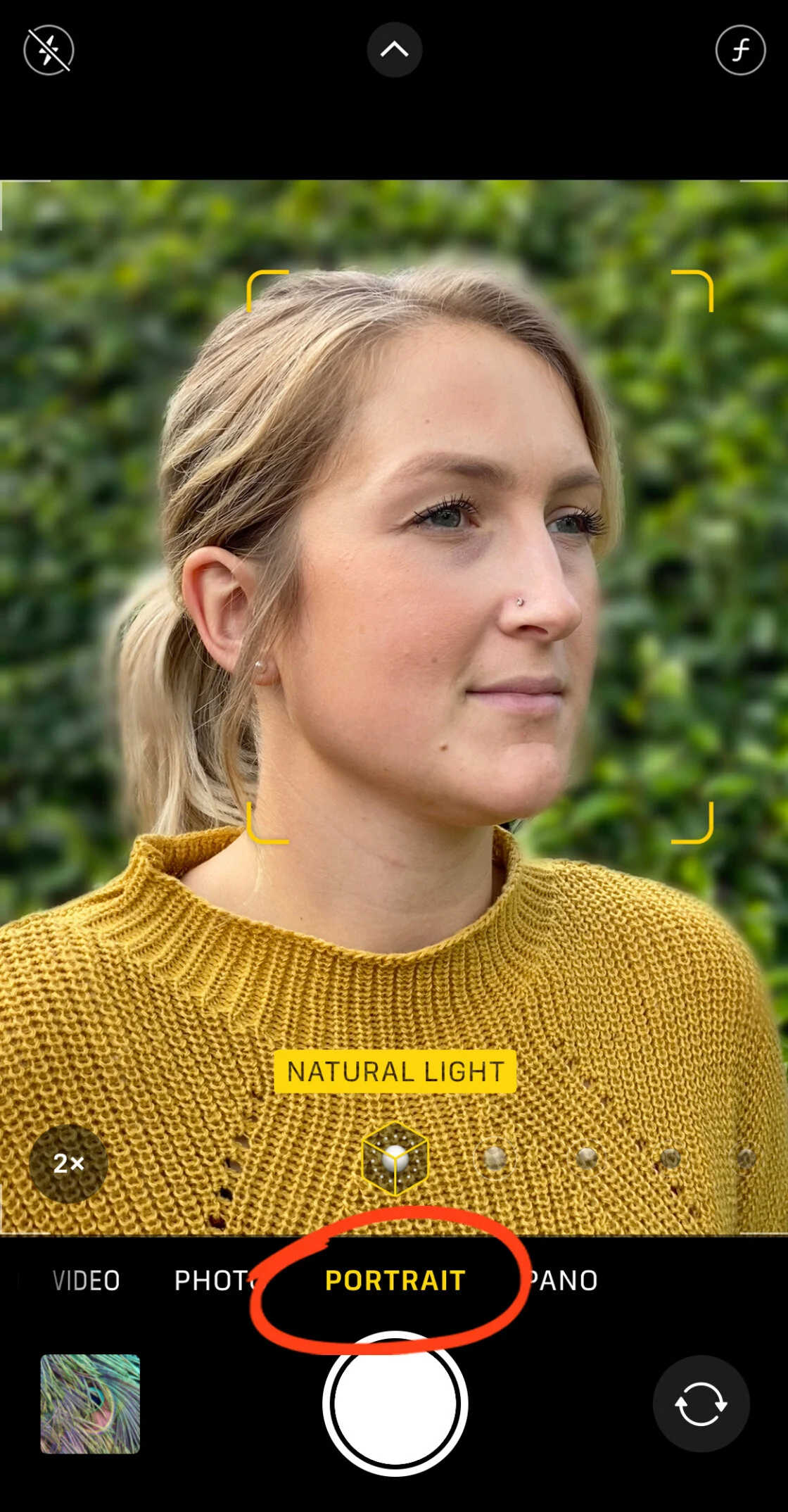
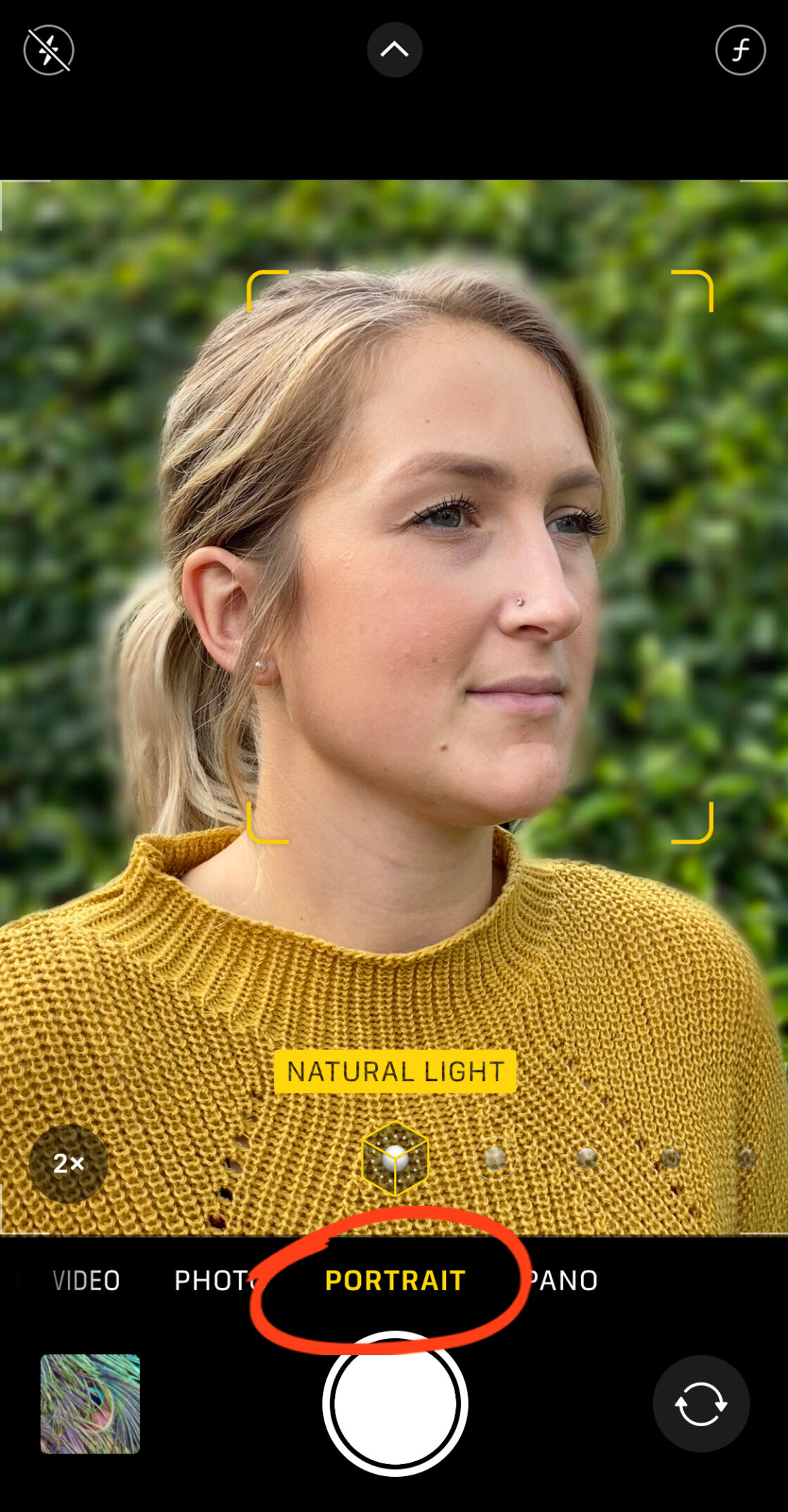
To engage this feature, the user must navigate to the Camera app and swipe the mode selector to "Portrait." The software requires specific conditions to function optimally:
- Proximity: The subject should ideally be positioned between two and eight feet from the lens. If the device is too close or too far, the interface will provide prompts to adjust the distance.
- Lighting: Portrait Mode relies on contrast and edge detection. In extremely low-light environments, the software may struggle to define the subject’s boundaries, though LiDAR-equipped models have mitigated this issue.
- Focus Confirmation: Once the "Natural Light" or "Depth Effect" indicator turns yellow, the computational depth map has been successfully established, and the shutter can be depressed to capture the image.
Adjusting Aperture Post-Capture
On modern iPhones (specifically the iPhone XS and newer), the intensity of the blur is not fixed at the moment of capture. By opening a Portrait photo in the "Photos" app and selecting "Edit," users can access the "f-number" (aperture) icon. Sliding this value toward a lower number (e.g., f/1.4) increases the blur, simulating a wide-open lens, while a higher number (e.g., f/16) brings more of the background into focus.
The Physics of Proximity: Achieving Natural Bokeh Without Software
For users with older iPhone models or those seeking a more organic look, background blur can be achieved through the fundamental laws of optics. This does not require specialized software modes but rather a strategic understanding of the relationship between the camera, the subject, and the background.
The Principle of Shallow Depth of Field
When a camera lens focuses on an object at a very close range, the depth of field—the zone of sharp focus—naturally narrows. To achieve this:
- Minimize Subject Distance: Move the iPhone as close as possible to the subject while maintaining focus.
- Maximize Background Distance: Ensure the background is as far away from the subject as possible. The greater the physical gap between the subject and the backdrop, the more pronounced the blur will be.
For macro photography, such as capturing insects or floral details, the native lens has limitations regarding its minimum focus distance. In these instances, hardware enthusiasts often utilize third-party add-on lenses, such as those produced by Moment or Sandmarc. These lenses allow the sensor to lock focus at sub-inch distances, creating a dramatic, natural bokeh that software struggle to replicate.
Advanced Post-Processing: Third-Party Solutions
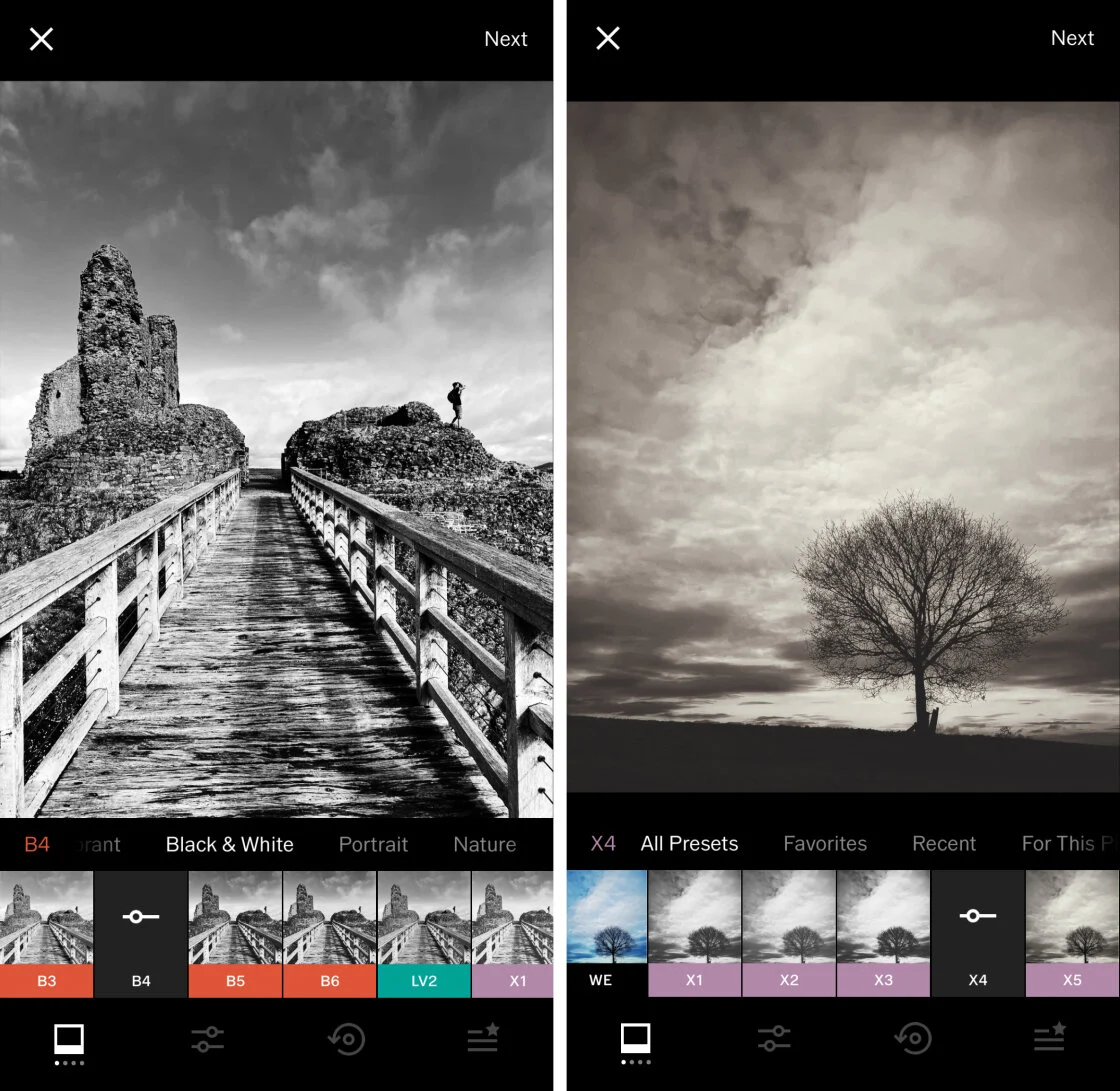
While Apple’s native tools are robust, third-party applications offer granular control for images that were not originally shot in Portrait Mode or for users who require specific artistic effects.
AfterFocus: Precision Masking
AfterFocus is a prominent utility for retroactively applying depth of field. The application utilizes a "Smart Selection" tool where the user draws a rough line over the subject (Focus) and the background. The AI then interpolates these lines to create a red mask over the subject. For complex images, a manual "Pencil" tool allows for pixel-level corrections. Once the mask is defined, the user can choose between "Lens Blur" for a traditional look or "Motion Blur" to simulate a subject moving at high speed.
Snapseed: The Dreamy Blurred Vignette
Snapseed, developed by Google, remains a staple in the mobile photography community. Its "Lens Blur" tool operates differently by applying a radial or linear gradient.
- The Transition Zone: Snapseed uses two concentric circles to define the blur. The inner circle remains sharp, the area between the circles acts as a transition zone, and the area outside the outer circle receives the full blur effect.
- Artistic Enhancements: Beyond mere blur, Snapseed allows users to adjust "Vignette Strength," which darkens the edges of the frame to further drive the viewer’s eye toward the central subject, creating a "dreamy" or cinematic aesthetic.
Technical Analysis: The Role of Artificial Intelligence
The "blur" found in iPhone photography is technically a digital simulation known as "computational bokeh." Unlike a DSLR, where the blur is a physical byproduct of the lens size and aperture blades, the iPhone creates a "depth map." This map is a grayscale image where different shades represent different distances from the camera.

The A-series Bionic and Pro chips use machine learning to analyze the scene, identifying faces, limbs, and even pets. This data is then used to apply a Gaussian or disc blur filter to the background pixels. Industry analysts suggest that the next frontier for this technology is the integration of "Generative AI," which could potentially fill in occluded details or create even more realistic light "circles" in the background, mimicking specific vintage lenses.
Broader Impact and Industry Implications
The democratization of high-quality background blur has significant implications for the professional photography industry. According to market data, the global smartphone camera market is expected to grow as mobile devices increasingly replace entry-level point-and-shoot and DSLR cameras for casual and semi-professional use.
Professional photographers have expressed mixed reactions. While some argue that computational blur lacks the "soul" and optical perfection of glass lenses, many have integrated the iPhone into their workflows for social media and rapid-turnaround journalism. The consensus among digital imaging experts is that the iPhone’s ability to blur backgrounds has lowered the barrier to entry for visual storytelling, allowing individuals without technical training to produce images that adhere to classical compositional standards.
Future Outlook
As Apple continues to iterate on its hardware, the boundary between software-simulated effects and true optical performance will likely continue to blur. Future developments are expected to focus on "Cinematic Mode" for video, which applies these same background-blurring principles to moving subjects in real-time at 4K resolution. For the end-user, the ability to control focus and depth remains one of the most powerful tools in the mobile arsenal, turning a pocket-sized communication device into a sophisticated engine for artistic expression.
In conclusion, whether through the precision of Portrait Mode, the physical proximity of the lens, or the advanced algorithms of third-party apps, blurring the background on an iPhone is a multi-faceted process. It combines the rigid rules of physics with the infinite flexibility of modern software, ensuring that every user has the capacity to capture professional-quality imagery.