The landscape of digital imaging has undergone a seismic shift over the last decade, transitioning from the heavy-duty requirements of DSLR cameras and desktop workstations to the streamlined, immediate capabilities of the smartphone. As of 2024, the iPhone has solidified its position not merely as a communication device, but as a sophisticated tool for professional photographers and creative enthusiasts alike. With the integration of high-resolution sensors and advanced computational photography, the demand for powerful post-processing software has reached an all-time high. The App Store currently hosts thousands of applications dedicated to image manipulation, yet only a select few have managed to balance professional-grade features with the intuitive user interfaces required for mobile efficiency. This report provides a comprehensive analysis of the top ten photo editing applications for the iPhone, examining their technical specifications, market impact, and utility in a professional workflow.
The Rise of the Mobile Darkroom: Context and Market Dynamics
The proliferation of mobile photo editing apps is intrinsically linked to the "creator economy," a sector now valued at over $250 billion. As platforms like Instagram, TikTok, and Pinterest demand high-quality visual content, the barrier to entry for professional-looking photography has been significantly lowered. Historically, the journey of mobile editing began with basic filters in the early 2010s. However, the introduction of Apple’s ProRAW format and the increasing processing power of the A-series chips have enabled developers to implement desktop-class algorithms on iOS.
Market data suggests that mobile users now prefer "all-in-one" ecosystems or highly specialized "utility" apps. According to industry analysts, the shift from one-time purchases to subscription-based models has allowed developers to provide continuous updates, including AI-driven features such as sky replacement and automated object removal. This evolution has created a diverse marketplace where users can choose tools tailored to specific artistic needs, ranging from minimalist film aesthetics to complex digital compositing.
1. Snapseed: The Benchmark for Free Professional Editing
Owned by Google, Snapseed remains a titan in the mobile editing world, largely due to its "completely free" price point and lack of in-app purchases. Originally developed by Nik Software, Snapseed brought high-end "Control Point" technology to the iPhone, allowing for selective adjustments that were previously only possible on expensive desktop software.
Snapseed’s utility lies in its 29 tools and filters. It supports RAW files, making it a viable option for photographers shooting in ProRAW. The "Tune Image" feature offers granular control over brightness, contrast, and saturation, but it is the "Selective" tool that sets it apart. By placing a point on a specific color or area, users can adjust localized parameters without affecting the rest of the image. Furthermore, its "Expand" tool uses AI to intelligently fill the edges of a canvas, a feature that anticipated the current generative AI trend.
2. VSCO: Aesthetic Consistency and the Creator Community
VSCO, operated by Visual Supply Company, has transcended its status as a mere app to become a cultural phenomenon. Known for its high-quality film emulation presets, VSCO caters to users who prioritize a cohesive aesthetic. The app operates on a "freemium" model, where the base app is free, but the "VSCO Membership" provides access to over 200 presets and advanced video editing tools.
The technical strength of VSCO is its subtlety. Unlike early social media filters that often degraded image quality through over-saturation, VSCO’s presets are modeled after real film stocks from Kodak, Fuji, and Agfa. For professional creators, the app provides a "Recipes" feature, allowing users to save their specific adjustment sequences to maintain a consistent look across a photo series. This focus on "minimalist perfection" has made it a staple for editorial and lifestyle photographers.
3. TouchRetouch: Specialized Utility in the Age of Distraction
While many apps attempt to do everything, TouchRetouch focuses on a single, critical task: removing unwanted elements from a frame. Developed by ADVA Soft, this app is an essential utility for landscape and street photographers. In a journalistic context, the ability to quickly remove a distracting power line or a piece of trash from a scene without leaving artifacts is invaluable.
The app utilizes a sophisticated content-aware fill algorithm. Users can employ the "Brush" or "Lasso" tools to highlight objects, or use the specialized "Line Removal" tool, which requires only a single tap on a wire or pole to erase it entirely. Despite the rise of AI-based "Magic Erasers" in native smartphone galleries, TouchRetouch remains a preferred professional choice due to its precision and the ability to manually source pixels for the healing process.
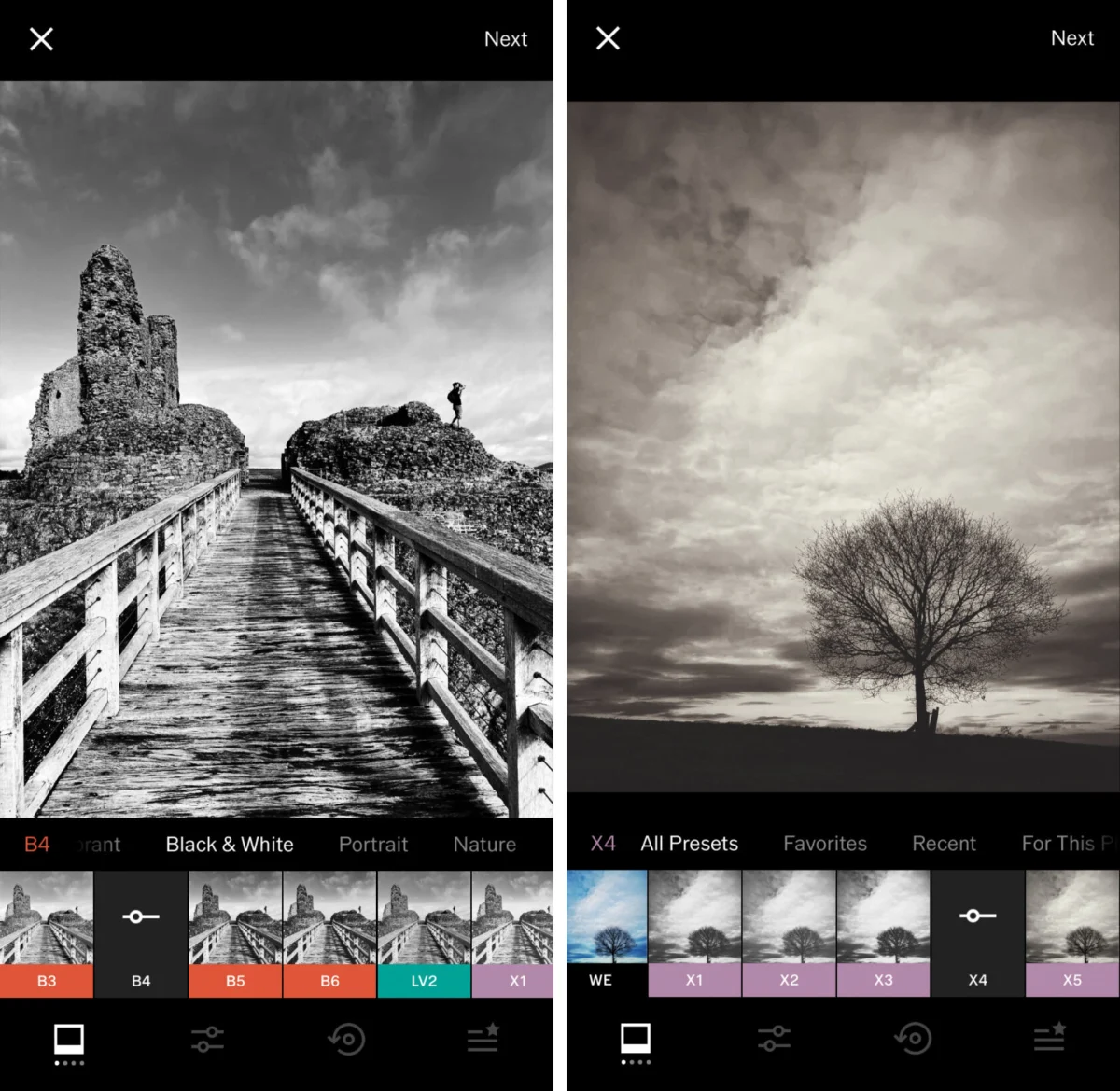
4. Carbon: The Preservation of Black and White Artistry
Monochrome photography requires a different approach to tonal range and contrast than color photography. Carbon is a dedicated app that addresses this niche, developed in collaboration with professional photographers to ensure that the "soul" of black and white imagery is preserved.
Carbon offers 58 specialized filters that focus on the interplay of light and shadow. Beyond simple desaturation, the app allows users to adjust "Kuwahara" effects—a form of artistic smoothing—and add vintage textures such as grain, light leaks, and dust. This specialized focus makes it an ideal tool for noir-style street photography and high-contrast portraiture, providing a depth of field and texture that general-purpose apps often miss.
5. Adobe Lightroom: Desktop Power in a Mobile Interface
Adobe’s transition to the Creative Cloud ecosystem revolutionized mobile photography by allowing for seamless synchronization between devices. Adobe Lightroom for iPhone is arguably the most powerful tool for professional color grading and exposure management. It is designed for those who need a high degree of technical accuracy.
The app’s "Selective Adjustments" and "Healing Brush" are industry standards, but its real power lies in the "Profiles" and "Color Mixer" (HSL) tools. Lightroom allows photographers to manipulate individual color channels, which is essential for correcting skin tones or enhancing the blues in a landscape. For professionals, the ability to start an edit on an iPhone during a commute and finish it on a MacBook Pro with all metadata and non-destructive edits intact is a workflow necessity.
6. Afterlight: The Creative All-Rounder
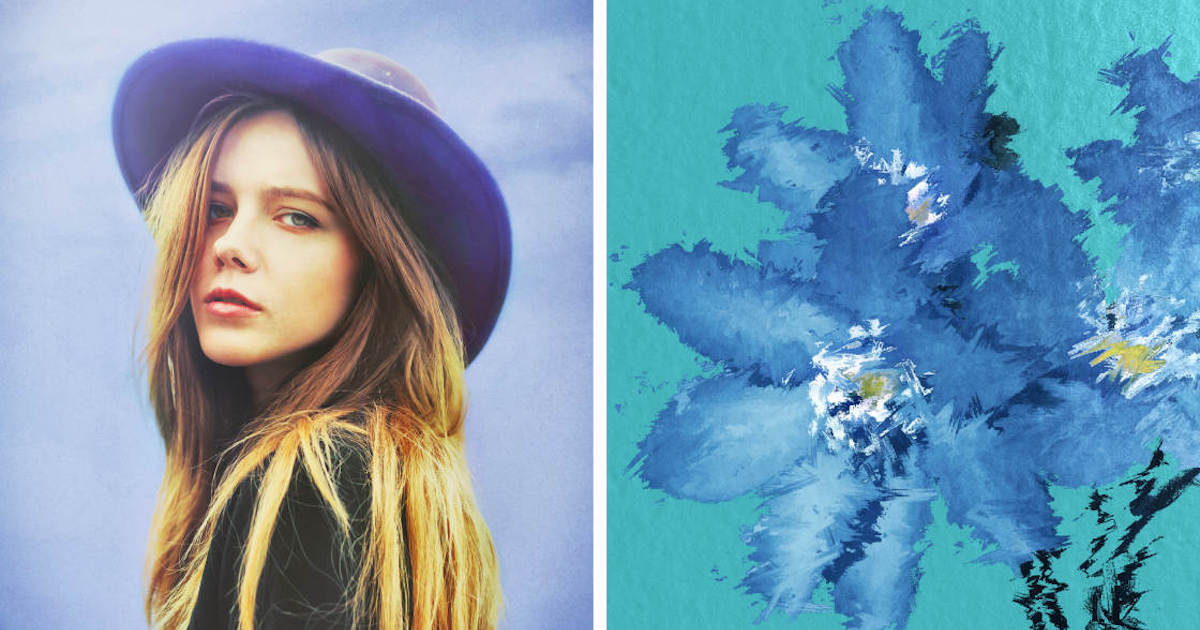
Afterlight strikes a balance between professional control and creative flair. It is often cited as the "bridge" app for users who have outgrown basic filters but find Lightroom’s interface too daunting. With over 130 filters and a robust set of "Advanced Tools" like Curves and Selective Color, it provides a high ceiling for artistic expression.
A standout feature of Afterlight is its "Double Exposure" tool, which enables users to blend two images with various transparency modes. This has made it a favorite for creating surrealist digital art and complex overlays. The app’s commitment to frequent updates ensures it remains compatible with the latest iOS features, including haptic feedback and high-efficiency image formats.
7. Mextures: Non-Destructive Layering and Textural Depth
Mextures introduced a "layer-based" workflow to the iPhone, similar to Adobe Photoshop. It is specifically designed for adding grit, grain, and atmospheric effects. The app’s unique "Formulas" system allows users to share their layer stacks with a global community, fostering a collaborative environment for digital artists.
Technically, Mextures is impressive because it is non-destructive. Users can add a light leak, a grit texture, and a landscape enhancement, and then go back to the first layer to adjust its opacity or rotation without affecting the subsequent layers. This level of flexibility is crucial for fine-tuning complex edits where the mood of the photo depends on the subtle interaction of multiple textures.
8. Lens Distortions: Optical Realism via High-Quality Overlays
While many apps offer "stickers" or "overlays," Lens Distortions distinguishes itself by using actual photographic elements to create its effects. The sunlight, fog, and rain effects in the app are captured from real-world optical sources, ensuring that the light behaves naturally within the frame.
For landscape photographers, the "Fog" and "Shimmer" tools can add a sense of scale and atmosphere that was missing due to poor weather conditions during the shoot. The app’s sliders for blur and depth-of-field allow these overlays to be integrated into the photo’s existing perspective, avoiding the "pasted-on" look that plagues lower-quality apps.
9. Superimpose X: The Architect of Digital Composites
Superimpose X is the successor to the original Superimpose app and represents the pinnacle of mobile photo manipulation. It is designed for "heavy" editing—masking, blending, and creating composites from multiple images. It features a wide array of masking tools, including AI-powered "Auto-Masking" which can distinguish a subject from its background with high accuracy.
The app supports multiple layers, each with its own set of adjustment tools. This allows for the creation of "fantasy" images, such as placing a subject in a different environment or blending textures into a portrait. Its comprehensive toolset makes it the closest mobile equivalent to a full-featured desktop compositor.
10. Instagram: The Final Polish and Distribution Hub
While primarily a social network, Instagram’s internal editing suite remains a significant player in the ecosystem. For many users, the "Lux" tool—which adjusts exposure and contrast to bring out detail—is a quick-fix solution that requires no technical knowledge.
Instagram’s filters have evolved to be more subtle, and its manual adjustment tools (Perspective, Tilt-Shift, and Vignette) are highly responsive. While it lacks the RAW support and layer-based depth of its competitors, its integration with the distribution platform makes it the final stop for millions of images daily.
Chronology of Development and Future Implications
The timeline of mobile editing can be divided into three distinct eras. The "Filter Era" (2010–2014) was defined by low-resolution, heavy-handed effects. The "Utility Era" (2015–2020) saw the introduction of RAW support and professional tools. We are currently in the "AI Era" (2021–Present), where machine learning handles the most tedious aspects of editing, such as masking and object removal.
Official responses from companies like Adobe and Apple suggest a future where the line between "taking" a photo and "editing" it becomes increasingly blurred. Apple’s "Smart HDR" already performs a multi-frame edit the moment the shutter is pressed. Moving forward, the industry is expected to see even deeper integration of generative AI, where apps can not only edit existing pixels but generate new ones to fulfill a photographer’s vision.
In conclusion, the "best" app is no longer a single entity but a combination of tools tailored to the user’s intent. For the casual user, Snapseed and Instagram provide immediate gratification. For the professional, the combination of Lightroom’s precision and TouchRetouch’s utility creates a mobile workflow that rivals the traditional darkroom. As hardware continues to advance, these software solutions will remain the essential link between a raw capture and a finished work of art.