Following our recent exploration into common photography missteps and their practical remedies, the focus now shifts to the dynamic world of videography, where newcomers frequently encounter a distinct set of technical hurdles. As the accessibility of video production tools continues to democratize content creation, an increasing number of individuals are venturing into filmmaking, vlogging, and visual storytelling. While the barrier to entry for acquiring equipment has lowered significantly, the path to producing high-quality, professional-grade video remains fraught with common pitfalls that can undermine even the most compelling visual narratives. This analysis delves into the most prevalent technical issues faced by aspiring videographers and outlines comprehensive, industry-aligned strategies for their resolution, ensuring that creative vision is not hampered by technical oversight.
The Proliferation of Video Content and Its Technical Demands
The digital landscape of the 21st century is undeniably dominated by video. From short-form social media clips to elaborate independent documentaries and corporate communications, moving images have become the primary medium for information dissemination and entertainment. This surge has been fueled by technological advancements, making sophisticated cameras and editing software more affordable and user-friendly than ever before. Smartphones, once mere communication devices, now boast capabilities rivaling professional cinema cameras of yesteryear, while mirrorless cameras offer an unparalleled blend of portability and image quality. This democratization, however, brings with it a steep learning curve for those transitioning from casual recording to intentional videography. Without a foundational understanding of core principles, creators risk producing content that falls short of audience expectations, despite their creative aspirations. Addressing these fundamental technical challenges is paramount for anyone serious about elevating their videography skills.
Shaky Footage: The Pervasive Challenge of Visual Stability
One of the most immediate and glaring issues that betray an inexperienced videographer is shaky footage. The human body, inherently dynamic, is an unreliable platform for maintaining the steady, fluid camera movements synonymous with professional video. While it might feel as though one possesses steady hands, microscopic tremors and involuntary movements are invariably amplified through the camera lens, resulting in a jittery, unprofessional aesthetic. Such instability not only distracts viewers but can also induce motion sickness, severely diminishing audience engagement and the perceived quality of the production.
The evolution of camera technology has introduced built-in image stabilization systems (both optical, OIS, and in-body, IBIS), which offer a degree of compensation for minor shakes. These systems optically shift lens elements or physically move the sensor to counteract unwanted motion. While beneficial for casual shooting or slight adjustments, they often prove insufficient for dynamic movements or for achieving truly cinematic smoothness. For serious videography, dedicated stabilization solutions are indispensable.
The market offers a tiered range of stabilization tools, each catering to specific needs and budgets. For smartphone videographers, devices like the DJI Mobile series represent an excellent entry point. These compact, motorized gimbals utilize advanced algorithms and brushless motors to counteract motion across three axes, enabling incredibly smooth pans, tilts, and tracking shots that would be impossible with handheld operation alone. Their intuitive design makes them accessible for beginners, transforming everyday phone footage into polished, professional-looking content.
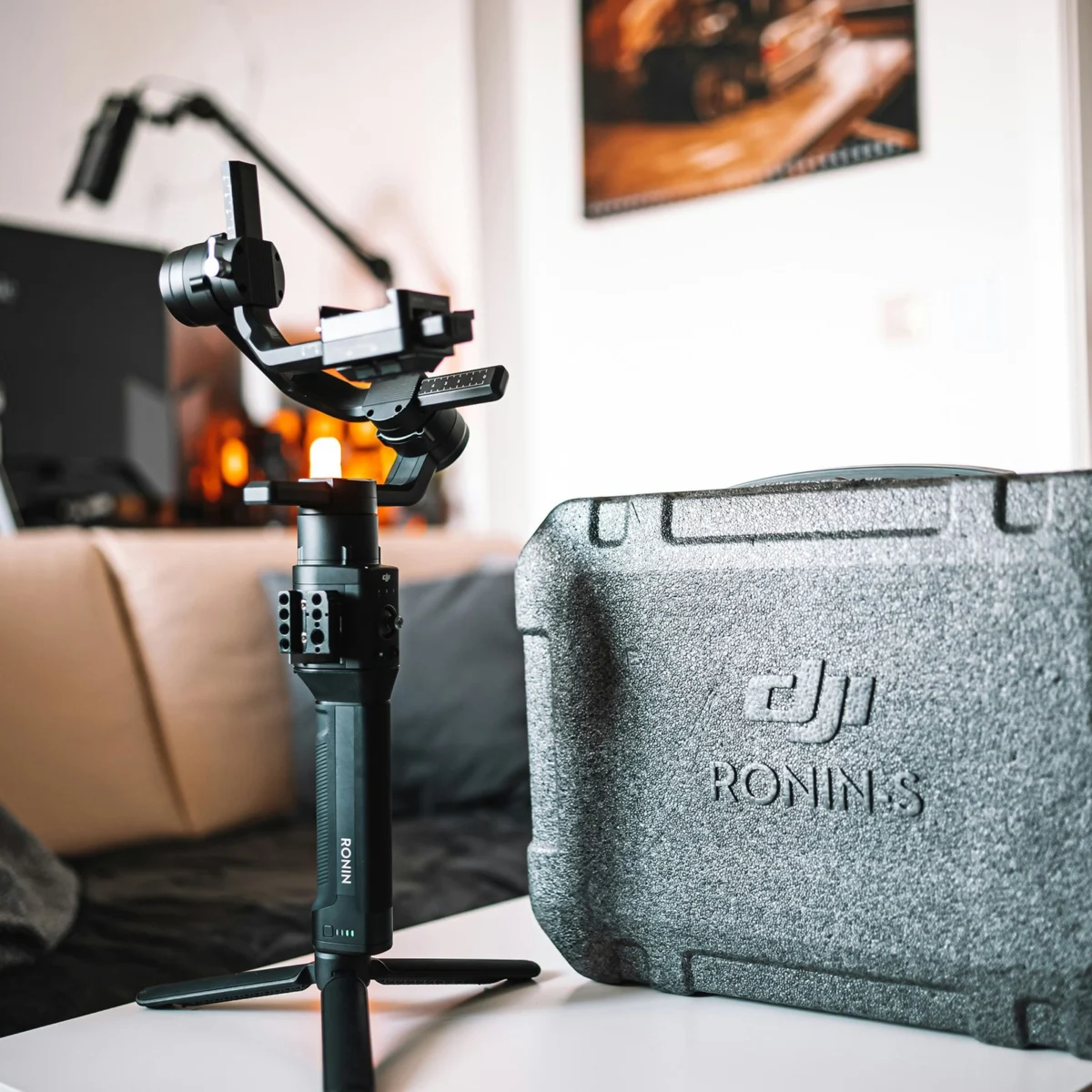
Scaling up to dedicated camera systems, the DJI Ronin-SC serves as an affordable yet highly capable option for smaller mirrorless cameras. Its lightweight design and robust stabilization mechanics make it ideal for solo operators and run-and-gun scenarios, providing the fluid motion required for independent filmmaking and event videography. For heavier camera setups, typically those exceeding 4.5 pounds, such as larger mirrorless cameras, DSLRs with substantial lenses, or compact cinema cameras, the DJI Ronin-S is a recommended solution. This gimbal system is engineered to handle greater payloads, delivering superior stability and precision for more demanding productions.
Beyond handheld gimbals, professional productions often employ more elaborate stabilization rigs. For extended shooting days with heavier camera packages, systems like the Easyrig Vario 5 are invaluable. These body-worn support systems redistribute the camera’s weight from the arms to the hips, back, and legs of the operator, significantly reducing fatigue and enabling smoother, more controlled movements over prolonged periods. This ergonomic design is crucial for maintaining consistent shot quality during long takes or complex sequences.
Fundamentally, even the most basic stabilization equipment can dramatically improve footage. A sturdy tripod equipped with a fluid head is an essential tool for achieving perfectly stable, static shots, as well as controlled pans and tilts. Fluid heads, unlike traditional photographic ball heads, are specifically designed to provide smooth, dampened movement for video, preventing jerky starts and stops. Investing in such foundational equipment not only resolves immediate shakiness but also establishes a professional baseline for all future video projects, fostering a sense of professionalism and commitment to quality.
Bad Audio: The Unsung Hero of Compelling Video
While visually jarring, shaky footage can sometimes be forgiven in specific contexts; poor audio, however, is almost universally detrimental to any video production. It is a common misstep among new videographers, often discovered only during post-production when rectifying the issue becomes costly or impossible. The human ear is remarkably sensitive to audio quality, and distorted, muffled, or inconsistent sound can quickly disengage an audience, regardless of how visually stunning the accompanying footage may be. In many instances, bad audio can ruin otherwise excellent visuals, rendering the entire production unprofessional and unwatchable.
The primary culprit is often the reliance on built-in microphones found on most cameras and smartphones. These integrated microphones are typically omnidirectional, meaning they pick up sound equally from all directions. While convenient, this design makes them highly susceptible to capturing excessive ambient noise, camera handling sounds, and reflections, rather than isolating the intended subject’s voice or key sounds of a scene. Their limited frequency response and dynamic range also contribute to a thin, unnatural, or compressed sound profile.
To mitigate these issues, recording audio separately and with dedicated equipment is a critical best practice. For dialogue-heavy content, such as interviews, vlogs, or presentations, a lavalier microphone system is indispensable. These small, discreet microphones clip onto clothing, positioning them close to the speaker’s mouth to capture clear, direct audio while minimizing background noise. Wireless lavalier systems, such as the Sennheiser G4 or the more modern DJI Mic 2 system, offer unparalleled mobility, allowing subjects to move freely without being tethered to the camera. These systems typically include a transmitter (worn by the speaker) and a receiver (connected to the camera or an external recorder), providing reliable, high-quality audio transmission.
When the objective is to capture the ambient soundscape of a scene or focused audio from a subject at a distance, a shotgun microphone is the preferred tool. Shotgun mics, characterized by their elongated interference tubes, possess a highly directional polar pattern (often supercardioid or hypercardioid). This allows them to "reach out" and capture sound from a specific direction while rejecting sounds from the sides and rear, making them ideal for isolating dialogue in a noisy environment or capturing specific sound effects within a scene. The RODE VideoMic Pro Plus, for example, is a popular on-camera shotgun microphone known for its excellent sound quality and robust features, suitable for run-and-gun shooting. For more professional setups, longer shotgun microphones mounted on boom poles offer even greater directional control and distance capabilities.
Crucially, capturing high-quality audio often necessitates a dedicated audio recorder, such as the Zoom H6 or H4n Handy Recorder. These devices offer superior preamplifiers, multiple input channels for recording various microphones simultaneously, and the ability to record at higher bit depths and sample rates than most cameras. Recording audio to a separate device provides greater control over levels, prevents audio compression artifacts inherent in many camera codecs, and offers a robust backup. The process of syncing external audio with video footage in post-production is a standard workflow in professional video editing.
Finally, and perhaps most critically, real-time audio monitoring during a shoot is non-negotiable. A good pair of closed-back headphones connected to the camera or, ideally, to the dedicated audio recorder, allows the videographer or sound operator to listen for distortions, extraneous noises, clipping, and proper level setting. Without monitoring, issues like wind noise, cable rustle, or unexpected interference may go unnoticed until it is too late, leading to irreparable audio problems. Investing in quality monitoring headphones is a small cost compared to the potential loss of an entire shoot due to unuseable audio.
Grey Scale Footage: Understanding Logarithmic Profiles for Cinematic Color
A perplexing issue for many videography newcomers is encountering footage that appears "greyed out" or desaturated, lacking contrast and vibrancy directly out of the camera. This visual characteristic often leads to the mistaken belief that the camera is malfunctioning or that the footage is irrevocably flawed. In reality, this appearance is a deliberate and sophisticated feature of modern professional cameras: shooting in a "logarithmic" (log) gamma profile.
Log profiles, such as Sony’s S-Log, Canon’s C-Log, Panasonic’s V-Log, Nikon’s N-Log, or Fujifilm’s F-Log, are designed to capture the widest possible dynamic range from the camera’s sensor. Unlike standard video profiles (like Rec. 709), which compress the tonal range to fit within a more limited display space, log profiles record a flatter, less saturated image. The core principle behind this is to maximize the amount of luma (luminance/brightness) data captured in both the highlight and shadow areas, preserving detail that would otherwise be clipped or crushed in a standard profile.
This "flat" look, while initially counterintuitive, provides immense flexibility during the color grading process in post-production. By recording a wider range of tonal information, videographers gain significantly more latitude to adjust exposure, contrast, and color balance without introducing artifacts or losing detail. The saturation data is intentionally reduced or flattened because it can be easily and precisely added back, or creatively manipulated, in editing software. This exchange—sacrificing immediate visual appeal for expanded dynamic range—is a cornerstone of cinematic image acquisition, allowing for greater creative control and the ability to match footage from different cameras more seamlessly.
For beginners, accidentally shooting in a log format can be disconcerting. However, the good news is that the colors and contrast can be easily restored, and often enhanced, through color grading. The most common first step is to apply a "LUT" (Look-Up Table) designed to convert the log footage to a standard Rec. 709 color space. Many camera manufacturers provide specific conversion LUTs for their log profiles, which instantly transform the flat image into a vibrant, correctly contrasted one, serving as a starting point for further creative grading. Modern editing software also often includes built-in tools or presets for log conversion.
The decision to shoot in log format depends heavily on the project’s requirements and the videographer’s post-production workflow. For simple, quick turnaround projects where extensive color grading is not anticipated, shooting in a standard Rec. 709 profile (or a similar "neutral" picture profile) might be more practical, as it produces a pleasing image directly out of the camera. However, for projects demanding the highest quality, maximum creative control, and a truly cinematic aesthetic, mastering the use of log profiles and subsequent color grading is an essential skill. Understanding this concept demystifies the "greyed out" footage and unlocks a powerful tool for achieving professional-grade visuals.
Choppy Video Footage: Ensuring Smooth Playback and Performance
Another prevalent issue that can plague aspiring videographers is the appearance of choppy or stuttering footage, which detracts significantly from the viewing experience. This problem typically stems from one of two fundamental technical oversights related to how video data is captured and recorded. Addressing these factors is crucial for achieving the fluid, continuous motion expected in modern video content.
The first, and often most straightforward, culprit behind choppy footage is an incorrect frame rate setting. Frame rate, measured in frames per second (FPS), dictates how many individual still images are captured by the camera each second to create the illusion of motion. A lower frame rate means fewer images are captured per second, leading to a less smooth transition between frames, which the human eye perceives as choppiness. While 24 FPS is the standard for cinematic film, offering a distinct motion blur that many associate with a "film look," it can appear slightly less smooth to some viewers, especially when motion is rapid. For general video, broadcast, and digital content, a frame rate of 30 FPS or higher is widely recommended to ensure smooth, natural-looking motion. Many cameras default to 30 FPS, but it is imperative to always verify this setting before recording, particularly if experimenting with different modes or manual controls. For capturing fast action or for footage intended for slow-motion playback, frame rates of 60 FPS, 120 FPS, or even higher are employed, as they provide an abundance of frames that can be slowed down significantly while maintaining fluid motion. Mismatched frame rates between different clips within a project can also contribute to a choppy final edit, necessitating careful adherence to a consistent project frame rate.
The second critical factor influencing video choppiness is the write speed of the recording media. Video files, especially those captured at higher resolutions (4K, 8K) and with higher bitrates (the amount of data processed per second, often measured in Mbps), generate a substantial and continuous stream of data. If the memory card or external hard drive used for recording cannot write this data quickly enough, the camera will drop frames to keep up, resulting in noticeable stuttering or choppiness in the footage. This is particularly problematic with high-quality codecs like H.264 or H.265, which compress video efficiently but still demand significant write speeds.
Memory cards, such as SD cards or CFexpress cards, are rated with various speed classes (e.g., UHS-I, UHS-II, V30, V60, V90). The "V" (Video Speed Class) ratings, specifically V30, V60, and V90, are particularly relevant for videography, indicating a guaranteed minimum sustained write speed of 30 MB/s, 60 MB/s, and 90 MB/s, respectively. It is crucial to check the camera manufacturer’s specifications for the required minimum write speed for your chosen resolution, frame rate, and codec settings. Purchasing memory cards with a speed rating that meets or, ideally, exceeds these requirements is a non-negotiable step. There is no disadvantage to using the fastest memory card available; it only increases its versatility and future-proofs it for more demanding shooting scenarios.
Similarly, for editing high-resolution footage, the speed of your external storage and internal computer drives is vital. Editing directly from slow hard disk drives (HDDs) can lead to choppy playback in editing software, making the editing process frustrating and inefficient. Solid-state drives (SSDs), both internal and external, offer significantly faster read and write speeds, providing the necessary bandwidth for smooth editing of even 4K and 8K footage. Ensuring a robust data pipeline from capture to post-production is essential for maintaining the integrity and fluidity of your video.
Broader Impact and Future Implications
Mastering these common videography challenges extends beyond mere technical proficiency; it significantly impacts the quality, reach, and professional perception of a creator’s work. In an increasingly saturated digital content market, technical excellence serves as a critical differentiator. Viewers are accustomed to high production values, and content marred by shaky footage, poor audio, or visual inconsistencies will struggle to retain attention and build a loyal audience.
For aspiring videographers, understanding and implementing solutions for these issues empowers them to translate their creative visions into polished realities. It builds confidence, refines their craft, and ultimately opens doors to more significant projects and opportunities, blurring the lines between amateur enthusiasm and professional capability. The continued evolution of stabilization technologies, audio solutions, and media storage capacity suggests an even more accessible future for high-quality video production. Innovations such as AI-powered in-camera stabilization, more sophisticated computational videography, and increasingly robust wireless audio systems will further simplify complex technical tasks, allowing creators to focus more on narrative and artistic expression.
The market for videography equipment, driven by this persistent demand for quality and ease of use, continues to innovate. Manufacturers are constantly refining gimbals, developing more compact and powerful microphones, and pushing the boundaries of memory card speeds. This competitive landscape benefits videographers by offering a wider array of effective tools at various price points, making professional-level results more attainable than ever before.
In conclusion, while the initial journey into videography can present technical complexities, the solutions are well-established and readily available. By systematically addressing issues such as shaky footage, inadequate audio, the nuances of logarithmic profiles, and the demands of appropriate frame rates and media speeds, videographers can elevate their craft significantly. The path to compelling video content is a blend of artistic vision and diligent technical execution, and by mastering these fundamentals, creators are well-equipped to produce impactful and engaging visual stories for any platform.