The landscape of digital imaging has undergone a seismic shift as smartphone technology increasingly encroaches upon the territory once reserved exclusively for Digital Single-Lens Reflex (DSLR) cameras. Central to this transformation is the sophisticated suite of manual controls available within the iOS ecosystem, which allows users to bypass automated algorithms in favor of deliberate, artistic precision. While the iPhone’s "point-and-shoot" simplicity remains a hallmark of its design, the integration of advanced optics and computational photography tools has empowered a new generation of mobile photographers to produce high-fidelity imagery suitable for commercial and editorial use.
The Evolution of Mobile Optics: A Technical Chronology
To understand the current state of iPhone photography, one must examine the chronological progression of Apple’s hardware and software integration. The journey toward professional-grade mobile imaging began in earnest with the iPhone 7 Plus in 2016, which introduced the dual-lens system and the inaugural "Portrait Mode." This was followed by the iPhone XS in 2018, which debuted Smart HDR, a feature that utilized the A12 Bionic chip’s Neural Engine to merge multiple exposures into a single high-contrast image.
The release of the iPhone 11 series in 2019 marked the introduction of "Night Mode," a breakthrough in low-light performance that utilized extended shutter speeds and software stabilization. By the time the iPhone 12 Pro arrived in 2020, Apple introduced ProRAW, providing professional photographers with the flexibility of RAW data combined with the benefits of computational photography. Most recently, the iPhone 14 Pro’s 48-megapixel sensor has pushed the boundaries of resolution, further narrowing the gap between mobile devices and professional gear.
The Mechanics of Depth of Field and Background Compression
In traditional photography, depth of field is controlled by the physical aperture of a lens. However, smartphone lenses possess fixed apertures, posing a challenge for those seeking the "bokeh" effect—the aesthetic quality of out-of-focus blur. Apple addresses this through two distinct methods: physical proximity and computational simulation.
Computational Portraiture
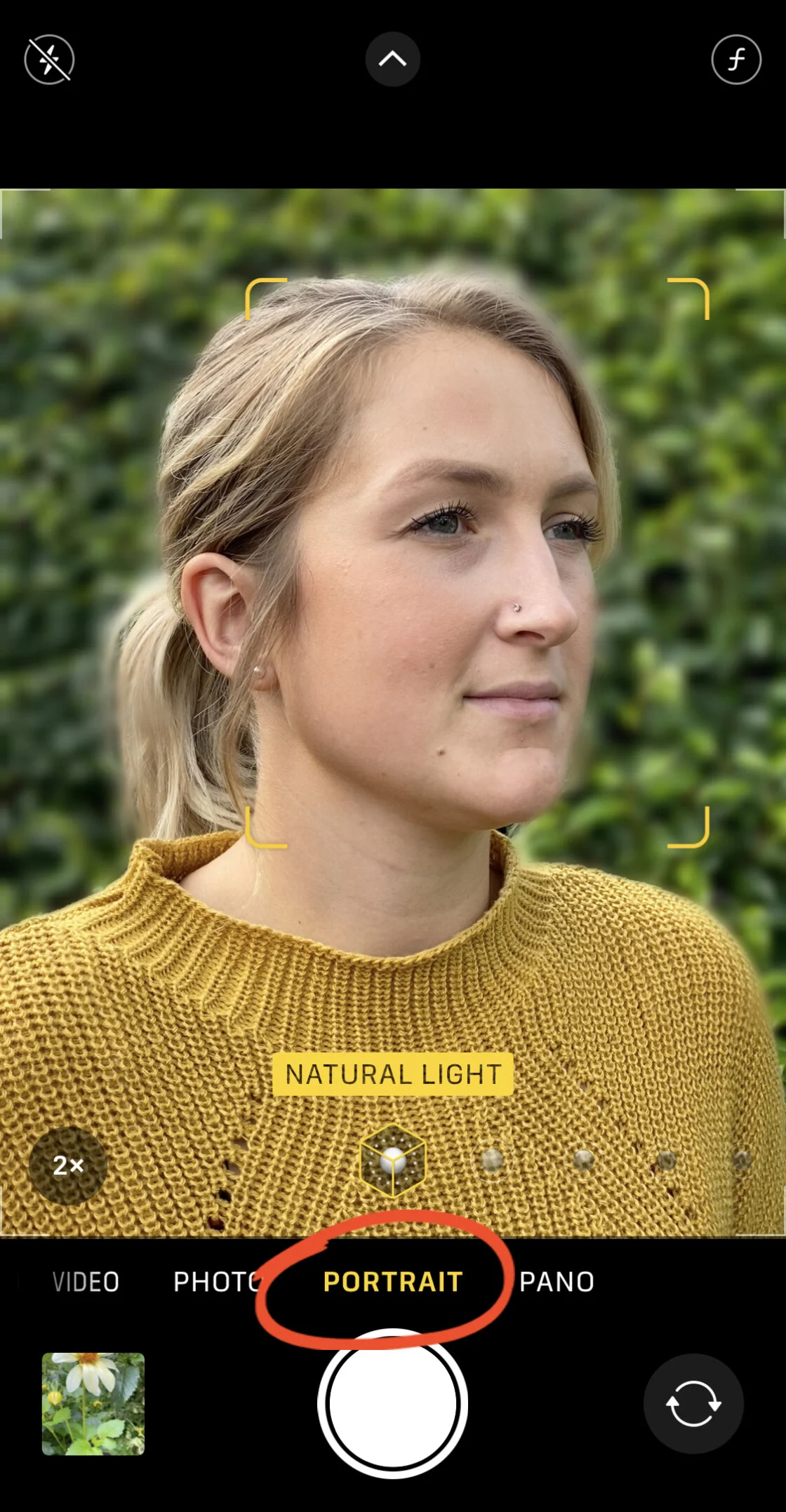
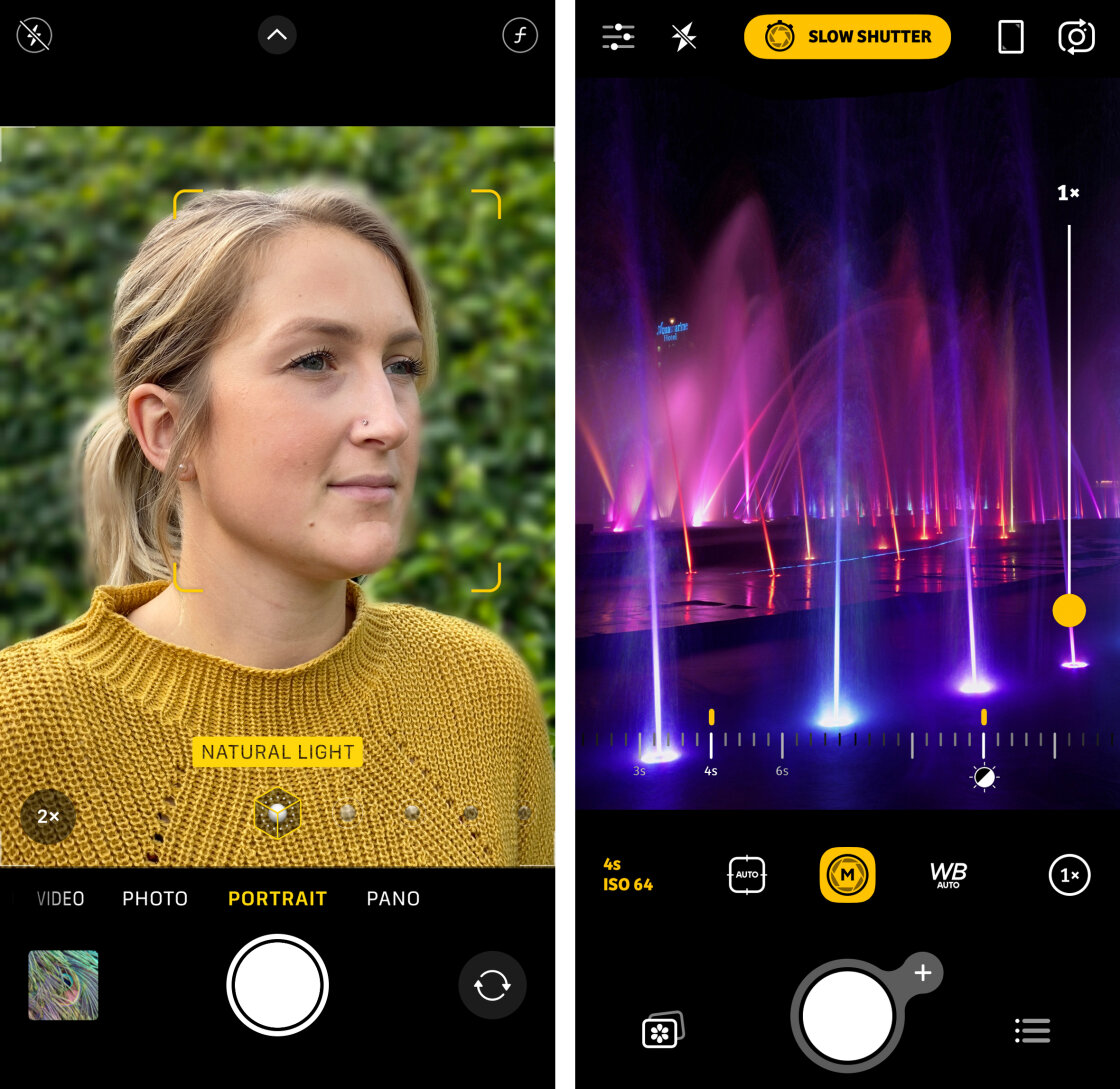
Portrait Mode utilizes depth-mapping technology to distinguish the subject from the background. On models equipped with LiDAR (Light Detection and Ranging), such as the Pro series, this mapping is executed with laser-point precision, even in low-light environments. Industry data suggests that Portrait Mode is one of the most utilized features in the iOS Camera app, as it allows for post-capture adjustment of the f-stop (aperture) value. By sliding the "Depth" control, users can simulate a range from f/1.4 to f/16, providing a granular level of control over the intensity of the background blur.
Physical Proximity and Macro Photography
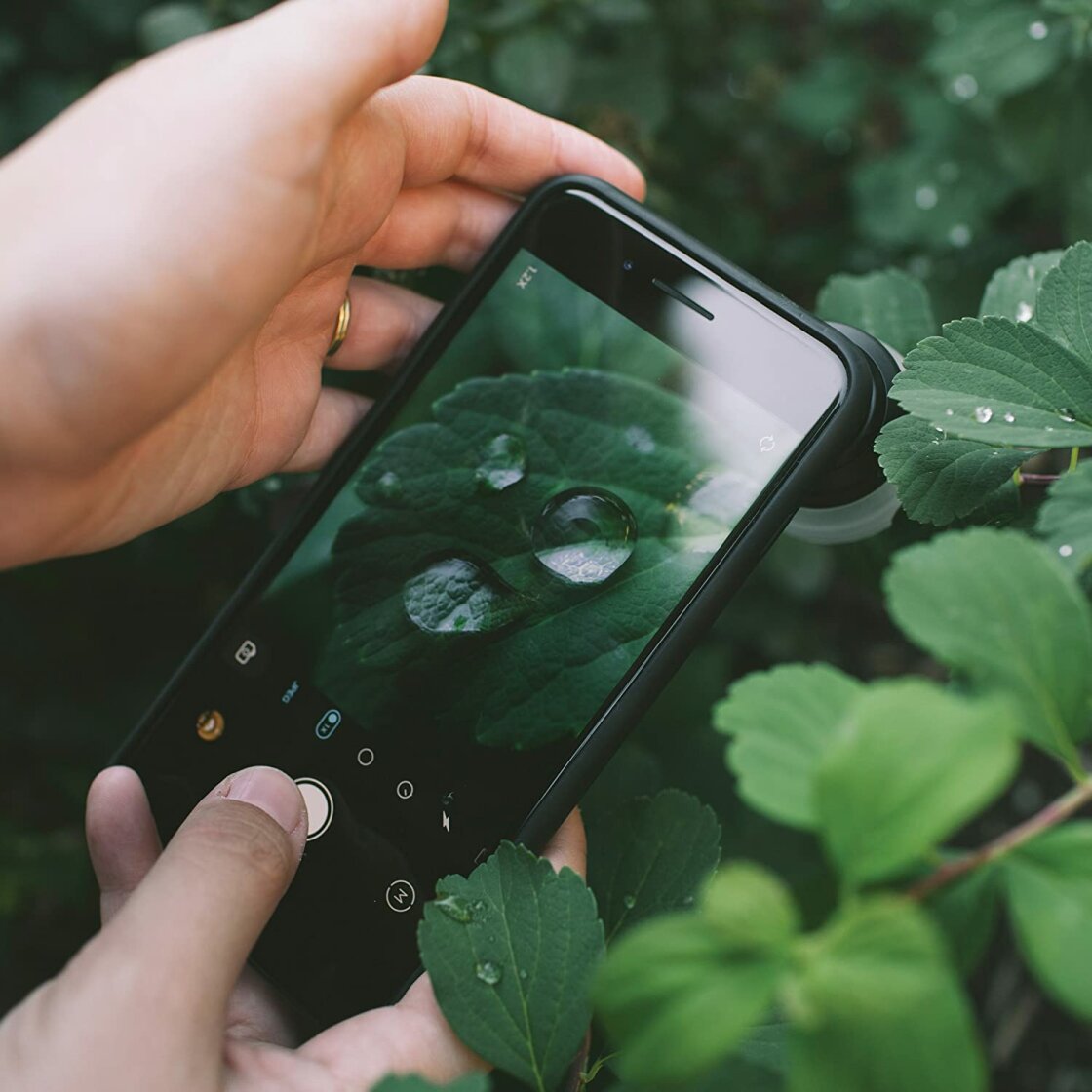
For subjects where software-based blur may produce artifacts, such as intricate foliage or macro subjects, physical proximity remains the most reliable technique. As the lens moves closer to the subject, the depth of field naturally shallows. The introduction of the Ultra-Wide lens with macro capabilities on the iPhone 13 Pro and later models has expanded this further, allowing for sharp focus at distances as close as two centimeters.

Precision Focus and the AE/AF Lock Mechanism
Achieving pin-sharp focus is a prerequisite for professional-grade results. While the iPhone’s "tap-to-focus" feature is intuitive, it is often insufficient for complex compositions where the subject is moving or where the lighting is volatile.
The AE/AF (Auto Exposure/Auto Focus) Lock is a critical tool for the serious photographer. By performing a long press on a specific area of the viewfinder, the user locks both the focus distance and the exposure level. This prevents the camera from hunting for focus if a secondary object enters the frame. Journalistic analysis of mobile photography workflows indicates that AE/AF Lock is essential in street photography and videography, where maintaining a consistent focal plane is necessary for narrative continuity.
For even greater precision, third-party applications like Camera+ 2 offer manual focus sliders. These tools allow the user to rack focus manually, a technique often used in cinematography to guide the viewer’s eye from the foreground to the background.
Computational Exposure and High Dynamic Range (HDR)
Exposure, or the total amount of light reaching the sensor, is managed on the iPhone through a combination of manual overrides and "Smart HDR." In high-contrast scenes—such as a landscape with a bright sky and a shaded foreground—the camera often struggles to preserve detail in both extremes.
The Role of Smart HDR
Smart HDR functions by capturing a rapid burst of images at varying exposure levels the moment the shutter is pressed. The ISP (Image Signal Processor) then analyzes these frames, selecting the best parts of each to stitch together a final image. Technical reviews from sites like DXOMARK highlight Apple’s Smart HDR as a leader in preserving highlight detail without introducing artificial-looking "halos" around subjects.
Manual Exposure Compensation
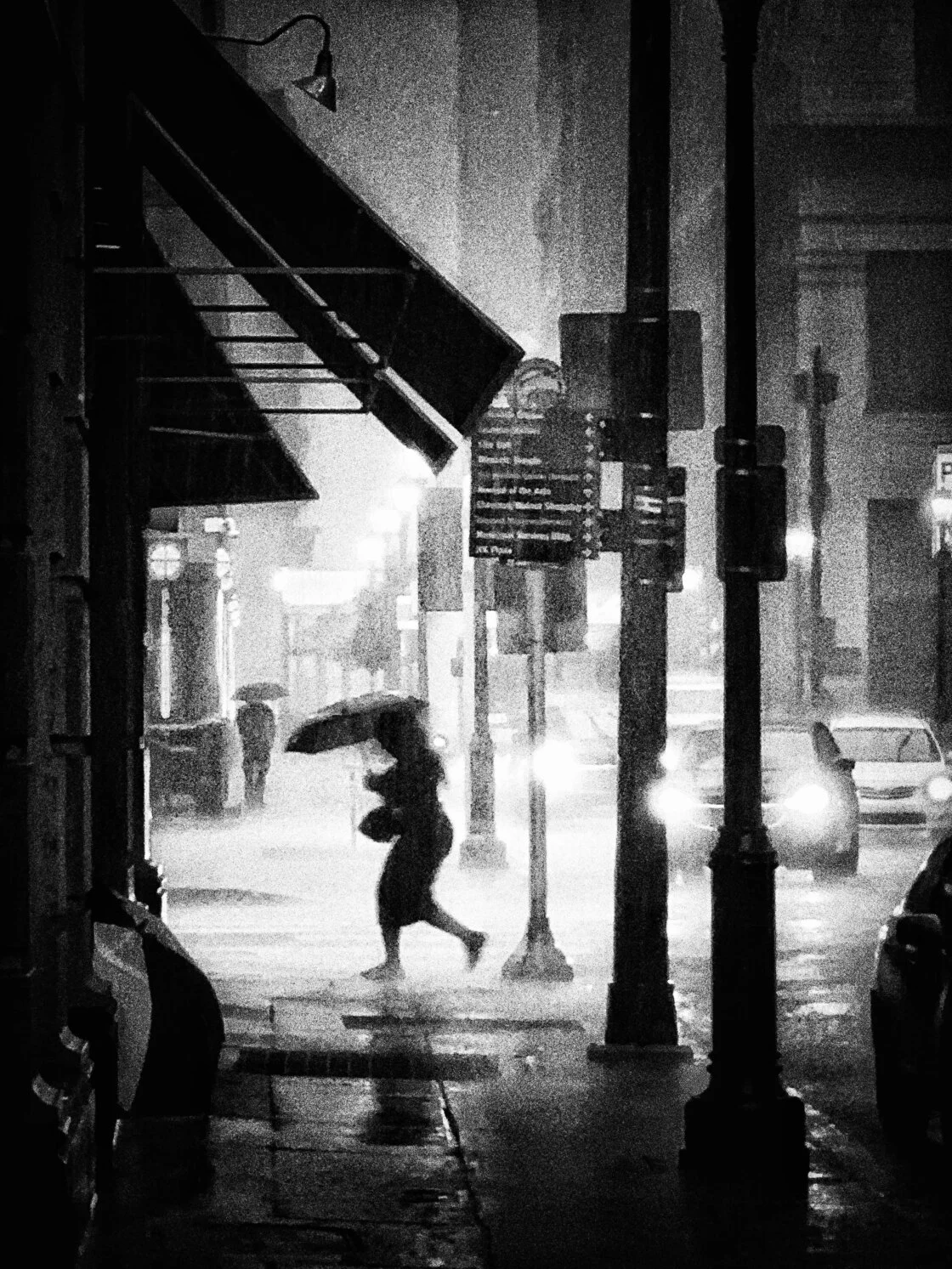
Despite the power of automation, manual exposure compensation remains a vital tool for mood and atmosphere. Swiping the "Sun" icon adjacent to the focus square allows for immediate brightening or darkening of the scene. In professional settings, under-exposing is frequently used to create silhouettes or to ensure that highlights in a night scene are not "blown out."
Shutter Speed and the Management of Motion
Controlling the duration of the shutter is perhaps the most significant "DSLR-style" feature available to iPhone users, though it requires third-party software for full manual access. Shutter speed determines how the camera interprets movement: fast speeds (e.g., 1/1000s) freeze action, while slow speeds (e.g., 1s or longer) introduce motion blur.
Freezing High-Speed Action
For sports or wildlife photography, a fast shutter speed is required to capture a crisp image of a subject in motion. The iPhone’s "Burst Mode," which captures 10 frames per second, often defaults to higher shutter speeds to ensure each frame is sharp.
Long Exposure and the Fluidity of Time
Conversely, slow shutter speeds are used to create the "silky" water effect in waterfall photos or light trails in urban night photography. Because the iPhone’s physical shutter is electronic, long exposures of several seconds can lead to significant camera shake if the device is not mounted on a tripod. Market research shows a growing niche for mobile-specific tripods and stabilizers, driven by the popularity of long-exposure aesthetics on social media platforms.
ISO Sensitivity and Noise Reduction Strategies
ISO measures the light sensitivity of the camera sensor. In low-light environments, the iPhone automatically increases the ISO to produce a brighter image. However, high ISO values introduce "noise" or digital grain, which degrades image quality.
Professional photographers prioritize the lowest possible ISO (often ISO 32 or 50 on iPhone) to maintain a "clean" image. To achieve this in dark settings, the photographer must compensate by using a slower shutter speed and a tripod. The advent of "Night Mode" has mitigated this to some extent by using multi-frame noise reduction, but for maximum detail, manual ISO management via apps like Camera+ 2 remains the preferred method for studio and landscape work.
Color Fidelity through White Balance Adjustment
White balance ensures that colors appear natural by accounting for the "color temperature" of different light sources. Incandescent bulbs produce a warm, orange cast, while shade and overcast skies produce a cool, blue cast.
While Apple’s Auto White Balance (AWB) is generally accurate, it can be misled by dominant colors in a scene. For example, photographing a subject against a large blue wall may cause the AWB to overcompensate by making the subject look too warm. Manual white balance presets—such as Daylight, Cloudy, and Tungsten—allow photographers to lock in consistent color across a series of shots, a requirement for professional product photography and portrait sessions.
Broader Impact and Industry Implications
The democratization of these advanced controls has had a profound impact on the photography industry. According to the 2022 Suite of Mobile Imaging reports, smartphone usage for professional photography has increased by 25% over the last five years. While high-end DSLRs and mirrorless systems still dominate in specialized fields like high-fashion and large-format printing, the iPhone has become a legitimate tool for "run-and-gun" journalism and social media marketing.
The shift toward manual control signifies a move away from "accidental" photography toward "intentional" image-making. By mastering the nuances of focus, exposure, shutter speed, and ISO, users are no longer limited by the "average" settings chosen by an algorithm. Instead, they can manipulate the hardware to reflect a specific creative vision.
Future Outlook: The Rise of AI-Assisted Manual Control
As Apple continues to iterate on its silicon, the line between manual and automatic control will likely blur. Future versions of iOS are expected to incorporate more AI-driven "suggestions" within manual modes, helping users understand the trade-offs between ISO and shutter speed in real-time.
For the professional and the enthusiast alike, the message is clear: the hardware in one’s pocket is no longer a compromise. With the correct application of manual controls and a foundational understanding of photographic principles, the iPhone is capable of producing world-class imagery that stands up to the rigors of professional scrutiny. The transition from a casual user to a mobile photographer is not defined by the device, but by the mastery of the controls that govern it.