The evolution of mobile imaging has transformed the smartphone from a simple communication device into a sophisticated tool for visual storytelling. Central to this transformation is the ability to manipulate depth of field, a technique traditionally reserved for high-end Digital Single-Lens Reflex (DSLR) cameras equipped with expensive, wide-aperture lenses. For iPhone users, the pursuit of "bokeh"—the aesthetic quality of the out-of-focus parts of an image—has become a cornerstone of modern mobile photography. By isolating a subject against a creamy, blurred background, photographers can eliminate distractions and direct the viewer’s attention with surgical precision. This guide examines the multifaceted approaches to achieving professional-grade background blur on the iOS platform, ranging from native hardware-software integration to advanced post-processing techniques.
The Technological Shift: Understanding Computational Photography
To appreciate how an iPhone blurs a background, one must understand the shift from optical to computational photography. In traditional photography, background blur is a physical byproduct of a large sensor and a wide lens aperture (low f-number). Because smartphones possess relatively small sensors and fixed apertures, Apple engineers developed "Portrait Mode," which utilizes a combination of hardware and machine learning.
Since its debut on the iPhone 7 Plus in 2016, Portrait Mode has evolved from a simple dual-lens trick into a complex process involving the A-series Bionic chips. These processors create a "depth map" of a scene, identifying the contours of the subject and mathematically applying a blur gradient to the background. This process mimics the natural "fall-off" of a high-end lens, where objects further from the focal plane appear increasingly out of focus.
Utilizing Native Features: Portrait Mode and Depth Control
For users with modern hardware, the most efficient method to achieve background blur is the native Portrait Mode within the iOS Camera app. This feature is currently available on a wide array of devices, including the iPhone 7 Plus, 8 Plus, X, XR, XS series, 11 series, 12 series, 13 series, 14 series, and the most recent 15 and 16 iterations.
Step-by-Step Execution of Portrait Mode
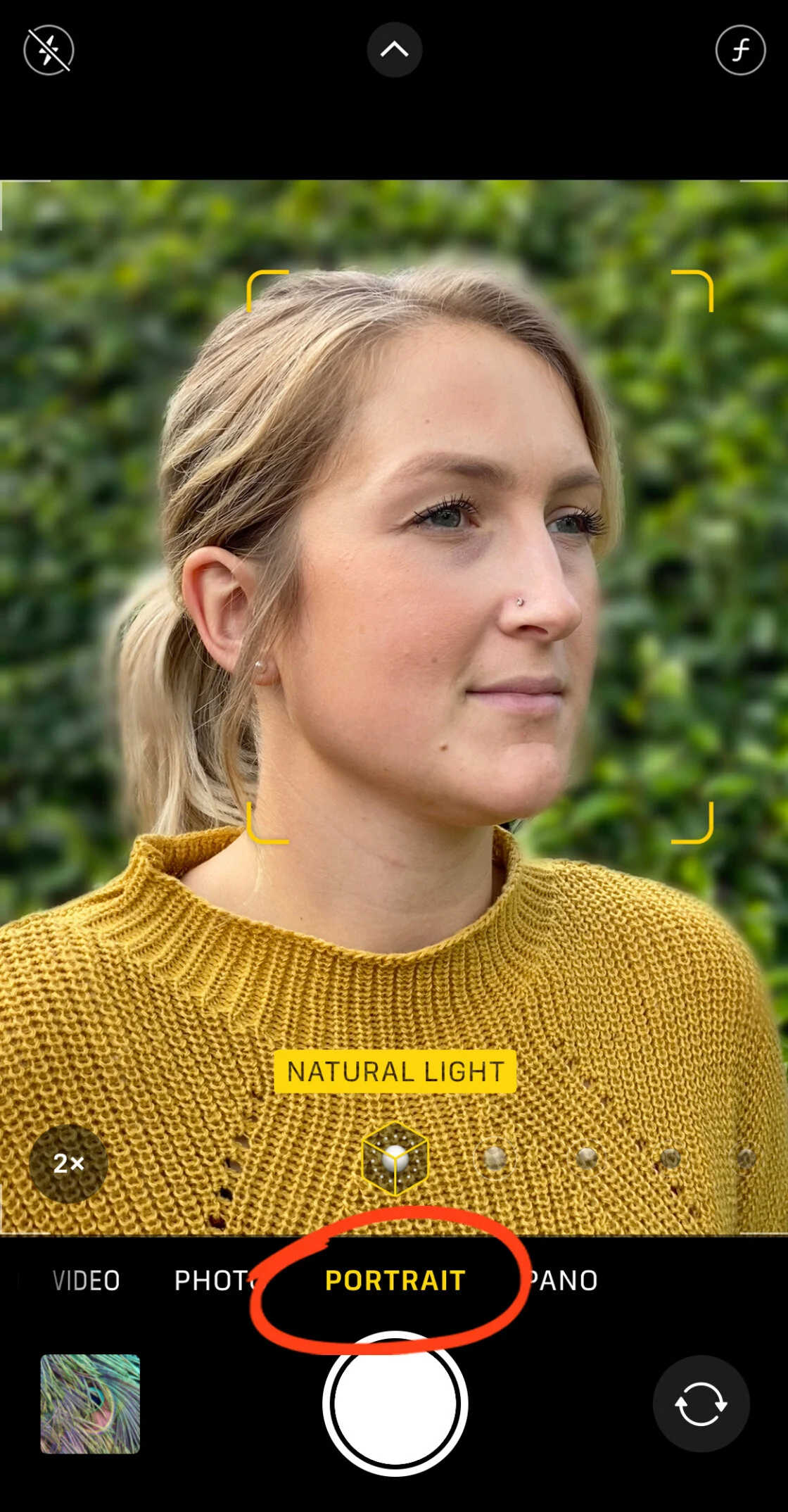
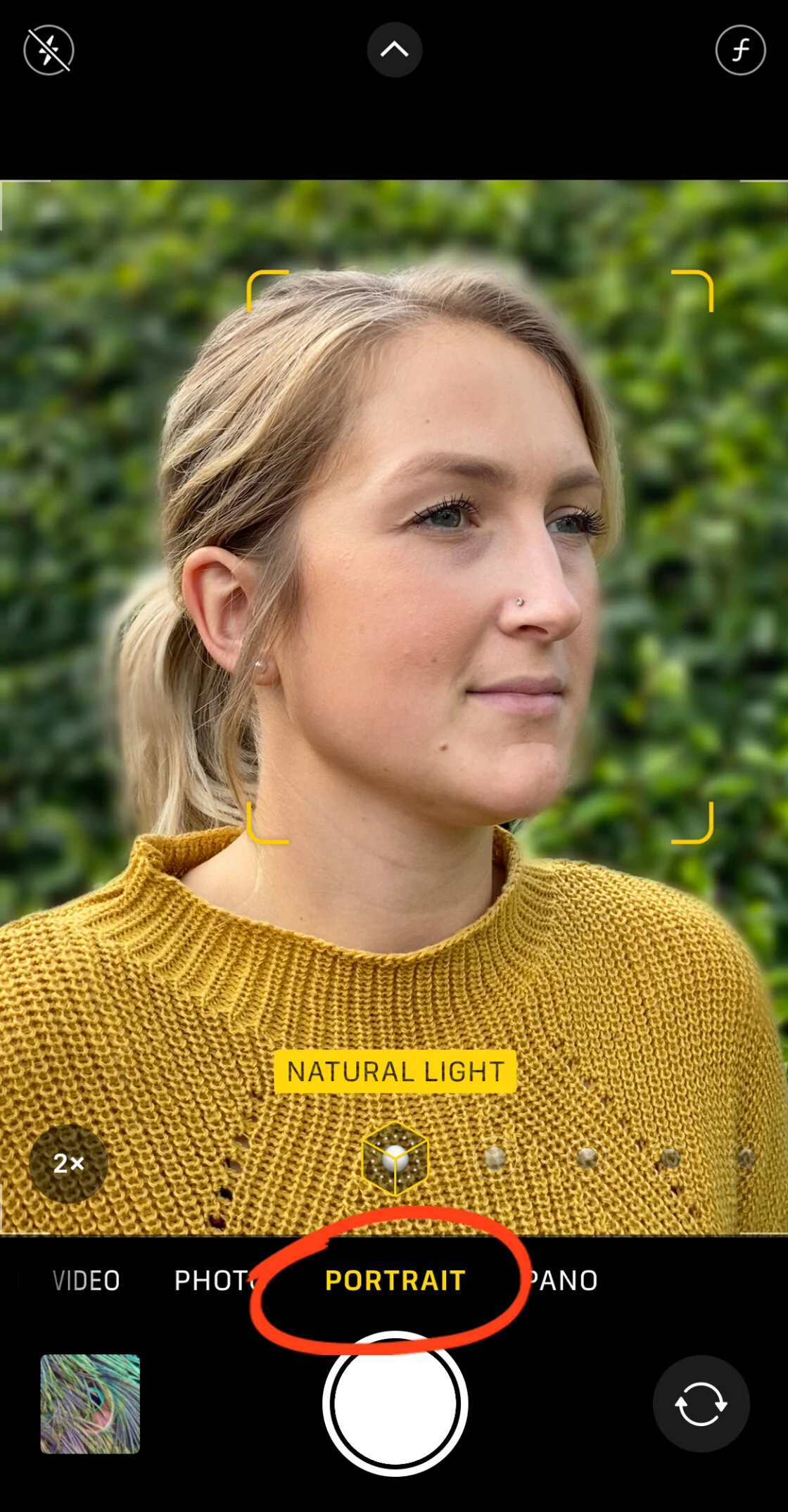
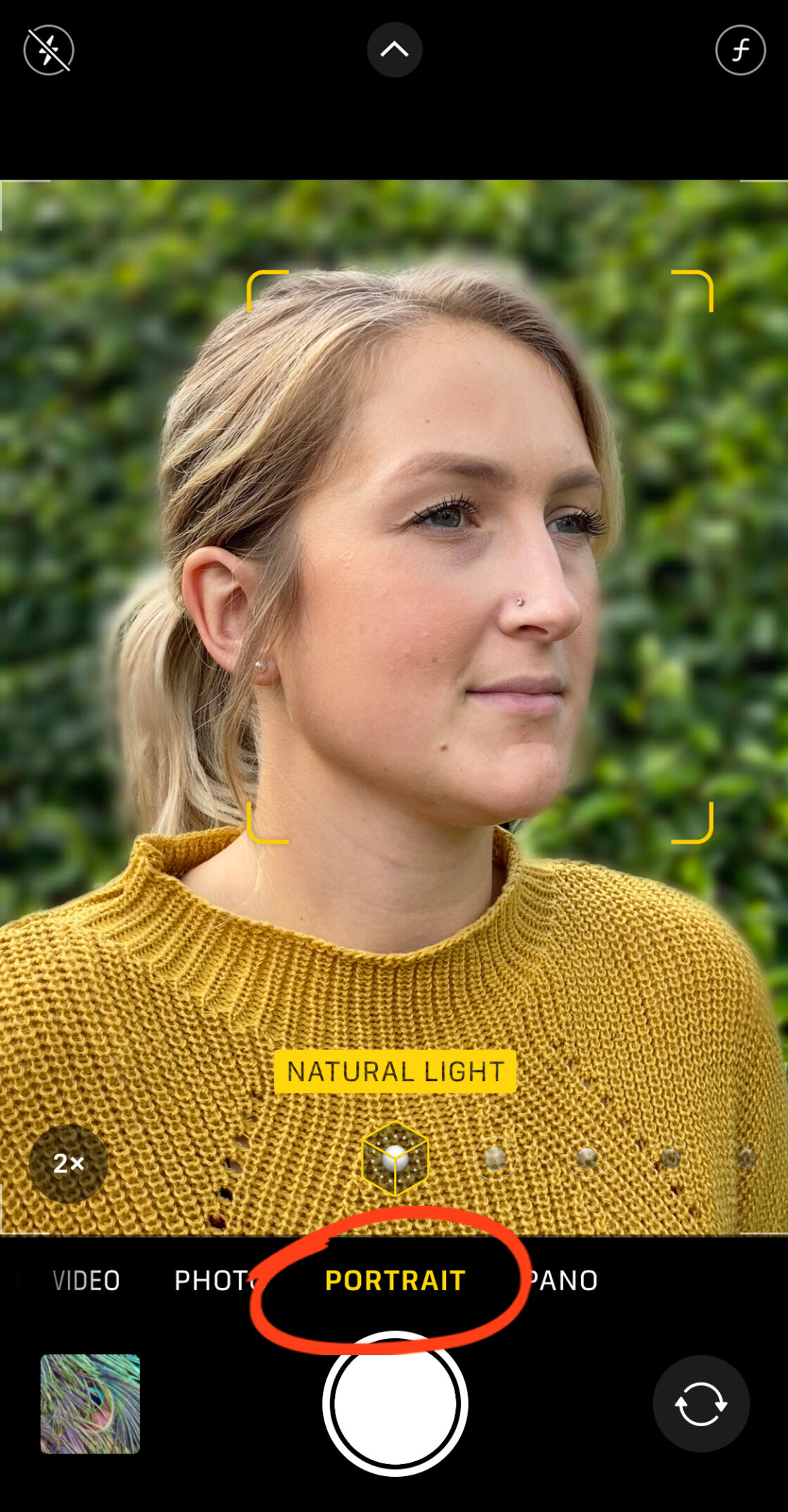
To capture a portrait with an automated blur, the user must launch the Camera app and swipe to the "Portrait" setting. The software provides real-time feedback, often prompting the user to adjust their distance. For the depth effect to engage correctly, the subject should typically be positioned between two and eight feet from the lens. Once the "Natural Light" or "Depth Effect" indicator turns yellow, the system has successfully locked onto the subject and calculated the depth map.
Advanced Post-Capture Editing: Depth Control
One of the most significant advancements in iPhone photography occurred with the introduction of the iPhone XS, which debuted "Depth Control." This feature allows photographers to adjust the intensity of the background blur after the photo has been taken. By opening a Portrait photo in the Photos app and selecting "Edit," users can tap the "f" (aperture) icon to reveal a slider.
This slider simulates the aperture of a physical lens, ranging from f/1.4 (maximum blur) to f/16 (minimum blur). This level of control ensures that the photographer can fine-tune the "dreaminess" of the background to suit the specific mood of the image. Furthermore, the "Portrait Lighting" suite allows for the application of studio-grade effects, such as "Studio Light" to brighten facial features or "Stage Light" to completely black out the background, further emphasizing the subject.
The Optical Approach: Physical Proximity and Depth of Field
While Portrait Mode is a powerful tool, it is not the only way to achieve background blur, nor is it always the most natural. Users with older iPhone models or those seeking a more authentic optical look can rely on the fundamental laws of physics. Depth of field is inherently linked to the distance between the camera and the subject.
The Proximity Rule
By moving the iPhone camera physically closer to the subject, the depth of field narrows. This causes the background to fall out of focus naturally, without the need for software intervention. This technique is particularly effective for macro photography, such as capturing the intricate details of a flower or the texture of an object.
To execute this, the photographer should bring the lens as close to the subject as possible while maintaining focus. Tapping the screen on the subject will lock the focus and exposure, ensuring the foreground remains sharp while the background softens. If the camera fails to focus, the user has hit the "minimum focus distance" and must back away slightly.
Macro Photography and External Optics
For extreme close-ups, Apple introduced a dedicated Macro Mode on the iPhone 13 Pro and subsequent Pro models, utilizing the Ultra Wide lens. However, for users on other devices, third-party hardware like the Moment Macro Lens can be attached to the iPhone. These high-quality glass attachments allow the camera to focus at distances measured in millimeters, creating a dramatic, natural bokeh that software struggle to replicate perfectly.
Post-Processing Solutions: Third-Party Applications
In instances where a photo was captured in "Photo" mode rather than "Portrait" mode, or if the user desires a specific style of blur not offered by Apple, the App Store provides robust alternatives. Two industry standards for this purpose are AfterFocus and Snapseed.
Precision Blurring with AfterFocus
AfterFocus is a specialized tool that allows for the retrospective application of depth of field. The app utilizes a "Smart Selection" tool where the user draws a rough line over the subject and another over the background. The app’s algorithm then identifies the edges and separates the layers.
For complex subjects—such as a person with fine hair or a cyclist with a helmet—AfterFocus offers a "Manual Selection" mode. This allows the user to paint a red mask over the exact areas they wish to keep sharp. Once the mask is finalized, the user can choose between "Lens Blur," which mimics a standard camera, or "Motion Blur," which adds a sense of speed by blurring the background in a linear direction.
Artistic Framing with Snapseed’s Lens Blur
Google’s Snapseed app offers a more artistic approach through its "Lens Blur" tool. Unlike the layer-based approach of AfterFocus, Snapseed uses a circular or linear tilt-shift gradient. This tool is ideal for creating a "vignette blur," where the edges of the photo are softened to frame a centrally located subject.

Users can manipulate the size and shape of the focus area by pinching the screen and adjust the "Transition" strength to determine how quickly the focus fades into blur. This technique is frequently used in travel and lifestyle photography to create a dreamy, nostalgic atmosphere.
Chronology of iPhone Camera Innovation
The ability to blur backgrounds on the iPhone has been a journey of iterative innovation:
- 2016 (iPhone 7 Plus): Introduction of the first dual-camera system and the beta version of Portrait Mode.
- 2017 (iPhone X): Portrait Mode expanded to the front-facing TrueDepth camera for "Portrait Selfies."
- 2018 (iPhone XS/XR): Launch of Depth Control and the ability to process depth on a single-lens system (XR) using advanced segmentation.
- 2019 (iPhone 11 Series): Improved semantic rendering to better distinguish between skin, hair, and glasses.
- 2020 (iPhone 12 Pro): LiDAR Scanner integration, allowing for Portrait Mode in Low Light and faster autofocus.
- 2021 (iPhone 13 Pro): Introduction of "Cinematic Mode," bringing the background blur concept to video.
Industry Analysis: The Impact on Professional Photography
The democratization of background blur has significant implications for the photography industry. Traditionally, professional portraits required a significant investment in gear. Today, the iPhone has bridged the gap, allowing small business owners, social media influencers, and amateur enthusiasts to produce high-quality content that rivals professional work.
Industry analysts suggest that the rise of computational bokeh has pressured traditional camera manufacturers like Canon and Sony to innovate in the entry-level market. While a smartphone cannot yet match the "full-frame" look of a 35mm sensor in terms of dynamic range and raw optical quality, the gap is closing. For the majority of digital consumers, the convenience and "good enough" quality of iPhone background blur have made it the primary choice for daily documentation.
Broader Implications and Future Trends
Looking forward, the trend in mobile imaging is moving toward "Semantic Segmentation." This involves the AI identifying specific parts of a photo—such as the sky, a person’s skin, or the fabric of a shirt—and applying different processing styles to each. In the context of background blur, future iPhones may be able to recognize the distance of multiple objects in a background and apply varying levels of blur to each, creating a perfectly realistic depth gradient that is currently difficult for AI to manage.
Furthermore, the integration of Artificial Intelligence (AI) and Generative Fill may soon allow users to not just blur a background, but to replace it entirely with a synthetically generated, blurred environment that matches the lighting of the original subject.
Conclusion
Mastering the art of the blurred background on an iPhone is a blend of understanding hardware limitations and leveraging software strengths. Whether through the automated precision of Portrait Mode, the physical techniques of macro photography, or the creative flexibility of third-party apps, the ability to isolate a subject remains the most powerful tool in the mobile photographer’s arsenal. As Apple continues to refine its A-series chips and sensor technology, the line between professional studio photography and the device in one’s pocket will continue to thin, further empowering a new generation of visual creators.