The Evolution of Mobile Image Processing
The emergence of the iPhone as a primary camera began in earnest with the iPhone 4, but it was the integration of computational photography in later models that solidified its status. Today, the iPhone 15 Pro series utilizes a 48-megapixel Main camera and the Photonic Engine to capture immense detail. However, raw data requires refinement to meet professional standards. This necessity has birthed a multi-billion dollar industry centered on mobile editing. Industry data suggests that the "Photo and Video" category remains one of the most lucrative and highly downloaded segments of the Apple App Store, reflecting a global user base that prioritizes visual aesthetics for both personal branding and commercial endeavors.
Technical Review of the Top 10 iPhone Photo Editors
1. Snapseed: The Standard for Comprehensive Mobile Editing
Originally developed by Nik Software and later acquired by Google, Snapseed remains a cornerstone of the mobile photography community. It is uniquely positioned as a completely free, professional-grade editor without a subscription model. Its power lies in its 29 tools and filters, which include sophisticated features like "Tune Image" for precise exposure adjustments and "Selective" editing. The latter utilizes U-Point technology, allowing users to place control points on specific areas of a photo to adjust brightness, contrast, and saturation without affecting the rest of the frame. For the journalistic and street photography sectors, Snapseed’s ability to handle RAW files makes it an indispensable tool for on-the-go development.
2. VSCO: Aesthetic Curation and Film Emulation
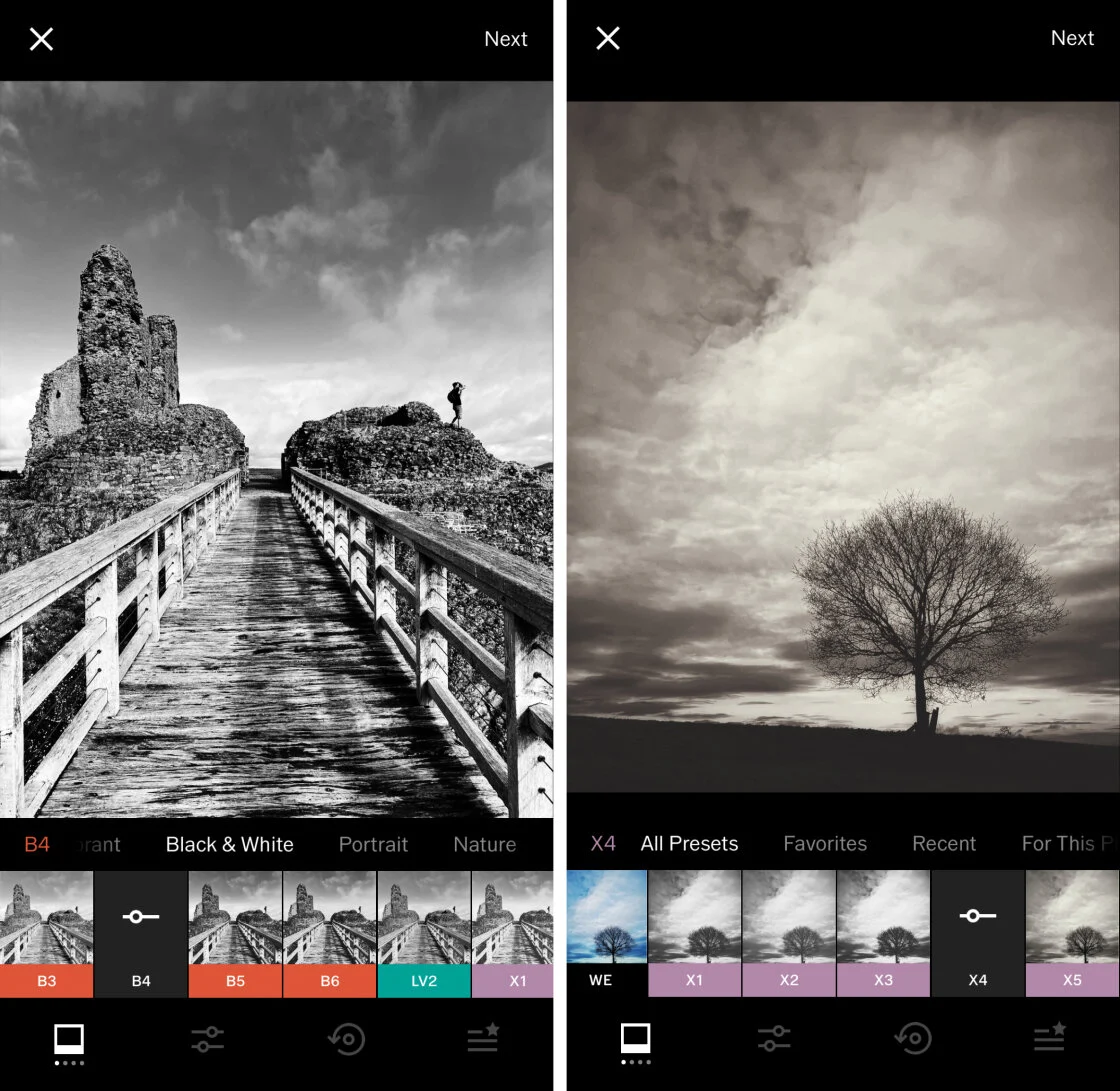
VSCO (Visual Supply Company) has transcended its status as a mere app to become a cultural phenomenon. Known for its elegant, understated filters, VSCO focuses on the emulation of classic film stocks from Kodak, Fuji, and Agfa. Unlike many competitors that offer garish effects, VSCO’s presets are designed to be subtle, preserving skin tones and natural gradients. The app operates on a "freemium" model, where the VSCO Membership provides access to over 200 presets and advanced video editing tools. Market analysis indicates that VSCO’s success is largely due to its community-centric approach, eschewing traditional "likes" and "comments" in favor of a curated feed that appeals to serious hobbyists and professional influencers.
3. TouchRetouch: Specialized Object Removal
While many all-in-one editors include "healing" tools, TouchRetouch by ADVA Soft is a dedicated utility focused solely on the removal of unwanted elements. The application’s algorithms are specifically tuned for line removal—such as power lines or fences—and blemish retouching. In a professional context, this app is often used as a secondary step in a workflow to clean up a composition before final color grading. Its "Single-Flick Line Removal" feature is frequently cited by architectural photographers as a significant time-saver in mobile workflows.
4. Carbon: The Mastery of Monochrome
Monochrome photography requires a different approach to contrast and tonal range than color photography. Carbon addresses this niche by offering 58 specialized black-and-white filters. The application allows users to manipulate grain, grit, and borders, providing a digital equivalent to traditional darkroom techniques. Industry experts note that Carbon’s strength lies in its ability to maintain detail in the highlights and shadows, a common failure point in generic B&W conversion tools.
5. Adobe Lightroom: Professional Ecosystem Integration
Adobe Lightroom for mobile is perhaps the most powerful tool for photographers already embedded in the Adobe Creative Cloud ecosystem. Its primary advantage is its non-destructive editing and seamless synchronization across desktop, iPad, and mobile devices. Lightroom offers advanced color grading via the "Color Mixer" and "Color Grading" wheels, mirroring the capabilities of its desktop counterpart. For professional journalists, the ability to apply "Presets" across a batch of photos ensures a consistent visual narrative under tight deadlines.
6. Afterlight: Versatility and Creative Overlays
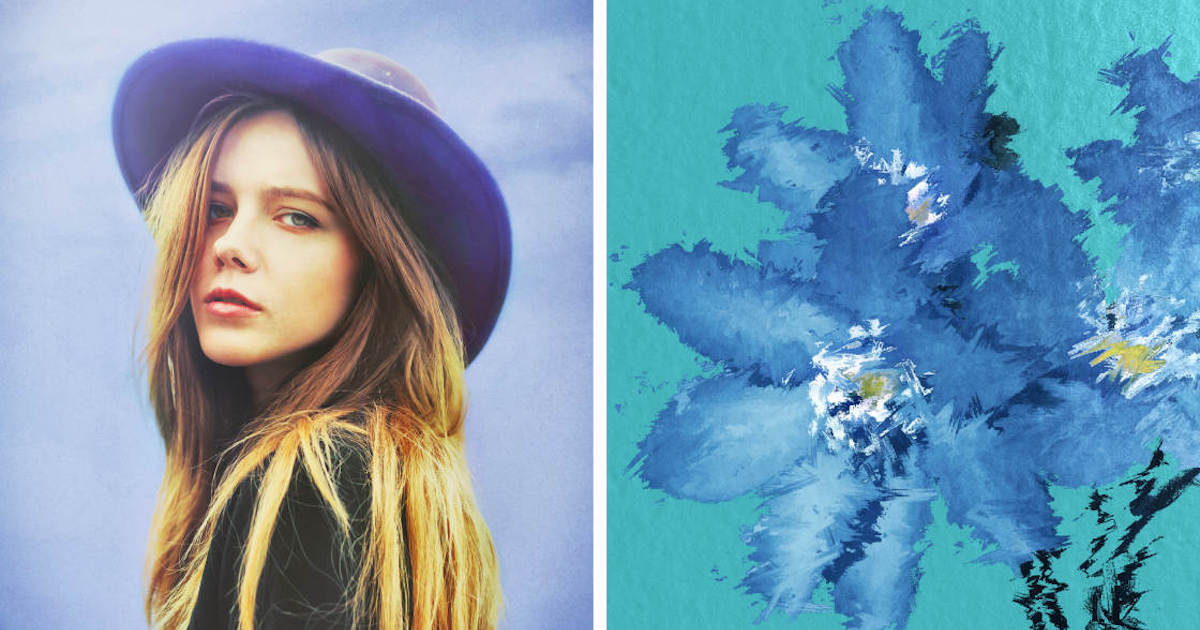
Afterlight targets the mid-range user who requires a balance between technical adjustment and creative flair. With over 130 filters and a robust set of "Fusion" tools, it allows users to create their own filter combinations. Its standout features include unique textures like "Dust" and "Light Leaks," which add an organic, analog feel to digital captures. The app also supports double exposure, a technique that has seen a resurgence in digital art and editorial design.
7. Mextures: Layer-Based Texture Application
Mextures is distinguished by its non-destructive, layer-based workflow. This allows users to stack infinite layers of textures, light leaks, and gradients, adjusting the blend mode and opacity of each. This architecture is similar to Adobe Photoshop, offering a level of complexity rarely seen in mobile apps. Mextures’ "Formulas" feature allows the community to share their layer stacks, creating a collaborative environment for aesthetic experimentation.
8. Lens Distortions: Optical Realism
Unlike apps that use stylized illustrations, Lens Distortions utilizes high-resolution assets captured from real glass and natural elements. This results in incredibly realistic lens flares, sunlight, fog, and rain effects. For landscape and commercial photographers, this app provides a way to enhance the atmospheric quality of a photo without the artificial look associated with digital overlays.
9. Superimpose X: The Mobile Digital Art Studio
Superimpose X is the premier choice for compositing and heavy manipulation. It allows users to mask out subjects and combine multiple images into a single file. With features like masking brushes, AI-driven subject selection, and multiple layer support, it serves as a mobile alternative for graphic designers and digital artists who wish to create surreal or conceptual imagery directly on their iPhones.
10. Instagram: The Final Polishing Tool
While primarily a social media platform, Instagram’s internal editing suite remains a significant player in the mobile space. For many users, the convenience of "Lux"—an algorithm that balances exposure and adds contrast—and the platform’s native filters are sufficient for quick shares. While it lacks the depth of Lightroom or Snapseed, its integration with the sharing process ensures its continued relevance in the editing ecosystem.
Chronology of the Mobile Editing Revolution
The timeline of mobile photo editing is marked by key technological and corporate milestones:
- 2010: Instagram launches, introducing the concept of "square" photos and vintage filters to the mainstream.
- 2011: Snapseed is named "iPad App of the Year," signaling the rise of professional mobile tools.
- 2012: Google acquires Nik Software, eventually making Snapseed free for all users.
- 2014: VSCO Cam 3.0 is released, shifting the aesthetic trend toward "minimalism" and film emulation.
- 2015: Adobe pivots to a mobile-first strategy with major updates to Lightroom Mobile, introducing RAW support for iPhone.
- 2018-2022: The rise of AI-driven tools. Apps like TouchRetouch and Superimpose X integrate machine learning for automated masking and object removal.
- 2023-2024: High-dynamic-range (HDR) and ProRAW editing become standard requirements for top-tier iPhone apps.
Market Data and Industry Reactions
According to market research from Sensor Tower, the top five photo editing apps collectively generate hundreds of millions of dollars in annual revenue through subscription models. Adobe reported in recent fiscal quarters that mobile engagement is a primary driver for Creative Cloud subscriptions.
Industry reactions to these developments have been largely positive. In a statement regarding the evolution of mobile software, Apple’s leadership has frequently highlighted how third-party developers "unlock the full potential of the silicon" inside the iPhone. Renowned photographers have also weighed in; many now admit that for editorial work, the gap between a mobile edit and a desktop edit is closing. "The best camera is the one that’s with you, and the best darkroom is now in your pocket," noted one prominent travel photographer during a 2023 industry keynote.
Broader Impact and Implications
The democratization of high-quality photo editing tools has profound implications for several sectors:
- Journalism: Reporters can now capture, edit, and transmit professional-quality images from the field without a laptop, increasing the speed of the news cycle.
- Small Business: Entrepreneurs can produce high-end marketing materials for Instagram and TikTok without hiring professional agencies, lowering the barrier to entry for digital commerce.
- Privacy and Authenticity: The ease of object removal and manipulation has fueled ongoing debates regarding the "truth" in photography. As AI tools become more adept at altering reality, the industry is seeing a move toward "Content Credentials"—digital watermarks that track an image’s editing history.
Future Outlook: The AI Frontier
As we look toward 2025, the integration of Generative AI is expected to be the next major frontier for iPhone photo editing. We are already seeing the beginnings of this in apps that can "expand" a background or generate entirely new lighting environments. The challenge for developers will be balancing these powerful automated features with the manual control that professional photographers demand.
In conclusion, the "best" app is no longer a single entity but a choice based on the user’s specific intent. Whether it is the technical precision of Lightroom, the artistic textures of Mextures, or the rapid utility of Snapseed, the iPhone’s editing ecosystem is currently at its most robust. As hardware continues to advance, these applications will remain the vital link between a raw digital capture and a compelling visual story.