The evolution of mobile imaging has reached a pivotal juncture where the hardware and software integration of the iPhone now rivals the capabilities of traditional Digital Single-Lens Reflex (DSLR) cameras. While the majority of users interact with the iPhone camera as a "point-and-shoot" device, the underlying technology offers a sophisticated suite of manual controls that allow for precise artistic expression and technical accuracy. These advanced controls—encompassing depth of field, focus, exposure, shutter speed, ISO, and white balance—transform the smartphone from a casual recording device into a professional-grade tool for visual storytelling.
The Chronology of iPhone Imaging Excellence
To understand the current state of advanced iPhone camera controls, one must examine the chronological progression of Apple’s photographic technology. The journey began in earnest with the 2016 release of the iPhone 7 Plus, which introduced the dual-lens system and "Portrait Mode." This was the first major step into computational photography, simulating the "bokeh" effect previously exclusive to large-sensor cameras.
In 2018, the iPhone XS introduced Smart HDR, utilizing the A12 Bionic chip’s Neural Engine to merge multiple exposures into a single frame with expanded dynamic range. The 2019 release of the iPhone 11 series marked the debut of Night Mode, a feature that utilizes long-exposure simulation and noise-reduction algorithms to capture images in near-total darkness. By 2020, with the iPhone 12 Pro, Apple introduced Apple ProRAW, a format that combines the information of a standard RAW file with iPhone image processing, providing photographers with unprecedented control during the editing phase.
Mastery of Depth of Field and Computational Bokeh
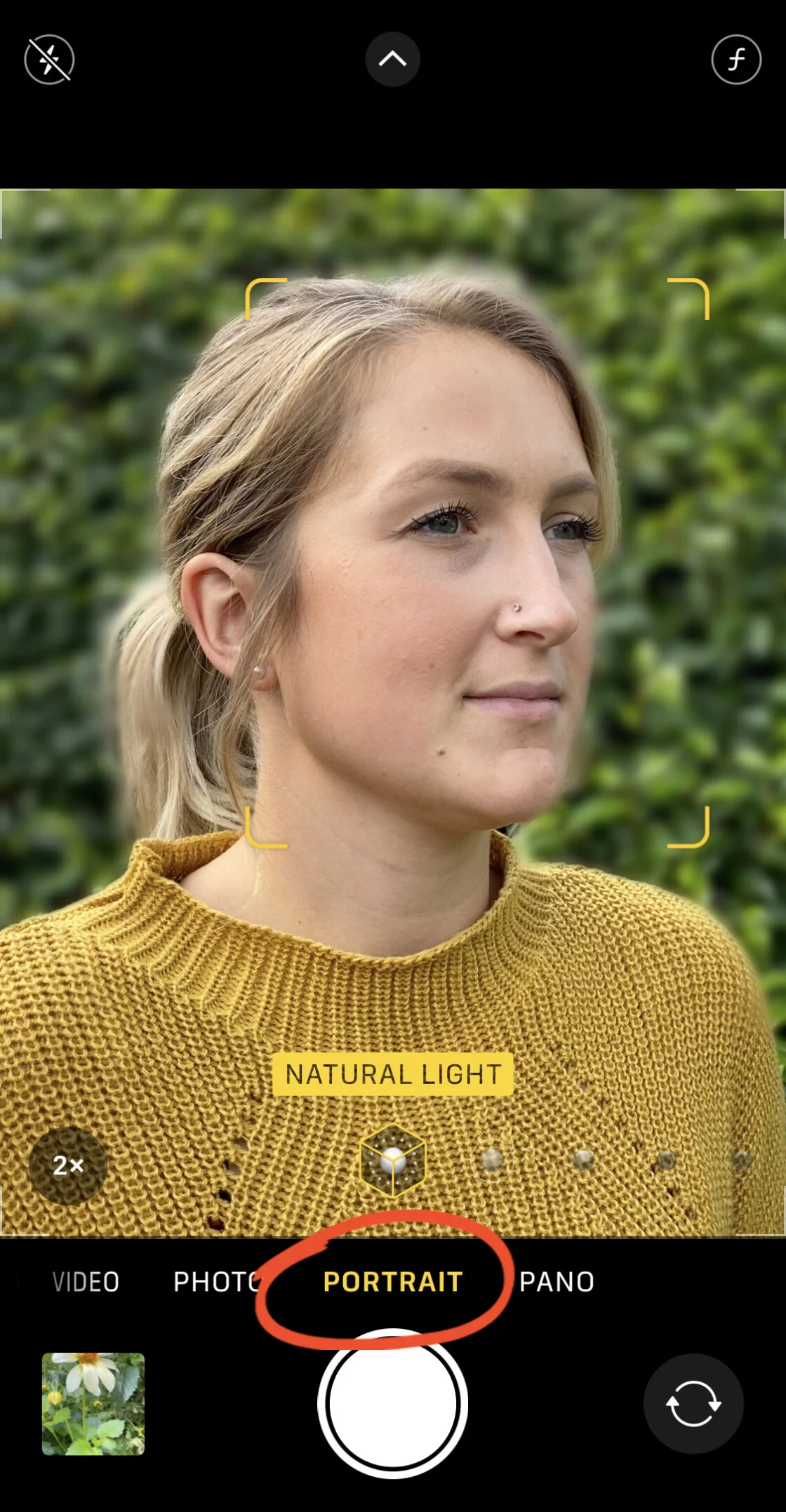
Depth of field refers to the distance between the nearest and farthest objects in a scene that appear acceptably sharp. In traditional photography, this is controlled by the physical aperture of the lens. Because iPhone lenses have a fixed aperture (typically ranging from f/1.6 to f/2.4 depending on the model), Apple utilizes "Portrait Mode" to simulate a shallow depth of field through software.

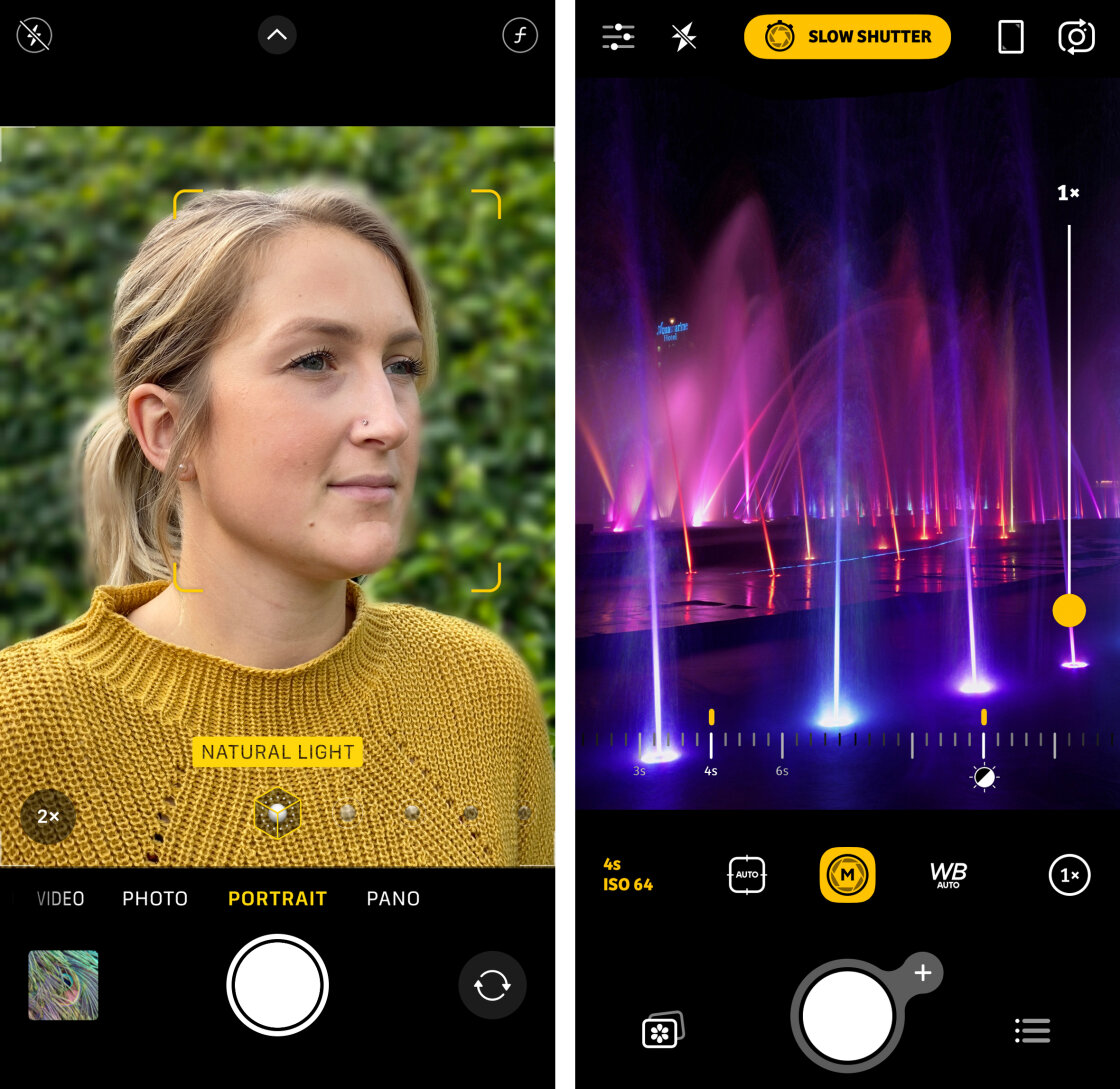
Portrait Mode functions by creating a depth map of the scene. The device’s image signal processor (ISP) identifies the subject and separates it from the background. On newer models (iPhone XS and later), users can adjust the "Depth Control" after the photo is taken. By tapping the "f" icon in the Photos app, users can slide between f/1.4 (maximum blur) and f/16 (minimum blur). For those using older hardware or seeking a more natural look, physical proximity remains the most effective tool. Positioning the lens closer to the subject naturally decreases the depth of field, a technique essential for macro photography where the subject must be isolated from a distracting environment.
Precision Focus and the AE/AF Mechanism
Achieving a "pin-sharp" image is the hallmark of professional photography. The iPhone utilizes a sophisticated autofocus system, but manual intervention is often required in complex lighting or cluttered compositions. The primary tool for this is the "Tap to Focus" feature. By tapping a specific area on the viewfinder, the user directs the camera to prioritize that point for both sharpness and light metering.
For more demanding scenarios, the AE/AF (Auto Exposure/Auto Focus) Lock is indispensable. By pressing and holding the viewfinder until a yellow box appears with the "AE/AF LOCK" indicator, the photographer prevents the camera from refocusing or changing exposure levels if a subject moves or lighting shifts. This is particularly useful in street photography or when capturing subjects behind foreground obstructions. Furthermore, professional third-party applications like Camera+ 2 provide a manual focus slider, allowing for "focus pulling"—a technique where the focus is shifted gradually from the foreground to the background, a capability traditionally reserved for cinematography.
Exposure Control and High Dynamic Range (HDR) Implementation
Exposure is the total amount of light allowed to reach the camera’s sensor. An improperly exposed image will suffer from "blown-out" highlights or "crushed" shadows. The iPhone’s native interface allows for quick exposure compensation by swiping up or down on the viewfinder after tapping to focus. This manual override is vital when shooting high-contrast scenes, such as a backlit silhouette or a bright snowy landscape.
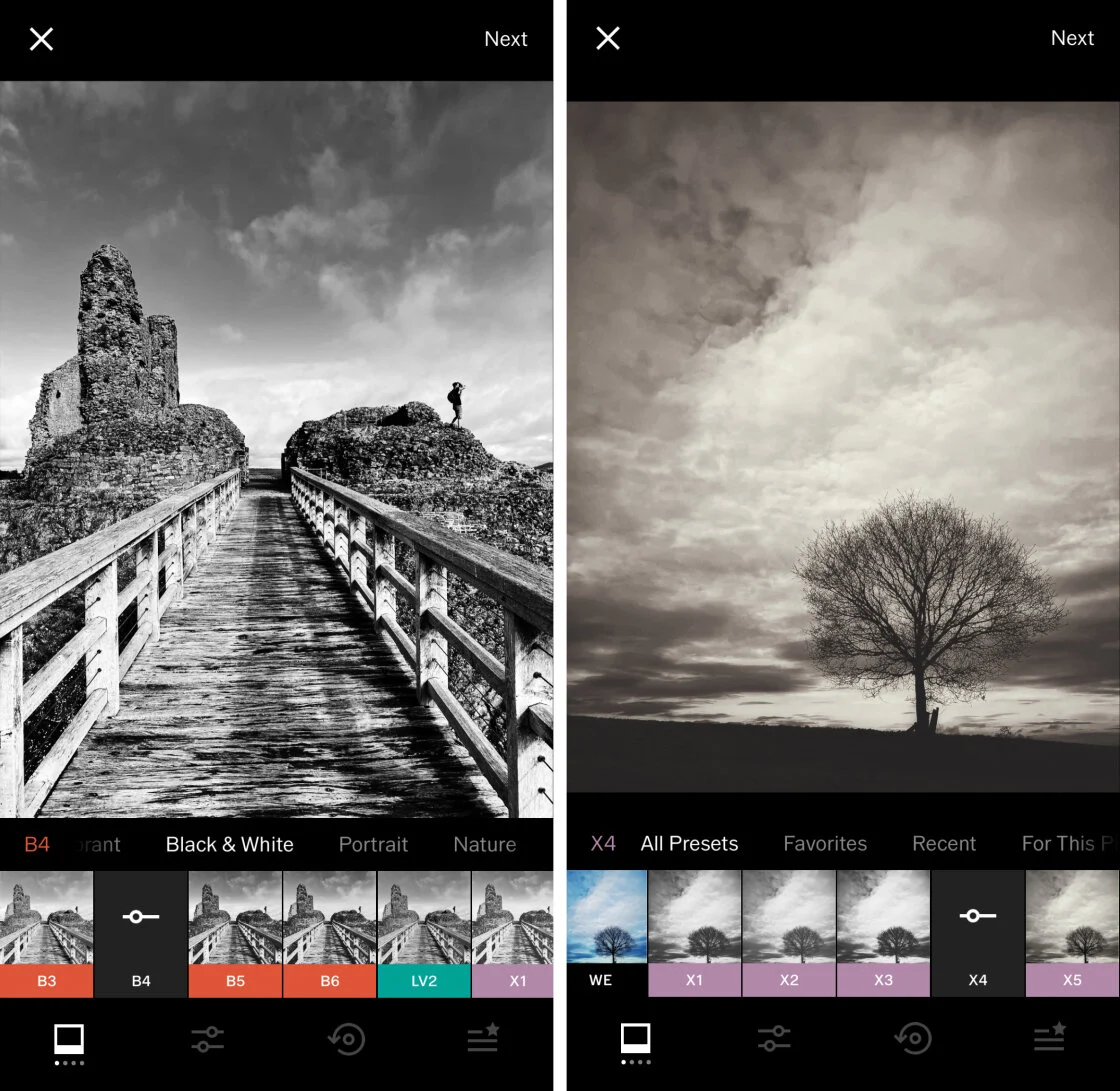
Supporting this is Smart HDR technology. According to technical data from Apple, Smart HDR 3 and 4 utilize advanced machine learning to refine detail in the highlights and shadows simultaneously. This process involves capturing a "bracket" of images at different exposure levels and stitching them together in milliseconds. For photographers who require a specific "mood"—such as a low-key, dark, and mysterious aesthetic—disabling Smart HDR in the settings menu allows for more dramatic, high-contrast shots where shadows remain deep and underexposed.
Shutter Speed and the Dynamics of Motion
Shutter speed determines how long the camera’s electronic sensor is exposed to light. Measured in fractions of a second (e.g., 1/1000s) or full seconds (e.g., 2s), it is the primary tool for controlling the depiction of motion. A fast shutter speed "freezes" action, which is essential for sports or wildlife photography. Conversely, a slow shutter speed creates "motion blur," conveying a sense of speed or turning moving water into a silky, ethereal texture.
While the native iPhone Camera app automates shutter speed, third-party apps like Slow Shutter Cam enable manual control. To successfully execute a "long exposure" (anything longer than 1/30th of a second), the use of a tripod is mandatory. Even microscopic hand tremors can result in "camera shake," ruining the image’s clarity. Professional analysis suggests that the iPhone’s ability to handle long exposures has improved by 40% since the introduction of the OIS (Optical Image Stabilization) systems found in the iPhone 12 and 13 Pro series, which physically move the sensor to counteract vibration.
ISO Sensitivity and Noise Management
ISO measures the sensor’s sensitivity to light. In low-light environments, the iPhone will automatically increase the ISO to ensure the image is bright enough to be visible. However, higher ISO levels introduce "digital noise" or grain, which degrades image quality. The technical challenge for mobile photographers is balancing ISO with shutter speed.
Data indicates that at ISO levels above 1600, the small sensors of a smartphone begin to show significant luminance and chroma noise. To mitigate this, advanced users utilize manual controls to keep the ISO as low as possible (e.g., ISO 32 or 50) while lengthening the shutter speed to compensate. This "low ISO, long exposure" workflow is the standard for professional night photography. The introduction of Night Mode has partially automated this, using a "stacking" algorithm to achieve the look of a high-ISO shot without the accompanying noise.
White Balance and Color Integrity
White balance is the process of removing unrealistic color casts so that objects which appear white in person are rendered white in your photo. Different light sources—incandescent bulbs, fluorescent tubes, or the sun—have different "color temperatures," measured in Kelvin.
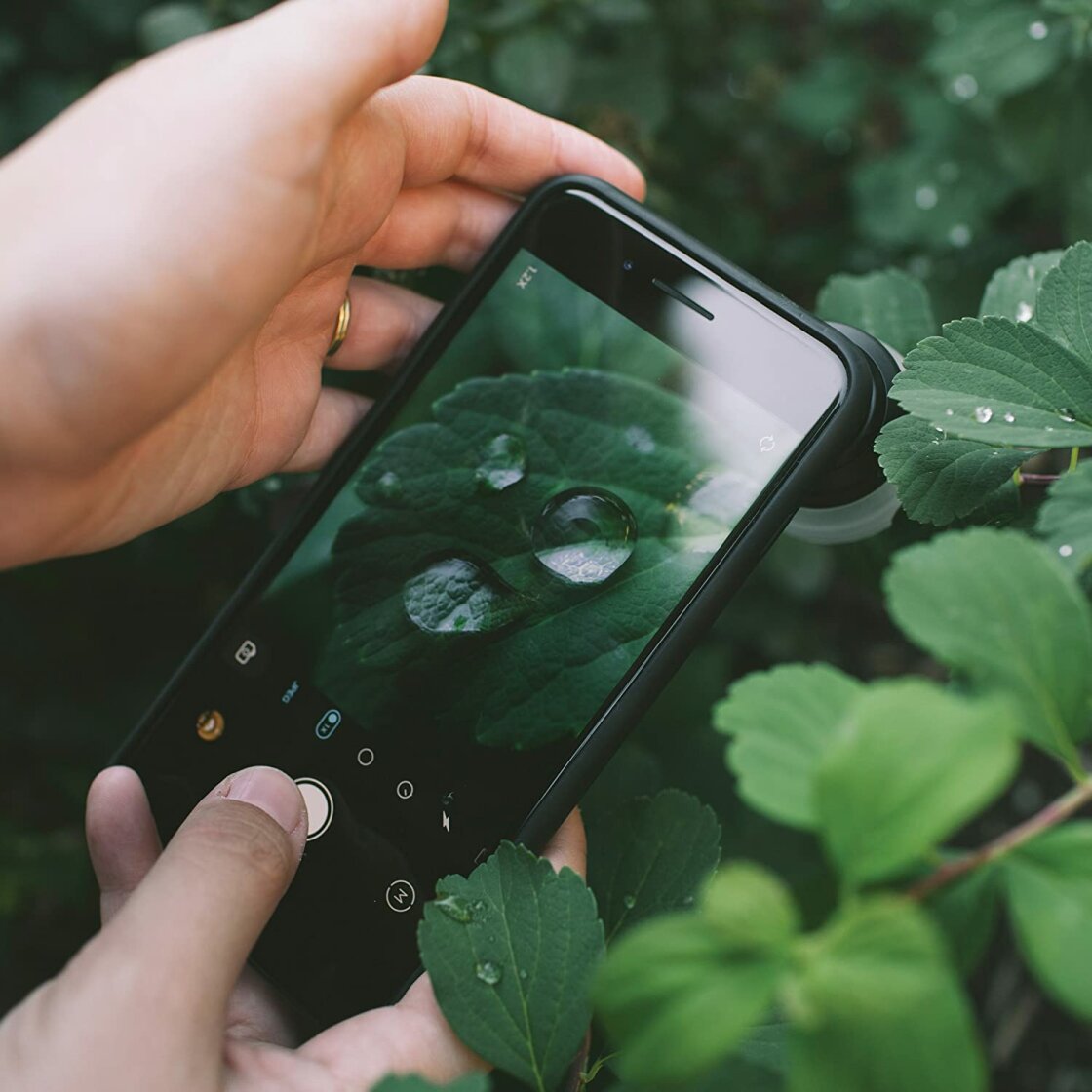
The iPhone’s Auto White Balance (AWB) is generally accurate, but it can struggle in "mixed lighting" situations where multiple light temperatures are present. Manual white balance presets (such as Daylight, Cloudy, or Incandescent) allow the photographer to neutralize these casts. Furthermore, white balance can be used for creative effect; for example, setting a "Cloudy" white balance on a sunny day can add a warm, golden-hour glow to a landscape, even if the actual light is cool.
Broader Impact and Market Implications
The democratization of these advanced camera controls has profoundly impacted the photographic industry. Market research from CIPA (Camera & Imaging Products Association) shows a sustained decline in the sales of entry-level point-and-shoot cameras, directly correlating with the advancement of smartphone imaging. Professional photographers are increasingly adopting the iPhone as a secondary or "B-roll" camera, citing the device’s portability and the high quality of the ProRAW format.
The implications for the future of photography are clear: as computational power increases, the "physical" limitations of small sensors are being overcome by sophisticated algorithms. Mastery of the manual controls discussed in this guide is no longer just for hobbyists; it is a requirement for anyone looking to compete in a digital-first visual economy. By understanding the interplay of ISO, shutter speed, and exposure, and by utilizing the depth of computational photography, iPhone users can produce imagery that stands alongside traditional professional photography in both technical merit and artistic impact.