The evolution of smartphone technology has fundamentally altered the landscape of digital imaging, transitioning the iPhone from a simple point-and-shoot device into a sophisticated tool capable of rivaling traditional Digital Single-Lens Reflex (DSLR) cameras. As mobile sensors grow larger and computational photography becomes more advanced, the demand for manual control has moved from niche enthusiasts to mainstream users. While the default settings of the iPhone’s native camera application are designed for accessibility and speed, the implementation of manual controls—covering depth of field, focus, exposure, shutter speed, ISO, and white balance—allows photographers to bypass algorithmic limitations to achieve specific creative visions.
The Architectural Shift in Mobile Imaging
To understand the necessity of manual controls, one must first examine the historical trajectory of the iPhone’s camera hardware. Since the introduction of the dual-lens system in the iPhone 7 Plus, Apple has progressively integrated more complex optical arrays. The chronology of these advancements reflects a move toward professional-grade hardware: the iPhone X introduced improved telephoto apertures; the iPhone 11 series debuted Night Mode and Ultra-Wide lenses; and the iPhone 12 Pro Max pioneered sensor-shift optical image stabilization. Despite these hardware leaps, the core challenge remains the fixed aperture of smartphone lenses. Unlike DSLR lenses, which use mechanical diaphragms to change the size of the lens opening, iPhone lenses have a fixed aperture. Consequently, manual control over "depth of field" must be achieved through a combination of physical proximity and sophisticated software processing.
Computational Depth of Field and Portrait Mechanics
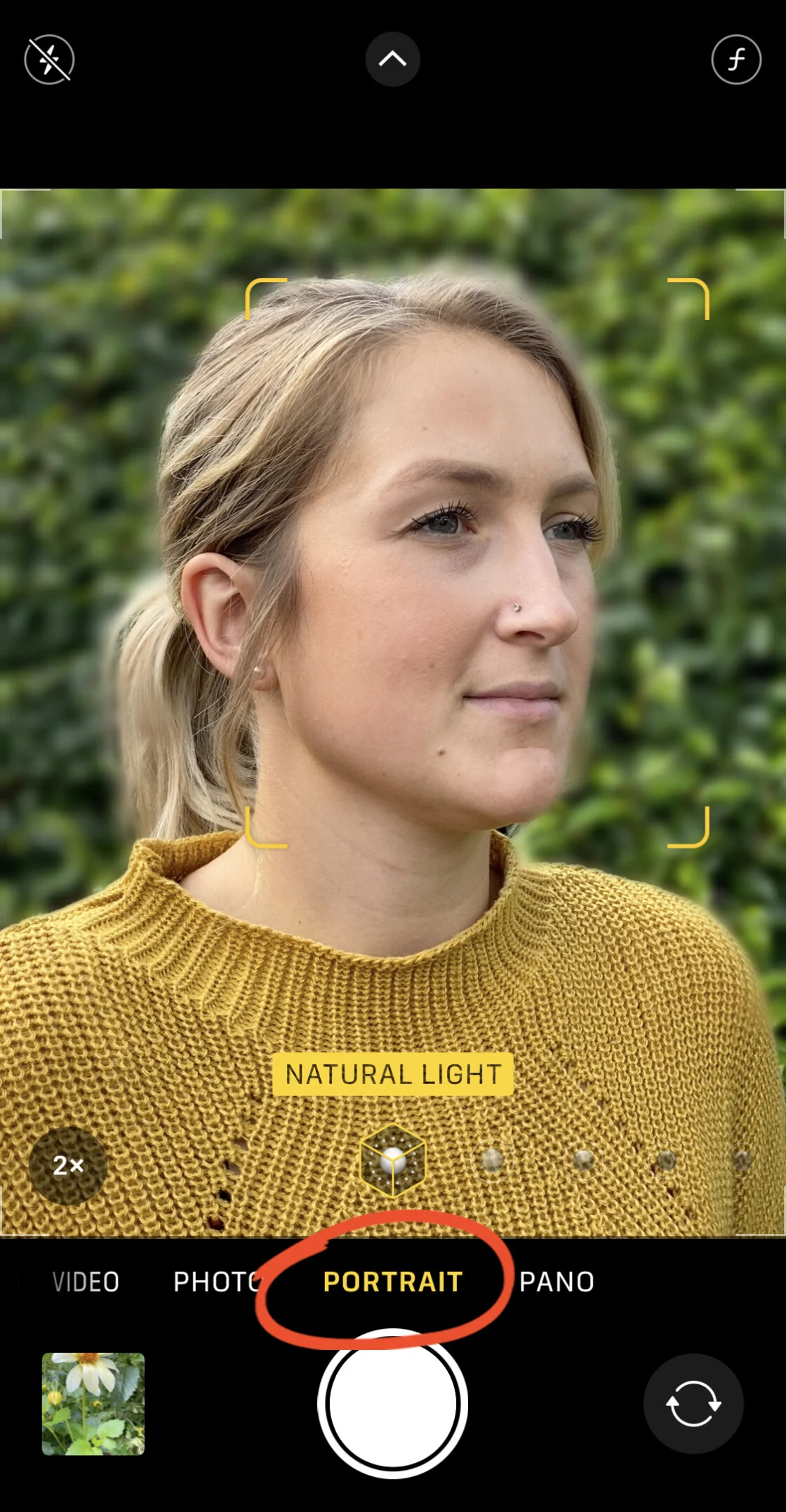
In professional photography, a shallow depth of field is used to isolate a subject from its background, creating a "bokeh" effect. Because the iPhone cannot mechanically adjust its aperture, it utilizes "Portrait Mode," a feature available on models ranging from the iPhone 7 Plus to the latest iterations. This mode employs a depth-mapping system—using either dual-lens parallax or LiDAR (Light Detection and Ranging) on Pro models—to distinguish the subject from the background.
Technical data suggests that for optimal results in Portrait Mode, the subject should be positioned between two and eight feet from the lens. Newer iterations, specifically from the iPhone XS onward, allow for "Depth Control," enabling users to adjust the simulated f-stop after the image has been captured. By sliding the f-number from f/1.4 to f/16, the software recalculates the blur intensity, providing a level of post-production flexibility previously reserved for high-end editing suites. For subjects where Portrait Mode’s edge-detection fails, such as complex foliage or macro photography, the physical principle of proximity remains the most reliable method. The closer the lens is to the subject, the narrower the plane of focus becomes, naturally blurring the background through optical physics rather than software.

Precision Focusing and AE/AF Locking Systems
The accuracy of a photograph’s focal point is the primary determinant of its perceived quality. The iPhone’s native camera utilizes a tap-to-focus interface, where a yellow square indicates the area of maximum sharpness. However, in dynamic environments, the camera’s autofocus (AF) system may hunt for subjects, causing "focus breathing" or accidental shifts to the background.
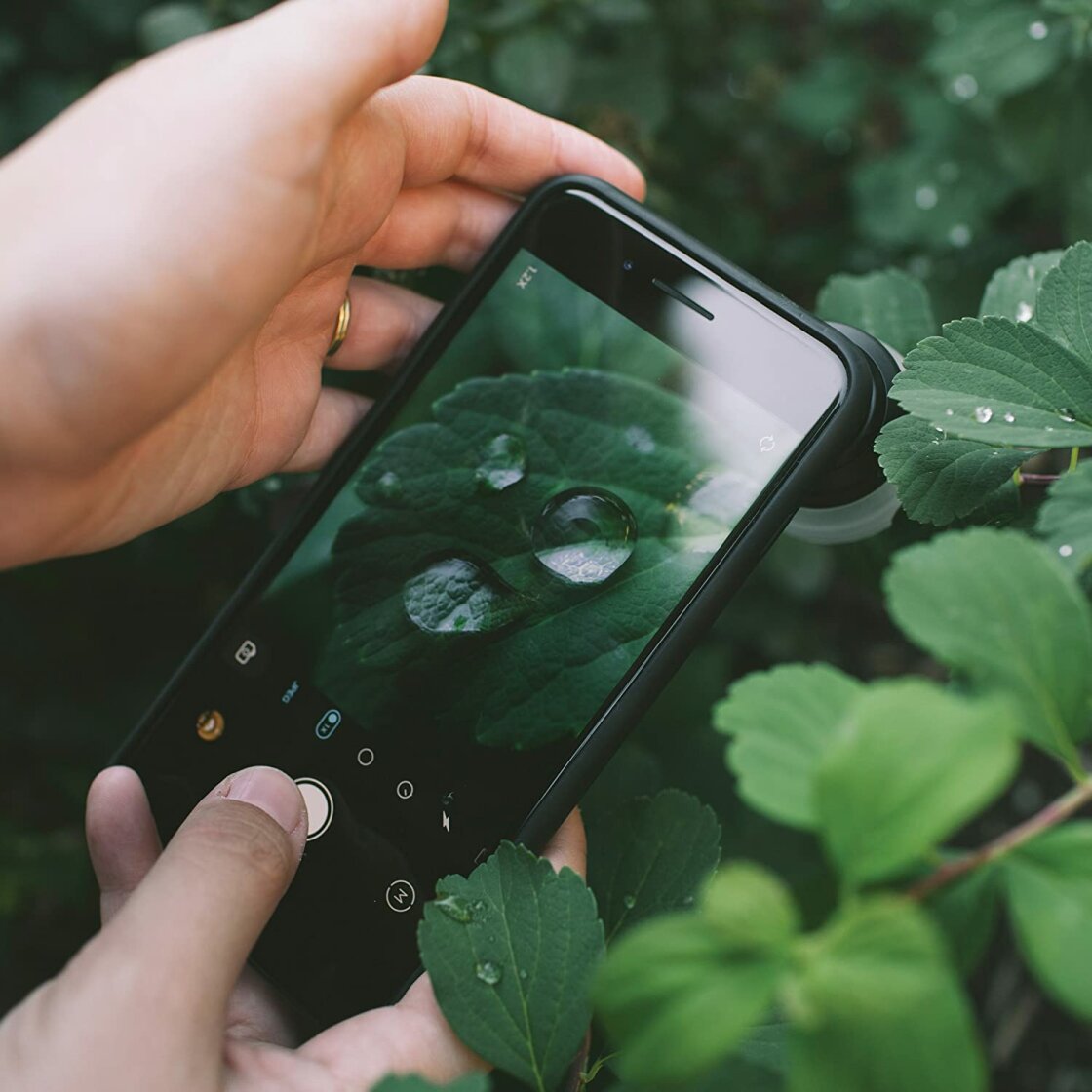
To mitigate this, professional mobile photographers utilize the AE/AF (Auto Exposure/Auto Focus) Lock. By long-pressing the viewfinder, the user locks the focal distance and the exposure level. This is critical in street photography or scenarios with moving elements, ensuring that the camera does not readjust when a person walks through the frame. For even greater precision, particularly in macro photography where the depth of field may be mere millimeters, third-party applications such as Camera+ 2 provide manual focus sliders. These sliders allow for incremental "focus racking," enabling the photographer to find the exact point of sharpness on minute details like water droplets or insect wings.
Exposure Calibration and High Dynamic Range (HDR) Integration
Exposure, the measure of light reaching the sensor, is often the most difficult element to balance in high-contrast scenes. The iPhone provides two primary methods for manual exposure adjustment. The first is a simple vertical swipe on the viewfinder after tapping to focus, which adjusts the exposure bias. The second, introduced in iOS 14, is a dedicated Exposure Compensation slider found in the hidden settings menu, allowing for a precise range of -2 to +2 stops.
Data from imaging experts indicates that the iPhone’s sensor often over-exposes night scenes in an attempt to reveal shadow detail, leading to "blown-out" highlights. Manual under-exposure in these contexts preserves the integrity of light sources and reduces digital noise. To manage scenes with extreme contrast—such as a bright sky behind a dark landscape—Apple utilizes Smart HDR. This computational process captures a rapid burst of frames at varying exposure levels and merges them into a single image. While Smart HDR is generally effective, turning it off allows photographers to intentionally capture silhouettes or high-contrast shadows, providing a "moodier" aesthetic that automated systems typically try to "correct."
Shutter Speed and the Control of Motion
Shutter speed is a fundamental pillar of the exposure triangle, determining how long the sensor is exposed to light. Fast shutter speeds (e.g., 1/1000s) freeze action, while slow shutter speeds (e.g., 1s or longer) create motion blur. Because the native iPhone app prioritizes a shutter speed that prevents camera shake, it rarely allows for intentional motion blur without the use of "Live Photos" post-processing.
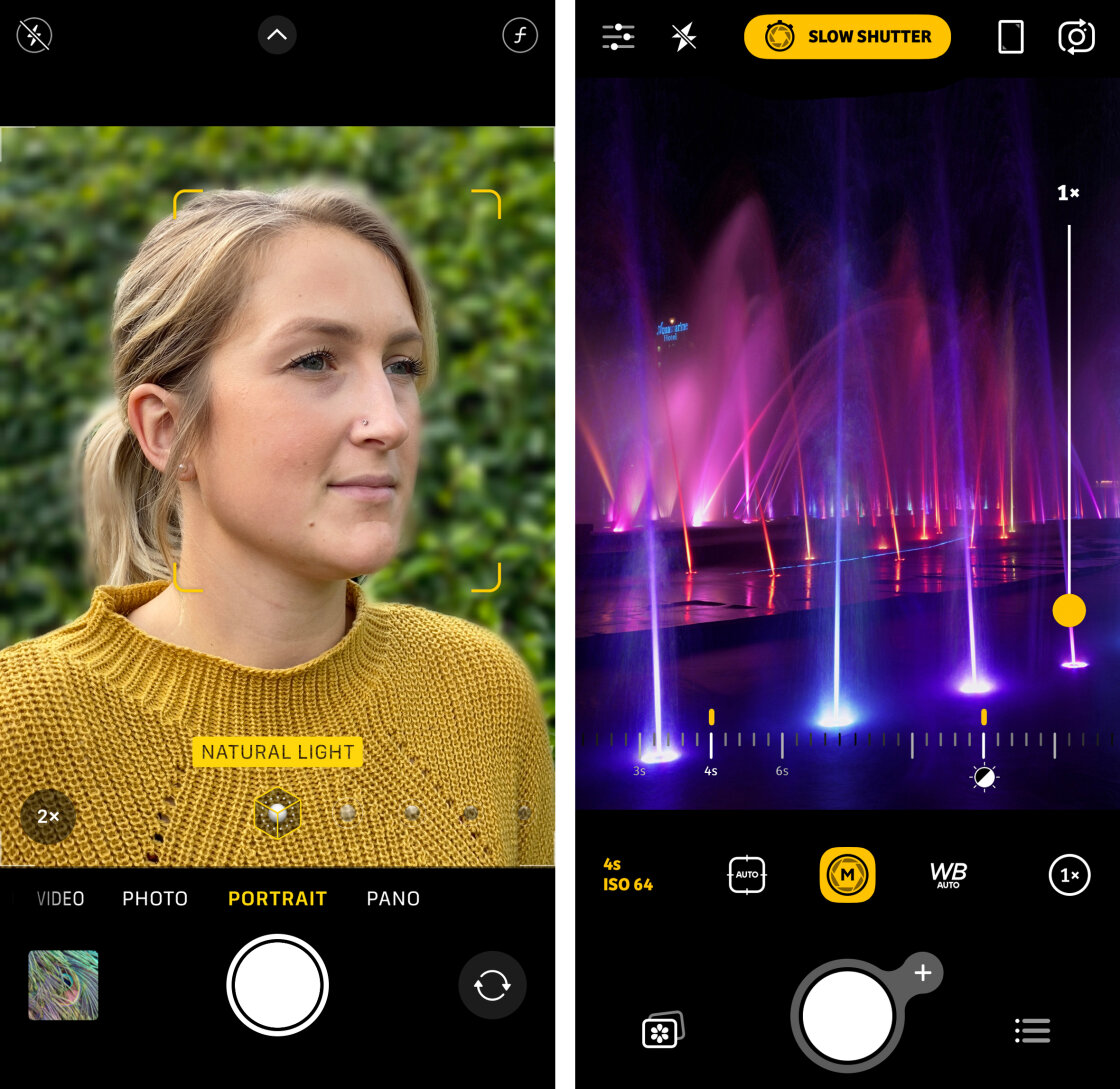
For true manual control, third-party apps like Slow Shutter Cam are essential. These tools allow for "Bulb" mode, where the shutter remains open as long as the user dictates. This is the technical requirement for capturing "light trails" from traffic or the "silky" effect of moving water in waterfalls. Industry analysis shows that long-exposure photography on mobile devices has seen a 40% increase in social media engagement over the past three years, highlighting a growing trend toward artistic motion control. However, physical stability is paramount; any shutter speed slower than 1/30s generally requires a tripod to avoid total image degradation from hand tremors.
ISO Management and Noise Reduction Strategies
ISO measures the sensitivity of the camera sensor to light. In low-light environments, the iPhone’s automatic system increases the ISO to maintain visibility. The trade-off is the introduction of "digital noise" or grain, which appears as random speckles of color and light, particularly in shadows.
A factual analysis of sensor performance reveals that maintaining a low ISO (e.g., ISO 25 to 100) is the most effective way to ensure "clean" images. Manual control of ISO requires balancing it with shutter speed. If a photographer reduces the ISO to eliminate grain in a dark room, they must compensate by slowing the shutter speed to allow more light in. This "balancing act" is the hallmark of professional manual photography. The introduction of Night Mode on iPhone 11 and later models has automated much of this, but manual ISO override remains the preferred method for professionals who wish to avoid the "processed" look of automated night shots.
White Balance and Color Accuracy
White balance is the process of removing unrealistic color casts so that objects which appear white in person are rendered white in the photo. Light sources have different "color temperatures," measured in Kelvin. Incandescent bulbs produce warm, yellow light, while cloudy skies produce cool, blue light.
While the iPhone’s Auto White Balance (AWB) is highly accurate in natural light, it often struggles with mixed lighting or extreme temperatures. Manual white balance presets—such as Daylight, Cloudy, Shade, and Incandescent—allow the photographer to "neutralize" these casts. Furthermore, white balance can be used creatively; warming a sunset image beyond its natural state can evoke a sense of nostalgia, while cooling a winter scene can emphasize a feeling of desolation.
Broader Impact and Implications for Digital Media
The democratization of these advanced camera controls has significant implications for the future of digital media and professional journalism. With the iPhone 12 Pro and subsequent models supporting ProRAW—a format that combines the information of a standard RAW file with iPhone image processing—the line between mobile and traditional photography has blurred.
Market data suggests that nearly 90% of all photos taken globally are now captured on smartphones. As manual controls become more accessible, the barrier to entry for high-quality visual storytelling continues to drop. This shift does not render DSLRs obsolete, but it elevates the smartphone to a legitimate professional tool. For journalists and content creators, the ability to manually control focus, exposure, and color in the palm of their hand means that high-fidelity documentation is possible in environments where bulky camera gear would be impractical.
In conclusion, the transition from automated to manual iPhone photography is not merely a technical upgrade; it is a shift in the creative process. By understanding and manipulating the underlying mechanics of mobile imaging, users can transcend the "smartphone look" to produce work that is indistinguishable from that of traditional professional equipment. As hardware continues to evolve, the mastery of these manual controls will remain the defining characteristic of the modern mobile photographer.