The digital landscape of mobile photography has shifted dramatically over the last decade, moving beyond mere image capture toward a sophisticated era of computational artistry. As smartphone hardware continues to integrate increasingly powerful neural engines and high-resolution sensors, the demand for software that can bridge the gap between photography and traditional fine art has surged. Today, the ability to convert a standard digital photograph into a pencil sketch, charcoal drawing, or vibrant cartoon is no longer a task reserved for professional graphic designers using desktop workstations. Instead, a suite of highly optimized iOS applications has democratized these creative processes, allowing users to generate complex artistic renderings in a matter of seconds.
The Market Context: The Rise of the Creative Prosumer
The proliferation of "photo-to-sketch" applications coincides with a broader trend in the global photo editing software market. According to industry analysts, the mobile image processing sector is projected to reach a valuation of over $1.5 billion by 2027, driven largely by the "creator economy" and the social media-driven need for unique visual content. Developers are increasingly leveraging Artificial Intelligence (AI) and Neural Style Transfer (NST) to mimic the specific brushstrokes, pressure points, and shading techniques of human artists. This technical evolution has transformed the iPhone from a simple communication device into a portable art studio capable of producing gallery-quality digital assets.
1. Prisma: The Pioneer of Neural Style Transfer
Prisma remains the gold standard for users seeking to infuse their photography with the DNA of history’s greatest artists. Launched in 2016, the app revolutionized the industry by moving away from simple color overlays to a complex system that "re-paints" the image from scratch using the stylistic patterns of masters like Picasso, Munch, and Salvador Dalí.
The application’s strength lies in its cloud-based processing power, which analyzes the structural components of a photo—edges, textures, and lighting—and applies a chosen artistic filter with surgical precision. While the app offers a robust selection of free filters, the premium subscription unlocks a library of over 300 styles and provides the high-definition (HD) output necessary for physical printing. For the serious hobbyist, Prisma’s daily release of new filters ensures that the creative palette remains fresh, reflecting current trends in the digital art world.
2. Clip2Comic: Bridging the Gap Between Reality and Animation
While Prisma focuses on the fine arts, Clip2Comic targets the niche of high-fidelity cartoon and comic book aesthetics. This application is particularly favored by storytellers and digital marketers who require a consistent, hand-drawn look for their visual narratives. The app’s internal architecture is designed to emphasize line work and high-contrast ink effects, transforming a standard portrait into a character that looks as though it were pulled directly from a Marvel or DC graphic novel.
One of the standout features of Clip2Comic is its real-time processing capability. Unlike many competitors that require post-capture editing, Clip2Comic allows users to see the cartoon effect live through the iPhone’s viewfinder. This functionality provides immediate feedback on lighting and composition, which is critical for achieving the "caricature" look. Furthermore, the app includes a "Deform" tool, enabling users to subtly or dramatically alter facial features to create humorous or stylized caricatures, a feature often cited by developers as a primary driver of user engagement.
3. Photoleap: The Professional Grade Creative Suite
Developed by Lightricks, the creators of the popular Facetune app, Photoleap (formerly Enlight Photoleap) represents the "professional" tier of the sketch-app market. Rather than relying solely on global filters, Photoleap introduces the concept of layers and selective masking to the mobile environment.
The "Sketch" tool within Photoleap is designed for users who want granular control over the final product. For instance, a user can apply a pencil sketch effect to a subject in the foreground while maintaining the photographic realism of the background, or vice-versa. This selective application is made possible through AI-driven subject detection, which identifies the contours of humans, animals, or objects with high accuracy. Additionally, Photoleap offers a suite of "Urban" tools that simulate street art and graffiti styles, making it a versatile choice for contemporary digital artists who wish to blend multiple mediums into a single double-exposure composition.
4. Painnt: Quantitative Excellence in Artistic Variety
For users who prioritize variety and specific medium simulation, Painnt offers an unparalleled library of over 2,000 filters. The application’s categorization system is its greatest asset, dividing effects into genres such as "Classical," "Modern," "Abstract," and "Sketch." Within the sketch category alone, there are 145 distinct variations, ranging from architectural blueprints to soft graphite portraits.
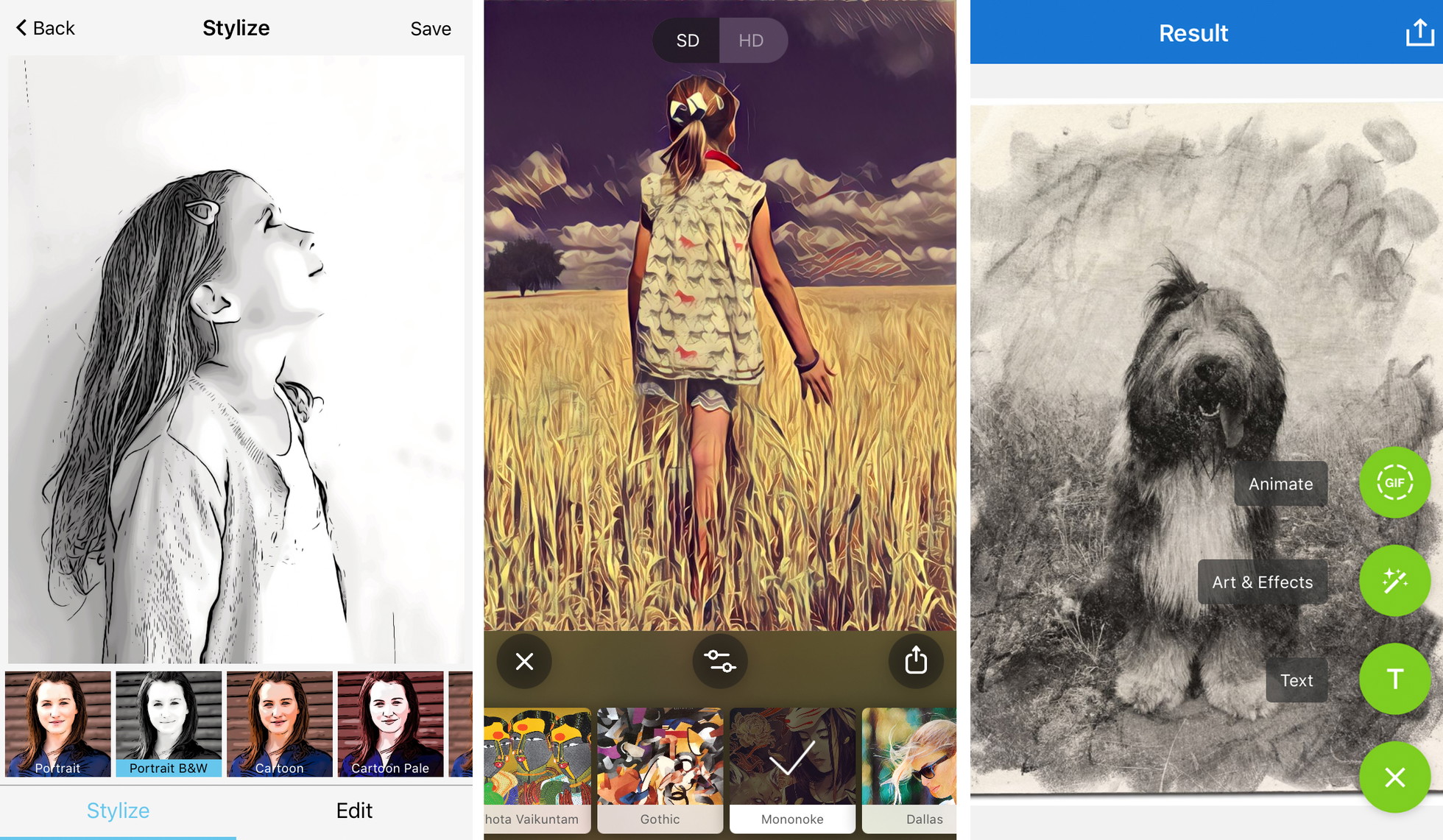
The app’s interface provides a series of sliders that allow for the adjustment of transparency, brightness, contrast, and "style strength." This level of customization is essential for avoiding the "processed" look that often plagues lower-quality apps. Painnt’s business model is a classic freemium structure; while the free version is comprehensive, it places a watermark on images and restricts output resolution. For professional illustrators using the app as a reference tool for physical drawings, the high-resolution export in the premium version is a non-negotiable requirement.
5. Photo Lab: Realistic Texture and Media Simulation
Photo Lab distinguishes itself through the realism of its media simulation. While other apps might provide a generic "drawing" look, Photo Lab specializes in replicating the specific textures of physical tools: charcoal, pen and ink, pastel, and crayon. The algorithms here pay close attention to the "grain" of the paper and the way a virtual pencil would react to the dark and light values of the original photograph.
Beyond simple sketches, Photo Lab incorporates a social component, allowing users to share their "recipes" for specific looks. This community-driven approach has led to the creation of thousands of unique artistic combinations. While it may offer fewer manual editing tools than Photoleap, its "one-tap" efficiency makes it the preferred choice for users who want immediate, high-impact results without a steep learning curve.
A Chronology of Mobile Artistic Innovation
To understand the current state of these apps, one must look at the timeline of mobile imaging:
- 2010–2012: The "Vintage Filter" Era. Apps like Instagram and Hipstamatic dominate by adding color tints and digital "noise" to photos.
- 2013–2015: The Rise of Precision Editing. Apps like Snapseed introduce selective adjustments, allowing users to control specific areas of an image.
- 2016: The Prisma Revolution. The introduction of Neural Style Transfer marks the first time AI is used to fundamentally reconstruct an image in a new style.
- 2018–Present: The AI Integration Era. Apps now use on-device machine learning to perform complex tasks like background removal, sky replacement, and real-time video stylization.
Technical Analysis: Optimizing the Photo-to-Sketch Process
Industry experts and professional photographers suggest that the success of a digital sketch depends 30% on the app and 70% on the source material. For a sketch filter to be effective, the original photo must possess:
- High Contrast: Sketches rely on the interpretation of light and shadow. Photos taken in "flat" lighting often result in muddy or indistinct drawings.
- Compositional Simplicity: Busy backgrounds can confuse AI algorithms, leading to a cluttered final image. A clear subject-to-background relationship is vital.
- Edge Definition: Sharp focus on the subject allows the app to accurately place the "pencil strokes" along the correct contours.
Statements from the Creative Community
"The democratization of these tools has changed how we view digital art," says Elena Rossi, a digital media consultant. "A decade ago, you needed a Wacom tablet and hours of training to create a digital charcoal drawing. Now, these apps act as a bridge, allowing the average person to express an artistic vision that was previously locked behind a technical barrier."
Conversely, some traditionalists argue that "one-tap" art devalues the skill of hand-drawing. However, the consensus among "prosumer" users is that these apps serve as a new medium entirely—not a replacement for traditional art, but a digital extension of it.
Broader Impact and Future Implications
The implications of photo-to-sketch technology extend far beyond personal social media accounts. In the field of architecture and interior design, these apps are used to quickly turn site photos into conceptual sketches for clients. In education, they are used to help students understand the skeletal structure of artistic compositions.
Looking forward, the integration of Generative AI is expected to be the next frontier. Future iterations of these apps may not just stylize an existing photo but "fill in" details based on text prompts, such as "render this portrait in the style of Leonardo da Vinci but using 21st-century charcoal techniques."
As the iPhone’s processing power continues to grow, the line between a photograph and a masterpiece will continue to blur. For the millions of users currently utilizing these top five applications, the iPhone is no longer just a camera; it is a canvas, a pencil, and a brush, all contained within a single, pocket-sized device. The era of mobile artistry has not just arrived; it is evolving at a pace that continues to redefine the boundaries of human and machine creativity.