The landscape of mobile photography has shifted from the mere pursuit of high-fidelity realism to a broader horizon of digital artistry, where smartphones serve as both the canvas and the paintbrush. As of 2024, the global mobile photo editing application market is experiencing unprecedented growth, driven by advancements in generative artificial intelligence and neural style transfer. These technologies allow users to transcend standard filters, transforming everyday snapshots into sophisticated sketches, charcoal drawings, and vibrant oil paintings. The democratization of art through mobile software has created a new category of "creators" who utilize sophisticated algorithms to replicate the techniques of master artists. This report evaluates the five leading iPhone applications currently dominating this sector, analyzing their technical capabilities, market positions, and the specific artistic niches they serve.
The Evolution of Digital Artistry: From Filters to Neural Networks
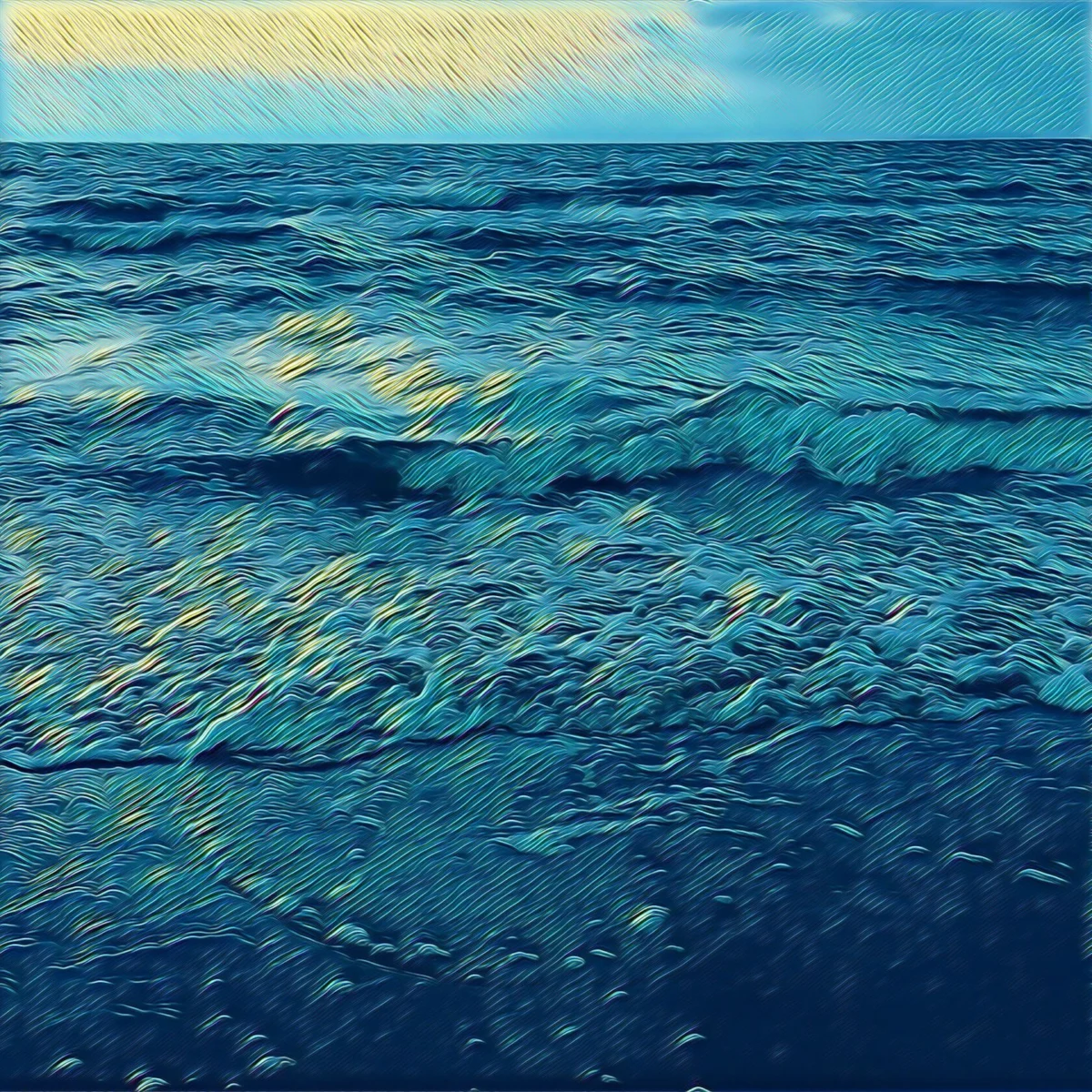
To understand the current efficacy of photo-to-sketch applications, one must look at the chronology of mobile image processing. In the early 2010s, digital manipulation was largely limited to basic color grading and texture overlays. However, the 2016 launch of Prisma marked a pivotal moment in the industry, introducing the public to Neural Style Transfer (NST). This technology does not simply "overlay" a filter; it deconstructs the content of a photo and reassembles it using the stylistic DNA of a specific artwork.
According to market research data, the demand for creative photo-manipulation tools has seen a compound annual growth rate (CAGR) of approximately 8.5% over the last five years. Industry analysts suggest that the rise of short-form visual platforms has incentivized users to seek out "non-photographic" aesthetics to differentiate their content in an increasingly saturated digital environment. This shift has led to the development of specialized tools that cater to various artistic disciplines, from comic book illustration to classical fine art.
1. Prisma: The Benchmark for Neural Style Transfer
Prisma remains the most recognized name in the field of artistic photo transformation. Since its inception, the app has evolved from a viral sensation into a robust creative suite. Its primary strength lies in its library of over 300 artistic styles, many of which are directly modeled after the techniques of legendary painters such as Pablo Picasso, Edvard Munch, and Salvador Dalí.
Technically, Prisma utilizes a combination of cloud-based and on-device neural processing to analyze the geometric patterns and color palettes of a photograph. This allows the software to apply a "sketch" or "paint" effect that respects the depth and contours of the original subject. While the application offers a significant range of free styles, its premium subscription model provides access to high-definition rendering—a critical feature for users intending to print their digital creations on canvas or high-quality paper.
Industry experts note that Prisma’s success is largely due to its daily content updates. By releasing a new filter every 24 hours, the developers maintain high user retention rates, a key metric in the competitive App Store environment. Furthermore, the inclusion of granular editing tools—allowing users to adjust exposure, contrast, and filter intensity—bridges the gap between automated processing and manual artistic control.
2. Clip2Comic: Precision Tools for the Illustration Niche
While Prisma focuses on fine art, Clip2Comic has carved out a significant market share by specializing in high-quality line work and caricature. The application is designed for users who desire the "comic book" aesthetic, characterized by bold outlines, halftone patterns, and vibrant, saturated colors.
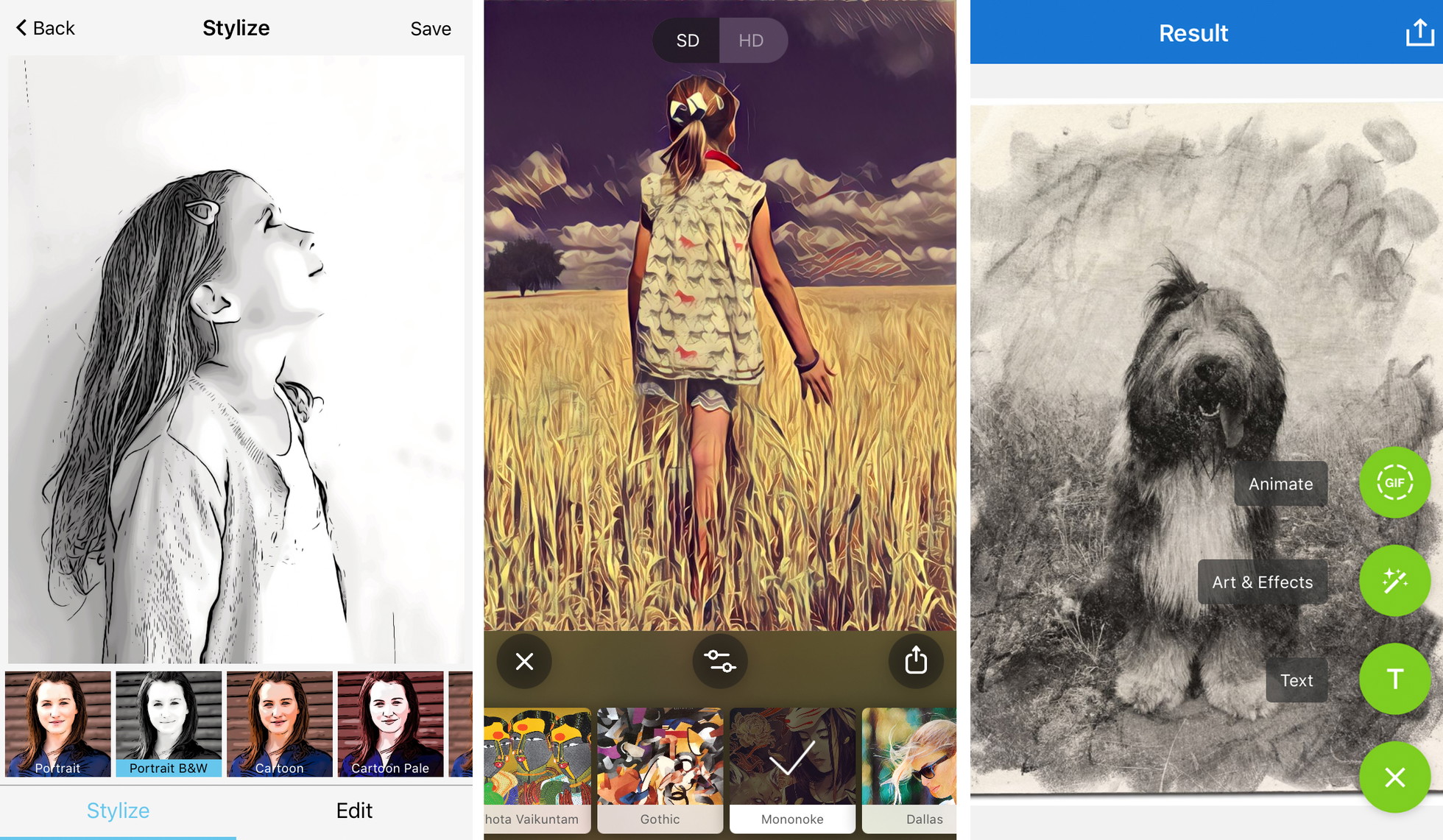
Clip2Comic’s technical architecture is optimized for edge detection. Unlike general artistic filters, the app’s algorithms prioritize the preservation of facial features and structural boundaries, making it particularly effective for portraiture. The software offers 14 distinct sketch styles, ranging from realistic sepia tones to stylized cartoon aesthetics.
A notable feature that distinguishes Clip2Comic from its competitors is its integration of video transformation. The app allows users to apply its illustrative filters to live video or pre-recorded clips, effectively turning a smartphone into a portable animation studio. For professional illustrators or hobbyists, the "Deform" tool offers a digital liquify function, enabling the creation of caricatures by exaggerating specific facial features. This functionality aligns with the broader industry trend of "gamifying" photo editing to increase social engagement.
3. Photoleap: The Advanced Creative Suite
Developed by Lightricks, the company behind the widely successful Facetune, Photoleap (formerly Enlight Photofox) is positioned as a sophisticated tool for digital artists. Rather than offering a simple "one-tap" solution, Photoleap utilizes a layer-based system similar to Adobe Photoshop, allowing for complex compositions and selective editing.
The "Sketch" tool within Photoleap is highly regarded for its ability to simulate traditional media. Users can transform photos into graphite drawings, technical pen sketches, or urban street art. The app’s primary advantage is its masking and erasure capabilities. For example, a user can apply a charcoal sketch effect to a background while maintaining the original photographic detail of the foreground subject, creating a striking "mixed media" aesthetic.
Market analysis suggests that Photoleap appeals to the "prosumer" demographic—users who require more control than a basic filter app provides but may not have access to desktop-grade software. The inclusion of double-exposure tools and AI-generated assets reflects the current technological shift toward "Generative Art," where human input and algorithmic output coexist to produce unique visual results.
4. Painnt: Quantitative Excellence in Filter Variety
Painnt caters to users who prioritize variety and community-driven content. With a library exceeding 2,000 filters, it holds one of the largest collections of artistic effects on the iOS platform. The application categorizes its effects into genres such as "Classical," "Modern," "Abstract," and "Sketch," with over 140 filters dedicated specifically to hand-drawn aesthetics.
Painnt’s business model emphasizes the "social" aspect of digital art. Users can browse a global feed of creations, allowing them to see how specific filters perform on different subjects. This community-centric approach has fostered a loyal user base that contributes to the app’s ongoing development.
From a technical perspective, Painnt allows for significant customization of the underlying algorithms. Users can adjust the "transparency" of the effect, the scale of the brush or pencil strokes, and the color composition. This level of detail is essential for avoiding the "processed" look that often plagues lower-quality filter apps. However, like many of its peers, Painnt employs a watermark system and resolution limits for its free tier, incentivizing a move toward professional-grade subscriptions for serious creators.
5. Photo Lab: Realistic Simulations of Traditional Media
Photo Lab distinguishes itself through its focus on realism and "smart" templates. While other apps may produce overly stylized results, Photo Lab’s sketch filters are designed to mimic the physical properties of charcoal, ink, and pastel. The application’s "pencil sketch" effects are particularly noted for their ability to replicate the texture of paper and the varying pressure of a graphite lead.
The application utilizes facial recognition to ensure that when a "sketch" effect is applied to a portrait, the eyes, nose, and mouth remain clear and recognizable. Beyond simple transformations, Photo Lab offers "Artistic Effects" that place the user’s photo into different contexts, such as a drawing on a museum wall or a sketch in a vintage notebook.
Data from app analytics platforms indicate that Photo Lab’s ease of use makes it a favorite among casual users. The interface minimizes the learning curve, allowing for high-quality results in seconds. While it lacks the layer-based complexity of Photoleap, its focus on "realistic" art styles makes it a staple for users looking to create personalized gifts or social media avatars.
Market Analysis and Broader Implications
The rise of these applications reflects a broader socio-technical trend: the democratization of high-level aesthetic skills. Traditionally, producing a charcoal sketch or an oil painting required years of specialized training. Today, algorithmic processing allows anyone with a smartphone to approximate these styles.
However, this shift has sparked debate within the artistic community. Some critics argue that "AI-driven art" devalues the labor of traditional artists. Conversely, proponents argue that these tools serve as a gateway to creativity, allowing individuals to visualize concepts they might lack the manual dexterity to execute.
From an economic perspective, the success of these apps has validated the subscription-based revenue model in the mobile sector. Users have shown a willingness to pay for "pro" features such as:
- Full HD/4K Export: Essential for physical printing.
- Watermark Removal: Necessary for professional or aesthetic integrity.
- On-Device Processing: Faster performance and improved privacy.
Technical Best Practices for Optimal Results
To maximize the potential of these applications, users must understand that the quality of the input significantly dictates the quality of the output. Journalistic analysis of user trends suggests five key strategies for achieving professional-grade digital art:
- Compositional Simplicity: High-detail photos often result in "cluttered" sketches. Algorithms perform best when there is a clear subject and a non-distracting background.
- Contrast Management: Sketch filters rely on the detection of light and dark boundaries. Photos with high dynamic range provide the algorithm with more data points to create realistic shading.
- Contextual Filter Selection: The "mood" of the subject should dictate the filter. Moody, architectural shots benefit from charcoal or technical pen styles, while vibrant portraits are better suited for "Pop Art" or cartoon aesthetics.
- Granular Fine-Tuning: The "intensity" slider is the most important tool. Reducing a filter to 70-80% often produces a more natural result that retains the character of the original photograph.
- Hardware Considerations: Modern iPhones with A-series Bionic chips can process these effects locally, ensuring higher privacy and faster rendering than older models that may rely on server-side processing.
Conclusion
The five applications—Prisma, Clip2Comic, Photoleap, Painnt, and Photo Lab—represent the current pinnacle of mobile artistic processing. As AI continues to integrate deeper into the iOS ecosystem, the line between "photography" and "art" will likely continue to blur. For the consumer, these tools offer a powerful means of creative expression, turning a ubiquitous communication device into a sophisticated engine for visual innovation. Whether for social media engagement or the creation of printable fine art, the ability to turn a photo into a drawing is no longer a novelty; it is a fundamental component of the modern digital toolkit.