The evolution of the iPhone from a basic communication device into a sophisticated tool for professional-grade photography has fundamentally altered the landscape of digital media. As Apple continues to advance its hardware capabilities—most notably with the introduction of ProRAW, 48-megapixel sensors, and advanced computational photography—the demand for high-performance post-processing software has surged. While the native iOS Photos app provides a solid foundation for basic adjustments, a specialized ecosystem of third-party applications now offers tools that were once exclusive to desktop environments like Adobe Photoshop and Lightroom.
The global mobile photography market is projected to continue its exponential growth, driven by the "creator economy" and the increasing reliance on visual social media platforms. Industry data suggests that over 90% of smartphone users engage in some form of photo editing before sharing their images online. This shift has turned the App Store into a competitive arena for developers, resulting in a diverse array of applications catering to everything from casual filtering to complex digital compositing.
The Evolution of Mobile Post-Processing
To understand the current state of iPhone photo editing, one must look at the chronology of the App Store’s photography category. In 2008, the first wave of apps focused on basic "lomo" effects and simple crops. By 2012, Google’s acquisition of Nik Software, the original developers of Snapseed, signaled a shift toward more professional, gesture-based editing. Simultaneously, the rise of Instagram popularized the concept of the "one-tap filter," though this has since evolved into a demand for more nuanced, "understated" edits.
Today, the industry is defined by "non-destructive editing," where users can revert or adjust specific changes at any time without degrading the original file quality. This capability, combined with the iPhone’s high-dynamic-range (HDR) processing, allows mobile photographers to achieve results that rival traditional DSLR outputs.
1. Snapseed: The Standard for Comprehensive Mobile Editing
Snapseed remains a cornerstone of the mobile photography world, largely due to its status as a completely free, ad-free, and high-performance tool. Developed by Google, it serves as a bridge between amateur and professional workflows. Its primary strength lies in its "Selective" and "Brush" tools, which utilize Nik Software’s proprietary U Point technology. This allows users to place control points on specific areas of an image to adjust brightness, contrast, and saturation without affecting the rest of the frame.
For many professionals, Snapseed is the first recommendation for those transitioning from basic filters to intentional editing. Its "Healing" tool is highly regarded for its ability to remove minor distractions, while the "Expand" tool uses smart algorithms to fill in the edges of a canvas when a photo is straightened or resized.
2. VSCO: Aesthetic Precision and the Film-Style Movement
VSCO (Visual Supply Company) has built a cultural legacy by focusing on the "film look." Unlike many apps that offer garish or over-saturated filters, VSCO’s presets are modeled after real film stocks from Kodak, Fuji, and Agfa. This emphasis on subtle color grading has made it the preferred choice for fashion and lifestyle influencers.
The app operates on a "freemium" model. While the base app is free, the VSCO Membership provides access to over 200 presets and advanced tools like "HSL" (Hue, Saturation, Lightness) and "Borders." Industry analysts note that VSCO was a pioneer in moving away from social metrics like "likes" and "comments," focusing instead on a curated community of creators.
3. Adobe Lightroom: Desktop Power in a Mobile Interface
Adobe Lightroom for iPhone is perhaps the most powerful tool for photographers already embedded in the Creative Cloud ecosystem. Its greatest advantage is its ability to handle RAW files with the same precision as the desktop version. For iPhone 14 Pro and 15 Pro users shooting in ProRAW, Lightroom offers unparalleled control over highlights, shadows, and color profiles.
Adobe has integrated its "Sensei" AI technology into the mobile app, allowing for automated "Best Photos" curation and sophisticated object recognition. While the basic editing features are free, the premium version—which includes cloud syncing across devices, selective adjustments, and geometry correction—requires a subscription.
4. TouchRetouch: Specialized Object Removal
While many all-in-one editors include a healing brush, TouchRetouch is a specialized utility designed for a single purpose: removing unwanted elements. In a journalistic context, this app is often cited for its "Line Removal" tool, which can instantly erase power lines or fences that clutter a landscape.
The app uses advanced content-aware algorithms to analyze the surrounding pixels and seamlessly fill the gap left by the removed object. This level of specialization ensures a cleaner result than the generic tools found in broader editing suites.
5. Carbon: The Mastery of Monochrome
Black and white photography requires a different approach to contrast and tonal range than color photography. Carbon addresses this by offering 58 specialized monochrome presets. Developed in collaboration with professional photographers, these filters focus on grain, silver-halide textures, and deep blacks.
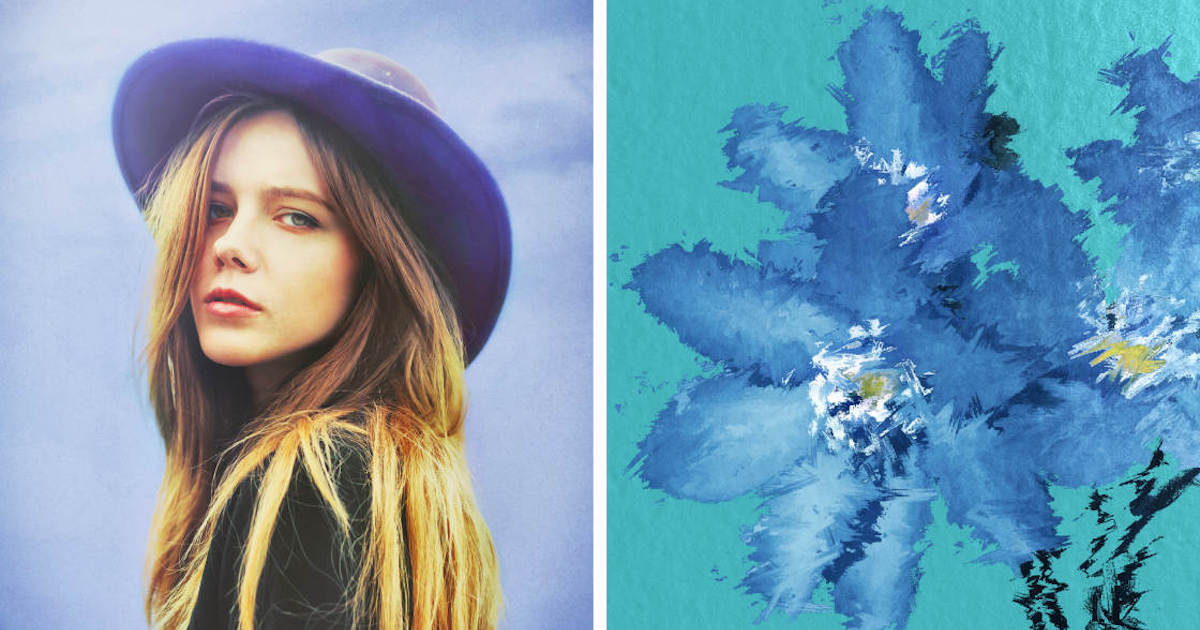
Carbon fills a niche for users who find that standard B&W filters lack the "soul" of traditional darkroom prints. It includes tools for adding light leaks and vintage borders, catering to the enduring "analog" trend in digital media.
6. Afterlight: The Creative All-Rounder
Afterlight is frequently praised for its user interface, which manages to be comprehensive without being overwhelming. It balances standard technical tools (curves, selective color) with creative overlays (dust textures, prism effects).
A significant feature of Afterlight is its "Double Exposure" tool, which allows users to blend two images with various transparency modes. This has become a popular technique for creating surrealist art directly on a mobile device.
7. Mextures: Layering and Formulas
Mextures introduced a unique workflow to the App Store: non-destructive layering. Instead of applying a single filter, users stack "textures," "light leaks," and "gradients" on top of one another. Each layer has its own opacity and blending mode (such as Screen, Overlay, or Multiply).
The app’s "Formulas" feature allows users to save their specific stacks of layers and share them with the community. This collaborative aspect has turned Mextures into a social repository for unique visual styles.
8. Lens Distortions: Atmospheric Realism
Many apps offer "weather effects," but they often look artificial. Lens Distortions distinguishes itself by using actual photographic overlays of sunlight, fog, rain, and snow. Because these elements were captured in-camera rather than being digitally generated, they interact with the light in the photo more realistically.
This app is particularly valued by landscape photographers who want to enhance the "mood" of a shot—adding a subtle glow to a sunrise or a layer of mist to a forest scene—without it appearing edited.
9. Superimpose X: The Digital Artist’s Tool
For those looking to move beyond "editing" and into "digital art," Superimpose X is the mobile equivalent of Photoshop’s masking and layering system. It allows for the creation of complex composites, where subjects can be cut out from one photo and placed into another.
The app includes AI-powered masking tools that can automatically detect people or objects, significantly reducing the time required for manual "masking" with a finger. This tool is essential for the creation of "fantasy" photography and advanced social media graphics.
10. Instagram: The Final Polish
Despite its primary role as a social network, Instagram’s internal editing suite remains a highly efficient tool for "last-mile" adjustments. Its "Lux" tool is a proprietary algorithm that adjusts contrast and exposure simultaneously to bring out detail in flat-looking images.
For many users, the convenience of editing within the app they intend to publish on outweighs the need for more complex software. Instagram’s filters, while often criticized for being overused, remain some of the most recognizable and influential digital effects in history.
Market Trends and the Future of Mobile Editing
The move toward subscription-based models (SaaS) in the App Store has been a point of contention among users, yet it has provided developers with the steady revenue needed to integrate artificial intelligence and cloud computing. We are currently witnessing a shift toward "Generative AI" in mobile editing, where apps can not only remove objects but also generate entirely new backgrounds or extend the frame of a photo.
Expert analysis suggests that as the iPhone’s internal NPU (Neural Processing Unit) becomes more powerful, the line between "taking" a photo and "creating" one will continue to blur. The 10 apps listed above represent the current pinnacle of this evolution, offering users the ability to transform a raw snapshot into a professional piece of visual communication.
For the modern iPhone photographer, the choice of app depends largely on the intended outcome: Snapseed for daily utility, Lightroom for professional accuracy, VSCO for aesthetic branding, and Superimpose X for creative exploration. Collectively, these tools have democratized high-end photography, putting a darkroom and a digital art studio into the pockets of millions.