The evolution of mobile photography has reached a critical juncture where the hardware and software integration within the iPhone ecosystem allows users to capture images that rival those produced by digital single-lens reflex (DSLR) cameras. While the "point-and-shoot" nature of the iPhone remains its primary appeal, a growing segment of professional photographers and enthusiasts are utilizing manual overrides to bypass the device’s automated algorithms. By mastering depth of field, manual focus, exposure compensation, shutter speed, and ISO, users can exert granular control over the photographic process, transforming a standard snapshot into a high-fidelity composition.
The Technological Shift: From Point-and-Shoot to Manual Mastery
Since the inception of the iPhone 4 and its "Retina" display, Apple has prioritized the camera as a central pillar of its hardware development. However, for much of the last decade, the native Camera app was designed to make decisions for the user. With the introduction of the A-series bionic chips, the device began performing trillions of operations per second to balance light, color, and focus automatically.
In recent years, the democratization of professional photography tools has led to the inclusion of "Pro" features in the iOS environment. This includes the ability to shoot in Apple ProRAW and the exposure of advanced settings in the hidden menus of the native app. Despite these advancements, the most significant leap for users seeking DSLR-like results comes from understanding the physics of light and how to manually manipulate the iPhone’s digital sensor via third-party applications like Camera+ 2 and Slow Shutter Cam.
Chronology of iPhone Camera Innovations
To understand the current capabilities of the iPhone, it is essential to trace the timeline of its photographic milestones:
- 2016 (iPhone 7 Plus): The introduction of the dual-lens system and "Portrait Mode," which used disparity mapping to simulate a shallow depth of field.
- 2017 (iPhone X/8 Plus): The debut of Portrait Lighting, using machine learning to simulate studio lighting conditions.
- 2018 (iPhone XS/XR): The arrival of Smart HDR and Depth Control, allowing users to adjust the simulated aperture (f-stop) after the photo was taken.
- 2019 (iPhone 11 Series): The introduction of "Night Mode" and "Deep Fusion," utilizing multi-frame image processing for low-light detail.
- 2020 (iPhone 12 Pro Series): The integration of LiDAR scanners for faster low-light autofocus and the launch of Apple ProRAW for maximum editing flexibility.
- 2021-2023 (iPhone 13-15 Pro): Significant sensor size increases and the introduction of Photographic Styles and Cinematic Mode.
Manipulating Depth of Field and Computational Bokeh
One of the most sought-after DSLR characteristics is "bokeh"—the aesthetic quality of the out-of-focus parts of an image. On a traditional camera, this is achieved through a wide physical aperture. Because iPhone lenses have a fixed aperture, Apple utilizes computational photography to achieve this effect.
Portrait Mode and Software Disparity
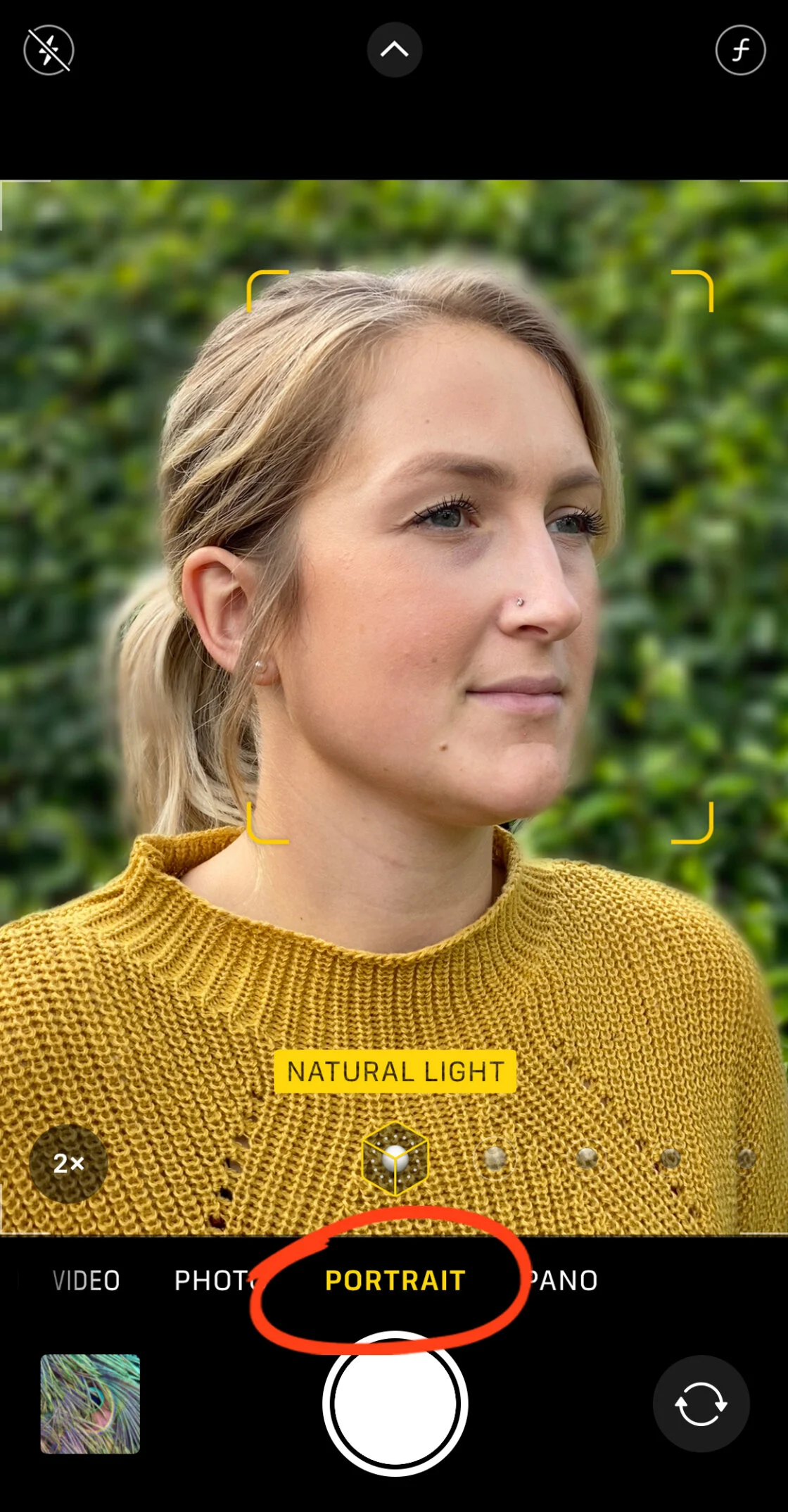
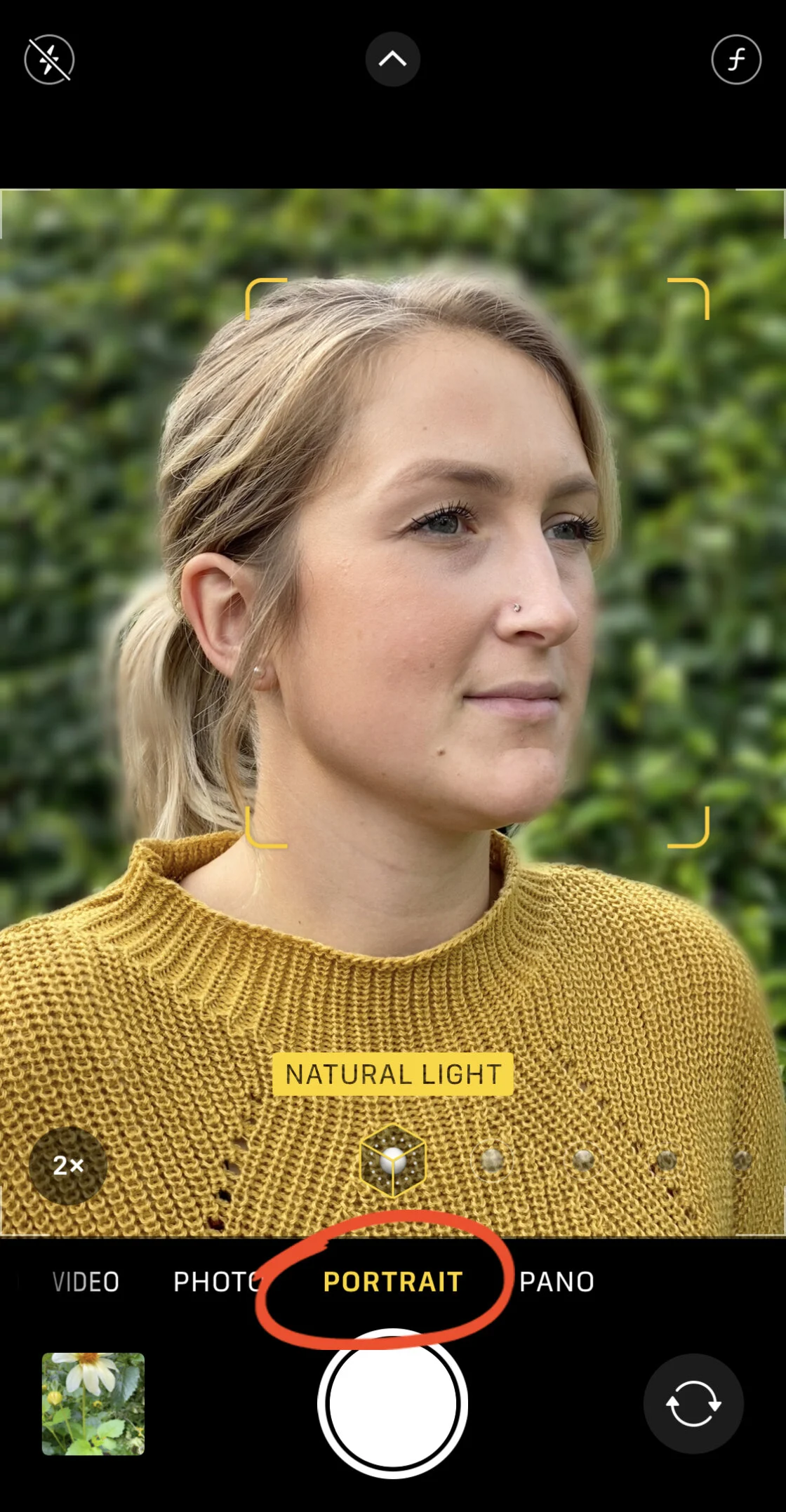
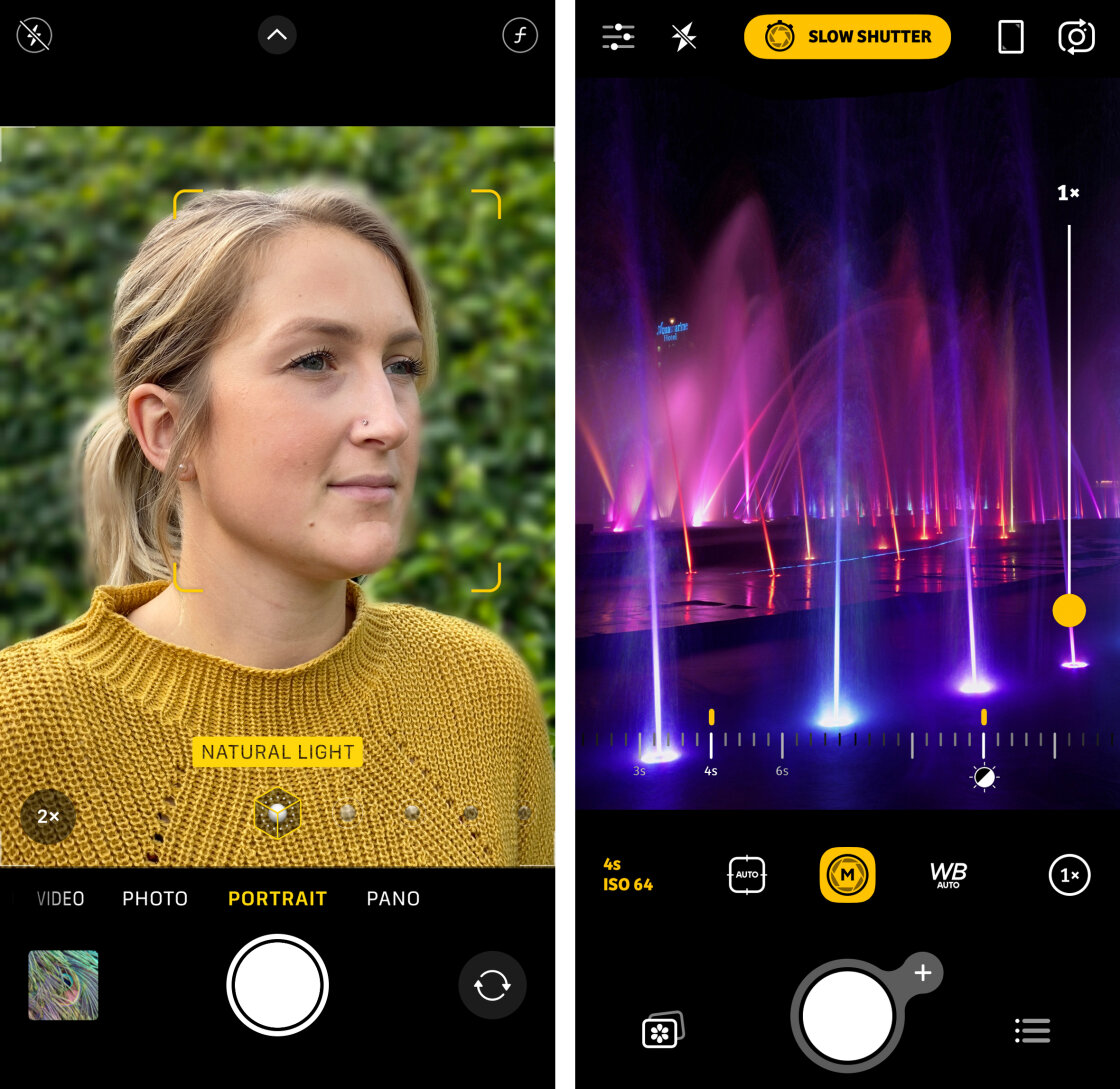
Portrait Mode works by creating a depth map of the scene. The software identifies the subject and applies a Gaussian blur to the background layers. On newer models (iPhone 11 and later), users can adjust the "f-number" in the Photos app post-capture. Lowering the f-number (e.g., f/1.8) increases the blur, while raising it (e.g., f/16) brings more of the background into focus.
The Macro Alternative
For users with older devices or those seeking a more natural optical blur, the "Get Close" technique remains the most effective method. By physically moving the lens within inches of a subject, the lens’s natural focal plane narrows, creating a genuine shallow depth of field without software intervention. Industry data suggests that macro photography has become a primary use case for iPhone users, leading Apple to integrate a dedicated Macro mode in the Pro models starting with the iPhone 13.
Precision Focus and the AE/AF Lock System
Achieving "pin-sharp" images requires more than just high megapixel counts; it requires precise focus placement. The iPhone’s native "Tap to Focus" feature is the first line of defense against blurry subjects. When a user taps the viewfinder, the camera’s voice coil motor (VCM) adjusts the lens elements to maximize contrast at that specific point.
AE/AF Lock Implementation
In dynamic environments, the camera’s "Autofocus" (AF) and "Auto Exposure" (AE) often recalibrate when a subject moves. By tapping and holding the screen, users can activate the AE/AF Lock. This is particularly useful in street photography or when shooting through foreground elements like glass or foliage. It ensures that the camera does not "hunt" for focus if a person walks through the frame.
Manual Focus for Macro Work
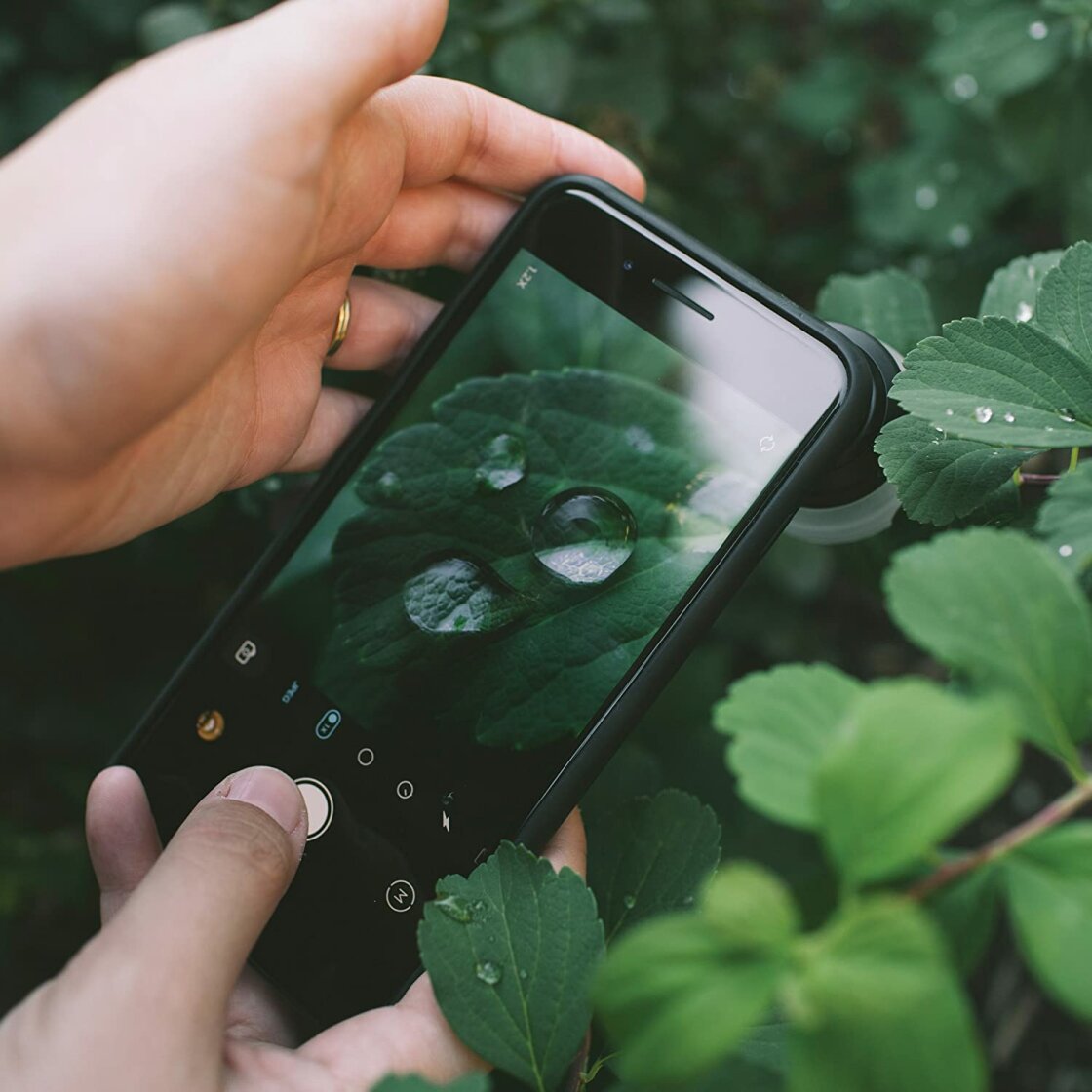
In complex scenes—such as a water droplet on a flower—the native AF may struggle to identify the exact plane of focus. Professional applications like Camera+ 2 provide a manual focus slider. This allows the user to rack the focus across the entire range of the lens, ensuring that the sharpest point is exactly where the photographer intends.
Managing the Exposure Triangle on Mobile Sensors
Exposure is the total amount of light reaching the sensor. While DSLRs allow for the adjustment of aperture, shutter speed, and ISO, the iPhone primarily relies on the latter two.
Manual Exposure Overrides
In the native app, swiping up or down on the yellow focus square allows for immediate exposure compensation. However, iOS 14 introduced a dedicated Exposure Compensation slider in the hidden settings menu (accessible via the arrow icon). This allows for a persistent setting (e.g., -0.7 EV) across multiple shots, which is a standard practice among professionals to preserve highlight detail.
The Role of Smart HDR
Smart HDR (High Dynamic Range) is Apple’s solution for high-contrast scenes, such as a sunset. The camera takes several photos at different exposure levels and merges them. While this produces a balanced image, some photographers prefer to disable Smart HDR to capture more dramatic, high-contrast shadows, particularly in black-and-white photography.
Shutter Speed and the Control of Motion
Shutter speed determines how long the sensor is exposed to light. Fast shutter speeds (e.g., 1/1000s) freeze action, making them essential for sports or wildlife. Slow shutter speeds (e.g., 1s to 30s) allow for the creation of motion blur.
Long Exposure Techniques
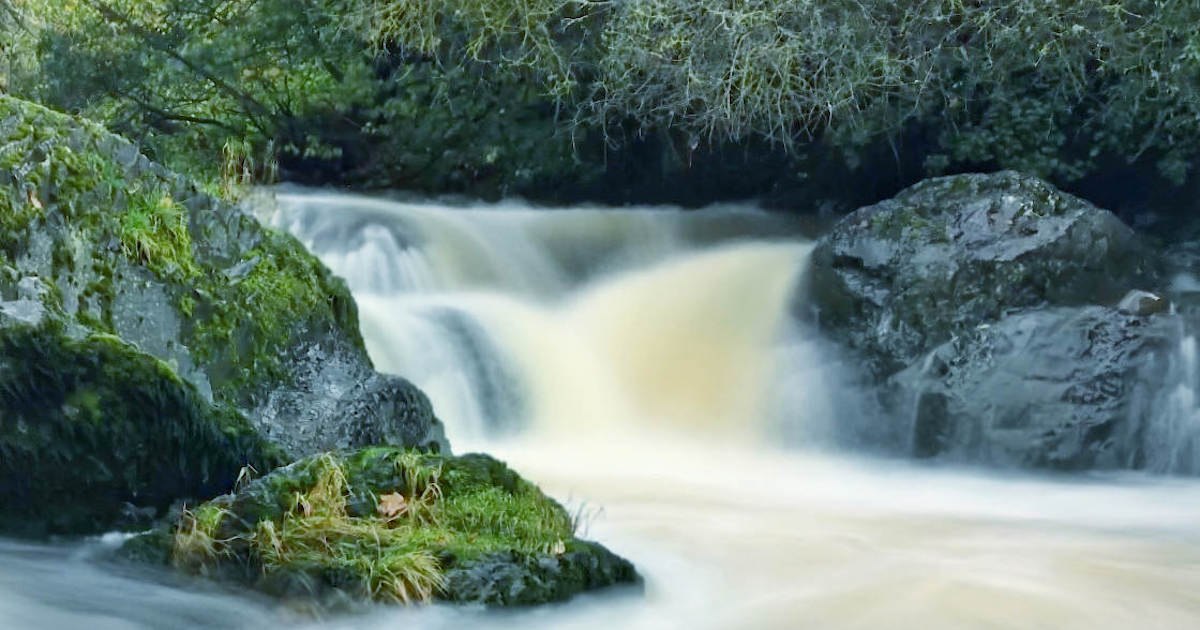
To capture the "silky" effect of moving water or light trails from cars, the shutter must remain open for several seconds. Since the native app does not allow for a 30-second manual shutter, apps like Slow Shutter Cam simulate this by stacking multiple frames.
Technical Requirement: A tripod is mandatory for any exposure longer than 1/30th of a second. Even the most advanced optical image stabilization (OIS) cannot compensate for the micro-jitters of a human hand during a multi-second exposure.
ISO and the Management of Digital Noise
ISO measures the sensor’s sensitivity to light. In low-light conditions, the iPhone’s "Auto ISO" will often spike to values of 3200 or 6400. While this makes the image brighter, it introduces digital noise (grain), which degrades texture and color accuracy.
Balancing the Exposure Triangle
To achieve grain-free shots at night, professional users manually set the ISO to the lowest possible value (e.g., ISO 32 or 100) and compensate for the loss of light by increasing the shutter speed. This "low ISO, slow shutter" combination is the hallmark of professional night landscape photography.
Color Science and White Balance Accuracy
White balance (WB) ensures that white objects appear white under different lighting temperatures. Light is measured in Kelvins; tungsten light (indoor) is warm (3000K), while shade (outdoor) is cool (7000K).
While Apple’s auto-white balance is generally accurate, it often "neutralizes" the golden hues of a sunset or the moody blues of twilight. By using manual WB presets in third-party apps, photographers can "lock" the color temperature to maintain the emotional resonance of the scene’s natural lighting.
Broader Impact and Professional Implications
The shift toward manual iPhone controls has had a profound impact on the photography industry. According to data from the Camera & Imaging Products Association (CIPA), shipments of digital cameras have dropped significantly over the last decade as smartphone capabilities have surged.
Professional photojournalists are increasingly using iPhones for "on-the-ground" reporting because the device is less conspicuous than a DSLR and allows for immediate transmission of files. The ability to shoot in ProRAW and manually control settings has bridged the gap between amateur snapshots and commercial-grade assets.
Fact-Based Analysis: The Future of Manual Control
As we look toward future iterations of the iPhone, the integration of Artificial Intelligence (AI) and Machine Learning (ML) suggests a paradox. While Apple is making the camera "smarter," the demand for manual control is higher than ever. The introduction of the Action Button on the iPhone 15 Pro, which can be mapped to camera functions, indicates that Apple is listening to the power-user demographic.
In conclusion, the iPhone is no longer just a convenience; it is a sophisticated optical instrument. By stepping away from the "Auto" button and engaging with the manual controls of focus, exposure, shutter speed, and ISO, users can unlock the true potential of the hardware in their pockets. The transition from a casual user to a mobile photographer requires a commitment to understanding the technical nuances of light, but the reward is a portfolio of images that transcend the limitations of the medium.