The evolution of mobile photography has reached a milestone where the distinction between professional digital single-lens reflex (DSLR) cameras and flagship smartphones has become increasingly blurred. Central to this technological convergence is the ability to manipulate depth of field, specifically through the creation of a "bokeh" effect—the aesthetic quality of the out-of-focus parts of an image. For iPhone users, achieving this professional-grade background blur is no longer a matter of expensive glass optics but a sophisticated combination of hardware engineering and computational photography.
The Technological Evolution of Depth Mapping on iPhone
The journey toward professional-grade mobile portraiture began in 2016 with the introduction of the iPhone 7 Plus. This device featured the first dual-camera system on an Apple smartphone, utilizing a wide-angle and a telephoto lens to create a rudimentary depth map. By comparing the two perspectives, the Image Signal Processor (ISP) could distinguish between a foreground subject and a distant background, applying a software-based blur to the latter.
Since that inception, the chronology of Apple’s depth-sensing technology has advanced rapidly:
- 2017 (iPhone X): The introduction of the TrueDepth camera system allowed for Portrait Mode on the front-facing camera, utilizing infrared sensors for precise facial mapping.
- 2018 (iPhone XS/XR): Apple introduced "Depth Control," enabling users to adjust the intensity of the background blur after the photo was taken by emulating various f-stop apertures.
- 2020 (iPhone 12 Pro): The integration of LiDAR (Light Detection and Ranging) scanners significantly improved depth sensing in low-light environments and enhanced the accuracy of subject edge detection.
- 2021-Present: The expansion of computational photography into "Cinematic Mode" brought depth-of-field manipulation to video, further cementing the iPhone’s role as a tool for creative professionals.
Primary Method: Utilizing Native Portrait Mode
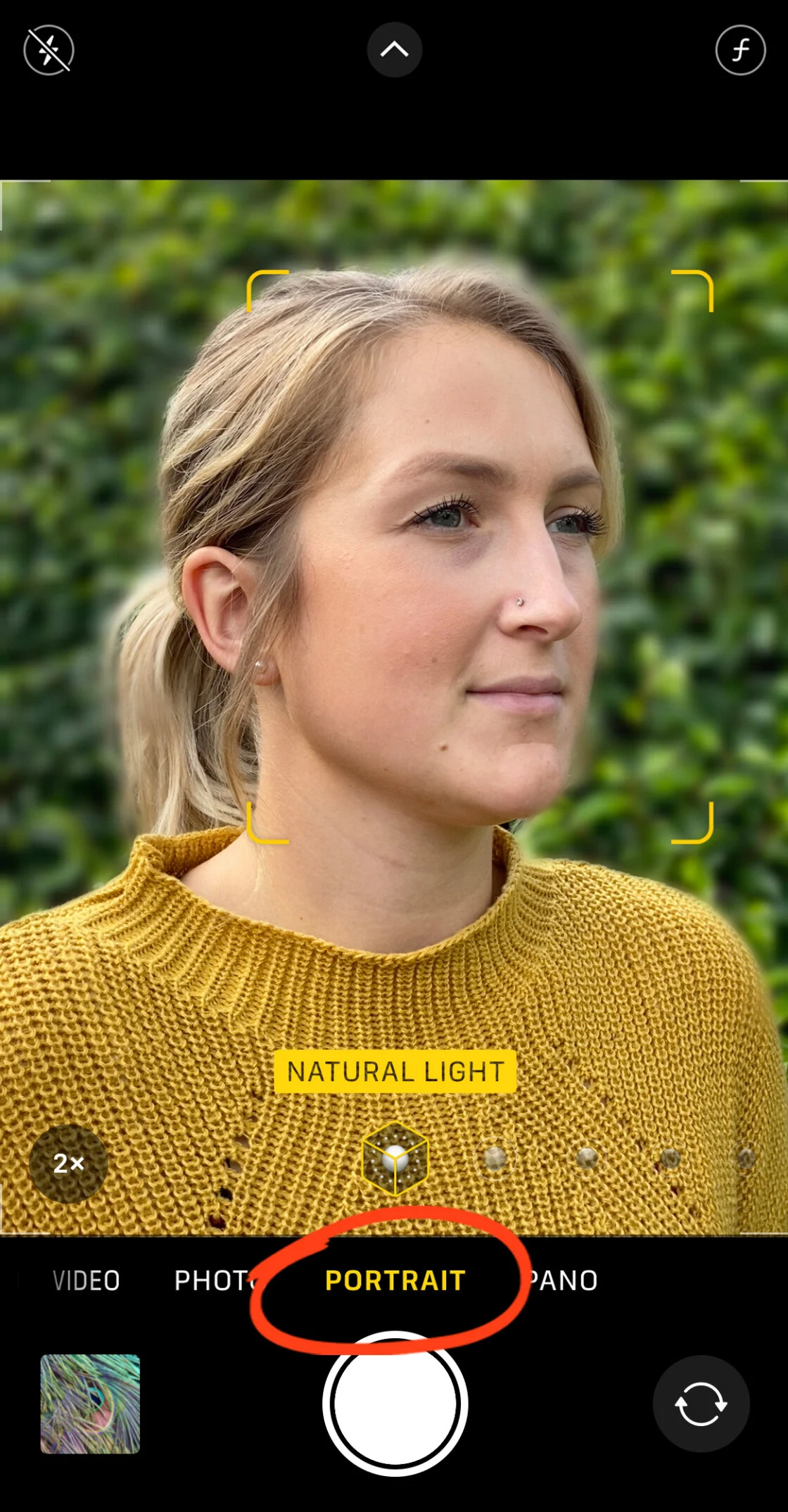
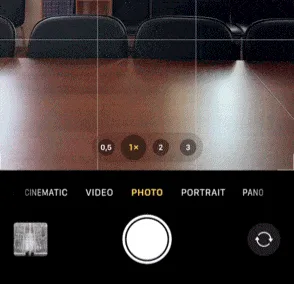
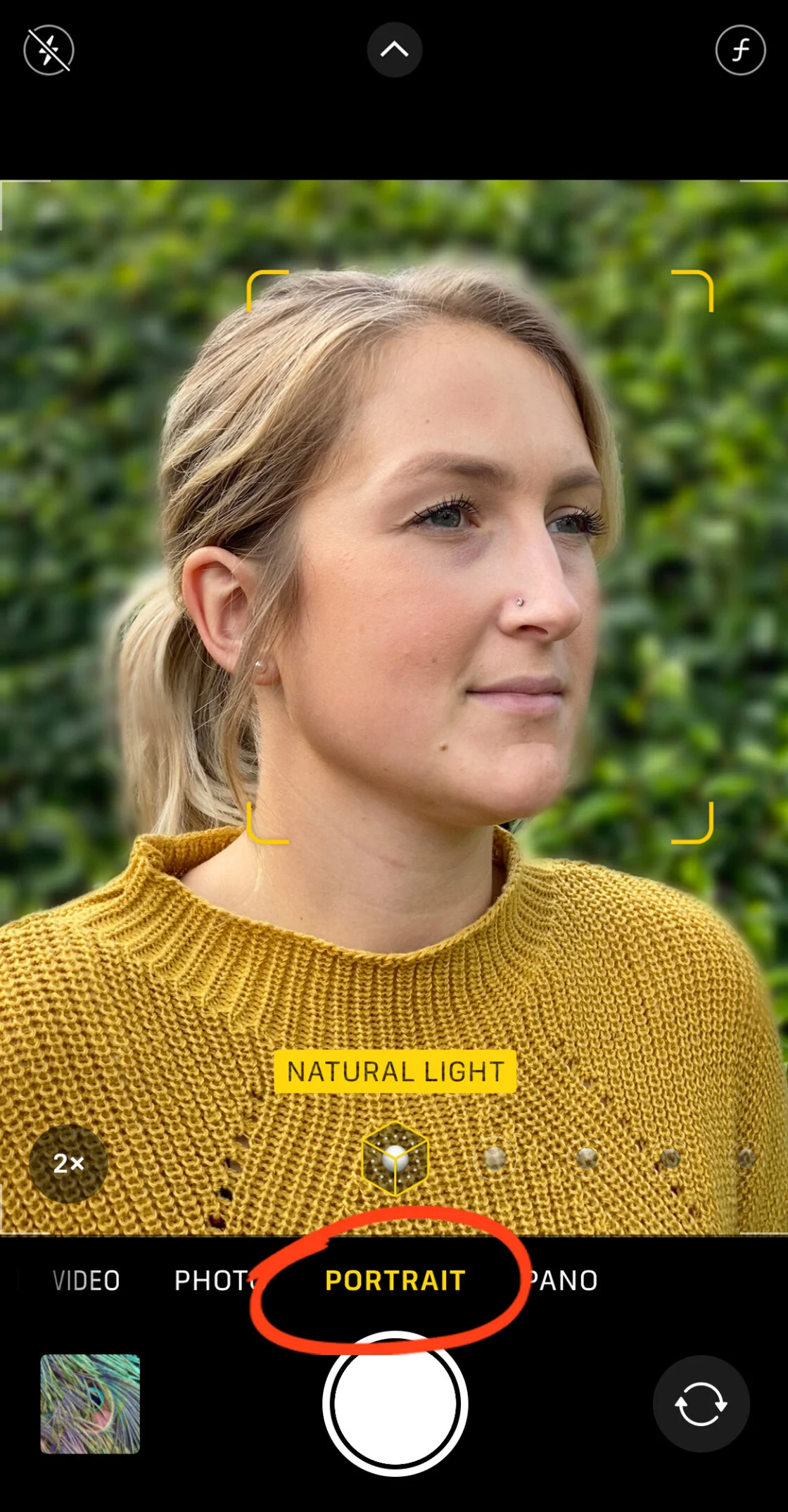
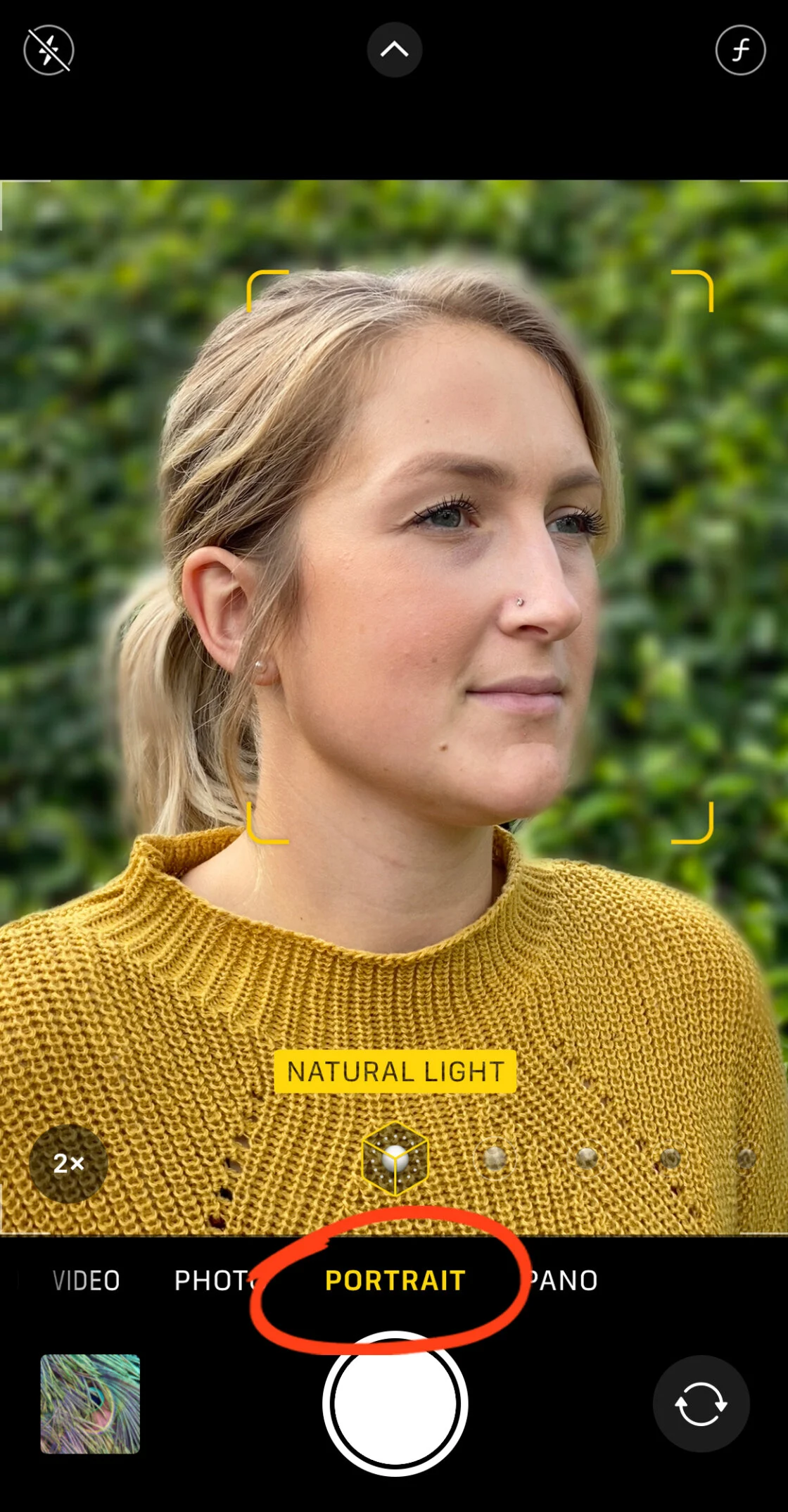
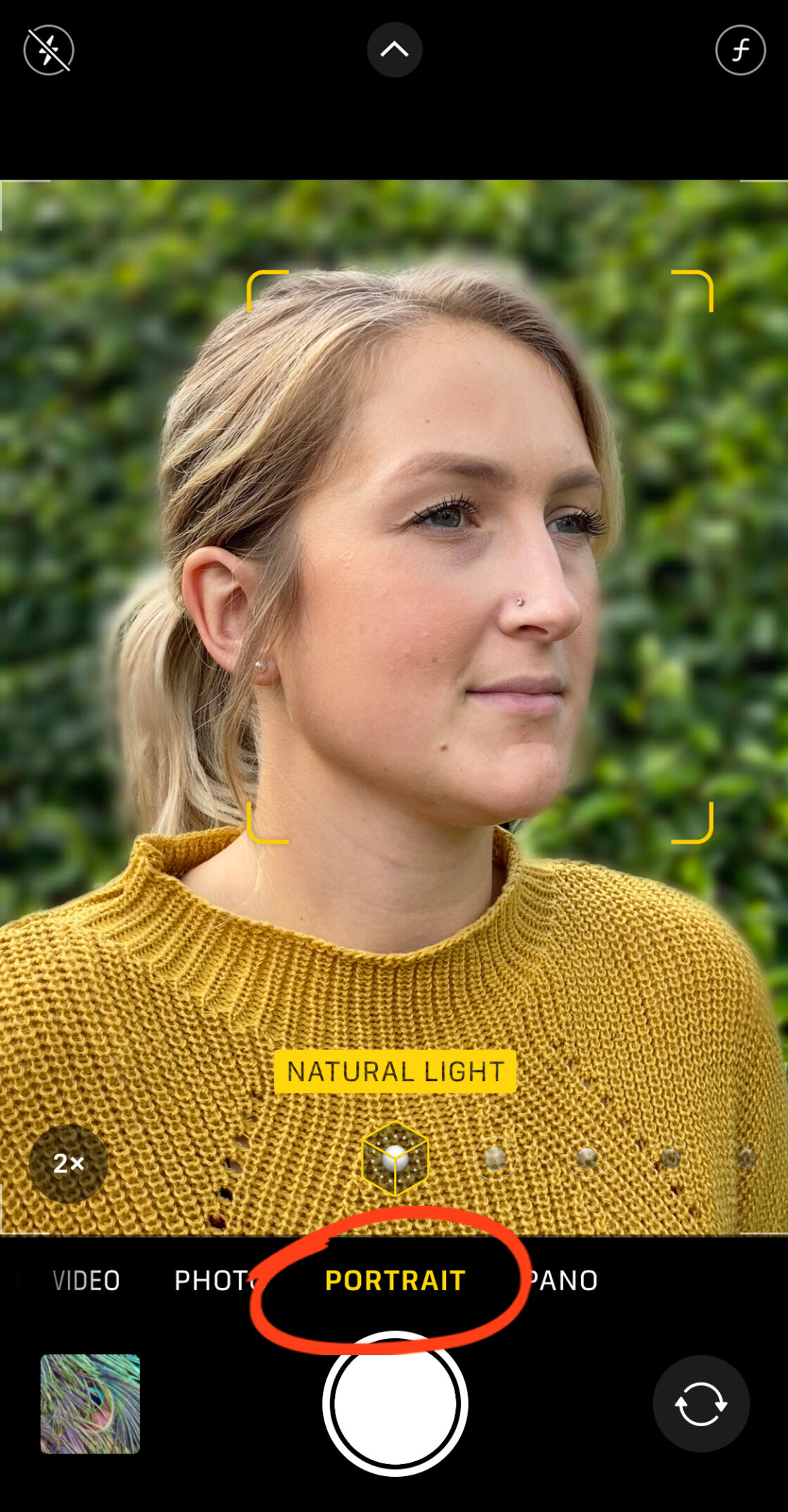
The most direct method for achieving background blur is through the native Camera app’s Portrait Mode. This feature utilizes the device’s Neural Engine to perform billions of operations per second, isolating the subject with high precision. To activate this, the user must select the "Portrait" setting within the camera interface.
Technical requirements for an optimal Portrait Mode capture include a specific distance range—typically between two and eight feet from the subject. The software requires sufficient light to distinguish edges; consequently, in dim environments, the system may struggle to separate fine details like hair from the background. Once the "Natural Light" or "Depth Effect" indicator turns yellow, the ISP has successfully locked onto the subject, and the depth-of-field effect is active.
On modern devices, including the iPhone 12 through the iPhone 16 series, users can modify the "f-stop" value during or after the shoot. By tapping the "f" icon in the editing suite, a slider appears that simulates the physical aperture of a lens. A lower f-number (such as f/1.4) results in a shallower depth of field and a more pronounced blur, whereas a higher f-number (such as f/16) brings more of the background into focus.
Secondary Method: Optical Physics and Proximity
While computational photography is a powerful tool, it remains an emulation of physical optics. Users with older iPhone models or those seeking a more naturalistic look can achieve background blur through the fundamental principles of macro photography. By moving the camera physically closer to the subject, the lens is forced to focus at a shorter distance, naturally causing the background to fall out of the plane of focus.
This technique creates a "shallow depth of field" without the need for software processing. However, it requires a clear understanding of the lens’s minimum focus distance. If the device is held too close, the autofocus system will fail, resulting in a blurry subject. For extreme close-ups, industry experts often recommend third-party macro lenses, such as those produced by Moment or Sandmarc. These accessories allow the iPhone’s optics to resolve detail at distances of less than an inch, producing an organic bokeh that software often struggles to replicate perfectly around complex edges.
Post-Processing Solutions: Third-Party Software Intervention
For images already captured in "Photo" mode rather than "Portrait" mode, or for users seeking more granular control, third-party applications provide advanced masking and blurring tools. Two of the most prominent entries in this space are AfterFocus and Snapseed.
AfterFocus and Smart Selection
AfterFocus utilizes a "Smart Selection" tool that allows users to manually define foreground, mid-ground, and background areas. By drawing a rough line over the subject and a separate line over the background, the app’s algorithm calculates the edges. For complex subjects, such as a cyclist or a person with textured clothing, the app offers a "Manual Selection" mode. This allows for pixel-perfect masking using a brush tool, ensuring that the blur does not "bleed" into the subject—a common artifact in lower-end smartphone processing.
Snapseed and the Lens Blur Tool
Snapseed, owned by Google, offers a different approach through its "Lens Blur" tool. Rather than masking the subject, it applies a radial or linear gradient blur. This is particularly effective for creating a "vignette" effect, where the edges of the frame are softened to draw the viewer’s eye toward a central subject. The app allows users to customize "Transition" (the smoothness of the blur’s onset) and "Blur Strength." While less precise for complex shapes than Portrait Mode, it adds a "dreamy" or "cinematic" quality to landscapes and street photography.
Industry Data and Market Impact
The shift toward sophisticated mobile blur effects has had a measurable impact on the photography industry. According to data from the Camera & Imaging Products Association (CIPA), global shipments of digital cameras have seen a significant decline over the last decade, with entry-level point-and-shoot cameras bearing the brunt of the loss.
Market analysis suggests that the "Portrait Mode" feature is a primary driver for smartphone upgrades. A 2023 consumer survey indicated that camera quality remains the top three considerations for smartphone buyers, with "professional-looking portraits" cited as a highly desirable capability. Apple’s focus on the "Photonic Engine" and advanced ISP demonstrates a corporate strategy that prioritizes software-driven hardware value.

Technical Analysis: Computational vs. Optical Blur
From a technical standpoint, there is a distinct difference between the blur produced by a wide-aperture DSLR lens and the blur produced by an iPhone. A physical lens creates blur based on the physics of light passing through glass; the blur is progressively more intense the further an object is from the focal plane.
In contrast, the iPhone’s Portrait Mode often applies a more uniform blur across the background layer. While recent iterations of iOS have improved "depth-aware" blurring—where objects further from the camera are blurred more than objects just behind the subject—it remains an approximation. Professional photographers often point to "edge artifacts," where the software mistakenly blurs the tips of ears or strands of hair, as the primary giveaway of a smartphone-captured image. However, for social media and casual printing, these discrepancies are increasingly negligible.
Broader Implications for Visual Media
The democratization of background blur has fundamentally altered the aesthetic of social media and digital journalism. Previously, the "shallow depth of field" look was a gatekeeper for professional status, requiring thousands of dollars in equipment. Today, citizen journalists and small-business owners can produce high-impact visual content that mimics the look of high-end editorial photography.
This shift has also influenced the "Pro" branding of modern iPhones. Features like ProRAW and the ability to adjust depth data in post-production have positioned the iPhone as a legitimate B-camera in professional workflows. As machine learning models continue to be trained on vast datasets of professional photography, the accuracy of edge detection and the quality of simulated bokeh are expected to reach a point of near-indistinguishability from optical reality.
In summary, blurring the background on an iPhone is a multi-faceted process that integrates hardware capability, physical proximity, and software manipulation. Whether through the automated precision of Portrait Mode, the optical reality of close-up shooting, or the creative flexibility of third-party apps, the ability to isolate a subject from its environment has become an essential pillar of modern mobile communication.