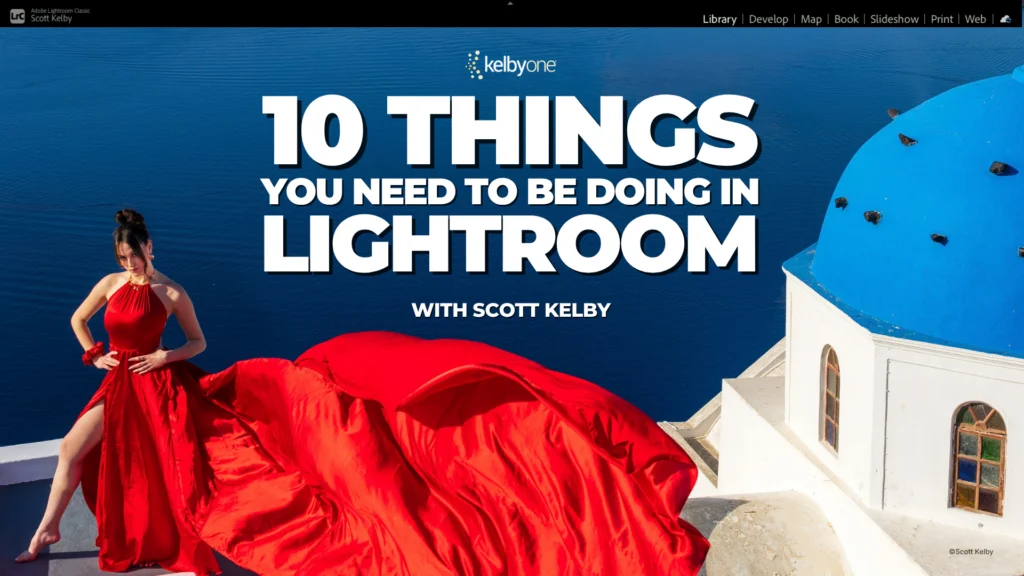
Scott Kelby, a prominent figure in digital photography education, has officially launched a new comprehensive online course titled "10 Things You Need to Be Doing in Lightroom." This initiative directly responds to prevalent user difficulties and inefficiencies observed during his extensive experience teaching workshops, aiming to streamline photographers’ workflows, enhance their editing proficiency, and demystify advanced features within Adobe’s widely used photo management and editing software. The course is designed to transition users from grappling with common issues to confidently leveraging Lightroom’s full potential, thereby significantly reducing the time spent on organization and editing.
The Genesis of "10 Things": Identifying Core User Pain Points
The development of "10 Things You Need to Be Doing in Lightroom" stems from a consistent pattern of challenges Kelby identified among participants in his numerous in-person and online workshops. As he noted, walking around and assisting photographers provided invaluable insight into what aspects of Lightroom were effective for them, where they encountered persistent roadblocks, and which crucial features remained undiscovered. This direct, hands-on observation revealed recurring themes of frustration, inefficiency, and missed opportunities within the software. These observations ultimately catalyzed the creation of a structured curriculum specifically tailored to address these common struggles. The course is positioned as a practical solution for those who frequently find themselves spending excessive time wrestling with edits or organizing their vast digital photo libraries, promising a direct path to knowing "which tool to reach for" and saving significant trial and error.
Adobe Lightroom’s Evolving Landscape and User Adaptation
Adobe Lightroom has cemented its position as an indispensable tool in the modern digital photography workflow, utilized by millions of professionals and enthusiasts globally. Since its initial release in 2007, it has undergone continuous evolution, integrating increasingly sophisticated features for image organization, non-destructive editing, and output. Its dominance in the market is attributed to its comprehensive suite of tools that bridge the gap between image capture and final presentation. However, this continuous advancement, particularly the rapid integration of artificial intelligence (AI) functionalities, often presents a steep learning curve for users. Many photographers struggle to keep pace with updates, understand the nuances of new tools like advanced masking or AI-driven enhancements, and optimize their overall workflow for efficiency. The sheer volume of features can be overwhelming, leading to underutilization of powerful capabilities that could otherwise dramatically improve their output and productivity.
For instance, the introduction of AI-powered selection tools, content-aware fills, and sophisticated masking options has transformed the editing landscape, offering unprecedented precision and speed. Yet, without proper guidance, users may only scratch the surface of these functionalities or misinterpret their purpose, leading to suboptimal results or prolonged editing sessions. This scenario underscores the critical need for targeted education that translates complex software capabilities into practical, actionable techniques for photographers.
Key Modules and Practical Solutions Offered by the Course
The curriculum of "10 Things You Need to Be Doing in Lightroom" is meticulously structured to tackle a diverse array of challenges, moving beyond basic editing to encompass critical aspects of workflow and library management. Among the core topics covered are:
- Editing Fixes and Advanced Techniques: The course delves into specific editing solutions designed for efficiency. A notable example is the "one-click straightening of buildings," a common necessity in architectural or landscape photography that often requires precise manual adjustments. By simplifying such tasks, the course aims to save photographers considerable time. Furthermore, it focuses on "using masking tools you might have missed," indicating a deep dive into Lightroom’s powerful masking capabilities which, when fully understood, allow for highly localized and precise adjustments to images without affecting other areas. These advanced masking features, often overlooked, are crucial for professional-grade retouching.
- Efficient Photo Selection and Culling: A significant challenge for photographers, especially after high-volume shoots or travel, is selecting the best shots from a multitude of similar frames. The course dedicates time to strategies for "choosing your best shot from a bunch of similar frames," a skill vital for efficient culling and maintaining a curated portfolio. This often involves leveraging Lightroom’s comparison views, rating systems, and flag options effectively.
- Robust Photo Organization Strategies: Long-term accessibility and management of digital assets are paramount. The course addresses this by focusing on "organizing your travel photos so you’ll know where to look for them a few years from now." This module likely covers best practices for folder structures, keyword tagging, metadata application, and collection management, ensuring that valuable memories and professional assets remain easily retrievable. In an era where photographers can accumulate tens of thousands, if not hundreds of thousands, of images, effective organization is not merely a convenience but a necessity for operational efficiency and data longevity.
- Demystifying AI Warnings: A specific point of confusion for many users has been the appearance of the "yellow AI warning" within Lightroom. The course explicitly promises to "clear that up," indicating an explanation of what these warnings signify and what actions Lightroom expects users to take in response. This is particularly relevant as Adobe continues to integrate AI more deeply into its creative suite, often requiring users to understand new prompts and recommendations from the software. Understanding these warnings is crucial for leveraging AI features correctly and avoiding potential issues with image processing or catalog integrity.
The overall emphasis of these modules is on practical application, designed to transform theoretical knowledge into tangible improvements in a photographer’s daily workflow.
Scott Kelby: A Pillar in Digital Photography Education
The credibility and impact of "10 Things You Need to Be Doing in Lightroom" are significantly bolstered by the reputation of its instructor, Scott Kelby. Kelby is an internationally recognized author, publisher, and educator in the fields of Photoshop, Lightroom, and digital photography. As the President and CEO of KelbyOne, an online educational platform, and Editor-in-Chief of Photoshop User magazine, he has been at the forefront of digital imaging education for decades. He is also the co-founder of the National Association of Photoshop Professionals (NAPP) and has authored numerous best-selling books on photography and graphic design software, many of which have been translated into multiple languages.
Kelby’s teaching style is characterized by its accessibility, practicality, and focus on real-world application, directly addressing the common challenges faced by his audience. His ability to distill complex technical information into easily digestible and actionable steps has earned him a loyal following worldwide. This extensive background positions him uniquely to identify and address the nuanced difficulties users encounter with sophisticated software like Lightroom, making his new course a highly anticipated resource for photographers seeking to elevate their skills. His consistent engagement with the photography community through workshops, conferences (like Photoshop World), and online forums provides him with a continuous feedback loop, ensuring his educational content remains relevant and impactful.
The Broader Context of Photography Education in the Digital Age
The launch of courses like "10 Things You Need to Be Doing in Lightroom" reflects a broader trend in the digital photography industry: the increasing demand for specialized software training and continuous learning. With software updates released frequently and new technologies like AI rapidly integrated, photographers must constantly adapt and acquire new skills to remain competitive and efficient.
- Market Trends: The global market for online learning has seen exponential growth, with creative software education being a significant segment. Photographers, both amateur and professional, are increasingly turning to online platforms for flexible, on-demand training. This trend is fueled by the need for quick skill acquisition to keep pace with technological advancements and evolving client demands.
- Accessibility and Democratization of Knowledge: Online courses have democratized access to expert knowledge, allowing photographers from any geographic location to learn from industry leaders. This contrasts sharply with traditional workshop models which were geographically limited and often more expensive.
- The Lifelong Learner: The digital photography landscape necessitates a mindset of lifelong learning. The skills learned a few years ago might be outdated today, requiring photographers to continually invest in their education to master new tools, techniques, and workflows. Data suggests that photographers who regularly update their software skills report higher job satisfaction and greater creative output.
The Impact on Photographers and the Industry
The implications of a course like "10 Things You Need to Be Doing in Lightroom" extend beyond individual skill enhancement, impacting the broader photography industry:
- Individual Photographer Impact: For the individual photographer, the benefits are multi-faceted. The course promises significant time savings by reducing trial and error, a common source of frustration. Improved efficiency in culling and organization frees up more time for creative work, while mastering advanced editing techniques leads to higher quality images and a more polished portfolio. Greater confidence in using Lightroom’s features can unlock new creative possibilities and reduce the stress associated with complex software. Anecdotal evidence from workshop attendees often points to a desire for "workflow hacks" and "hidden features" that this course directly addresses.
- Industry Impact: On an industry level, such targeted educational offerings contribute to a more proficient and technically capable photography community. As more photographers master efficient workflows and advanced tools, the overall quality of digital imagery improves. This benefits Adobe by fostering a more engaged and satisfied user base, encouraging deeper adoption of their software’s capabilities. Furthermore, it reinforces the value of practical, problem-solution based instruction within the photography education landscape, potentially influencing how other educators structure their content.
- Future Implications: The course’s attention to the "yellow AI warning" is particularly forward-looking. As AI continues to become more integrated into creative software, the need for clear, practical guidance on its use will only intensify. Educators like Scott Kelby play a crucial role in interpreting these technological shifts for the end-user, ensuring that photographers can harness the power of AI responsibly and effectively, rather than being overwhelmed or intimidated by it. This kind of instruction helps bridge the gap between technological innovation and practical artistic application. The trend indicates that future photography education will increasingly focus on human-AI collaboration in the creative process.
Accessing the Course and Continued Learning
For photographers eager to enhance their Lightroom proficiency, "10 Things You Need to Be Doing in Lightroom" is readily available. Interested individuals can explore the course details and watch a full lesson for free by visiting the provided link: kel.by/skelby10lightroom. This accessibility allows potential learners to sample the teaching style and content before committing, underscoring KelbyOne’s confidence in the course’s value. The availability of a free lesson is a strategic move to lower the barrier to entry, encouraging a wider audience to experience the practical benefits firsthand.
In an era where digital photography tools are constantly evolving, investing in continuous education is not merely an option but a strategic imperative for any photographer aiming to maintain relevance, efficiency, and creative edge. Scott Kelby’s latest offering stands as a testament to the enduring need for clear, practical, and expert-led instruction in mastering the complexities of modern photo editing software. By directly addressing the common frustrations and overlooked opportunities within Lightroom, this course is poised to significantly empower photographers to streamline their workflows, elevate their craft, and confidently navigate the ever-changing landscape of digital imaging.