The evolution of mobile photography has moved far beyond the simple capture of high-resolution images. As the hardware capabilities of the iPhone continue to advance, with sophisticated sensor arrays and computational photography engines, the demand for creative post-processing tools has surged. Among the most popular trends in this digital ecosystem is the transformation of standard photographs into stylized drawings, sketches, and paintings. This shift represents a broader movement in digital literacy where users no longer view a photo as a final product, but rather as a canvas for further artistic expression.
The Technological Evolution of Digital Sketching
The transition from basic digital filters to sophisticated artistic transformations is rooted in the development of Neural Style Transfer (NST) and advanced edge-detection algorithms. In the early 2010s, mobile photo editing was largely confined to color grading and vintage overlays. However, by 2016, the introduction of artificial intelligence into consumer-level apps allowed software to analyze the semantic content of an image—identifying faces, horizons, and textures—and reapply them using the brushstroke patterns of historical masters.
According to market data from Sensor Tower, photo and video applications consistently rank as the second-highest grossing category on the Apple App Store, trailing only mobile gaming. This commercial success has fueled intense competition among developers to provide the most realistic and customizable "photo-to-sketch" experiences. Today, these applications serve everyone from casual social media users to professional illustrators looking for rapid prototyping tools.
1. Prisma: The Pioneer of AI-Driven Artistry
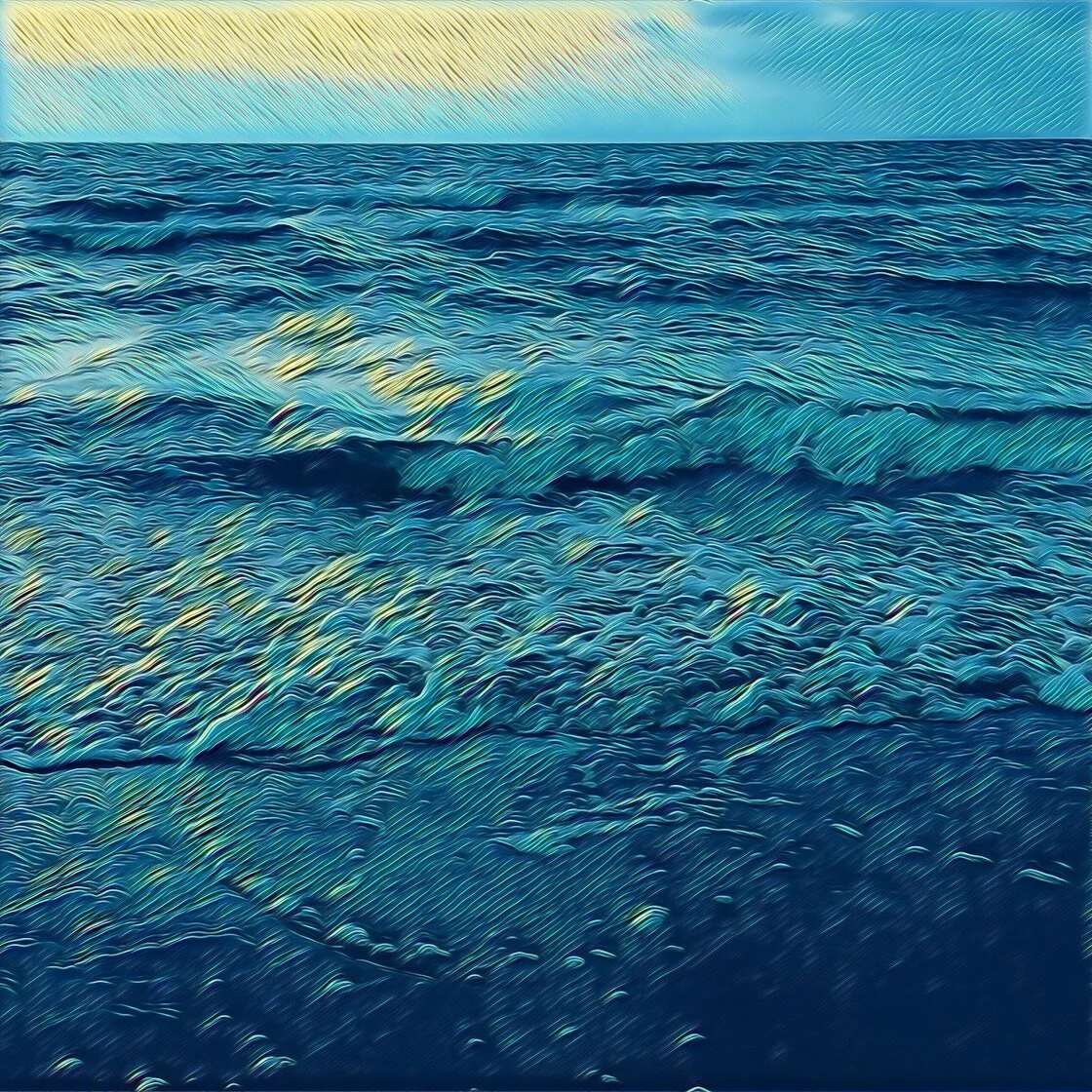
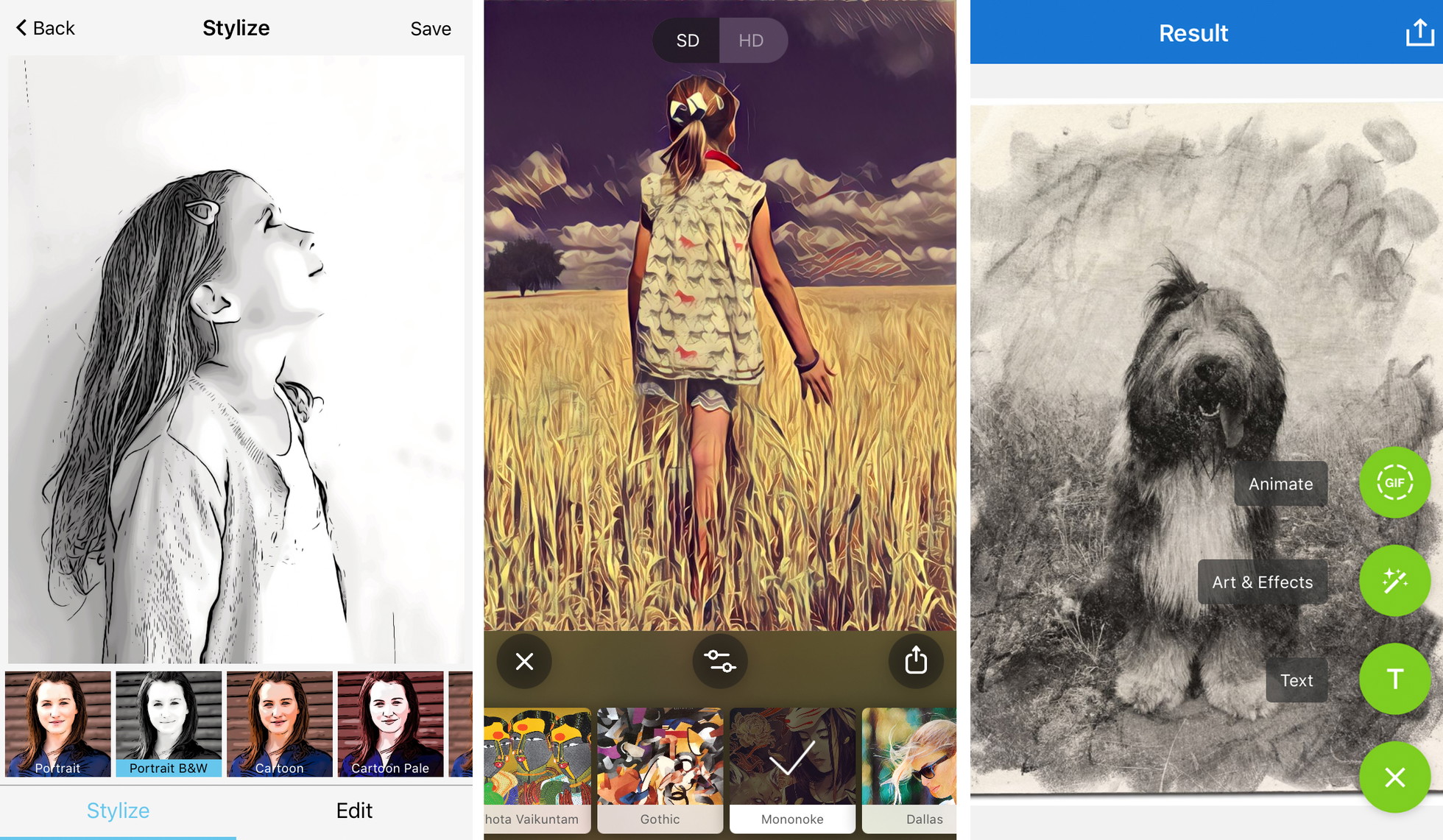
Prisma remains the benchmark for apps that turn photos into paintings and sketches. When it launched in 2016, it was named "App of the Year" by both Apple and Google, primarily due to its innovative use of neural networks that "redrew" images from scratch rather than simply applying a transparent overlay.
Key Features and Capabilities
Prisma offers a library of over 300 artistic styles, many of which are modeled after the distinct techniques of legendary artists such as Pablo Picasso, Edvard Munch, and Salvador Dalí. The app’s interface is designed for efficiency, utilizing one-tap filters that process images in the cloud or locally, depending on the complexity of the style.
Market Position and Value Proposition
While the app is free to download, it operates on a "freemium" model. The free version provides a generous selection of filters, but a subscription is required to unlock the full library and, crucially, to export images in High Definition (HD). For users intending to print their digital art, the HD export feature is a technical necessity, as it ensures the fine lines of a "pencil sketch" do not become pixelated when scaled.
2. Clip2Comic: Mastering the Graphic Novel Aesthetic
For users seeking a distinct, illustrative look, Clip2Comic specializes in the conversion of photos and videos into cartoon-style drawings. This application has found a niche among digital storytellers and those looking to create personalized avatars or comic book content.
Functional Analysis
The app features 14 specific sketch styles under its "Stylize" tab. Unlike general art apps, Clip2Comic focuses on heavy line work and vibrant color fills that mimic the printing process of mid-20th-century comic books. A unique feature of this app is its live preview mode, which allows users to see the world through a cartoon lens in real-time via the iPhone’s viewfinder.
Creative Tools and Caricature
The premium version of Clip2Comic introduces a "Deform" tool, which is essentially a liquify filter optimized for creating caricatures. This allows for the exaggeration of facial features while maintaining the integrity of the sketch filter. In an era where personalized digital content is at a premium, such tools provide significant value for content creators on platforms like TikTok and Instagram.
3. Photoleap: The Professional’s Creative Suite
Developed by Lightricks, the creators of the popular Facetune, Photoleap (formerly Enlight Photofox) is a more sophisticated tool designed for users who want granular control over their artistic output. It is less of a "one-click" filter app and more of a mobile alternative to desktop digital art software.
The Power of Selective Editing
The standout feature of Photoleap is its "Sketch" tool, which allows for the application of pencil and ink effects to specific layers of an image. Using a built-in eraser and brush tool, a user can apply a charcoal sketch effect to the background while keeping the subject in full color, or vice versa. This selective processing creates a "pop-out" effect that is difficult to achieve in simpler applications.
Industry Impact
Lightricks has been a vocal proponent of the "creator economy," raising over $135 million in Series C funding to further develop AI-driven creative tools. Photoleap represents the pinnacle of this investment, offering double-exposure blending and advanced layer management that caters to the "iPhoneography" community—a group of photographers dedicated to using the iPhone as their primary professional instrument.
4. Painnt: Diversity in Digital Mediums
With a library exceeding 2,000 filters, Painnt is the most expansive application in terms of sheer variety. It targets the user who wants to experiment with niche artistic styles that go beyond basic pencil drawings.
Technical Specifications
Painnt categorizes its filters into distinct artistic movements and mediums. It includes 145 dedicated sketch filters, ranging from technical architectural drawings to soft graphite portraits. The app provides a suite of customization sliders, allowing users to adjust the transparency, brightness, contrast, and "brush size" of the effect.
Subscription Metrics
Like its competitors, Painnt uses a subscription model to remove watermarks and grant access to the full 2,000+ filter catalog. Industry analysts note that this shift toward recurring revenue has allowed developers like Moonlighting (the creators of Painnt) to provide frequent updates and maintain high-speed server processing for their AI effects.
5. Photo Lab: Realistic Texture and Composition
Photo Lab distinguishes itself by focusing on the physical texture of traditional art mediums. Its filters are designed to replicate the specific "tooth" of paper and the smudge of charcoal or pastel.
User Experience
Photo Lab is widely regarded as one of the most accessible apps for beginners. It utilizes a vast array of "presets" that include not just the art style, but also the frame and background. For example, a user can choose a preset that makes their photo look like a sketch sitting on an artist’s drafting table.
Social Integration
The app includes a strong social component, allowing users to share their creations directly to a community feed. This has fostered a large user base that trades tips on which filters work best for different lighting conditions. While it offers fewer manual editing tools than Photoleap, its strength lies in its ability to produce a "finished" piece of art with minimal user intervention.
Chronology of the Mobile Art Movement
- 2010-2012: The Rise of the Filter. Instagram and Hipstamatic introduce the public to the idea of "instant" post-processing.
- 2013-2015: Advanced Retouching. Apps like Snapseed and Facetune provide users with professional-grade editing tools on a mobile interface.
- 2016: The AI Revolution. Prisma launches, introducing Neural Style Transfer to the mass market.
- 2018-2020: Layering and Complexity. Photoleap and others integrate desktop-level layer management, allowing for mixed-media digital art.
- 2021-Present: Generative AI Integration. Apps begin to move beyond filters toward generative AI, where software can fill in missing details or change backgrounds entirely based on the chosen art style.
Pro Tips for Professional-Grade Results
To move beyond the "app-filtered" look and toward true digital art, professional photographers suggest several key strategies:
- Compositional Simplicity: High-detail filters, such as charcoal or ink, can become "muddy" if the original photo is too cluttered. Using a subject with a clean background ensures the AI can accurately trace the edges.
- Contrast Management: Sketch filters rely on the "luminance" of an image to decide where to place dark pencil lines. Photos with high contrast (bright highlights and deep shadows) generally produce more striking drawings.
- The 70% Rule: Experts often recommend reducing the filter strength to approximately 70%. This allows some of the original photo’s texture and color to bleed through, creating a more sophisticated, hybrid look.
- Hardware Considerations: While these apps work on older iPhones, the "Neural Engine" in the A12 Bionic chip and later (iPhone XS and newer) significantly speeds up the rendering of complex art styles.
The Broader Impact on the Art World
The democratization of art through these applications has sparked debate within the creative community. Some traditionalists argue that "one-tap" art devalues the years of training required to master pencil sketching. However, many contemporary artists view these apps as a "gateway" to traditional arts, encouraging users to understand composition, lighting, and style.
Furthermore, these apps have proven invaluable for storyboarding in the film industry and for architectural visualization, where a quick sketch is often more effective than a high-resolution photo for conveying a "mood" or "concept."
As we look toward the future, the integration of Augmented Reality (AR) and even more powerful Generative AI suggests that the line between a captured photograph and a hand-drawn work of art will continue to blur. For the millions of iPhone users worldwide, these five applications represent the most effective tools currently available to bridge that gap, turning a pocket-sized communication device into a portable art studio.