A few weeks ago, we offered practical solutions for photographers embarking on their journeys, detailing fixes for common pitfalls encountered when mastering camera functions. The realm of video, however, presents its own distinct set of challenges, often surprising those transitioning from still photography or entirely new to moving images. As the demand for video content continues its exponential rise across social media, corporate communications, and personal storytelling, understanding and mitigating these prevalent issues becomes paramount for anyone aiming to produce compelling and professional-quality footage. This article delves into the most frequent problems encountered by burgeoning videographers and outlines comprehensive strategies for their resolution, ensuring a smoother creative process and a more polished final product.
The democratisation of video production, fueled by advancements in camera technology within smartphones and affordable mirrorless systems, has opened the floodgates for a new generation of content creators. However, this accessibility often masks the technical complexities inherent in capturing high-quality moving images and sound. While modern cameras offer impressive automated features, fundamental principles of videography remain crucial. The primary goal is to capture not just images, but an immersive experience, and common errors can quickly detract from that objective. Our focus here is on four critical areas: camera stability, audio fidelity, color accuracy, and playback smoothness, each of which can significantly impact viewer engagement and the overall perception of professionalism.
The Unseen Challenge: The Pervasive Problem of Shaky Footage
One of the most immediate and visually jarring issues new videographers face is unsteady camera movement. The human body, despite its best efforts, is not a perfectly stable platform. What might feel like a steady hand during shooting often translates into noticeable, distracting judder in playback, a phenomenon that can induce viewer fatigue or even motion sickness. This is particularly true as focal lengths increase, magnifying even the slightest tremors. The expectation that handheld shooting will yield cinematic results without dedicated stabilisation equipment is a common misconception that quickly becomes apparent upon reviewing initial footage.
Historically, professional cinematography has relied heavily on robust stabilisation solutions. From the massive dollies and tracks of early cinema to the sophisticated mechanical Steadicam systems introduced in the 1970s, the pursuit of smooth, flowing camera movement has been a cornerstone of visual storytelling. These tools, however, were often prohibitively expensive and complex for independent creators. The advent of digital videography and the subsequent miniaturisation of camera components paved the way for more accessible solutions. While many modern cameras incorporate impressive in-body image stabilisation (IBIS) or optical image stabilisation (OIS) within lenses, these systems are designed to compensate for minor jitters and are rarely sufficient for dynamic, movement-heavy shots or sustained handheld work without external assistance.
The market has responded with a diverse array of video stabilisation systems, catering to various camera types, budgets, and operational needs. For those utilising smartphones as their primary video capture device, compact electronic gimbals have revolutionised mobile videography. Devices like the DJI Mobile series (e.g., the DJI Mobile 7p) offer three-axis stabilisation, allowing users to achieve remarkably smooth pans, tilts, and tracking shots that would be impossible with a bare smartphone. These systems are lightweight, user-friendly, and represent an excellent entry point into professional-looking camera movement without a significant financial outlay, typically ranging from $100-$300. The simplicity of their operation and connectivity to smartphone apps makes them ideal for vloggers, social media content creators, and casual filmmakers.
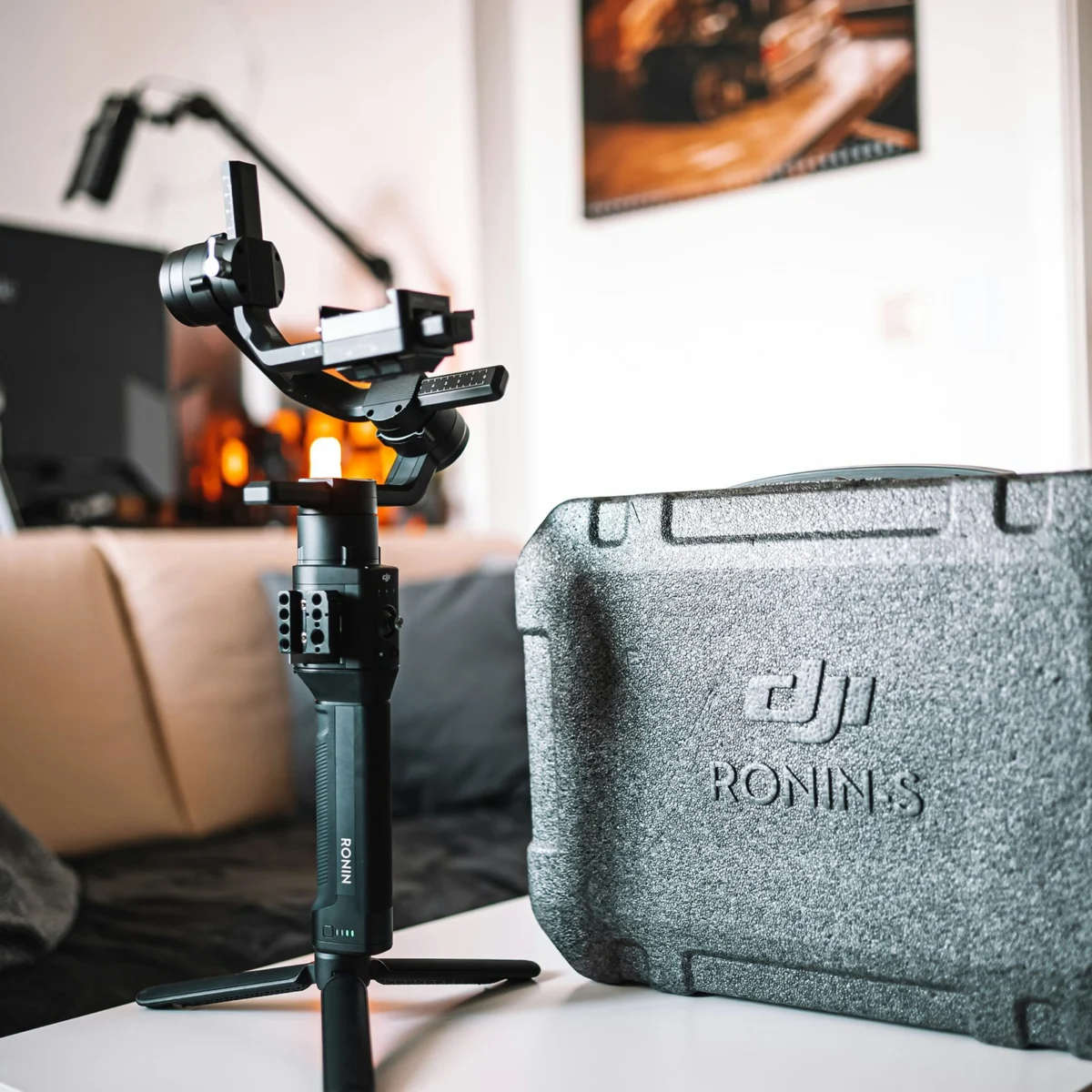
Scaling up to mirrorless camera systems, which have become the workhorses for many independent filmmakers and professional videographers, requires more robust gimbal solutions. The DJI Ronin-SC, for instance, provides a powerful and portable three-axis stabiliser designed specifically for smaller mirrorless cameras, supporting payloads typically up to 4.4 pounds (2 kg). Its compact design and advanced features, including active track and various shooting modes, make it an affordable yet highly capable option for creators seeking to elevate their production value. For camera systems exceeding this weight, such as professional DSLRs or larger mirrorless setups often paired with heavy lenses, the DJI Ronin-S (Premium Kit) is recommended. This gimbal can handle payloads over 4.5 pounds, offering superior motor torque and stability for heavier rigs, ensuring fluid motion even with more demanding camera setups. These professional-grade gimbals, while requiring a greater investment and a steeper learning curve, unlock unparalleled creative freedom in camera movement.
Beyond handheld gimbals, traditional tripods remain an indispensable tool. A sturdy tripod paired with a fluid head (often referred to as a tilt-pan head) is fundamental for static shots, precise panning, and smooth tilting. While seemingly basic, a high-quality fluid head provides the friction and control necessary for graceful, controlled camera movements that can elevate the aesthetic of any production. For long shoot days involving heavier camera packages, the physical strain on operators can be immense, leading to fatigue-induced shakiness. In such scenarios, support systems like the Easyrig Vario 5, often paired with a cinema vest and standard arm, become invaluable. These systems redistribute the weight of the camera from the operator’s arms to their hips, back, and legs, significantly reducing fatigue and allowing for extended periods of stable handheld or gimbal operation. The Easyrig, a staple in professional film sets, underscores the principle that stability is not just about equipment, but also about operator comfort and endurance. The implication of consistently shaky footage is clear: it detracts from the message, diminishes perceived production value, and can actively disengage viewers, directly impacting audience retention and the creator’s credibility. Investing in appropriate stabilisation is not merely a technical fix but a critical step towards professional presentation.
The Silent Destroyer: Why Bad Audio Undermines Even the Best Visuals
While visually arresting footage often captures immediate attention, it is clear, intelligible audio that sustains viewer engagement. This is a critical lesson often learned too late by new videographers: bad audio can irrevocably ruin otherwise excellent visuals. The human brain is remarkably tolerant of visual imperfections, but it is highly sensitive to poor sound quality. Muffled dialogue, distracting background noise, uneven levels, or the dreaded "echo" can instantly alienate an audience, regardless of how beautiful the cinematography. This problem is frequently compounded by the fact that audio issues are often not fully appreciated until post-production, leading to costly reshoots or irreparable damage to the final product.
The primary culprit behind poor audio in beginner videography is almost always the reliance on built-in camera microphones. These microphones, typically small and omnidirectional, are designed for convenience rather than quality. They capture sound from all directions, including ambient noise, camera handling sounds, and reflections, resulting in a generally thin, distant, and often noisy recording. They offer minimal control over pickup patterns or input levels, making them wholly inadequate for capturing specific dialogue or clean ambient soundscapes. Industry experts consistently advise that dedicated audio recording equipment is as crucial as the camera itself.
For interview-style recordings, where capturing clear human speech is paramount, a lavalier microphone system is the gold standard. These small, discreet microphones clip onto clothing, positioning them close to the speaker’s mouth, thereby minimising ambient noise and maximising vocal clarity. Wireless lavalier systems, such as the Sennheiser G4 or DJI Mic 2, offer unparalleled freedom of movement and are indispensable for dynamic interviews or on-location reporting. The Sennheiser G4 is a professional-grade system known for its robust build quality, reliable signal transmission, and excellent audio fidelity, often used in broadcast and documentary production. The DJI Mic 2, while newer, offers a compact and user-friendly experience, often featuring internal recording capabilities as a backup, making it popular among vloggers and content creators. The advantage of wireless systems lies in their ability to capture clean audio regardless of camera position, effectively isolating the subject’s voice from environmental distractions.
When the objective is to capture the overall sound of a scene, or to record dialogue from a distance or in a controlled environment, a shotgun microphone is the preferred tool. Shotgun mics, characterised by their long, cylindrical design, possess a highly directional (supercardioid or hypercardioid) pickup pattern. This allows them to "reach out" and capture sound from a narrow area directly in front of them while rejecting sounds from the sides and rear. The RODE VideoMic Pro Plus, a popular on-camera shotgun microphone, exemplifies this, offering excellent sound quality, low noise, and features like automatic power on/off and a high-pass filter to reduce low-frequency rumble. While it can be mounted directly on a camera, for optimal results, a shotgun mic is often used off-camera on a boom pole, positioned just out of frame, ensuring the best possible sound capture without interfering with the visual composition.
Regardless of the microphone choice, a dedicated audio recorder is a worthwhile investment. Devices like the Zoom H6 or H4n Handy Recorder provide superior preamps, multiple input channels, and advanced recording features (e.g., phantom power for condenser mics, safety tracks) that significantly surpass the capabilities of most camera audio inputs. Recording audio separately, a technique known as "double-system sound," allows for greater control over audio levels and quality, mitigating the risk of clipping or distorted sound. While this requires synchronisation in post-production, the enhanced audio fidelity is undeniably worth the extra step.
Crucially, the ability to monitor audio in real-time is non-negotiable. A high-quality pair of headphones plugged into the camera or dedicated audio recorder allows the videographer or sound recordist to identify and rectify audio problems as they occur – before it’s too late. Listening for unwanted noises, checking for proper levels, and ensuring clarity can prevent hours of frustration in the editing suite. The broader implication of poor audio extends beyond mere technicality; it directly impacts the narrative’s effectiveness, the perceived professionalism of the creator, and ultimately, the audience’s willingness to continue watching. In an age where video content floods every platform, clear audio is a fundamental differentiator for quality.
Decoding the Canvas: Understanding Log Formats and Color Fidelity
Another perplexing issue for videographers transitioning from still photography or point-and-shoot video is the phenomenon of "greyed out" footage. Upon reviewing their captures, they might find shots appearing flat, desaturated, and lacking in contrast, a far cry from the vibrant images they envisioned. This is almost invariably due to shooting in a "log" format – a feature common in modern professional and prosumer video cameras.
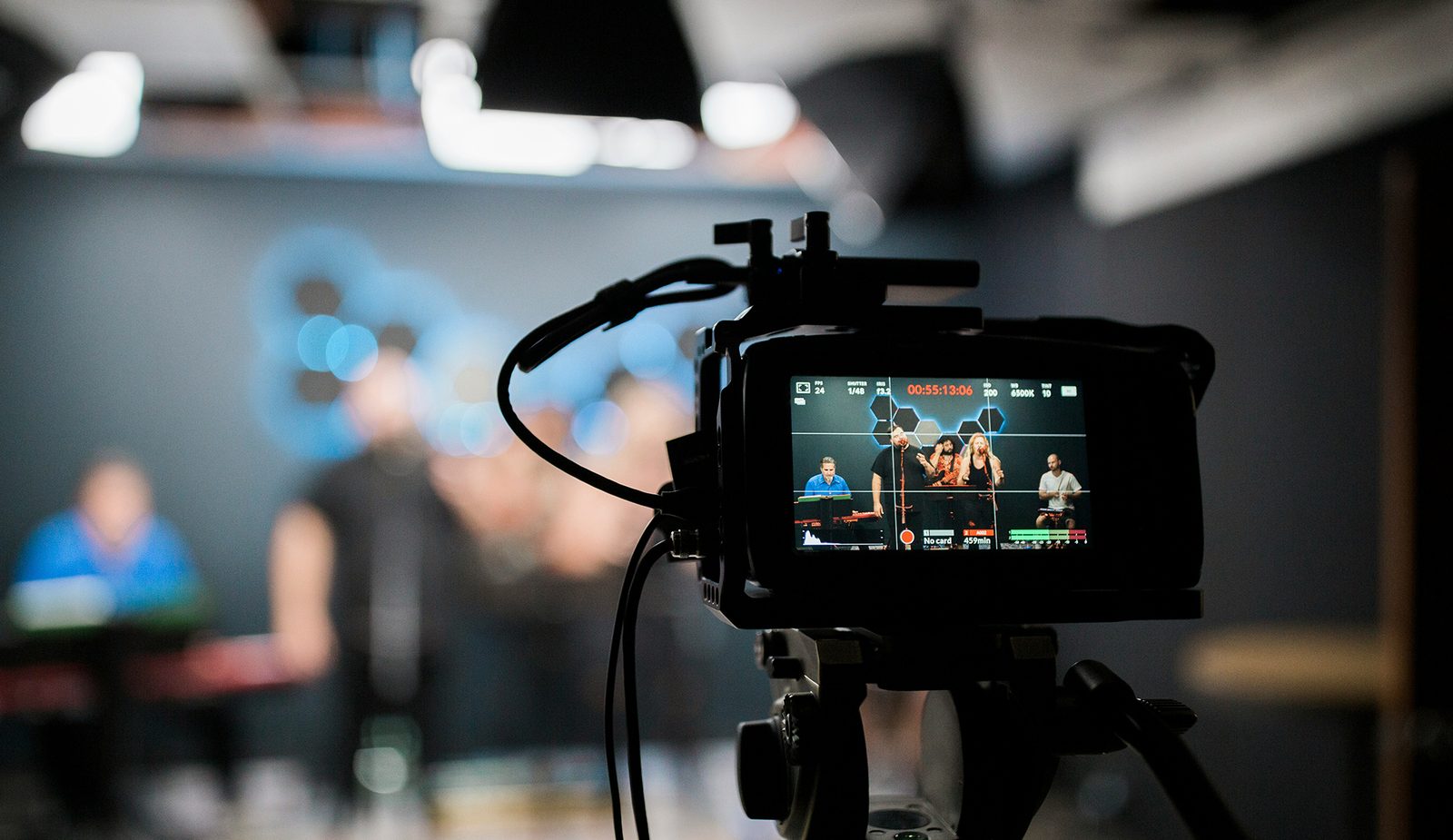
Logarithmic gamma curves (or "log profiles") are a staple in professional cinematography, developed to maximise the dynamic range captured by a camera’s sensor. Unlike standard video profiles (like Rec. 709), which compress the tonal range to fit within a limited display standard, log profiles record a much wider range of luminance and color information. Each camera manufacturer typically has its own proprietary version of log – such as Canon Log (C-Log), Sony S-Log, Panasonic V-Log, or ARRI Log C – but the underlying principle is the same: to capture as much data as possible, especially in highlights and shadows, providing immense flexibility during the post-production color grading process.
The "greyed out" appearance is a direct consequence of this data-centric approach. Log profiles intentionally de-saturate and flatten the image to preserve more detail across the entire tonal spectrum. The camera sensor captures a vast amount of luma (luminance) data, but instead of "baking in" specific color and contrast values, it records a neutral, low-contrast image. This allows the colorist in post-production to precisely shape the look, apply custom creative grades, and recover detail in areas that would otherwise be clipped in a standard profile. For instance, a log profile might allow recovery of detail in a bright sky and deep shadows within the same shot, where a Rec. 709 image might have simply rendered those areas as pure white or pure black. This exchange provides a significantly higher dynamic range, often several stops more than a standard profile, which is invaluable for professional workflows where precise color manipulation is crucial.
However, for many beginners or those shooting content where extensive color grading is not part of the workflow, shooting in log can be confusing and unnecessary. The purpose of the video footage dictates the optimal approach. For quick turnaround content, vlogs, or situations where post-production time is limited, shooting directly in Rec. 709 (or a camera’s standard picture profile) might be more efficient. Rec. 709 is the current broadcast standard for high-definition television and most digital displays, meaning footage shot in this profile will look good "out of camera" with minimal or no grading required.
The good news is that if one accidentally shoots in a log format, the colors and contrast are easily restored. The most straightforward method is to apply a "look-up table" (LUT) designed to convert the specific log profile to Rec. 709. Most video editing software (such as Adobe Premiere Pro, DaVinci Resolve, Final Cut Pro) has built-in LUTs for common log formats, or they can be downloaded from camera manufacturers. Applying a conversion LUT instantly transforms the flat log footage into a more vibrant, contrasted image suitable for viewing on standard displays. From there, further creative grading can be applied if desired. Understanding log profiles is not just about fixing a "mistake," but about comprehending a powerful tool that, when used intentionally, offers unparalleled creative control over the final visual aesthetic, a cornerstone of cinematic quality. The implication for creators is that while log offers power, it demands an understanding of post-production workflow; otherwise, it can lead to frustration rather than enhanced creativity.
The Illusion of Motion: Resolving Choppy Playback and Frame Rate Discrepancies
A common and visually disruptive problem encountered by new videographers is footage that appears "choppy" or not smoothly flowing. This jarring effect can severely impact the viewer’s experience, making the video feel amateurish and difficult to watch. The cause of choppy footage typically boils down to one of two fundamental issues related to how motion is captured and processed.
The first, and often most overlooked, culprit is an incorrect or insufficient frame rate. Frame rate (FPS, or frames per second) refers to the number of individual images (frames) captured and displayed sequentially per second to create the illusion of motion. The human eye perceives continuous motion at approximately 16-20 FPS, but for video to appear truly smooth and natural, a higher frame rate is required. While cinema historically used 24 FPS (frames per second) to achieve its distinctive "cinematic look" with a subtle motion blur, broadcast television and most digital content platforms commonly use 25 FPS (PAL standard) or 30 FPS (NTSC standard). For general video recording, particularly for vlogs, corporate videos, or any content requiring smooth, real-time motion, shooting at 30 FPS or higher is widely recommended. Most modern cameras default to these standard frame rates, but it is crucial to always double-check camera settings, especially when experimenting with different shooting modes or custom presets. If a camera is inadvertently set to a lower frame rate, such as 15 FPS or 20 FPS, the resulting footage will inevitably appear jerky. Higher frame rates like 60 FPS or 120 FPS are typically used for capturing fast-moving action or for creating smooth slow-motion effects, as they provide more individual frames that can be stretched out in post-production without losing fluidity.
The second significant reason for choppy footage relates to the media on which the video is recorded – specifically, the speed of the memory card or hard drive. Video recording, especially at higher resolutions (like 4K or 8K) and faster frame rates, generates an immense amount of data per second. This data must be written to the storage medium quickly enough to keep pace with the camera’s sensor. If the memory card or internal hard drive cannot write data as fast as the camera is producing it, the camera’s buffer will fill up, leading to dropped frames, corrupted files, or the recording simply stopping. This results in missing information in the video stream, manifesting as choppiness during playback.
Memory cards and hard drives are rated for their transfer speeds, typically listed in megabytes per second (MB/s). For memory cards, these ratings are often indicated by specific classes or video speed classes (e.g., Class 10, UHS-I, UHS-II, V30, V60, V90). A V30 card, for example, guarantees a minimum sustained write speed of 30 MB/s, while a V90 card guarantees 90 MB/s. To illustrate, recording 4K video at 30 FPS with a common codec like H.264 can easily require a sustained write speed of 100-200 Mbps (megabits per second), which translates to 12.5-25 MB/s. However, higher bitrates, more demanding codecs (like ProRes or RAW), and faster frame rates will significantly increase these requirements. For instance, 4K 60 FPS recording or internal RAW recording often necessitates V60 or even V90 rated cards to ensure uninterrupted and smooth capture. There is no disadvantage to purchasing the fastest memory or hard drive available; in fact, it only enhances the storage’s versatility as one scales up to higher resolutions and more demanding shooting settings.
The implication of understanding and addressing these two factors is profound. By ensuring the correct frame rate is selected for the intended look and by equipping the camera with memory cards capable of handling the data throughput, videographers can prevent the most common causes of choppy playback. This technical mastery translates directly into a smoother, more professional viewing experience, enhancing the overall quality and impact of the video content. The broader impact of such technical diligence extends to preserving the integrity of the captured moment and ensuring that the creative vision is not undermined by avoidable technical shortcomings.
Beyond the Technical: The Broader Impact of Mastering Videography Fundamentals
The journey into videography, like any creative pursuit, is marked by a learning curve. While the initial encounters with shaky footage, poor audio, flat colors, or choppy playback can be discouraging, they represent fundamental challenges that, once understood and addressed, significantly elevate the quality and impact of one’s work. Mastering these basic technical elements moves beyond mere problem-solving; it directly influences audience engagement, professional credibility, and the overall effectiveness of visual storytelling.
In today’s content-saturated landscape, where attention spans are fleeting, high-quality production values are no longer a luxury but a necessity. A video with clear audio and stable visuals is far more likely to retain viewers than one plagued by technical flaws. Studies consistently show that viewers abandon content quickly if the audio is poor, even more so than if the visuals are imperfect. Similarly, jarring camera movements can create an unpleasant viewing experience, reducing watch time and decreasing the likelihood of sharing or repeat viewership. By investing in and correctly utilising stabilisation tools, dedicated audio equipment, and understanding color profiles and frame rates, creators ensure that their message is delivered without distraction, enhancing comprehension and emotional connection.
Furthermore, a commitment to resolving these common issues contributes significantly to a creator’s professional credibility and brand perception. Whether the video is for a personal vlog, a client project, or a corporate communication, the quality of the production reflects directly on the individual or organisation behind it. Professional-grade video signals attention to detail, competence, and respect for the audience. This can open doors to new opportunities, attract collaborations, and establish a reputation for excellence within a competitive field.
The continuous evolution of camera technology and post-production software means that the videography toolkit is constantly expanding. While the fundamentals discussed here remain constant, the methods and tools for achieving them become more refined and accessible. This highlights the importance of a continuous learning journey. Staying abreast of new equipment, software updates, and industry best practices is crucial for any aspiring or established videographer. From understanding the nuances of different log profiles to exploring advanced stabilisation techniques or experimenting with spatial audio, the possibilities for creative expression are limitless for those willing to invest in their technical understanding.
Ultimately, addressing these common videography mistakes is not about chasing perfection, but about mastering the craft. It’s about ensuring that technical limitations do not overshadow artistic vision. By diligently tackling issues of stability, audio, color, and motion, videographers can create compelling narratives that resonate with their audience, elevate their content to a professional standard, and confidently navigate the dynamic world of visual media. The dialogue surrounding these challenges and solutions is ongoing, and the insights gleaned from the collective experience of creators continue to shape the future of videography.