The landscape of mobile photography has undergone a seismic shift over the last decade, transitioning from simple image capture to a sophisticated ecosystem of digital artistry. Central to this evolution is the proliferation of specialized applications designed to bridge the gap between traditional fine arts and modern digital technology. As of 2024, the Apple App Store hosts thousands of creative tools, but a specific subset—apps that transform standard photographs into sketches, paintings, and illustrations—has garnered significant market share. These applications leverage advanced algorithms, including Neural Style Transfer (NST) and machine learning, to replicate the nuances of human artistry in a matter of seconds. This report examines the leading software in this category, providing a comprehensive analysis of their capabilities, technical frameworks, and the broader impact they have on the digital creator economy.
The Evolution of Mobile Image Processing
To understand the current state of photo-to-sketch technology, one must look at the chronology of image editing. In the early 2010s, mobile photo editing was largely restricted to basic color grading and rudimentary filters. The "artistic" options of that era were often limited to sepia tones or high-contrast black-and-white overlays. The turning point occurred around 2016 with the emergence of artificial intelligence models capable of analyzing the structural elements of an image and re-rendering them using the textures and brushstrokes of famous artworks.
Today, the industry has moved beyond mere imitation. Modern applications provide users with granular control over line weight, shading density, and medium selection, ranging from graphite and charcoal to ink and vibrant watercolors. This democratization of art allows individuals without formal training to produce high-quality visual content, a trend that has significant implications for social media marketing, personal branding, and the digital gig economy.
1. Prisma: The Pioneer of Neural Style Transfer
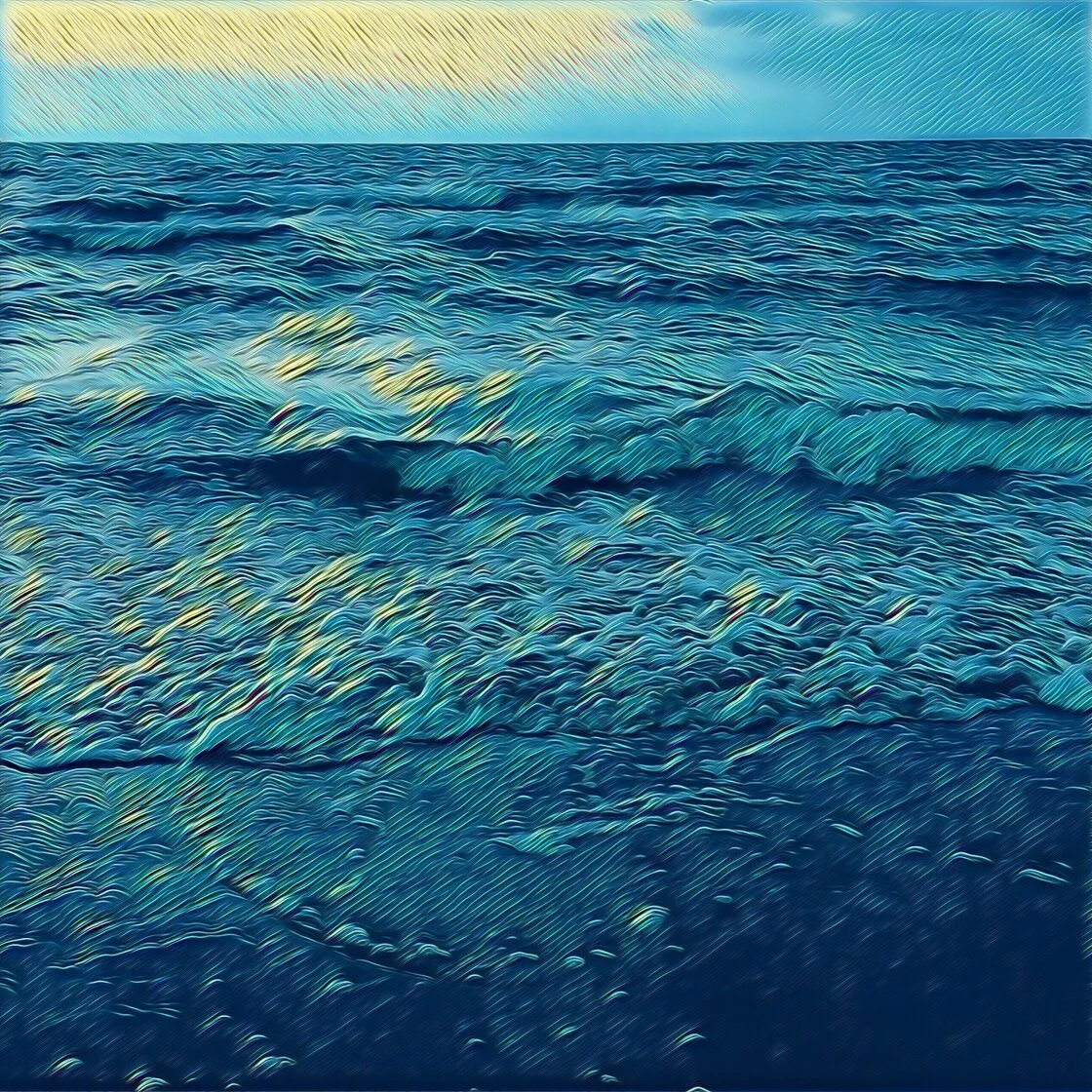
Prisma remains a benchmark in the industry for its use of cloud-based neural networks to apply artistic styles. Unlike traditional filters that overlay a texture on top of a photo, Prisma’s technology "rebuilds" the image from the ground up by interpreting the content through the lens of a specific artistic movement.
The application’s library includes styles inspired by masters such as Picasso, Munch, and Salvador Dalí. For the professional user, Prisma offers a subscription-based model that unlocks over 300 unique styles and provides the capability to save images in high-definition (HD) resolution. This high-resolution output is a critical requirement for users intending to move their digital creations into the physical realm via high-quality printing.
Prisma’s user interface is designed for efficiency, utilizing one-tap applications while maintaining a secondary layer of customization. Users can adjust the intensity of the effect by swiping across the screen, a feature that allows for the blending of the original photograph with the artistic rendering. Furthermore, the app includes a robust suite of post-processing tools to manage exposure, sharpness, and color balance, ensuring that the final product meets professional standards.
2. Clip2Comic: Vector-Style Illustrations and Real-Time Processing
While Prisma excels in fine art, Clip2Comic has carved a niche in the realm of cartoon and comic book aesthetics. This application is particularly favored by storytellers and content creators who require a clean, vector-like finish for their images. Clip2Comic provides 14 distinct sketch styles, ranging from realistic sepia to bold, thick-lined comic book ink.
A significant technical advantage of Clip2Comic is its integration of real-time processing. Users can shoot photos or record videos directly through the app’s viewfinder with the cartoon filter already applied. This "What You See Is What You Get" (WYSIWYG) approach reduces the need for extensive post-production and allows for a more spontaneous creative process.
The application also features a "Deform" tool, which utilizes liquify-style algorithms to create caricatures. For those looking to monetize their art, the app offers an integrated printing service, allowing users to order physical prints of their transformed photos directly from the interface. However, industry analysts note that the free version includes watermarks and resolution caps, a common "freemium" strategy designed to drive users toward a premium subscription for professional-grade output.
3. Photoleap: Advanced Layering and Selective Editing
Photoleap, developed by Lightricks, represents the "pro-sumer" end of the market. It is less of a filter app and more of a comprehensive creative suite. Its primary strength lies in its layer-based editing system, which mirrors professional desktop software like Adobe Photoshop.
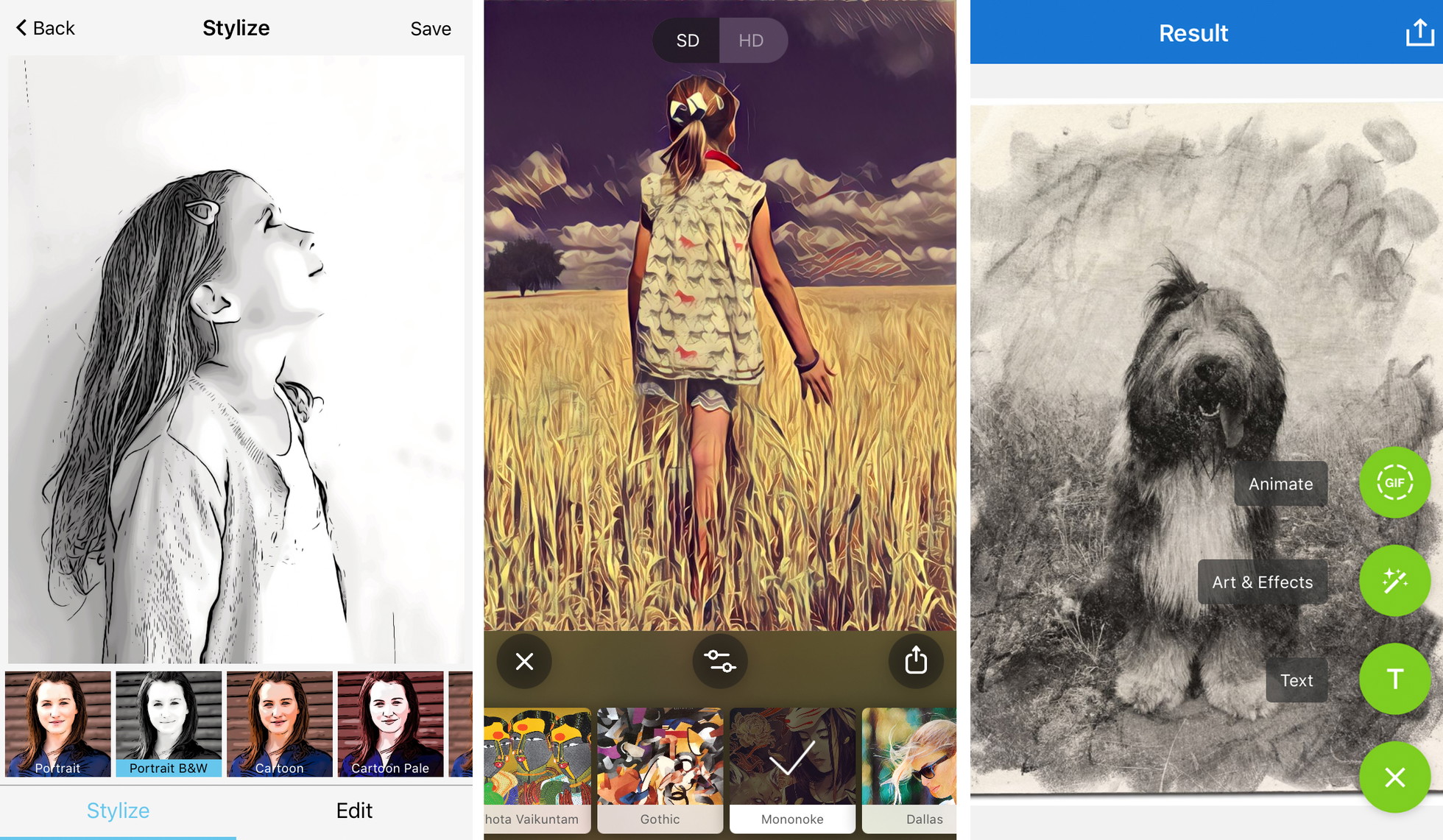
The application’s "Sketch" and "Urban" tools provide a variety of artistic effects, but the true value is found in the ability to apply these effects selectively. Using the "Eraser" and "Masking" tools, a user can turn a background into a pencil sketch while keeping the foreground subject in sharp, realistic color. This creates a striking "color splash" or "mixed media" effect that is highly effective for editorial and advertising photography.
Photoleap also supports double-exposure blending and sophisticated graphic design elements, making it a versatile tool for users who wish to combine sketch effects with typography and complex compositions. This level of control is essential for digital artists who require more than a one-size-fits-all filter.
4. Painnt: The Volume Leader in Filter Diversity
For users who prioritize variety, Painnt offers an expansive catalog of over 2,000 filters. This includes a dedicated section of 145 sketch filters, providing the most diverse range of hand-drawn finishes in the mobile market. The application covers everything from classical charcoal and pencil drawings to modern abstract styles.
Painnt’s technical framework allows for deep customization through a series of sliders located beneath each applied style. Users can modify the brushstroke size, transparency, and composition detail. Because the application processes high volumes of data, the developers have implemented a subscription model to support the server costs associated with their more complex AI styles. Like its competitors, Painnt uses a tiered system where high-resolution, watermark-free images are reserved for premium members, highlighting the ongoing industry trend of "software as a service" (SaaS) in the creative sector.
5. Photo Lab: Realism and Social Integration
Photo Lab focuses on the hyper-realistic reproduction of traditional mediums such as pen and ink, charcoal, and pastel. The application is designed for ease of use, targeting a demographic that wants high-quality results with minimal manual adjustment. Beyond simple sketches, Photo Lab includes features for creating digital scrapbooks and complex photo collages.
The application’s "plus" (+) icon system provides a modular approach to editing, allowing users to stack effects and add text overlays after the initial sketch transformation is complete. While it offers less manual control than Photoleap, its strength lies in its vast library of templates and its social-sharing capabilities, which are optimized for platforms like Instagram and Pinterest.
Supporting Data and Market Analysis
The growth of these applications is supported by broader trends in the mobile app economy. According to market data from 2023, the "Photo and Video" category consistently ranks in the top three for both downloads and consumer spending on the App Store. The shift toward subscription-based models has proven lucrative; for instance, Lightricks (the developer of Photoleap) and Prisma Labs have reported significant annual recurring revenue, driven by the demand for high-resolution outputs and ad-free experiences.
Furthermore, the rise of "AI Art" has sparked a conversation regarding the ethics and future of digital creativity. While these apps democratize the ability to create, they also raise questions about the value of traditional artistic skill. However, industry experts argue that these tools are best viewed as "amplifiers" rather than "replacements." They allow photographers to re-imagine their work and provide a low-barrier entry point for creative expression.
Technical Best Practices for Optimal Results
To achieve professional-grade results with photo-to-sketch applications, users must look beyond the initial application of a filter. Journalistic analysis of high-performing digital art suggests five key strategies:
- Compositional Simplicity: Sketch filters rely on edge detection and contrast. Photos with cluttered backgrounds often result in "muddy" sketches where the subject is lost. High-contrast images with clear silhouettes yield the most defined line work.
- Contextual Filter Selection: The "mood" of the photo must match the medium. A somber, architectural shot is better suited to a charcoal or graphite sketch, whereas a high-energy portrait of a child may benefit from the bold lines and bright colors of a comic book filter.
- Manual Calibration: Professional users rarely rely on the default settings. Adjusting the "filter strength" is vital to ensure the artistic effect enhances the image without completely obscuring the original photographic detail.
- Resolution Management: For any application intended for print or professional digital display, saving at the maximum available resolution is non-negotiable. Lower-tier "free" saves often introduce compression artifacts that become visible when the image is enlarged.
- Branding Integrity: For professional portfolios, the removal of watermarks is essential. Watermarks serve as a marketing tool for the developer but undermine the perceived value of the artist’s work.
Broader Impact and Future Implications
The integration of AI-driven sketch effects into the mobile workflow is more than a passing trend; it is a fundamental shift in how we perceive and create visual media. As mobile processors become more powerful, we can expect these apps to move away from cloud-based processing toward "on-device" AI. This will result in faster rendering times and improved privacy, as images will not need to be uploaded to external servers for transformation.
Additionally, the lines between photography and digital painting will continue to blur. We are likely to see increased integration of augmented reality (AR), where sketch effects can be applied to live video streams in real-time with high spatial accuracy. For the journalistic and creative communities, these tools represent a powerful new way to tell stories, allowing for a level of stylistic expression that was previously reserved for those with years of classical training. The five applications discussed—Prisma, Clip2Comic, Photoleap, Painnt, and Photo Lab—stand at the forefront of this digital frontier, providing the tools that are currently defining the aesthetic of the 21st-century digital artist.