The evolution of smartphone technology has fundamentally altered the landscape of contemporary photography, narrowing the gap between consumer mobile devices and professional-grade digital single-lens reflex (DSLR) cameras. Central to this shift is the ability to achieve "bokeh"—a term derived from the Japanese word for "blur"—which refers to the aesthetic quality of the out-of-focus parts of an image. For iPhone users, the capacity to isolate a subject against a creamy, blurred background has become a benchmark for high-quality mobile imagery. This effect is achieved through a sophisticated combination of hardware engineering, computational photography, and optical physics. Understanding these mechanisms allows users to maximize the potential of their devices, whether they are using the latest flagship models or older hardware.
The Technological Evolution of Depth-of-Field on iPhone
The journey toward professional-grade background blur on the iPhone began in earnest in 2016 with the release of the iPhone 7 Plus. This device introduced the world to "Portrait Mode," a feature that leveraged a dual-camera system to create a depth map of a scene. By using the slightly different perspectives of the wide-angle and telephoto lenses, the device could distinguish between the foreground subject and the background, applying a software-based blur to the latter.
Since then, Apple has consistently refined this technology. The introduction of the A-series Bionic chips, specifically the Neural Engine, allowed for real-time semantic segmentation. This process enables the camera to identify specific features, such as hair, glasses, and skin textures, ensuring that the edges of the subject remain sharp while the background is progressively blurred. With the launch of the iPhone 12 Pro and subsequent Pro models, Apple integrated LiDAR (Light Detection and Ranging) scanners. This technology measures depth by timing how long it takes for light to reflect off objects, significantly improving the accuracy of background blur in low-light conditions and enhancing the device’s ability to "see" in three dimensions.
Native Implementation: Utilizing Portrait Mode
For the majority of users, the built-in Camera app provides the most efficient means of achieving background blur. Portrait Mode is currently available on a wide range of devices, including the iPhone 7 Plus, 8 Plus, X, XR, XS, and all models within the iPhone 11 through iPhone 15 series.
Operational Procedures for Portrait Mode
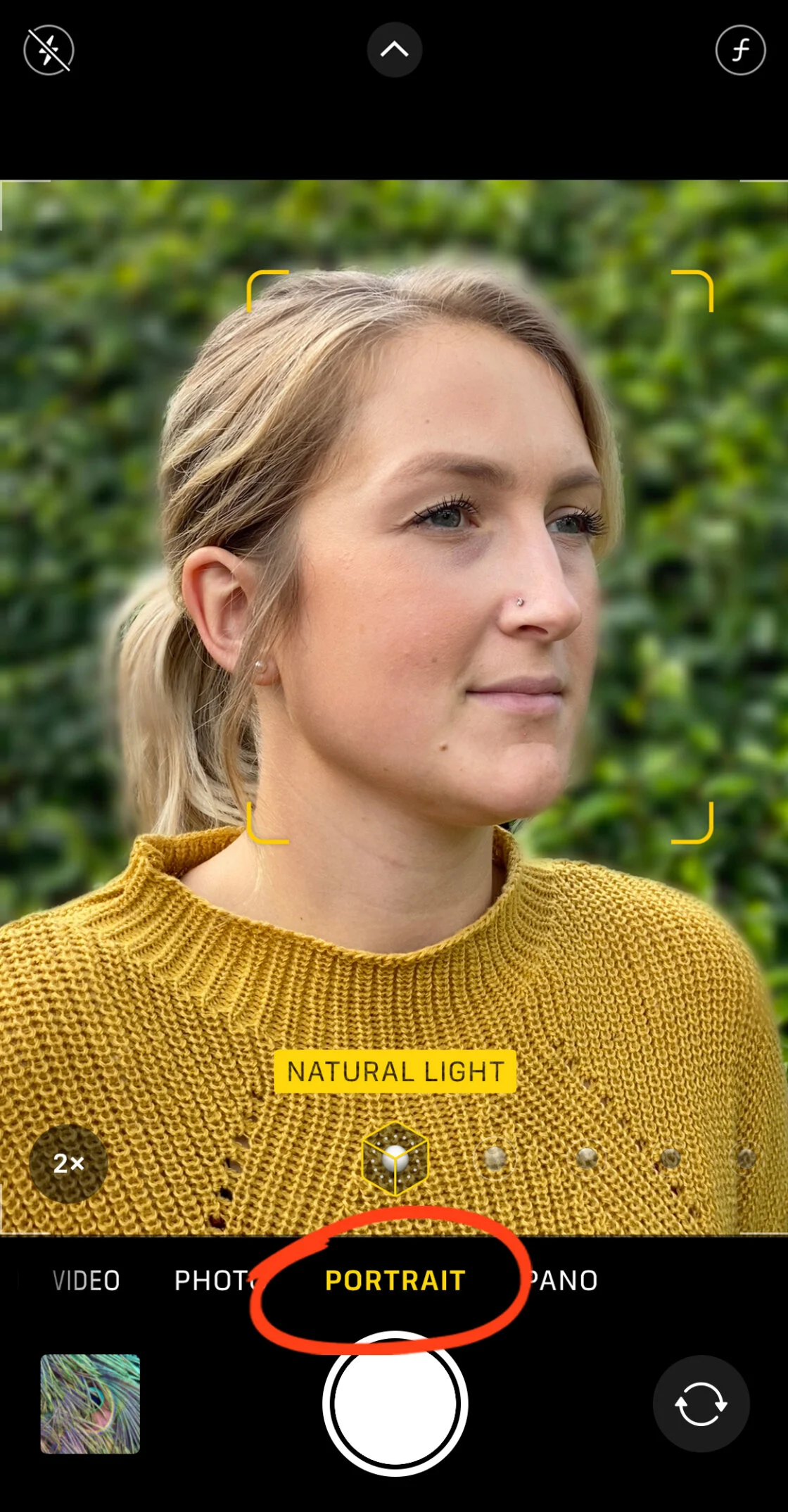
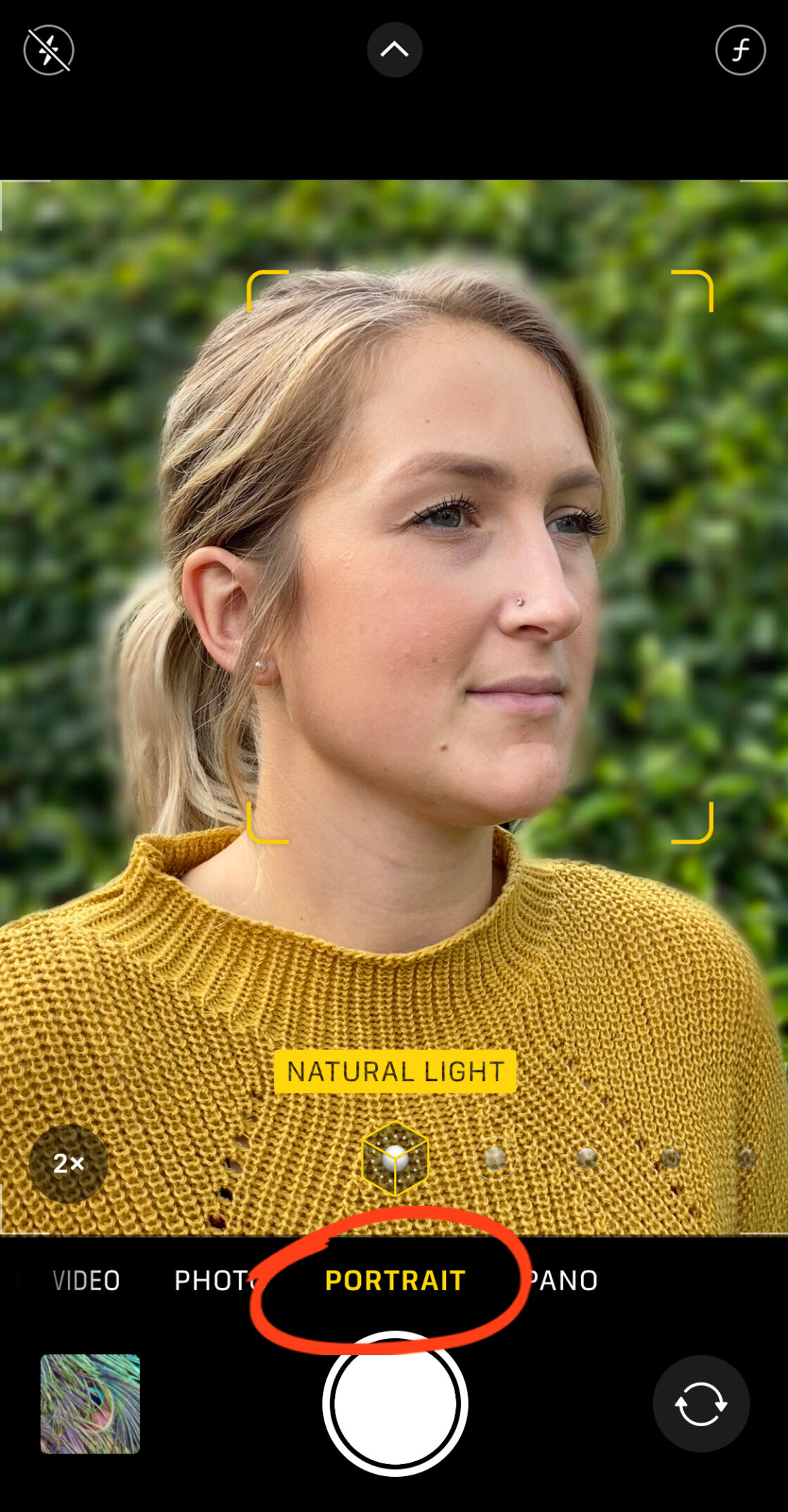
To capture an image with a blurred background, the user must select "Portrait" from the camera’s mode slider. The software requires specific conditions to activate: the subject should ideally be located between two and eight feet from the lens. If the subject is too close or too far, the interface will provide haptic and visual prompts to adjust the distance. Once the "Natural Light" or "Depth Effect" indicator turns yellow, the computational engine has successfully locked onto the subject, and the shutter can be engaged.
Post-Capture Depth Control
A significant breakthrough occurred with the iPhone XS and XR, which introduced "Depth Control." This feature allows users to adjust the intensity of the background blur after the photo has been taken. By opening a Portrait photo in the Photos app and selecting "Edit," users can manipulate a virtual aperture slider (represented by an f-number). A lower f-number, such as f/1.4, simulates a wide aperture, resulting in a more pronounced blur, while a higher f-number, such as f/16, brings more of the background into focus. This non-destructive editing capability provides a level of creative flexibility previously reserved for professional post-processing suites.
The Physics of Photography: Manual Background Blur
While Portrait Mode relies heavily on software, iPhone users can also achieve background blur through the fundamental laws of optics. This method is particularly relevant for users with older devices that lack dual lenses or for those photographing objects that the Portrait Mode algorithm may struggle to recognize, such as complex foliage or non-human subjects.
The Proximity Rule
The most effective way to create a shallow depth of field—where the subject is sharp and the background is blurred—is to minimize the distance between the camera and the subject while maximizing the distance between the subject and the background. By moving the iPhone physically closer to the object of interest, the lens is forced to focus at a very short distance. Due to the optical properties of the small sensors found in smartphones, this naturally causes the background elements to fall out of the plane of focus.
Focus Locking
To ensure the blur is effective, users must manually set the focus point. Tapping the subject on the iPhone screen directs the camera to prioritize that specific distance. For even greater control, a long-press on the screen activates "AE/AF Lock," which prevents the camera from refocusing if the phone moves slightly or if something enters the frame. This technique is a staple for macro photography, allowing for stunning captures of insects, flowers, and textures where the background is rendered as a soft, undistracted wash of color.
Post-Processing Solutions: Third-Party Applications
For images that were not captured in Portrait Mode, or for users seeking a specific artistic aesthetic, third-party applications offer robust solutions for adding blur after the fact. Two of the most prominent tools in this category are AfterFocus and Snapseed.
Precision Editing with AfterFocus
AfterFocus is designed specifically to replicate the look of DSLR photography. It utilizes a "Smart Selection" tool where the user draws a rough line over the foreground subject and another over the background. The app’s algorithm then calculates the edges. For complex subjects, a "Manual Selection" mode allows for pixel-perfect masking. Once the subject is isolated, users can choose between "Lens Blur," which mimics a traditional camera lens, or "Motion Blur," which creates a sense of speed by blurring the background in a linear direction.

Artistic Vignetting with Snapseed
Snapseed, a professional-grade photo editor developed by Google, offers a "Lens Blur" tool that is highly effective for creating "dreamy" or "vignetted" looks. Unlike Portrait Mode, which attempts to map the entire 3D space, Snapseed’s tool uses a customizable shape (circular or linear) to define the focus area. This is particularly useful for centering a viewer’s attention on a specific part of a landscape or an architectural detail. Users can adjust the "Transition" setting to control how gradually the focus fades into blur, as well as the "Vignette Strength" to darken the edges of the frame, further emphasizing the subject.
Market Context and Industry Impact
The democratization of high-quality bokeh has had a profound impact on the digital economy and social media culture. According to market research data, camera quality remains the top priority for over 70% of smartphone consumers when upgrading their devices. Apple’s investment in computational photography is a direct response to this demand.
Industry analysts note that the ability to take professional-looking portraits has lowered the barrier to entry for content creators, influencers, and small business owners. Statements from professional photography associations suggest that while mobile phones have not replaced high-end professional equipment for commercial studio work, they have become indispensable tools for "run-and-gun" journalism and social media marketing. The "shot on iPhone" campaign by Apple serves as a testament to the device’s capability, often featuring images that, a decade ago, would have required thousands of dollars in specialized equipment.
Chronology of iPhone Depth Technology
- 2016: iPhone 7 Plus introduces the dual-camera system and the first iteration of Portrait Mode.
- 2017: iPhone 8 Plus and iPhone X introduce Portrait Lighting, simulating studio environments.
- 2018: iPhone XS and XR introduce Depth Control, allowing for post-shot aperture adjustment.
- 2019: iPhone 11 series expands Portrait Mode to wide-angle lenses and improves semantic segmentation for pets and objects.
- 2020: iPhone 12 Pro integrates LiDAR for faster autofocus and better depth mapping in low light.
- 2021-2023: iPhone 13 through 15 series introduce "Cinematic Mode," bringing the blurred background effect to video, further utilizing the Neural Engine for real-time focus racking.
Broader Implications and Future Outlook
The trajectory of iPhone photography suggests a future where the distinction between hardware-based optics and software-based simulation becomes nearly indistinguishable to the human eye. As artificial intelligence continues to evolve, the iPhone’s ability to recognize and separate layers within an image will likely reach a point where complex hair strands or translucent objects are masked perfectly every time.
Furthermore, the integration of augmented reality (AR) and depth-sensing technology hints at a move toward "volumetric photography," where every photo captured is essentially a 3D model of a scene. In this future, the "blur" is not just an effect applied to pixels, but a mathematical calculation based on the true physical distance of every object in the frame. For now, the combination of Portrait Mode, physical proximity, and powerful editing apps ensures that iPhone users have a comprehensive toolkit for capturing professional, aesthetically pleasing images that stand out in an increasingly visual world.