The landscape of digital imaging has undergone a seismic shift over the last decade, transitioning from high-end digital single-lens reflex (DSLR) cameras to the sophisticated optics found in modern smartphones. As of 2024, industry data suggests that over 90% of all photos taken globally are captured via mobile devices, with the iPhone remaining a dominant force in high-fidelity mobile photography. However, the hardware is only half of the equation; the software used to process these images determines the final quality of the visual narrative. While Apple’s native Photos app provides a robust foundation for basic adjustments, a specialized ecosystem of third-party applications has emerged to offer professional-grade control, creative overlays, and AI-driven enhancements. Selecting the appropriate toolset is essential for photographers aiming to bridge the gap between a casual snapshot and a professional-tier composition.
The Evolution of Mobile Post-Processing
To understand the current state of iPhone photo editing, one must look at the chronology of the App Store’s photography category. In the early 2010s, mobile editing was largely limited to low-resolution filters. The launch of Instagram in 2010 and the acquisition of Nik Software by Google in 2012 (which brought Snapseed to the masses) marked the beginning of a new era. Today, the integration of Apple’s ProRAW format has necessitated apps that can handle 12-bit linear DNG files, offering a dynamic range previously reserved for desktop workstations. This technical evolution has democratized professional photography, allowing creators to shoot, edit, and publish high-resolution content from a single handheld device.
1. Snapseed: The Standard for Comprehensive Mobile Editing
Developed by Google, Snapseed remains one of the most resilient and powerful tools in the mobile photography market. Its primary appeal lies in its "completely free" price point, which notably lacks the subscription models or in-app purchases common in its competitors. Snapseed offers a suite of 29 tools and filters, including specialized features like "Selective" and "Brush" adjustments. These tools allow users to apply changes to specific areas of an image, such as brightening a face without overexposing the background.
The app’s "Healing" tool and "Portrait" mode are particularly effective for everyday retouching. The former utilizes content-aware algorithms to remove unwanted objects, while the latter uses facial recognition to enhance skin texture and eye clarity. For advanced users, Snapseed supports RAW editing, making it a viable companion for those shooting with the latest iPhone Pro models.
2. VSCO: Aesthetic Precision and Community Integration
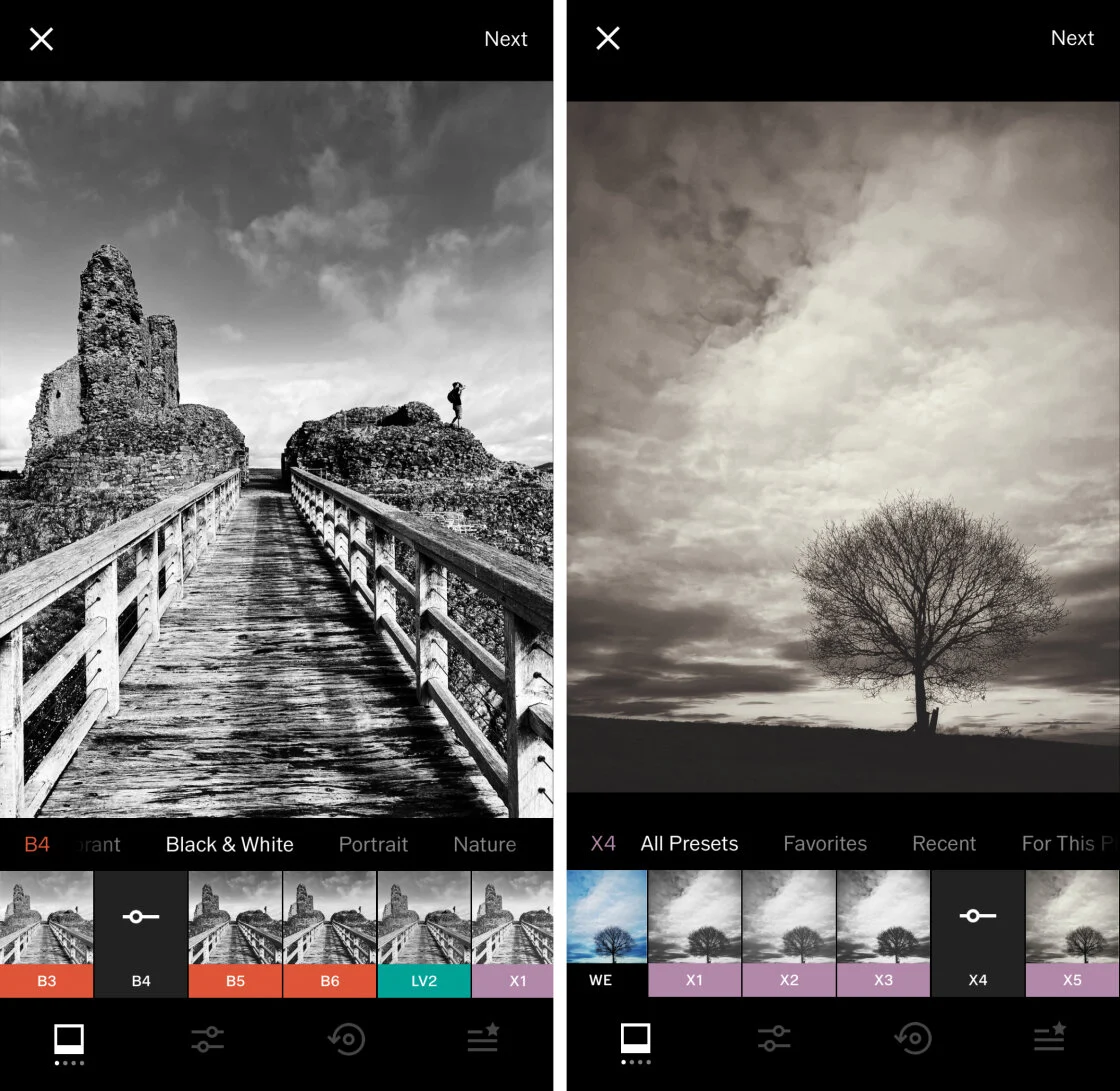
VSCO (Visual Supply Company) has carved out a significant niche by focusing on the "film-style" aesthetic. Unlike many apps that offer aggressive, high-contrast filters, VSCO’s presets are modeled after classic film stocks from Kodak, Fuji, and Agfa. This subtle approach to color grading has made it a favorite among influencers and professional photographers alike.
The app operates on a "freemium" model. While the basic version includes ten presets and essential editing tools, the VSCO Membership provides access to over 200 presets and advanced video editing capabilities. Data from the App Store indicates that VSCO remains one of the top-grossing apps in the photo and video category, driven by its integrated social platform that emphasizes "creativity over clout," eschewing public like counts in favor of a curated feed.
3. TouchRetouch: Specialized Object Removal
While many all-in-one editors include a healing brush, TouchRetouch is a specialized utility designed for a single purpose: removing unwanted elements from a frame. Whether it is a stray power line cutting through a landscape or a blemish on a portrait, the app’s algorithms are optimized for seamless reconstruction of the background.
The "Line Removal" tool is a standout feature, allowing users to tap a segment of a wire or pole; the app then identifies and erases the entire object automatically. This efficiency has made it a staple in the toolkit of travel photographers who often face crowded or cluttered environments. Industry analysts note that specialized apps like TouchRetouch continue to thrive because they offer a higher degree of precision than the generalized "healing" tools found in broader editing suites.
4. Carbon: The Art of Monochromatic Photography
Black and white photography requires a different approach to contrast and tonal range than color photography. Carbon addresses this by providing 58 specialized monochrome filters. These presets are designed to mimic various silver-halide film processes, offering textures, grains, and light leaks that add a "vintage" soul to modern digital files.
Carbon’s interface is streamlined, focusing on the interplay between highlights and shadows. The inclusion of the "Kuwahara" tool allows for a painterly, artistic finish that differentiates it from standard desaturation tools. As monochromatic imagery continues to be a hallmark of "fine art" photography, Carbon provides the necessary technical depth to achieve those results on a smartphone.
5. Adobe Lightroom: Professional Workflow and Cloud Ecosystem
For users already entrenched in the Adobe Creative Cloud ecosystem, the mobile version of Lightroom is an indispensable tool. It offers the most precise control over color and exposure of any app on this list, featuring the same "Curves" and "Color Mixer" engines found in the desktop version.
Lightroom Mobile’s greatest strength is its seamless synchronization. An edit started on an iPhone can be finished on an iPad or a MacBook without any loss of data. The app also features a built-in "Pro" camera mode that allows for manual control over shutter speed, ISO, and white balance. While the basic tools are free, the premium version—which includes AI-powered masking and selective adjustments—requires a subscription, reflecting Adobe’s shift toward a service-based business model.
6. Afterlight: Versatility and Creative Overlays
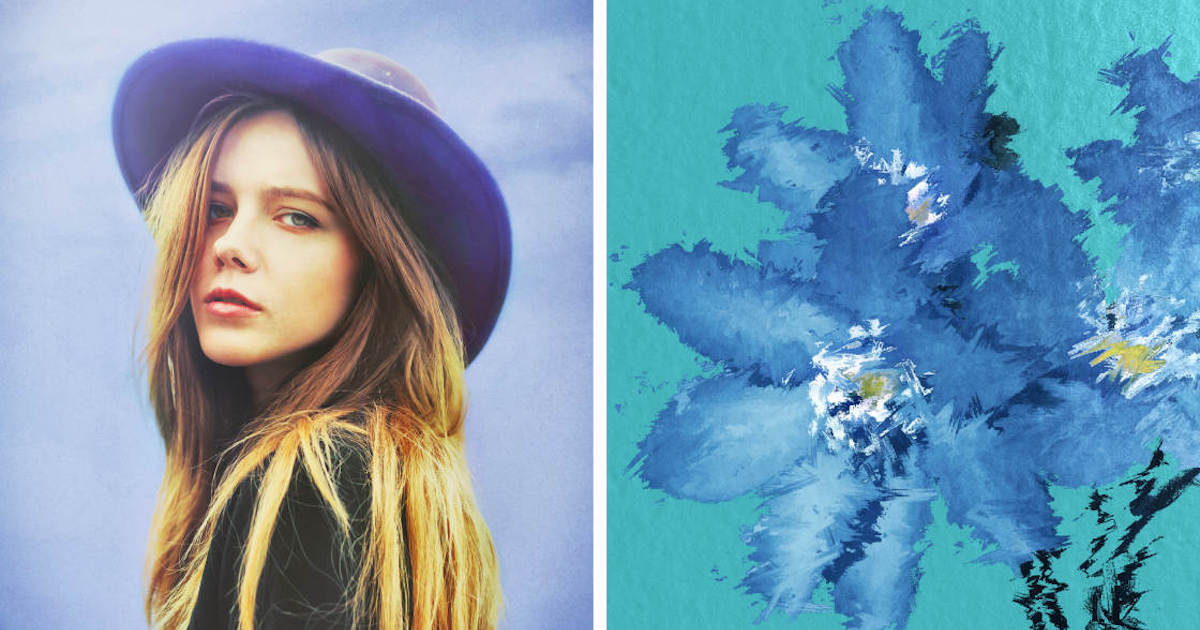
Afterlight positions itself as the "all-purpose" editor for the creative enthusiast. It bridges the gap between technical adjustment and artistic flair. With over 130 filters and a robust set of "Fusion" tools, users can create their own custom filters to maintain a consistent look across their portfolio.
The app is particularly noted for its "Double Exposure" tool and customizable text options. This makes it a popular choice for digital artists who use photography as a base for graphic design. Its interface is designed for speed, utilizing a gesture-based system that appeals to the "mobile-first" generation of creators.
7. Mextures: Layer-Based Texture Application
Mextures is unique for its non-destructive, layer-based workflow. It allows users to stack infinite layers of textures, light leaks, and gradients. Each layer can be adjusted using various blend modes, similar to the functionality found in Adobe Photoshop.
The "Formulas" feature allows users to save their complex stacks and share them with the Mextures community. This collaborative aspect has turned the app into a repository for unique "looks" that go beyond the capabilities of standard filters. For photographers looking to add a gritty, organic, or ethereal quality to their work, Mextures is the industry leader.
8. Lens Distortions: Atmospheric Realism
Lens Distortions takes a different approach to "filters." Instead of changing the colors of the existing pixels, it adds high-quality photographic overlays to the image. These include realistic fog, rain, snow, and sunlight. Because these overlays are created from actual photographic elements rather than digital renderings, they blend with the original image with a high degree of realism.
The app is widely used by landscape photographers to enhance the "mood" of a shot. By adjusting the opacity and blur of a lens flare or a mist layer, users can simulate complex weather conditions that were not present at the time of capture.
9. Superimpose X: The Mobile Digital Art Studio
Superimpose X is the most advanced compositing app available for the iPhone. It is designed for creating "heavy" edits—replacing backgrounds, blending multiple exposures, and creating surrealistic digital art. Its masking tools are exceptionally precise, featuring AI-assisted "Auto Mask" capabilities that can separate a subject from its background with a single tap.
The app supports multiple layers and offers a range of masking brushes, from "Lasso" to "Magic Wand." This level of control allows for the creation of complex visual narratives that would traditionally require a desktop computer.
10. Instagram: The Final Polish and Social Gateway
While primarily a social media platform, Instagram’s internal editing suite remains a highly efficient tool for quick adjustments. For many users, the convenience of editing and posting within a single interface outweighs the need for advanced third-party tools.
Instagram’s "Lux" feature is a proprietary algorithm that automatically adjusts contrast and saturation to make images "pop" on mobile screens. While it lacks the depth of Lightroom or Snapseed, its filters have defined the visual language of the last decade.
Industry Analysis: The Future of Mobile Editing
The rise of these applications reflects a broader trend in the tech industry: the democratization of high-end creative tools. According to market research, the "Creator Economy" is valued at over $250 billion as of 2024, and mobile photo editing apps are the primary "factories" for this economy.
Official responses from developers suggest that the next frontier is Artificial Intelligence. Adobe and Google have already begun integrating generative AI into their mobile suites, allowing for features like "Generative Fill," where the app can create entirely new elements within a photo based on text prompts. As these technologies mature, the distinction between a "photo" and a "digital composition" will continue to blur.
For the individual user, the choice of app depends on the intended outcome. For technical perfection, Lightroom and Snapseed are unrivaled. For artistic expression, VSCO and Mextures offer unique palettes. For those pushing the boundaries of what a phone can do, Superimpose X and Lens Distortions provide the tools to turn reality into art. Regardless of the choice, the power once held by professional darkrooms now resides entirely within the pocket of the average consumer.