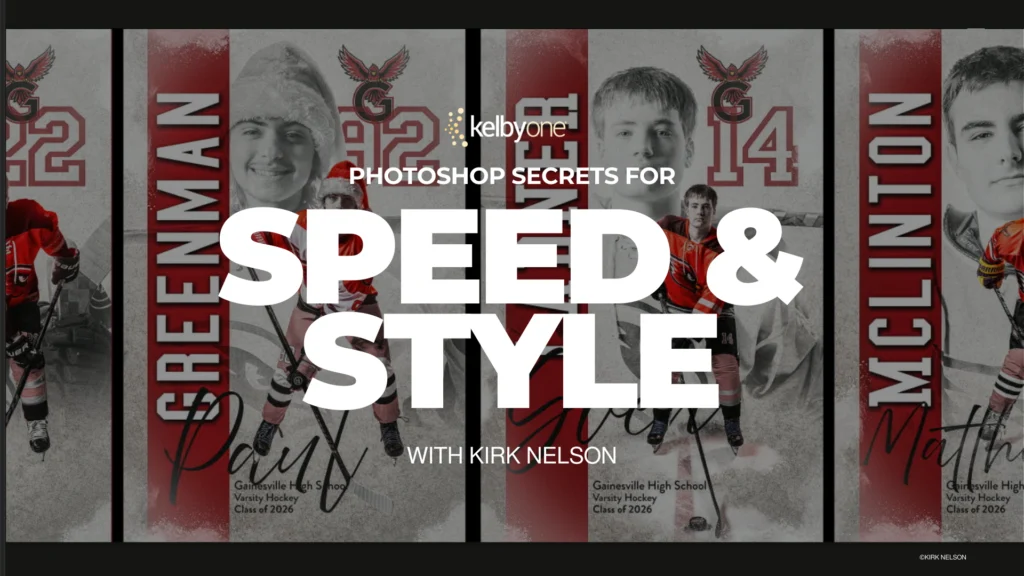
Adobe Photoshop, a cornerstone of digital imaging for decades, continues to be an indispensable tool across myriad creative industries, from photography and graphic design to web development and visual effects. However, its immense power often comes with a steep learning curve and the potential for repetitive, time-consuming tasks that can hinder creative flow and productivity. Recognizing this pervasive challenge, Kirk Nelson, a distinguished expert in digital imaging and workflow optimization, has launched a new comprehensive class designed to transform how professionals and enthusiasts interact with the software. Titled "Photoshop Secrets for Speed & Style," Nelson’s curriculum focuses on demystifying advanced techniques, enabling users to significantly streamline their processes, reduce manual effort, and elevate their creative output.
The Ubiquity and Complexity of Photoshop in Modern Workflows
Since its inception in 1987 by Thomas and John Knoll, and its subsequent acquisition by Adobe in 1988, Photoshop has evolved from a nascent image editor into a sophisticated ecosystem. Its widespread adoption is evident in virtually every sector requiring visual content. Photographers rely on it for post-processing and retouching, graphic designers for layout and illustration, marketing professionals for creating compelling visual campaigns, and even architects and engineers for rendering and visualization. This broad utility, however, also contributes to its complexity. Users often find themselves performing the same sequence of adjustments, applying identical effects, or preparing images for various platforms, leading to what Nelson identifies as a common pitfall: the "repetitive task syndrome." This not only diminishes efficiency but can also stifle the spontaneous nature of creative work, transforming an artistic endeavor into a monotonous chore.
Industry data consistently highlights the demand for efficiency in digital asset creation. A 2022 survey by the Content Marketing Institute indicated that visual content is a primary component of content strategies for 73% of B2B marketers, with video and images being the most used formats. The sheer volume of visual assets required daily places immense pressure on creative professionals to produce high-quality work at an accelerated pace. Without optimized workflows, meeting these demands can lead to burnout, inconsistent output, and missed deadlines. Nelson’s class directly addresses this industry-wide imperative by providing actionable strategies to mitigate these challenges.
A Deep Dive into Nelson’s Transformative Techniques
Nelson’s new class, accessible via leading online learning platforms, takes a pragmatic, project-based approach, breaking down real-world scenarios into digestible, actionable techniques. The core of his methodology revolves around leveraging Photoshop’s often underutilized automation and customization features.
-
Photoshop Actions: The Foundation of Automation
One of the central pillars of Nelson’s teaching is the profound utility of Photoshop Actions. Actions are essentially recorded sequences of commands that Photoshop can play back with a single click. Nelson meticulously demonstrates how to create, edit, and manage these powerful macros, transforming multi-step processes into instantaneous operations. For instance, a photographer might routinely apply a specific set of adjustments—color correction, sharpening, noise reduction, and watermarking—to dozens of images from a single shoot. Manually performing these steps for each image is incredibly time-consuming. With a custom action, the entire sequence can be executed on an image in seconds, ensuring consistency and freeing up hours of editing time. Similarly, graphic designers can automate tasks like preparing images for web (resizing, optimizing for different resolutions), applying consistent branding elements, or converting file formats. Nelson emphasizes not just the creation of actions but also strategic organization and maintenance to build a robust library tailored to individual needs. -
Custom Brushes: Expanding Creative Horizons and Speed
Beyond the default brush sets, custom brushes offer an unparalleled opportunity for both artistic expression and efficiency. Nelson guides students through the process of designing and deploying custom brushes that serve specific creative or production purposes. This could range from brushes for intricate texture painting, digital makeup application, or creating complex patterns with a single stroke, to utilitarian brushes for masking, dodging, and burning with greater precision and speed. The ability to create a brush that perfectly mimics a specific art medium or fulfills a precise technical requirement eliminates the need for repetitive manual drawing or complex selections. For illustrators, this means faster rendering of repetitive elements like foliage or fur. For retouchers, it allows for more nuanced and efficient skin smoothing or hair refinement. By integrating custom brushes into their toolkit, users can inject unique style into their work while drastically cutting down on the time spent on detailed rendering. -
Batch Processing: Handling Volume with Ease
The concept of batch processing is crucial for professionals dealing with large volumes of images. Nelson’s class extensively covers how to apply actions and other modifications to entire folders of files automatically. This is invaluable for event photographers needing to process hundreds or thousands of photos from a wedding or corporate event, e-commerce businesses preparing product images for online catalogs, or archival projects requiring uniform adjustments across vast image libraries. Imagine having to resize 500 images to specific web dimensions, add a watermark, and save them in a particular format. Manual execution would take an entire workday. With batch processing, this task can be completed in minutes, often while the user attends to other responsibilities. Nelson delves into the nuances of batch processing, including setting up robust error handling and ensuring consistent output quality, making it a cornerstone of high-volume digital workflows. -
Reusable Templates: Consistency and Rapid Project Start-up
A fundamental aspect of efficient design and photography workflows is the intelligent use of reusable templates. Nelson demonstrates how to construct sophisticated Photoshop templates that incorporate smart objects, pre-set layers, adjustment layers, and even pre-programmed actions. For instance, a graphic designer might create a template for social media graphics, with placeholders for images and text, pre-formatted typography, and brand-consistent color palettes. Each new project then starts not from a blank canvas, but from a robust framework that ensures brand consistency, reduces decision fatigue, and dramatically accelerates the initial stages of design. Photographers can use templates for album layouts, client proofing sheets, or print-ready composites. By building a library of such templates, users can maintain a high level of professionalism and consistency across all their projects, regardless of volume or deadline pressure. -
Automating Common Tasks: Beyond Actions
While actions form a significant part of automation, Nelson also touches upon other automation avenues within Photoshop, reinforcing the idea that the software can be a powerful assistant. This includes intelligent use of Smart Objects for non-destructive editing and efficient scaling, leveraging conditional actions for more complex automation scenarios, and integrating with other Adobe applications for a seamless creative cloud workflow. The overarching goal is to shift the user’s focus from the mechanical aspects of editing to the creative vision, allowing Photoshop to "handle the heavy lifting."
Kirk Nelson’s Pedagogy and Industry Context
Kirk Nelson is known for his clear, concise, and practical teaching style, derived from years of hands-on experience in the digital imaging field. His approach is not merely theoretical; it’s grounded in the real-world demands and frustrations faced by creative professionals daily. Nelson’s philosophy, as articulated through his course structure, is that technology should empower creativity, not impede it. His class is a testament to the idea that mastery of a tool involves understanding its full potential, including its capacity for automation.
The launch of this class is particularly timely given the current landscape of digital content creation. The proliferation of visual platforms, from social media to streaming services, has amplified the need for rapid, high-quality content production. Furthermore, with the rise of AI-powered tools, the role of human creatives is increasingly shifting towards conceptualization and refinement, making efficient workflow management more critical than ever. Professionals who can leverage automation and smart techniques will be better positioned to adapt to these evolving demands and maintain a competitive edge.
Broader Implications: Empowering Creatives and Boosting Productivity
The implications of Nelson’s class extend far beyond individual users. For independent freelancers and small studios, the ability to work faster and more efficiently translates directly into increased profitability and the capacity to take on more projects without compromising quality or personal well-being. For larger organizations, adopting these streamlined workflows across teams can lead to significant cost savings, improved brand consistency, and faster market responsiveness.
From an educational perspective, Nelson’s course contributes to a growing body of advanced learning resources that move beyond basic software functionalities. It addresses a critical gap in many conventional Photoshop curricula, which often focus on individual tools rather than holistic workflow optimization. By equipping users with the knowledge to build efficient systems, Nelson is not just teaching software features; he is teaching a mindset of strategic problem-solving and proactive workflow design.
The class ultimately promises to transform the user’s relationship with Photoshop, turning what can sometimes feel like a cumbersome burden into a genuinely helpful assistant. Instead of repeating the same steps project after project, participants will learn how to delegate repetitive tasks to the software, freeing up mental energy and time for more challenging creative endeavors. This shift can reignite passion for the craft, reduce professional fatigue, and unlock new levels of artistic and professional accomplishment.
As Kirk Nelson himself highlights in his introductory video, the goal is to make Photoshop "faster, more efficient, and far more enjoyable to use." For anyone who has ever felt bogged down by the mechanics of image editing, this class offers a compelling pathway to reclaiming creative momentum and achieving a new standard of productivity. Interested individuals are encouraged to explore the course content further and discover how these "Photoshop Secrets for Speed & Style" can revolutionize their digital imaging practice.