Mobile photography has undergone a seismic shift over the last decade, transitioning from a convenient secondary option to a primary tool for professional content creators, journalists, and enthusiasts. Central to this evolution is the ability to replicate "bokeh"—the aesthetic quality of the out-of-focus parts of an image produced by a lens. While traditional Digital Single-Lens Reflex (DSLR) cameras achieve this through physical aperture settings and large sensors, the iPhone utilizes a sophisticated combination of hardware and computational photography to simulate these professional results. Mastering the various methods of blurring backgrounds on an iPhone requires an understanding of both the device’s native software capabilities and the fundamental principles of optical physics.
The Evolution of Computational Depth: A Chronology
The journey of background blur on the iPhone began in earnest in 2016 with the release of the iPhone 7 Plus. This device introduced the "Portrait Mode" feature, made possible by its dual-lens system. One lens captured the image while the second gathered depth data, allowing the software to create a multi-layered depth map.
In 2017, the iPhone 8 Plus and iPhone X expanded this with Portrait Lighting, adding artificial intelligence to simulate studio-grade lighting conditions. By 2018, the iPhone XS and XR introduced "Depth Control," a revolutionary feature that allowed users to adjust the intensity of the background blur after the photo had been taken. This was a significant milestone in computational photography, as it decoupled the "aperture" effect from the moment of capture.
The introduction of the LiDAR (Light Detection and Ranging) scanner in the iPhone 12 Pro and subsequent Pro models further refined this technology. LiDAR measures the time it takes for light to reflect back from objects, creating a precise 3D map of the environment. This enables significantly faster and more accurate autofocus in low-light conditions and superior separation between the subject and the background.
The Mechanics of Portrait Mode
Portrait mode remains the most accessible method for achieving background blur. The software identifies the subject—typically a human, pet, or distinct object—and applies a blur filter to everything else in the frame based on its distance from the lens.
Operational Requirements for Portrait Mode
To achieve optimal results, the iPhone’s camera software requires specific environmental conditions. First, the subject must be positioned between two and eight feet from the camera lens. If the subject is too close or too far, the depth-sensing hardware cannot accurately distinguish between the foreground and the background.
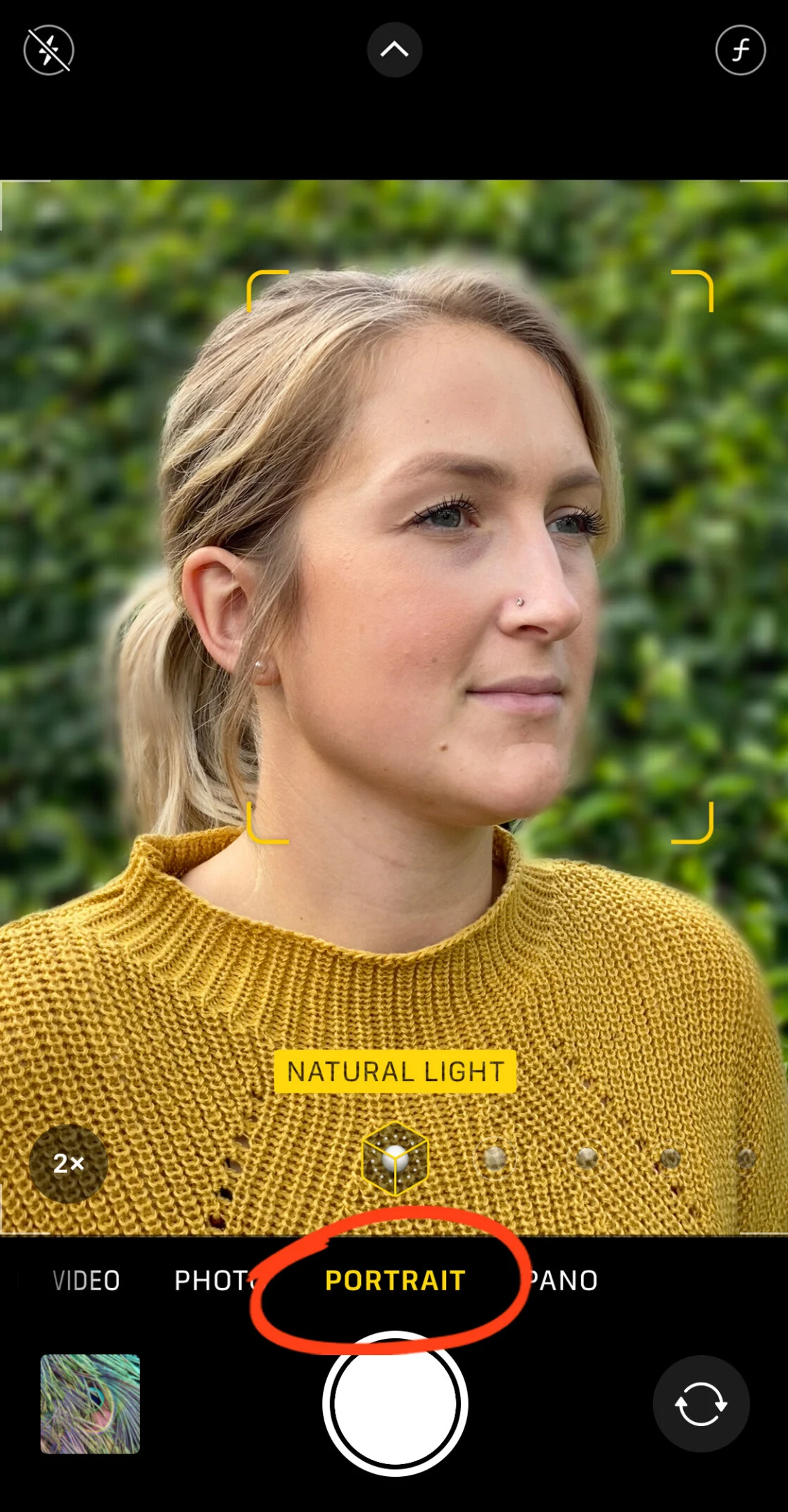
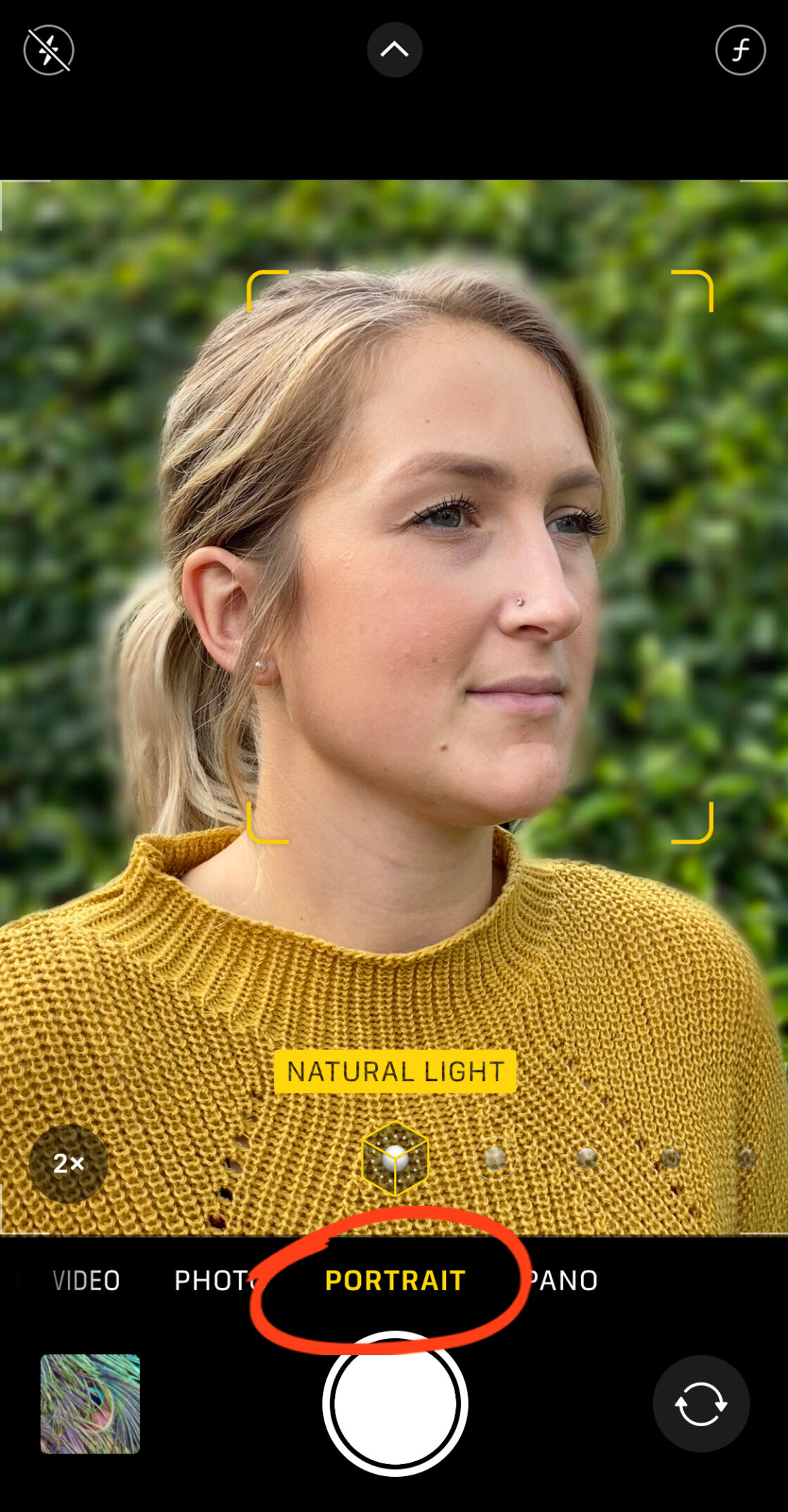
Furthermore, lighting is a critical variable. While newer models with the A15 Bionic chip and beyond have improved low-light Portrait Mode, the software still relies on edge detection, which becomes difficult in grainy or dark environments. When the camera app displays "Natural Light" or "Depth Effect" in a yellow box, the system has successfully locked onto the subject and is ready to apply the blur.
Advanced Adjustments and Post-Capture Editing
One of the most powerful features of the modern iPhone (iPhone XS and newer) is the ability to manipulate the depth of field post-capture. Within the Photos app, users can select a Portrait photo and tap "Edit" to access the "f-number" or Depth slider.
In traditional photography, the f-number (aperture) determines how much light enters the lens and the resulting depth of field. A lower f-number (e.g., f/1.4) creates a shallow depth of field with a very blurry background, whereas a higher f-number (e.g., f/16) keeps more of the background in focus. The iPhone’s slider simulates this optical property, allowing for a range from f/1.4 to f/16. This provides a level of creative control previously reserved for high-end manual lenses.
Utilizing Optical Physics: The Proximity Method
For users with older iPhone models that lack Portrait Mode, or for those seeking a more "natural" blur, the principles of optical physics provide an alternative. This method relies on the "subject-to-background" ratio.
The Shallow Depth of Field Principle
The closer a camera lens is to its subject, the shallower the depth of field becomes. By physically moving the iPhone closer to a subject—such as a flower, a cup of coffee, or a small detail—the lens naturally focuses on a narrow plane. This causes objects in the distance to lose focus, creating a genuine optical blur that does not rely on software algorithms.
This technique is particularly effective when the background is significantly further away from the subject than the subject is from the camera. If a photographer stands two inches from a subject and the background is ten feet away, the blur will be pronounced and creamy.
Macro Photography and Hardware Expansion
With the iPhone 13 Pro and subsequent models, Apple introduced a dedicated Macro Mode. This utilizes the Ultra Wide lens to focus at distances as close as two centimeters. For extreme close-ups, this hardware-level focus creates a dramatic background blur that is often indistinguishable from professional macro lenses. For older devices, third-party hardware such as Moment’s Macro Lens can be attached to provide similar optical capabilities.
Third-Party Software Solutions: AfterFocus and Snapseed
When native camera tools fail to provide the desired level of background separation, or when an existing photo requires a "retroactive" blur, third-party applications offer sophisticated manual controls.
Precision Masking with AfterFocus
AfterFocus is a specialized application designed to simulate shallow depth of field. Unlike the iPhone’s automated Portrait Mode, AfterFocus allows users to manually define the "Focus," "Mid-ground," and "Background" areas.
Using the "Smart Selection" tool, a user can draw a rough line over the subject they wish to keep sharp. The app’s algorithm then identifies the edges of that subject. For complex shapes—such as bicycle spokes or fine hair—the app provides a "Manual Selection" brush, allowing for pixel-perfect masking. Once the subject is masked, users can choose between "Lens Blur" for a traditional look or "Motion Blur" to simulate the effect of a moving subject.
The Dreamy Aesthetic of Snapseed’s Lens Blur
Google’s Snapseed app remains a staple in mobile photo editing due to its "Lens Blur" tool. This tool operates on a different logic than Portrait Mode; it creates a "vignette" of blur. Users can place a circular or linear "focus zone" over their subject.

The tool allows for the adjustment of three parameters:
- Blur Strength: The intensity of the out-of-focus effect.
- Transition: The size of the area where the image fades from sharp to blurred.
- Vignette Strength: The amount of darkening at the edges of the frame.
This method is ideal for creating a "dreamy" or "tilt-shift" aesthetic, focusing the viewer’s eye on a central point while softly obscuring the periphery.
Professional Impact and Industry Implications
The ability to easily blur backgrounds on a mobile device has significantly disrupted the digital imaging market. According to industry data from CIPA (Camera & Imaging Products Association), shipments of entry-level digital cameras have plummeted as smartphone image quality has surged.
Professional photographers and journalists now frequently use the iPhone for "run-and-gun" reporting. The ability to blur a distracting background—such as a crowded street or a cluttered office—allows for the quick production of high-quality, professional-looking imagery that is ready for immediate publication.
However, tech analysts note that computational blur still has limitations. "Edge artifacts"—where the software fails to correctly identify the space between a person’s ear and their hair—remain a telltale sign of smartphone photography. Nevertheless, as Neural Engine processing power increases with each new A-series chip, these errors are becoming increasingly rare.
Future Outlook: The Role of Artificial Intelligence
The future of background blur on the iPhone is likely to be defined by Generative AI and even more advanced depth-mapping. Analysts predict that future iOS updates will move beyond simple blurring to "semantic segmentation," where the phone understands exactly what every object in a scene is.
Instead of a uniform blur, the phone might apply different types of "bokeh" based on the light sources in the background, mimicking specific legendary lenses like the Leica Noctilux or Zeiss Otus. As hardware and software continue to merge, the distinction between a $1,000 smartphone and a $5,000 professional camera rig continues to blur, democratizing high-end photography for millions of users worldwide.
In conclusion, whether through the automated brilliance of Portrait Mode, the physical proximity of the lens to the subject, or the precision of third-party editing suites, the iPhone offers a robust toolkit for background manipulation. By understanding the timeline of these technologies and the mechanics of their operation, users can transform standard snapshots into compelling, professional-grade compositions.