The evolution of mobile photography has reached a critical juncture where the hardware and software capabilities of smartphones, specifically the iPhone, are challenging the traditional dominance of Digital Single-Lens Reflex (DSLR) cameras. While the majority of users rely on the device’s automated systems, a growing cohort of professional and enthusiast photographers is utilizing manual camera controls to achieve specific artistic outcomes. This shift is driven by advancements in computational photography and the accessibility of third-party applications that unlock the iPhone’s internal sensor settings. By mastering manual controls—including depth of field, focus, exposure, shutter speed, ISO, and white balance—users can transcend the limitations of "point-and-shoot" photography to produce high-fidelity, professional-grade imagery.
The Evolution of the iPhone Camera System
To understand the current state of advanced iPhone camera controls, it is necessary to examine the chronology of Apple’s hardware development. Since the launch of the original iPhone in 2007, which featured a rudimentary 2-megapixel fixed-focus camera, the trajectory has been one of exponential growth.
- 2010 (iPhone 4): Introduced the first front-facing camera and a 5-megapixel rear sensor with LED flash, marking the beginning of the "selfie" era and improved low-light performance.
- 2014 (iPhone 6): Featured "Focus Pixels," an implementation of phase-detection autofocus that significantly decreased focus time.
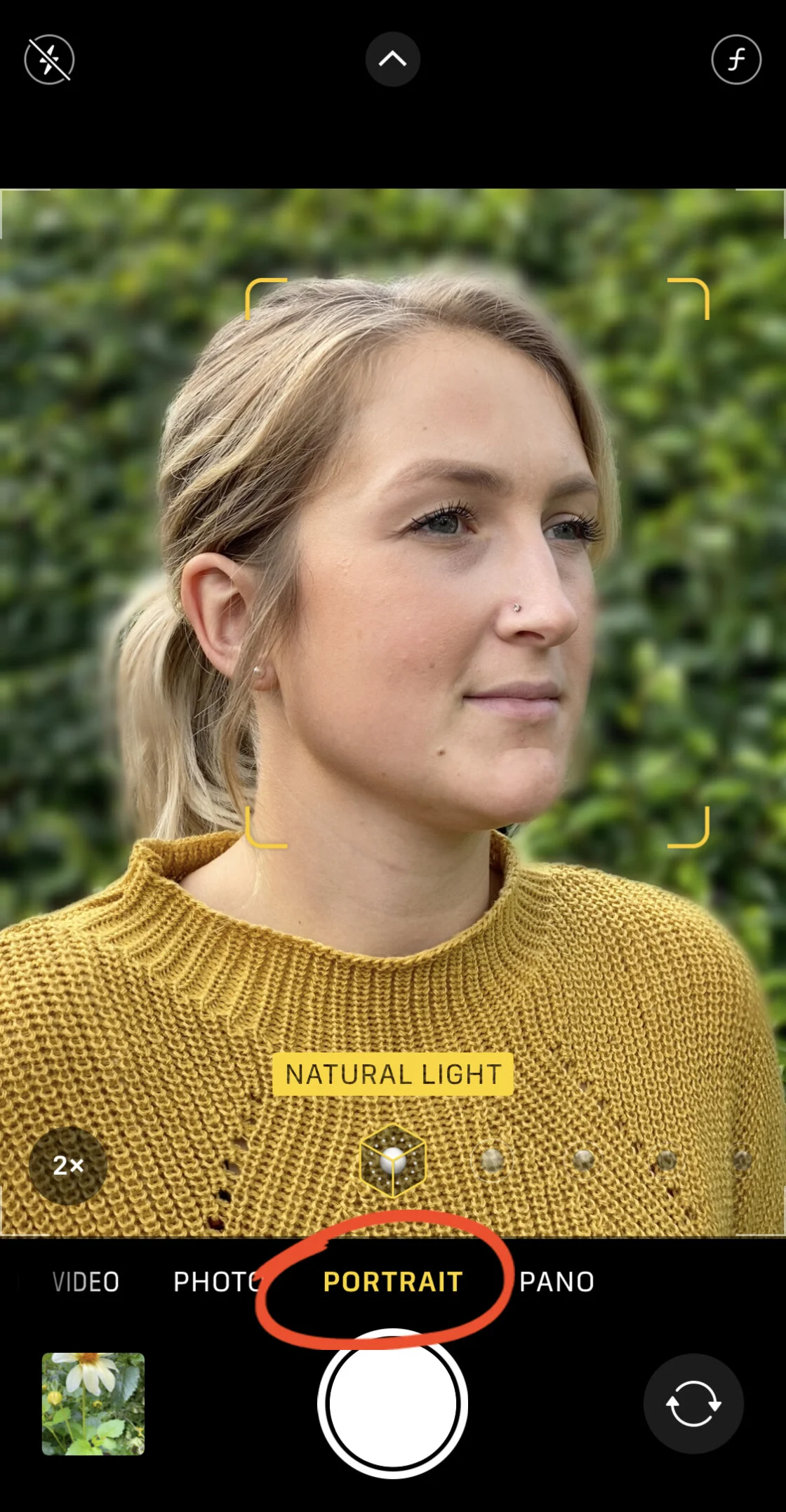
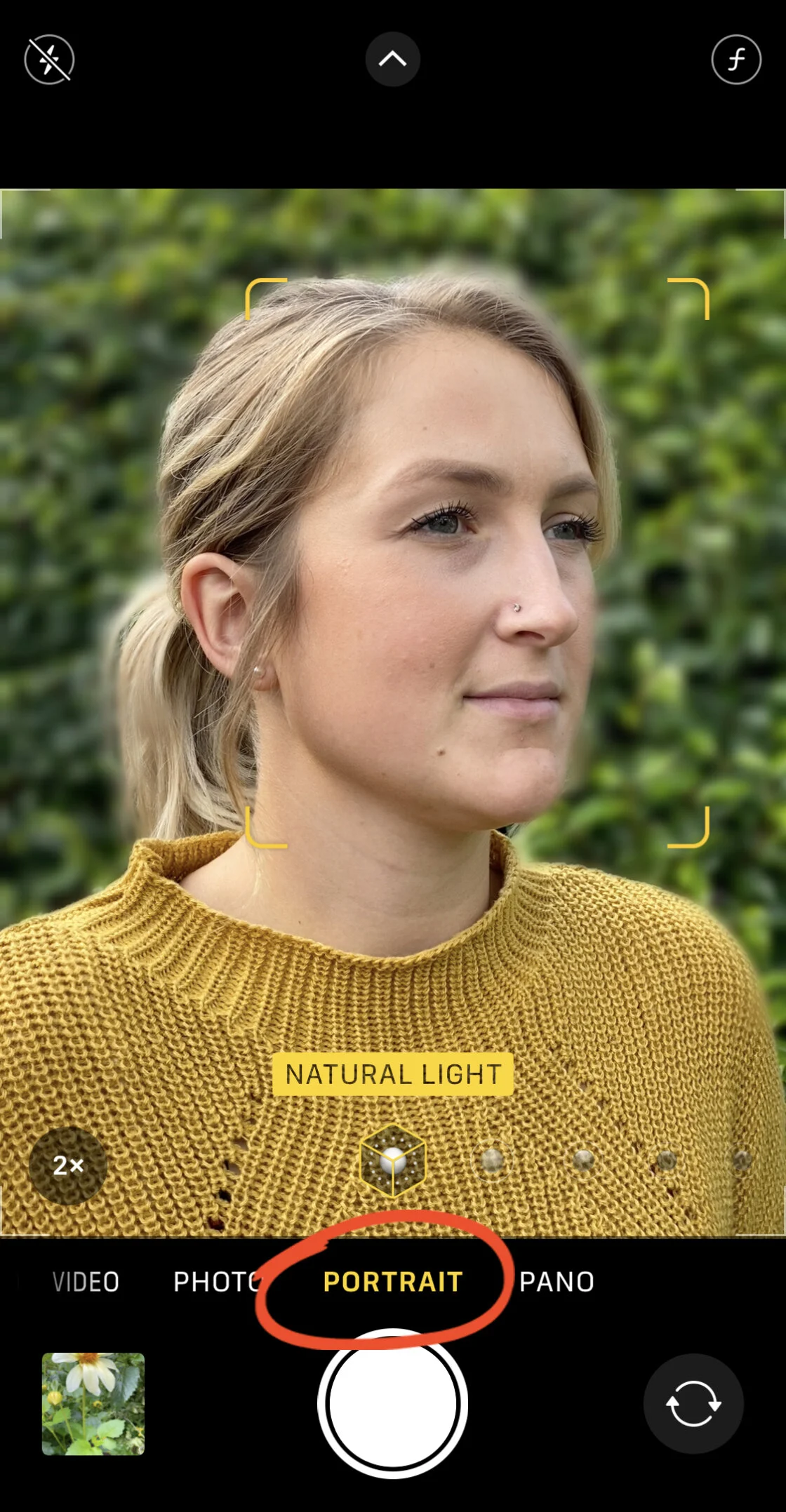
- 2016 (iPhone 7 Plus): The introduction of the dual-lens system enabled "Portrait Mode," using depth-mapping technology to simulate a shallow depth of field (bokeh).
- 2019 (iPhone 11 Series): Night Mode and Deep Fusion were introduced, leveraging the A13 Bionic chip for advanced image processing.
- 2020-Present (iPhone 12 Pro through 15 Pro): The integration of LiDAR scanners, ProRAW formats, and larger sensors has provided the technical foundation for granular manual control.
Industry data from the Camera & Imaging Products Association (CIPA) indicates that as smartphone camera quality improved, the global shipments of digital cameras fell by approximately 93% between 2010 and 2022. This underscores the importance of mobile devices in the modern photographic landscape.
Manipulating Depth of Field through Hardware and Software
Depth of field (DoF) refers to the distance between the nearest and farthest objects that give an image judged to be in focus. In traditional photography, this is controlled by the lens aperture. However, iPhone lenses have a fixed aperture (typically ranging from f/1.5 to f/2.4 depending on the model and lens). To achieve the "blurred background" effect characteristic of high-end lenses, the iPhone employs two distinct strategies: physical optics and computational simulation.
Computational Bokeh in Portrait Mode
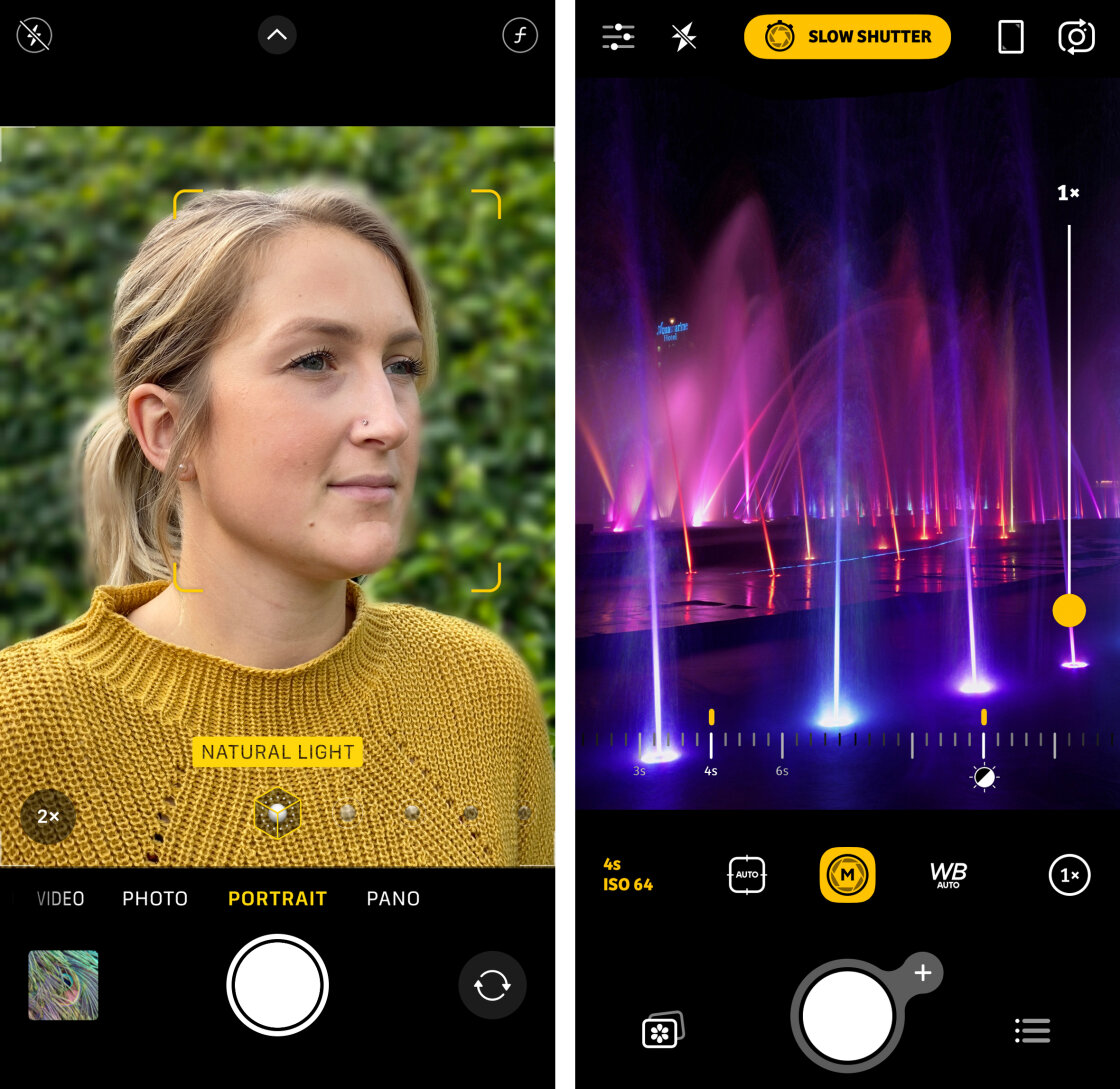
Portrait Mode utilizes the disparity between multiple lenses (or the LiDAR scanner on Pro models) to create a multi-layered depth map of a scene. The software identifies the subject and applies a Gaussian blur to the background. On models from the iPhone XS onwards, Apple introduced "Depth Control," allowing users to adjust the simulated f-stop from f/1.4 to f/16 after the photo has been taken. This provides a level of post-production flexibility that was previously impossible without complex editing software.
Physical Proximity and Macro Photography
For users without Portrait Mode or those seeking a more organic look, physical distance remains a primary tool. By moving the iPhone lens closer to the subject, the laws of optics naturally create a shallower depth of field. With the introduction of the Ultra Wide lens with macro capabilities on the iPhone 13 Pro and later, users can focus on subjects as close as two centimeters, creating dramatic out-of-focus backgrounds without software intervention.
Precision Focus and the AE/AF Lock Mechanism
Achieving "pin-sharp" images requires moving beyond the camera’s default multi-point autofocus. The native iOS Camera app allows for "Tap to Focus," which directs the lens to prioritize a specific coordinate in the frame.
AE/AF Lock Strategy
A critical advanced technique is the Auto Exposure/Auto Focus (AE/AF) Lock. By long-pressing the viewfinder, the user locks both focus and exposure settings. This is particularly vital in street photography or scenes with moving elements where the camera might otherwise attempt to refocus on a secondary object.
Manual Focus via Third-Party APIs
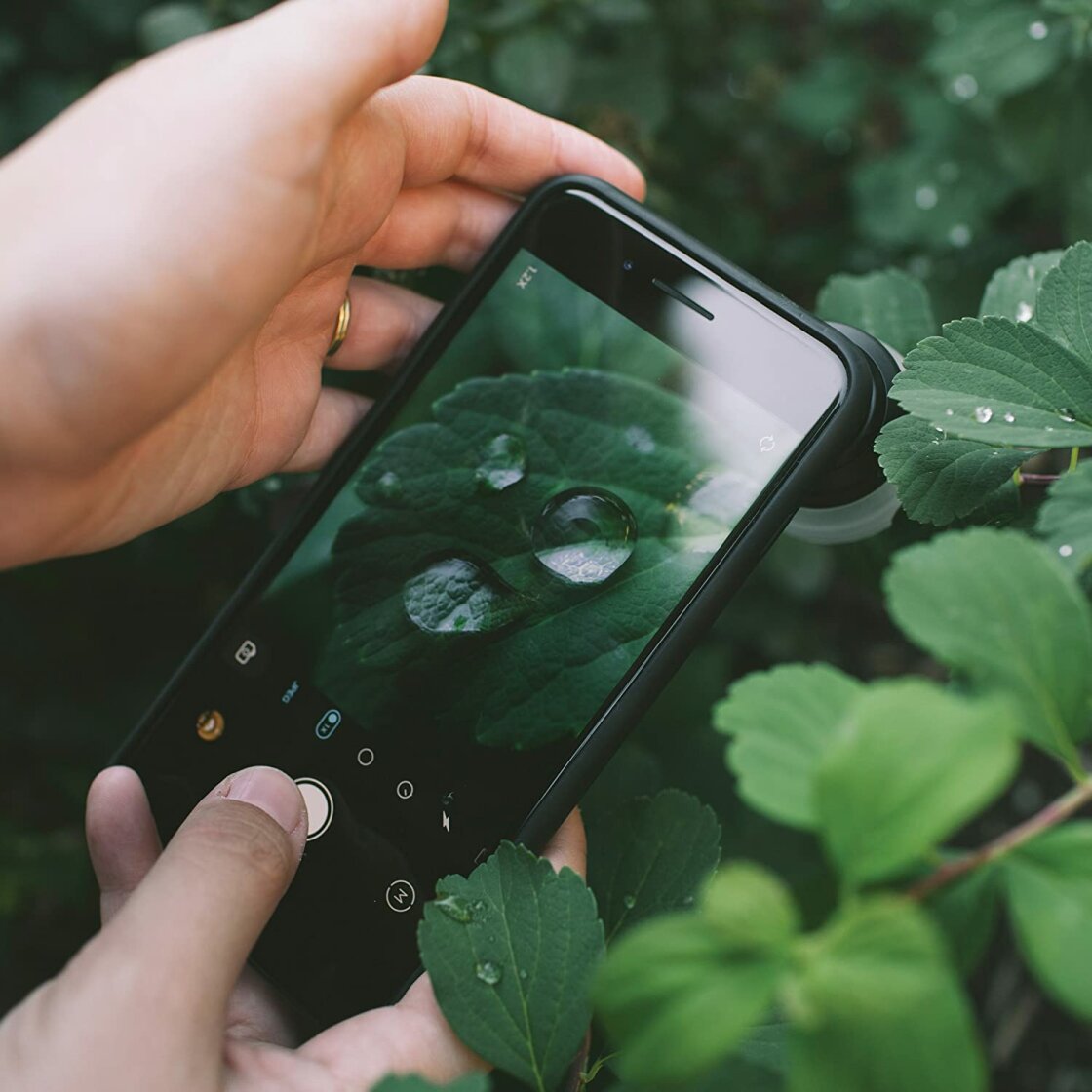
While the native app is robust, it does not offer a manual focus slider. Professional-grade applications like Camera+ 2 or Halide utilize Apple’s AVFoundation framework to provide a manual focus dial. This allows for "focus peaking"—a visual aid that highlights the sharpest areas of an image in a bright color—enabling photographers to capture minute details, such as water droplets on a petal, which automated systems often struggle to identify.
Exposure Management and High Dynamic Range (HDR)
Exposure is the total amount of light reaching the sensor. In high-contrast environments—such as a bright landscape with deep shadows—automated systems often "clip" highlights (turning them pure white) or "crush" shadows (turning them pure black).
Manual Exposure Compensation
In the native Camera app, users can adjust exposure by swiping vertically after focusing. Newer models (iPhone 11 and later) include a dedicated Exposure Compensation slider (±2 EV) found in the hidden settings menu. This tool allows for a consistent exposure bias across multiple shots, which is essential for maintaining a specific mood, such as "low-key" (dark and moody) or "high-key" (bright and airy) photography.
Smart HDR and Its Implications
Smart HDR 4 (and subsequent versions) uses computational power to take multiple exposures and stitch them together. While this results in a balanced image, it can sometimes look "over-processed." Photographers often disable Smart HDR in the system settings to regain creative control, allowing for more natural shadows and highlights that reflect the true atmosphere of a scene.
Shutter Speed and the Dynamics of Motion
Shutter speed determines how long the sensor is exposed to light. Because the iPhone uses an electronic shutter rather than a mechanical one, it can achieve speeds as fast as 1/8000th of a second.
- Fast Shutter Speeds: Essential for freezing action, such as a bird in flight or a splashing wave.
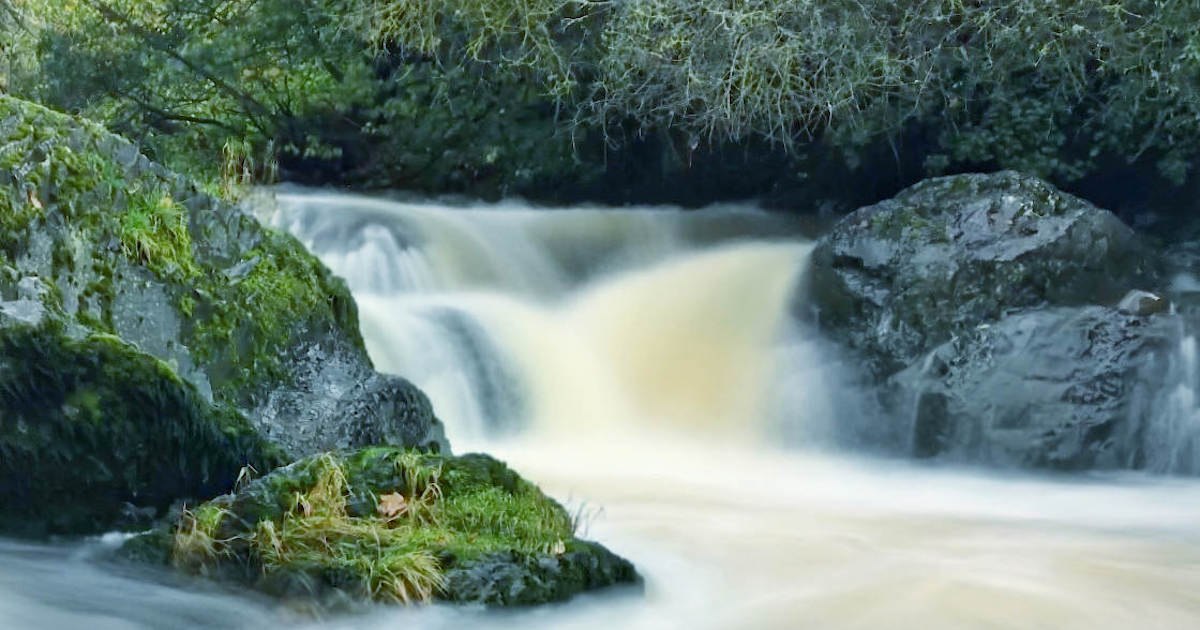
- Slow Shutter Speeds: Used to create motion blur, such as turning a waterfall into a silky texture or creating light trails from traffic.
Capturing long exposures (slow shutter speeds) on an iPhone typically requires a tripod and a third-party app like Slow Shutter Cam. These apps simulate long exposures by stacking frames, as the physical sensor would otherwise overheat or overexpose. Apple also provides a "Long Exposure" effect for Live Photos, which uses a similar stacking algorithm to blur movement while keeping static objects sharp.
ISO Sensitivity and the Signal-to-Noise Ratio
ISO measures the sensitivity of the camera sensor to light. In low-light conditions, the iPhone’s auto-mode will increase the ISO to maintain a visible image. However, higher ISO levels introduce "noise" or grain, which degrades image clarity.
Manual control of ISO is a hallmark of professional mobile photography. By keeping the ISO as low as possible (ISO 32 to 100) and compensating with a longer shutter speed, photographers can produce clean, grain-free images in dark environments. This requires the device to be stabilized on a tripod to prevent camera shake. The introduction of Night Mode has automated much of this process by using the neural engine to align and de-noise images, but manual ISO adjustment remains the preferred method for those seeking maximum detail in the shadows.
White Balance and Color Accuracy
White balance (WB) is the process of removing unrealistic color casts so that objects which appear white in person are rendered white in the photo. Light sources have different color temperatures, measured in Kelvin (K). Incandescent bulbs produce warm orange light, while shade produces cool blue light.
The iPhone’s Auto White Balance (AWB) is generally accurate, but it can be deceived by dominant colors in a scene. Advanced users utilize WB presets (Daylight, Cloudy, Shade, Fluorescent) or manual Kelvin adjustments to ensure color fidelity. Furthermore, WB can be used creatively; warming an image can enhance a sunset, while cooling it can emphasize a winter landscape’s desolation.
Broader Impact and Industry Analysis
The democratization of these advanced controls has fundamentally changed the photography industry. According to market research from Mordor Intelligence, the smartphone camera market is expected to grow at a CAGR of 12% through 2028, largely due to the integration of AI-driven manual features.
Professional photojournalists are increasingly using iPhones for field reporting because the ability to manually control exposure and focus allows them to transmit high-quality images instantly. Furthermore, the rise of the "Pro" iPhone models has fostered a massive ecosystem of accessories, from anamorphic lenses to mobile-optimized gimbals, further bridging the gap between mobile and traditional cinematography.
In conclusion, while the iPhone is designed to be the ultimate automated camera, its true potential is realized through manual intervention. By understanding the interplay between hardware limitations and software solutions, photographers can manipulate light, motion, and depth with a level of precision that was once the exclusive domain of professional studios. As Apple continues to refine its sensor technology and computational algorithms, the boundary between mobile and professional photography will continue to blur, making manual mastery an essential skill for the modern creator.