In the rapidly evolving landscape of digital media, the demand for high-quality video content has never been more pronounced. From burgeoning social media influencers to small businesses and aspiring filmmakers, individuals are increasingly picking up cameras with the ambition to tell stories, educate, or entertain. While the accessibility of advanced camera technology, including professional-grade features in consumer devices, has lowered the barrier to entry, the journey from novice to proficient videographer is often fraught with common pitfalls. Weeks ago, our focus illuminated solutions for photographers navigating the intricacies of their craft. Now, we turn our lens to the dynamic world of videography, addressing prevalent challenges faced by those embarking on their video production journey and outlining actionable strategies for resolution. This exploration aims to equip new videographers with the foundational knowledge necessary to elevate their work from amateur to impactful, ensuring their creative vision translates effectively to the screen.
The Ubiquitous Challenge of Shaky Footage: Achieving Professional Stability
One of the most immediate and glaring issues that new videographers encounter is the pervasive problem of shaky video footage. The human body, despite its best efforts, is inherently unstable, making truly smooth handheld camera work a rarity, especially with lighter camera systems. While a seasoned professional might employ specific breathing techniques and body mechanics to minimize shake, for the vast majority, the result is footage that can range from mildly distracting to outright disorienting, often inducing motion sickness in viewers. The impact of shaky footage extends beyond mere aesthetic preference; it directly compromises the perceived professionalism of a production, detracting from the narrative and potentially alienating an audience accustomed to polished visual experiences.
Modern cameras often feature built-in image stabilization (IBIS or optical image stabilization), which can significantly mitigate minor jitters. However, for dynamic shots, intentional camera movements, or prolonged takes, these internal systems often prove insufficient. The industry standard, therefore, strongly advocates for external stabilization solutions.
The market for video stabilization systems has seen explosive growth, offering a spectrum of devices tailored to various camera types, budgets, and operational needs. For those utilizing smartphones, which have become powerful video recording tools, compact gimbals like the DJI Mobile series (e.g., DJI Mobile 7p) offer remarkable fluidity for pans, tilts, and tracking shots. These devices, costing typically in the low hundreds of dollars, transform a smartphone’s video capabilities, making cinematic movements achievable without significant investment.
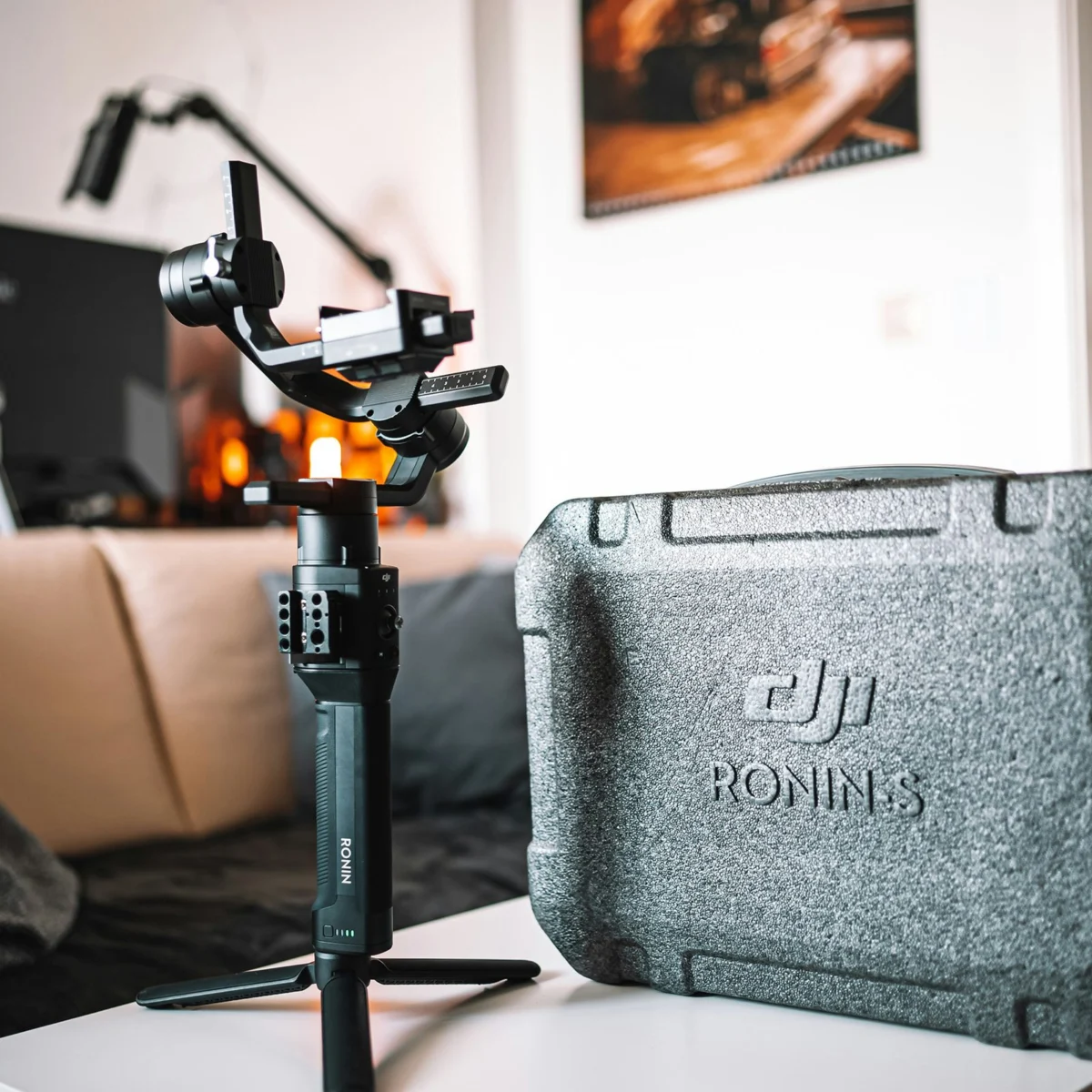
Scaling up to mirrorless camera systems, which dominate the prosumer and professional landscape, necessitates more robust solutions. The DJI Ronin-SC, for instance, provides a highly capable and relatively affordable 3-axis gimbal stabilizer designed for smaller mirrorless setups, handling cameras up to approximately 4.5 pounds. Its intuitive controls and advanced stabilization algorithms allow for intricate camera movements that would be impossible handheld. For heavier camera bodies, including many DSLRs and professional mirrorless configurations exceeding 4.5 pounds, the DJI Ronin-S (or its successors like the RS 3 Pro) becomes the recommended choice. These larger gimbals offer superior motor strength, longer battery life, and more versatile accessory mounting options, crucial for complex productions.
Beyond gimbals, other forms of stabilization serve specific purposes. A fundamental tool for any videographer is a high-quality tripod equipped with a fluid head. Unlike photography tripods, fluid heads are engineered to provide smooth, controlled panning and tilting movements, essential for static shots or slow, deliberate camera actions. For run-and-gun scenarios where a tripod might be too cumbersome, monopods offer a compromise between mobility and stability. For professional productions involving heavy cinema cameras or extended shooting periods, specialized body rigs like the Easyrig Vario 5 redistribute the camera’s weight from the operator’s arms to their hips, back, and legs. This not only dramatically reduces fatigue but also enhances stability for walk-and-talk shots or sustained handheld work, enabling operators to maintain steady footage for hours. The continuous innovation in stabilization technology underscores its critical role in contemporary videography, with manufacturers constantly striving for lighter, more powerful, and more intelligent systems to meet the diverse demands of content creators.
The Unseen Imperative: Conquering the Challenge of Bad Audio
While visually striking footage often captures immediate attention, the impact of poor audio is arguably more detrimental to a video’s overall quality and audience retention. Industry professionals often quip that "bad audio ruins good video," a statement that holds true across all genres, from documentaries and interviews to vlogs and narrative films. A viewer might tolerate slightly imperfect visuals, but jarring, unintelligible, or noisy audio quickly leads to disengagement. The primary reason for this widespread issue among new videographers stems from an over-reliance on built-in camera microphones. These internal mics are typically omnidirectional, picking up sound from all directions, including unwanted ambient noise, and offer minimal fidelity, resulting in hollow or distorted recordings.
To achieve professional-grade audio, a fundamental shift in approach is required: audio must be recorded separately and with dedicated equipment. For interview-style content or dialogue-heavy scenes, lavalier microphones (often called lapel mics) are indispensable. These small, discreet microphones clip onto clothing, positioning them close to the speaker’s mouth, thereby minimizing ambient noise and capturing clear, direct vocals. Wireless lavalier systems, such as the Sennheiser G4 or DJI Mic 2, offer freedom of movement and are highly recommended for their reliability and sound quality. The Sennheiser G4 is a robust, professional-grade system known for its excellent range and frequency stability, while the DJI Mic 2 offers a more compact and user-friendly experience, often with built-in recording capabilities for redundancy. Proper placement of lavalier mics is crucial, usually around chest height, and careful monitoring with headphones during recording is non-negotiable to prevent muffled sound or accidental rustling.
For capturing broader soundscapes, environmental audio, or dialogue from a distance, shotgun microphones are the preferred choice. These highly directional mics isolate sound from a specific area directly in front of them, rejecting noise from the sides and rear. The RODE VideoMic Pro Plus is a popular on-camera shotgun microphone, ideal for run-and-gun situations where portability is key. For more controlled environments, professional shotgun mics mounted on boom poles, operated by a dedicated boom operator, offer superior sound isolation and precise audio capture, often used in film and television productions.
Further enhancing audio quality and workflow, dedicated audio recorders like the Zoom H6 or H4n are vital tools. These devices offer multiple input channels, high-quality preamps, and the ability to record uncompressed audio files, providing greater flexibility and fidelity than in-camera recording. By decoupling audio recording from video, videographers gain redundancy and the ability to capture distinct audio tracks for different sources simultaneously (e.g., multiple lavaliers and a shotgun mic), which is invaluable during post-production. The practice of "double-system recording" (recording audio and video separately) necessitates syncing the tracks later, a process greatly simplified by clapperboards or in-camera audio spikes.
Crucially, the investment in a good pair of monitoring headphones cannot be overstated. Real-time audio monitoring during a shoot allows the videographer or sound recordist to identify and rectify issues like clipping, static, wind noise, or interference immediately, preventing costly reshoots and ensuring pristine sound capture. The emphasis on high-quality audio is a hallmark of professional production, recognizing that a compelling story is heard as much as it is seen.
Demystifying "Grey Scale" Footage: Understanding Log Formats and Color Grading
A common moment of panic for new videographers occurs during playback when footage appears flat, desaturated, and low in contrast, often described as "grey scale." This phenomenon is almost invariably due to shooting in a "logarithmic" (log) video format, a feature present in most modern professional and prosumer cameras. While initially alarming, understanding log footage is a gateway to unlocking significant creative control and achieving a truly cinematic look.
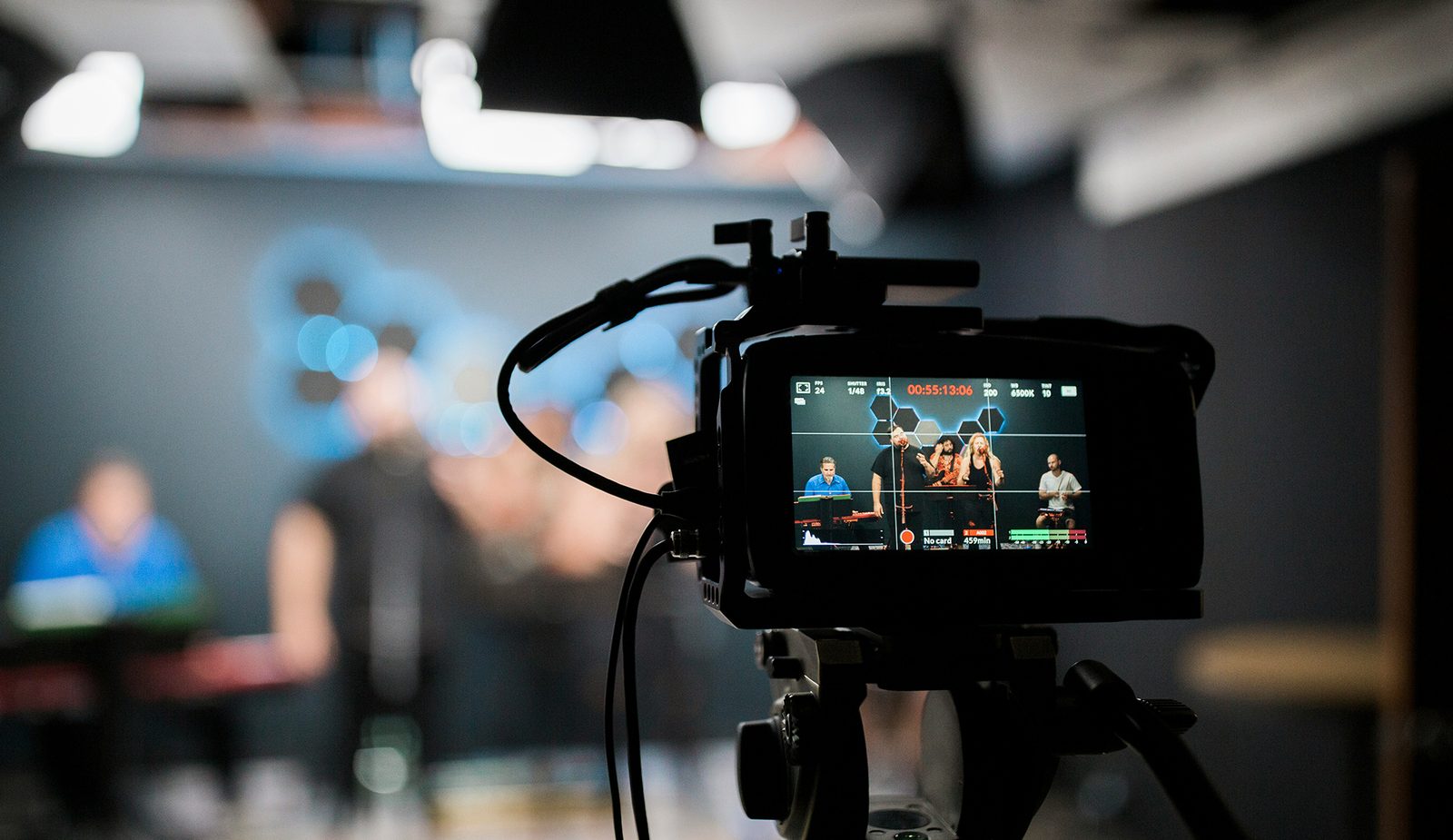
The principle behind log formats, such as Sony’s S-Log, Canon’s C-Log, Panasonic’s V-Log, or Blackmagic’s Film Log, is to capture the maximum possible dynamic range from the camera’s sensor. Unlike standard video formats (like Rec. 709), which compress the tonal information into a narrower range suitable for immediate viewing, log gamma curves are designed to preserve more detail in both the brightest highlights and the deepest shadows. They achieve this by distributing the available data more evenly across the tonal spectrum, often at the expense of initial contrast and color saturation. The camera essentially records a "flat" image, rich in luminance data but seemingly devoid of vibrant color, because saturation and contrast can be easily and precisely added back in the post-production process known as color grading.
This exchange provides immense flexibility during editing. A log file contains more information, allowing for greater manipulation of exposure, color, and contrast without introducing artifacts or "breaking" the image. For instance, if a shot is slightly over or underexposed, a log file provides more latitude to correct it in post-production than a standard Rec. 709 file would. This is particularly beneficial for complex lighting scenarios or when matching footage from multiple cameras. Professional colorists leverage this expanded data to craft specific visual moods, apply cinematic looks, and ensure consistency across an entire project.
However, for many beginner videographers or projects with tight deadlines and minimal post-production, shooting in log can be overkill. If a project does not require extensive color grading or a highly stylized look, and the goal is simply a clean, watchable image directly out of the camera, then shooting in a standard profile (often labeled "Standard," "Neutral," or directly as "Rec. 709") is often more appropriate.
The good news is that if log footage is shot by mistake, its "grey scale" appearance is easily remedied. The most common solution involves applying a Look-Up Table (LUT) in video editing software. A LUT is essentially a mathematical formula that transforms the flat log footage into a more visually appealing color space, most commonly Rec. 709, which is the standard for broadcast and web content. Many camera manufacturers provide specific conversion LUTs for their log profiles, which serve as an excellent starting point for color correction. From there, further creative color grading can be applied. Understanding log formats empowers videographers to make informed decisions about their workflow, choosing the right profile for their project’s needs and leveraging the full potential of their camera’s dynamic range.
Eliminating Choppy Footage: Frame Rates and Media Performance
Another common and frustrating issue for videographers just starting out is footage that appears choppy or stuttering, rather than smoothly flowing. This problem typically stems from one of two technical factors, both of which are easily diagnosable and resolvable with proper understanding.
The first, and often most obvious, culprit is an incorrect or insufficient frame rate. Frame rate, measured in frames per second (FPS), dictates how many individual still images are captured by the camera per second to create the illusion of motion. A lower frame rate means fewer images, which can result in a less fluid, more disjointed motion, especially for subjects in motion or camera movements. While cinematic productions often use 24 FPS for a traditional "film look," for general video content intended for television, web, or social media, a frame rate of 30 FPS or higher is typically recommended to ensure smooth motion. Many cameras default to 30 FPS, but it’s crucial for videographers to consciously check and confirm this setting before recording, especially when switching between different modes or presets. Higher frame rates, such as 60 FPS or 120 FPS, are commonly used for creating slow-motion effects, as they capture more data, allowing the footage to be slowed down significantly in post-production while maintaining fluidity. A general rule of thumb for achieving natural motion blur is the 180-degree shutter rule, which suggests that the shutter speed should be approximately double the frame rate (e.g., 1/60th of a second for 30 FPS footage), though this is a creative choice that can be deliberately broken for specific effects.
The second reason for choppy footage often lies in the performance of the recording media – specifically, the memory card or external hard drive. Modern cameras record increasingly high-resolution and high-bitrate video, especially when shooting in 4K, 6K, or even 8K, or when utilizing less compressed codecs. This generates a massive amount of data that needs to be written to the storage medium very quickly. If the memory card’s write speed (how fast it can store data) is insufficient to keep up with the camera’s data output, the camera’s buffer will fill, leading to dropped frames, recording interruptions, or, indeed, choppy footage.
Memory cards and hard drives clearly list their read and write speeds, often in megabytes per second (MB/sec) or with specific speed classes. For SD cards, look for classifications like V30, V60, or V90, which guarantee minimum write speeds of 30 MB/s, 60 MB/s, and 90 MB/s respectively. Similarly, CFexpress cards and solid-state drives (SSDs) offer significantly higher speeds suitable for the most demanding video formats. It is imperative to consult the camera’s manual to determine the minimum recommended speed rating for the desired recording settings (resolution, frame rate, codec, bitrate). Investing in the fastest memory or storage available is always a wise decision. Not only does it future-proof the workflow as camera technology advances and recording settings become more demanding, but it also significantly improves efficiency during offloading and editing processes. There is no disadvantage to purchasing faster media; it only enhances performance and reliability, preventing the costly and frustrating loss of valuable footage.
Broader Impact and Implications for Aspiring Videographers
The journey through the initial challenges of videography — from stabilizing the image and capturing pristine audio to understanding log formats and ensuring smooth playback — represents a fundamental rite of passage for any aspiring content creator. Mastering these core technical aspects extends far beyond simply fixing problems; it lays the groundwork for creative freedom and professional credibility.
In an increasingly competitive digital landscape, where visual content reigns supreme, the quality of a video directly influences audience engagement, brand perception, and professional opportunities. Shaky, poorly audible, or technically flawed video can quickly diminish a viewer’s trust and interest, regardless of the compelling story or message attempting to be conveyed. Conversely, a technically polished video, even with modest production values, elevates the content, signals professionalism, and enhances the viewer’s experience, making them more likely to connect with the material and the creator.
For individuals pursuing videography as a career, proficiency in these foundational areas is non-negotiable. It forms the bedrock of a professional portfolio and demonstrates a commitment to quality that clients and collaborators seek. Freelance videographers, small production houses, and even in-house content creators are expected to deliver consistent, high-standard output. Understanding when to use a gimbal versus a tripod, selecting the appropriate microphone for a given scenario, navigating color grading workflows, and optimizing media for flawless recording are not merely technical tasks but integral components of effective visual storytelling.
Moreover, a solid grasp of these basics empowers videographers to focus more on the artistic and narrative elements of their craft. When technical worries are minimized, creative energy can be fully directed towards composition, lighting, direction, and storytelling, which are ultimately what distinguish truly exceptional video content. The initial investment in learning these solutions, whether through equipment acquisition or dedicated study, pays dividends in the form of higher-quality output, increased confidence, and a more streamlined workflow.
The continuous evolution of camera technology and post-production software means that the learning curve in videography is ongoing. However, by addressing these common initial hurdles systematically, new videographers can build a robust technical foundation. This foundation not only resolves immediate problems but also prepares them to confidently tackle more advanced techniques and challenges, ultimately enabling them to produce compelling, professional-grade video that resonates with audiences and achieves their creative and professional objectives. The commitment to mastering these fundamentals is, therefore, not just about avoiding mistakes, but about unlocking the full potential of the visual medium.