The landscape of mobile photography has undergone a seismic shift over the last decade, transitioning from a medium of casual snapshots to a legitimate tool for professional digital artistry. As Apple continues to iterate on its hardware—most recently with the introduction of 48-megapixel sensors and the sophisticated A-series Bionic chips—the demand for software that can harness this raw computational power has surged. While the native iOS Photos app provides a foundational set of adjustment tools, a specialized ecosystem of third-party applications has emerged to offer desktop-class precision, advanced layering, and artificial intelligence-driven enhancements. Selecting the optimal suite of tools is no longer a matter of mere aesthetic preference but a strategic decision for photographers aiming to maximize the potential of the iPhone’s high-dynamic-range (HDR) and ProRAW capabilities.
The Evolution of Mobile Post-Processing
To understand the current state of iPhone photo editing, one must look at the trajectory of the App Store’s "Photo & Video" category. In the early 2010s, mobile editing was defined by heavy, destructive filters popularized by apps like Hipstamatic and the early iterations of Instagram. However, the 2012 acquisition of Snapseed by Google and the subsequent mobile launch of Adobe Lightroom signaled a pivot toward "non-destructive" editing. This methodology allows photographers to make significant changes to exposure, color, and geometry without permanently altering the original file’s data.
Today, the market is divided into three distinct segments: comprehensive generalist editors, specialized utility tools, and creative/artistic overlays. Data from market intelligence firms indicates that the mobile photo and video app market is projected to grow significantly, driven by the "creator economy" and the increasing reliance on smartphones for commercial social media content.
1. Snapseed: The Gold Standard of Free Mobile Editing
Snapseed remains an anomaly in the modern app economy. Developed by Nik Software and later acquired by Google, it offers a professional-grade toolkit entirely free of charge, without the encumbrance of subscriptions or in-app purchases. Its interface is built around a gesture-based system that allows for precise control over "Selective" adjustments—a feature that utilizes "Control Point" technology to edit specific colors or brightness levels within a localized area of an image.
The app’s "Healing" tool and "Expand" feature—which uses content-aware fill to grow the edges of a canvas—provide utilities typically reserved for desktop software like Photoshop. For the professional user, Snapseed’s ability to edit RAW files directly on the iPhone makes it an essential first step in a mobile workflow, bridging the gap between a raw capture and a polished final product.
2. VSCO: Cultural Impact and Aesthetic Precision
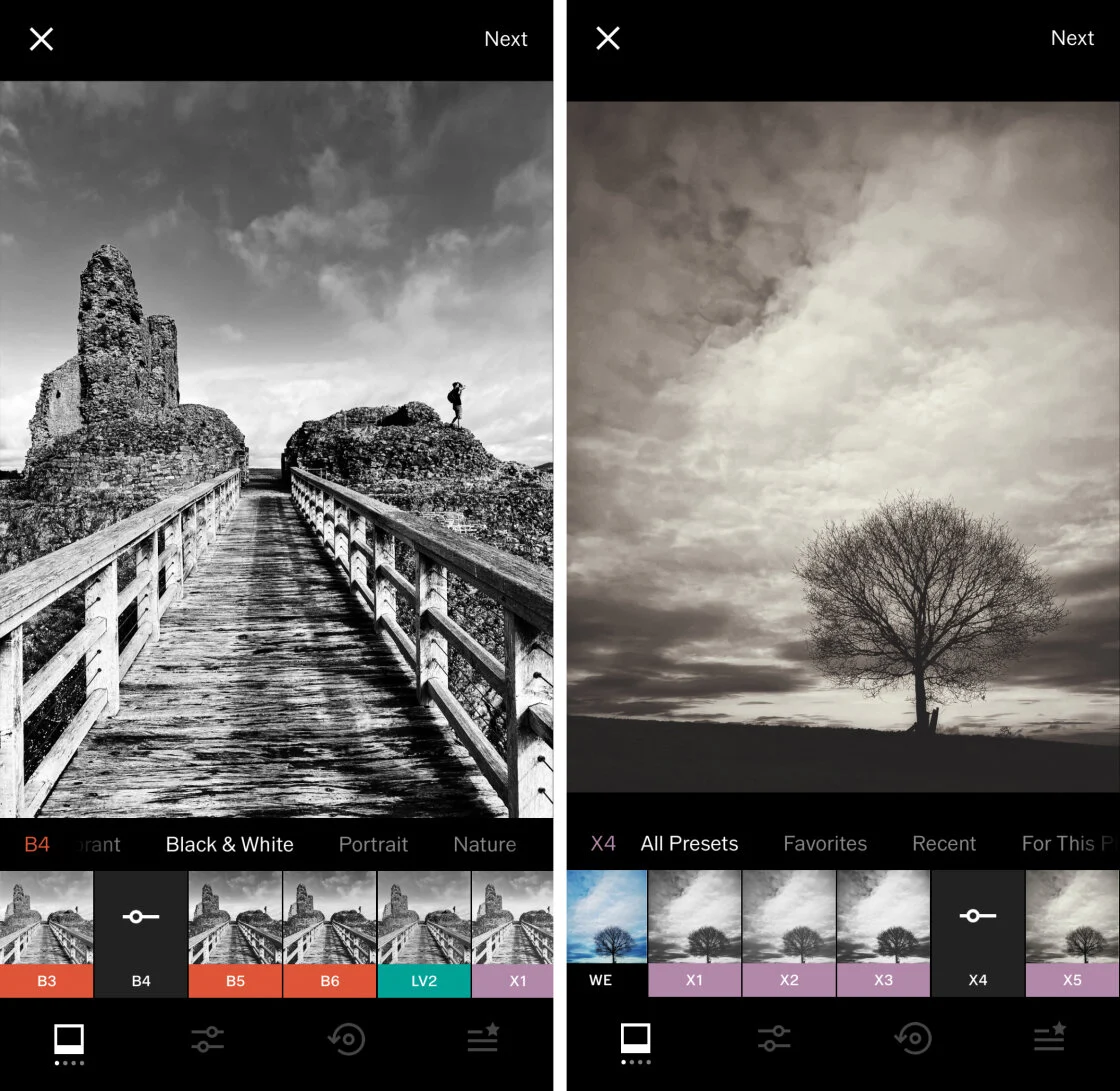
VSCO (Visual Supply Company) has transcended its status as a mere app to become a cultural touchstone. Its primary value proposition lies in its film-emulation presets, which are designed to replicate the chemical properties of classic film stocks from Kodak, Fuji, and Agfa. Unlike the garish filters of the early smartphone era, VSCO’s presets are celebrated for their subtlety and "analog" feel.
The app operates on a "freemium" model, where the base tools are free, but the full library of over 200 presets is locked behind the VSCO X membership. Industry analysts note that VSCO’s success is rooted in its community-centric approach, eschewing traditional "likes" and "comments" in favor of a curated feed that emphasizes artistic intent over social validation.
3. Adobe Lightroom: The Ecosystem Powerhouse
For photographers already entrenched in the Adobe Creative Cloud ecosystem, the mobile version of Lightroom is an indispensable tool. Its primary advantage is synchronization; an edit started on an iPhone can be finished on a MacBook or iPad with all metadata and adjustment layers intact.
Lightroom Mobile provides the most robust "Masking" engine in the mobile space. Utilizing AI, the app can automatically detect and select the sky or the subject of a photo, allowing for complex luminance and color masking. With the introduction of Apple ProRAW, Lightroom has become the preferred choice for those who require the highest level of data retention during the editing process. Adobe’s quarterly financial reports consistently highlight the growth of mobile-first subscribers, illustrating a broader industry shift toward portable professional workflows.
4. TouchRetouch: The Specialized Utility
While generalist editors often include a "healing" brush, TouchRetouch is a dedicated utility designed for a single purpose: the removal of unwanted elements. Developed by Adva-Soft, the app uses sophisticated algorithms to replace distractions—such as power lines, photobombers, or skin blemishes—with textures sampled from the surrounding pixels.
The app’s "Line Removal" tool is particularly noteworthy for architectural and landscape photographers. By simply tapping a segment of a wire or cable, the app identifies the entire path of the object and erases it seamlessly. This level of specialization demonstrates a growing trend where users maintain a "folder" of apps for specific tasks rather than relying on a "one-size-fits-all" solution.
5. Carbon: The Art of Monochrome
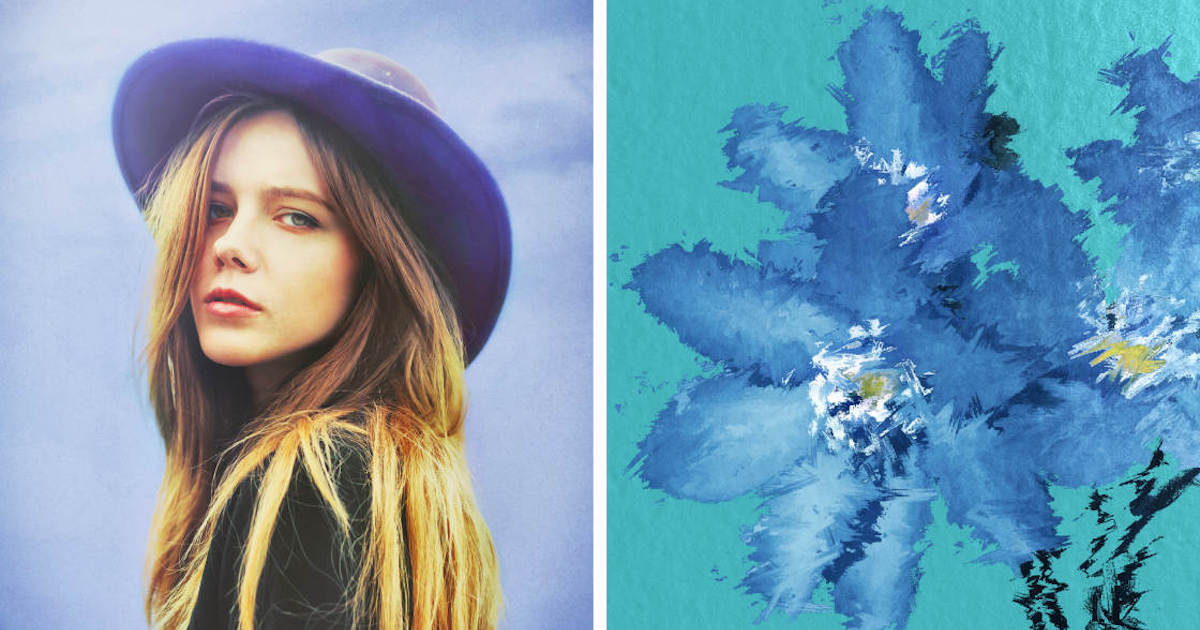
Black and white photography requires a different approach to tonal range and contrast than color photography. Carbon addresses this niche by providing a dedicated environment for monochrome editing. Developed in collaboration with professional photographers, Carbon’s filters focus on silver-halide emulation and "Kuwahara" filtering to create painterly, high-contrast images.
The app’s focus on "texture" and "grain" allows users to move beyond simple desaturation, offering a depth that mimics traditional darkroom printing techniques. As mobile sensors improve their low-light performance, the ability to process high-ISO "noise" into aesthetically pleasing "grain" has made Carbon a favorite among street photographers.
6. Afterlight: Balancing Power and Accessibility
Afterlight occupies the middle ground between the simplicity of Instagram and the complexity of Lightroom. It features a comprehensive set of "Fusion" filters, which allow users to layer multiple adjustments into a single, reusable preset. Its toolkit includes advanced features like "Curves" and "Selective Color," which provide granular control over the RGB channels of an image.
7. Mextures: Layered Textures and Formulas
Mextures introduced a non-destructive, layer-based workflow that revolutionized how textures are applied to mobile photos. Users can stack grit, grain, light leaks, and gradients, adjusting the opacity and "blend mode" of each layer independently. The app’s "Formulas" feature allows the community to share their layer stacks, fostering a collaborative environment for digital creators.
8. Lens Distortions: Atmospheric Realism
Lens Distortions takes a high-fidelity approach to overlays. Rather than using digitally generated effects, the app utilizes an extensive library of real-world optical assets—sunlight, fog, rain, and snow—captured in-studio. This results in a level of realism that is difficult to achieve with standard filters. For landscape photographers, the ability to add a subtle "Lens Flare" or "Shimmer" can enhance the three-dimensional quality of a flat image.
9. Superimpose X: The Mobile Compositor
For those venturing into digital art and surrealism, Superimpose X provides the tools necessary for complex image compositing. It supports multiple layers, masking, and double-exposure effects. This app represents the "Photoshop" end of the mobile spectrum, where the goal is not just to enhance a photo, but to transform it into a new creation entirely.
10. Instagram: The Final Polish
Despite its evolution into a video-centric social media platform, Instagram’s internal editing suite remains a highly efficient tool for quick adjustments. Its "Lux" feature is a proprietary algorithm that adjusts contrast and exposure to reveal detail in shadows and highlights. For many users, the convenience of editing and publishing within a single interface outweighs the need for more complex third-party tools.
Chronology of Innovation in Mobile Editing
- 2010: Instagram launches, introducing the concept of the "mobile filter."
- 2011: Snapseed is named iPad App of the Year, proving that professional tools can work on touch interfaces.
- 2014: Adobe releases Lightroom Mobile, bringing the "Creative Cloud" to the pocket.
- 2017: Apple introduces HEIF and improved Depth Data, allowing apps to edit "bokeh" after the shot is taken.
- 2020: The debut of Apple ProRAW provides a standardized RAW format that third-party apps can fully exploit.
- 2023-24: AI-driven generative fill and masking become standard features across the top-tier editing suite.
Analysis of Market Impact and Future Implications
The proliferation of these applications has democratized high-end photography. A decade ago, achieving the look of a VSCO film stock or a Lens Distortions atmospheric effect required expensive desktop software and years of technical training. Today, these capabilities are available for a few dollars—or in some cases, for free.
This shift has significant implications for the professional photography industry. We are seeing an increase in "mobile-only" commercial shoots, particularly in the fashion and travel sectors, where the speed of the workflow is paramount. Furthermore, the integration of AI within these apps is beginning to automate the more tedious aspects of editing, such as color grading and object removal, allowing photographers to focus more on composition and creative vision.
However, this technological ease also raises questions regarding the "authenticity" of the image. As tools like Superimpose X and Lens Distortions make it easier to alter reality, the industry is seeing a counter-movement toward "minimalist" editing and the "Shot on iPhone" raw aesthetic.
In conclusion, the "best" app is ultimately determined by the photographer’s specific needs. For pure, data-driven editing, Adobe Lightroom and Snapseed are peerless. For aesthetic branding and film looks, VSCO remains the leader. For those looking to push the boundaries of what a phone can do, Superimpose X and Lens Distortions offer a glimpse into the future of digital art. As Apple’s hardware continues to close the gap with DSLR cameras, these software tools will remain the critical link in the chain of modern visual storytelling.