The burgeoning landscape of digital media has democratized video production, empowering a new generation of content creators, marketers, and independent filmmakers. With readily accessible cameras ranging from advanced smartphones to professional mirrorless systems, the barrier to entry has significantly lowered. However, this accessibility often belies a steep learning curve, particularly for those transitioning from still photography or entirely new to capturing moving images. Just weeks after providing solutions for common photography missteps, the focus now shifts to the equally critical realm of videography, where distinct technical challenges frequently impede aspiring creators. This analysis delves into prevalent issues encountered when shooting video and outlines practical, industry-standard resolutions to elevate production quality.
The Ubiquitous Challenge of Shaky Video Footage
One of the most immediate and often frustrating issues for novice videographers is the prevalence of shaky footage. The assumption that a steady hand is sufficient for professional-looking video is a common misconception. Human physiology dictates that even the most stable individuals exhibit micro-movements, which are amplified when holding a camera, especially one with a longer lens. This inherent instability translates into footage that can range from mildly distracting to overtly jarring, frequently inducing viewer discomfort or even motion sickness. While many modern cameras incorporate advanced in-body image stabilization (IBIS) or optical image stabilization (OIS) within lenses, these technologies primarily compensate for minor vibrations and are often insufficient for dynamic movements or prolonged handheld shots.
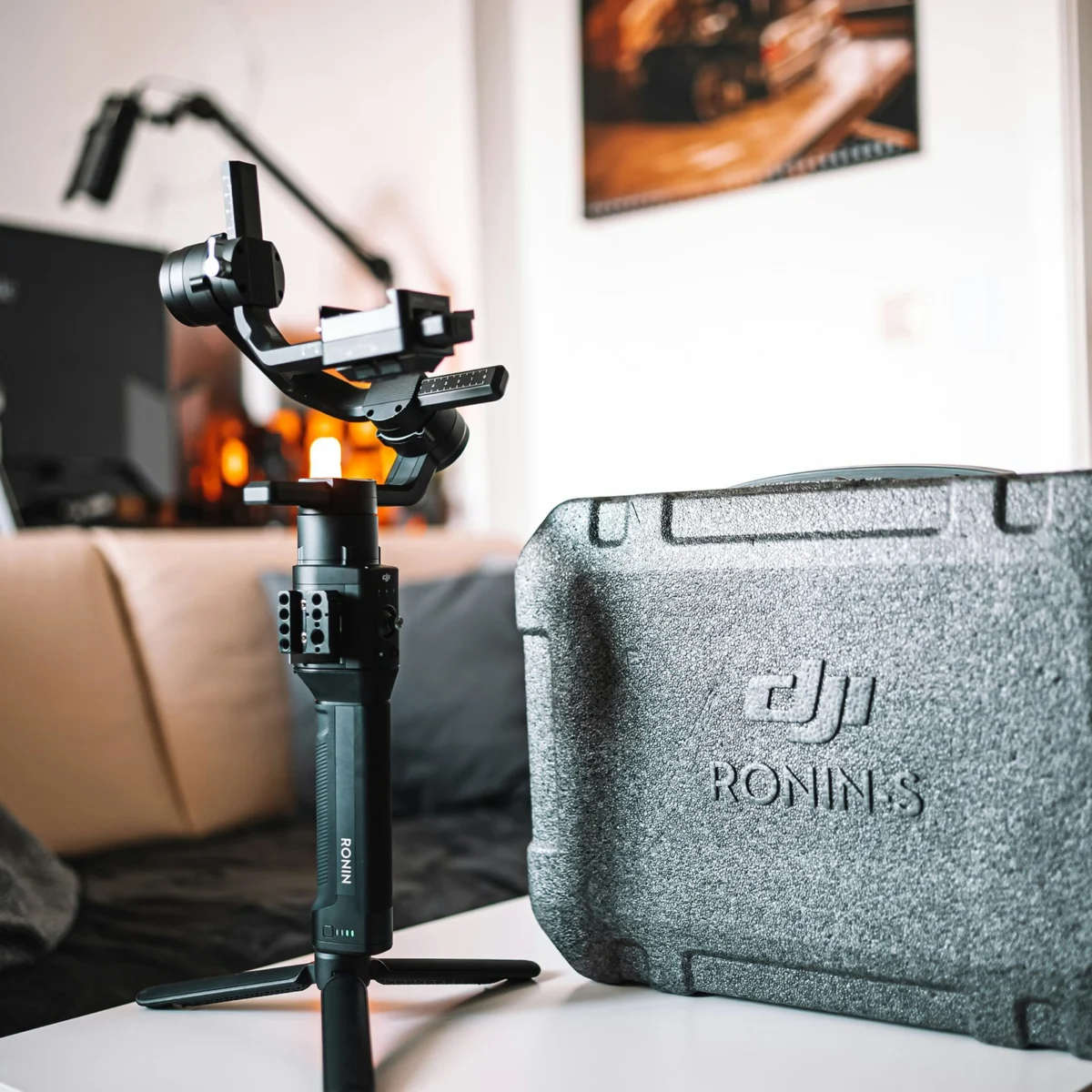
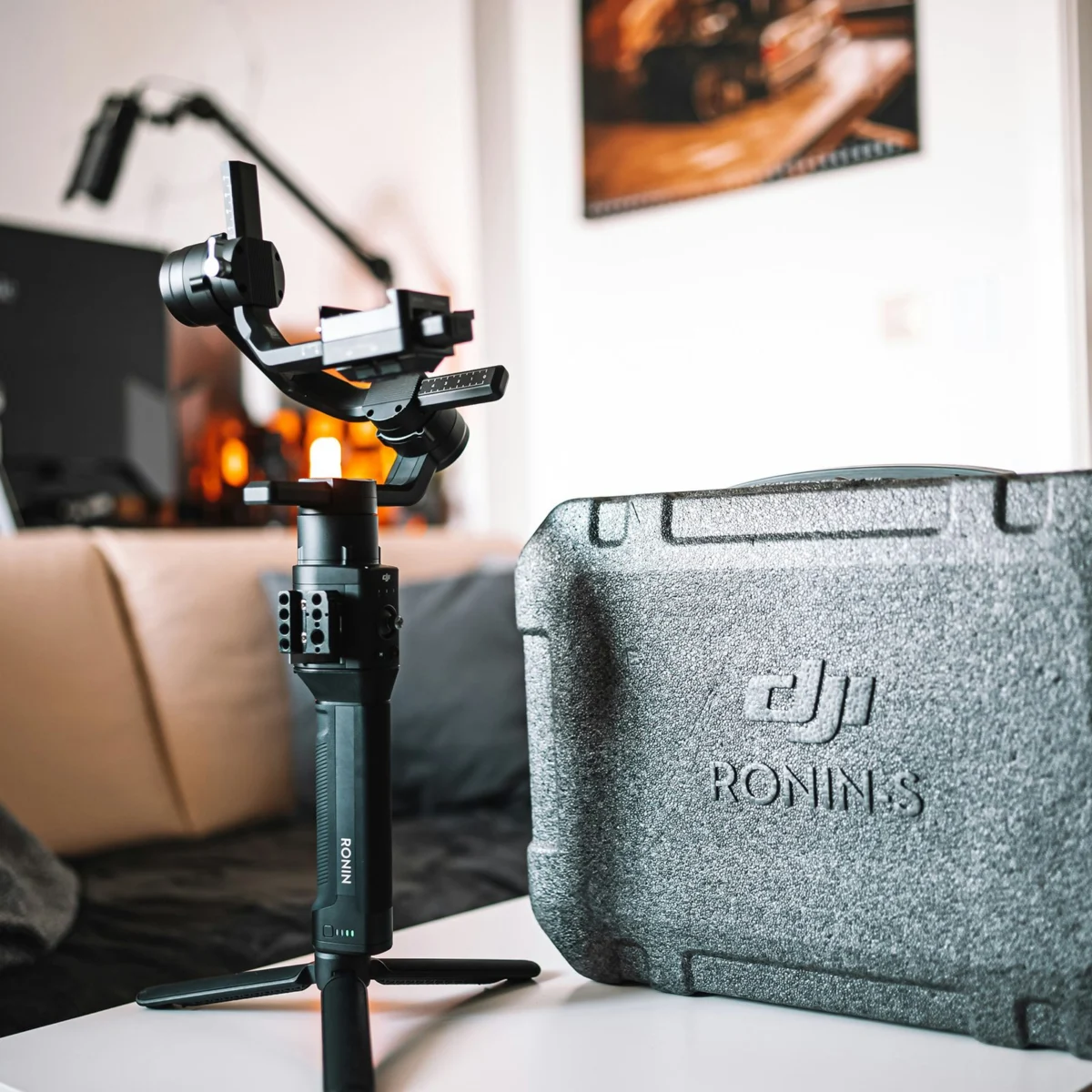
The professional standard for mitigating camera shake invariably involves dedicated stabilization systems. Tripods, while seemingly basic, remain foundational tools for static shots, precise pans, and tilts. A robust tripod paired with a fluid head is indispensable for achieving smooth, controlled camera movements, offering a stable base for nearly any video scenario. Beyond static stabilization, the evolution of motorized gimbals has revolutionized handheld videography. These sophisticated devices, typically featuring three-axis stabilization, use gyroscopes and brushless motors to counteract camera movements in real-time, delivering remarkably smooth, floating shots that were once the exclusive domain of expensive Steadicam rigs.
The market for video stabilization systems is diverse, catering to a wide spectrum of equipment and budgets. For creators utilizing smartphones, compact gimbals like the DJI Mobile series offer exceptional value, transforming casual phone footage into cinematic sequences with effortless pans and tracking shots. These systems often integrate with smartphone apps, providing intelligent tracking features and creative shooting modes. As creators scale up to mirrorless camera systems, solutions such as the DJI Ronin-SC present an affordable yet highly capable option, designed for lighter camera payloads while maintaining professional-grade stabilization. For heavier camera setups, often exceeding 4.5 pounds, the DJI Ronin-S provides the necessary payload capacity and motor strength to manage professional DSLRs and larger mirrorless configurations, ensuring stability even with substantial lens combinations. For extended shooting days or setups involving larger cinema cameras, specialized support systems like the Easyrig Vario 5 redistribute the camera’s weight from the arms to the hips, back, and legs. This ergonomic design significantly reduces fatigue, allowing operators to achieve smooth, controlled movements for prolonged periods without compromising stability or comfort. Investing in appropriate stabilization is not merely about aesthetic preference; it directly impacts viewer engagement, lending an air of professionalism that differentiates amateur content from polished productions. Industry data consistently shows that professionally stabilized footage retains viewers longer and contributes to a higher perceived production value, crucial for commercial or narrative success.
The Silent Saboteur: The Peril of Bad Audio
While visual quality often takes precedence in a videographer’s initial focus, bad audio is arguably the most detrimental flaw in video production, often going unnoticed until the post-production phase. A visually stunning piece of footage can be rendered unwatchable by muddled, distorted, or inconsistent audio. The built-in microphones found on most cameras, from consumer models to high-end cinema cameras, are inherently limited. They are typically omnidirectional, capturing ambient noise indiscriminately, and lack the sensitivity, clarity, and directional control required for professional-grade sound. This often results in a hollow, distant, or noisy soundtrack that distracts from the visual narrative and undermines the message.
To circumvent these limitations, the cardinal rule of professional videography is to record audio separately or at least with dedicated external microphones. For interview-style content, where clear dialogue is paramount, lavalier microphone systems are indispensable. These small, discreet microphones clip onto clothing, positioning them close to the speaker’s mouth, thereby minimizing ambient noise and capturing crisp, direct audio. Systems like the Sennheiser G4 wireless kit or the DJI Mic 2 system offer robust wireless transmission, ensuring freedom of movement for subjects and allowing for multi-person interviews with ease. These systems typically include receiver units that connect directly to the camera or a dedicated audio recorder, providing a clean audio signal.
For capturing the broader soundscape of a scene, or when precise directional audio is needed, a shotgun microphone is the preferred tool. Shotgun mics, such as the RODE VideoMic Pro Plus, are highly directional, designed to pick up sound from a narrow field directly in front of them while rejecting sounds from the sides and rear. This makes them ideal for isolating dialogue in a bustling environment or capturing specific sound effects within a wider scene. They can be mounted on-camera for convenience or, for superior audio separation, placed on a boom pole and held above the subjects, out of frame.
Crucially, regardless of the microphone choice, a dedicated external audio recorder like the Zoom H6 or H4n Pro is a worthwhile investment. These portable recorders offer multiple input channels, phantom power for professional condenser microphones, and the ability to record high-quality uncompressed audio files (WAV), providing greater flexibility and fidelity than in-camera recording. Recording audio to a separate device also serves as a crucial backup, ensuring that even if camera audio fails, the primary audio track is secure. The ultimate safeguard against bad audio, however, lies in real-time monitoring. A quality pair of headphones connected to the camera or audio recorder allows the videographer or a dedicated sound recordist to continuously monitor audio levels, detect unwanted noise, and ensure clarity as the shoot progresses. This proactive approach prevents the devastating realization in post-production that critical audio is unusable, a scenario that often necessitates costly reshoots. Studies in media consumption repeatedly highlight that audiences are far more forgiving of minor visual imperfections than they are of poor audio, underscoring its foundational importance in engaging storytelling.
Decoding the "Grey Scale" Phenomenon: Understanding Log Footage
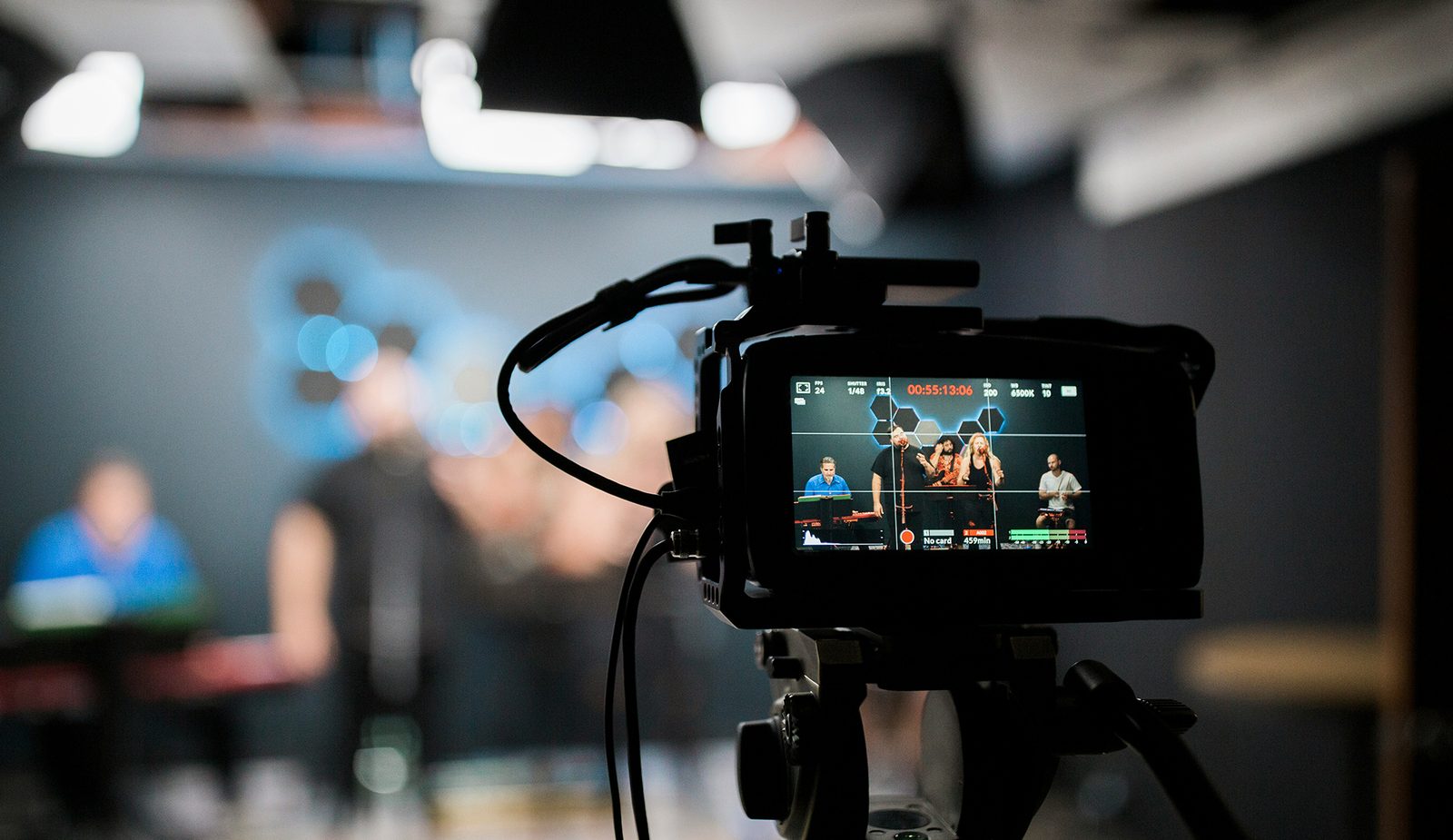
A perplexing issue for many newcomers to videography is the discovery that their diligently captured footage appears "greyed out" or "flat," lacking the vibrant contrast and saturation expected. This phenomenon is almost invariably due to shooting in a "log" format. Major camera manufacturers each have their proprietary log profiles—such as Sony’s S-Log, Canon’s C-Log, Panasonic’s V-Log, and Nikon’s N-Log—but the underlying principle remains consistent: to capture the maximum possible dynamic range from the camera sensor.
In essence, a log gamma curve compresses the light and shadow information into a more manageable range, effectively preserving detail in both the brightest highlights and the deepest shadows that would otherwise be clipped or lost when shooting in a standard Rec. 709 profile. To achieve this expanded dynamic range, the camera intentionally records footage with significantly reduced saturation and contrast. This "flat" appearance is not a mistake but a deliberate engineering choice designed for post-production flexibility. By stripping away much of the baked-in color and contrast, log footage provides an immense amount of luma data, allowing colorists to manipulate the image extensively during the color grading process without introducing artifacts or losing detail. This is particularly advantageous for high-end productions where precise color matching, creative stylization, and the ability to correct exposure issues are paramount.
For beginners, however, shooting in log can be an accidental setting that leads to disappointing results if they are unaware of the subsequent post-production steps required. The good news is that this "grey scale" footage is not ruined; it’s merely awaiting its transformation. The solution involves color grading, which can range from applying a simple Lookup Table (LUT) designed to convert log footage to a standard Rec. 709 profile, to intricate manual adjustments of color, contrast, and saturation. Many video editing software platforms offer built-in LUTs for common log formats, making the conversion relatively straightforward. Understanding log footage is a crucial step in advanced videography, unlocking the full potential of modern camera sensors and providing unparalleled creative control over the final image. While it may initially seem counterintuitive, embracing log empowers videographers to achieve a more polished, cinematic look by leveraging the extensive data captured in this format.
Combating Choppy Video Footage: Frame Rate and Media Speed
Another common hurdle for burgeoning videographers is encountering footage that appears choppy or stuttering, disrupting the flow and professionalism of the video. This issue typically stems from one of two primary technical causes: an incorrect frame rate or insufficient media write speeds.
Frame Rate Optimization: The frame rate, measured in frames per second (FPS), dictates how many individual images are captured and displayed per second, directly influencing the perceived smoothness of motion. For most standard video applications, particularly for broadcast and web content, a frame rate of 30 FPS (or 29.97 FPS in NTSC regions) is generally recommended. This rate provides a smooth, natural look for everyday action and dialogue. For a more cinematic aesthetic, often associated with feature films, 24 FPS (or 23.976 FPS) is the standard. While this can introduce a subtle motion blur that many find appealing, it can appear slightly less fluid for fast-paced action if not handled correctly. Critically, shooting at a frame rate lower than 24 FPS, unless intentionally for artistic effect, will almost always result in noticeably choppy motion. Many cameras default to acceptable frame rates, but it is imperative for videographers to consciously verify and select the appropriate FPS setting for their project before recording, ensuring it aligns with the intended visual style and playback environment. Higher frame rates, such as 60 FPS or 120 FPS, are typically reserved for capturing fast action that will be slowed down in post-production to create smooth slow-motion effects, or for sports and gaming content where extreme fluidity is desired.
Ensuring Adequate Media Write Speed: The second critical factor contributing to choppy footage is the inability of the recording media—memory cards or external hard drives—to keep pace with the camera’s data output. Modern cameras, especially those capable of recording 4K, 6K, or even 8K resolution at high frame rates and with high bit-depth codecs, generate enormous amounts of data very rapidly. If the memory card’s write speed is insufficient, it simply cannot store the incoming data fast enough, leading to dropped frames, corrupted files, or outright recording cessation.
Memory cards and external drives are rated with specific write speeds, often indicated in megabytes per second (MB/sec) and through speed classes (e.g., U3, V30, V60, V90 for SD cards; or specific minimum sustained write speeds for CFexpress cards). For example, a camera recording 4K at 60 FPS with a high-bitrate codec might require a sustained write speed of 400 MB/sec or more. A V90 rated SD card guarantees a minimum sustained write speed of 90 MB/sec, which might be sufficient for some 4K 30 FPS codecs but inadequate for others. It is absolutely essential to consult the camera manufacturer’s specifications for recommended memory card types and minimum write speeds for specific recording modes. Investing in the fastest available memory cards or solid-state drives (SSDs) is always a prudent decision. Not only does it future-proof your equipment as you potentially scale up to higher resolutions and frame rates, but it also minimizes the risk of data loss and ensures a seamless recording workflow, preventing the frustration of corrupted footage and missed takes.
Broader Implications and the Path Forward
Mastering these fundamental aspects of videography—stabilization, audio capture, understanding log formats, and optimizing frame rates and media—forms the bedrock of professional video production. Overlooking any of these elements can significantly undermine the quality and impact of a project, regardless of the artistic vision or narrative strength. In an era where video content dominates digital platforms, the demand for high-quality, engaging visuals and crystal-clear audio is at an all-time high. Viewers have become accustomed to professional production standards, and poorly executed video can quickly lead to disengagement and a perceived lack of credibility for the creator or brand.
For aspiring videographers, the journey involves continuous learning, hands-on practice, and a willingness to invest in appropriate tools. Fortunately, the ecosystem of video production tools has never been more accessible, with a wide array of rental services providing cost-effective access to professional-grade equipment like gimbals, microphones, and recorders, enabling creators to experiment and learn without significant upfront investment. By proactively addressing these common pitfalls, videographers can ensure their work stands out, effectively conveys its message, and ultimately connects with audiences on a deeper, more professional level. The evolution of digital storytelling demands not just creative vision, but also a meticulous attention to technical detail, transforming potential errors into opportunities for growth and mastery.