
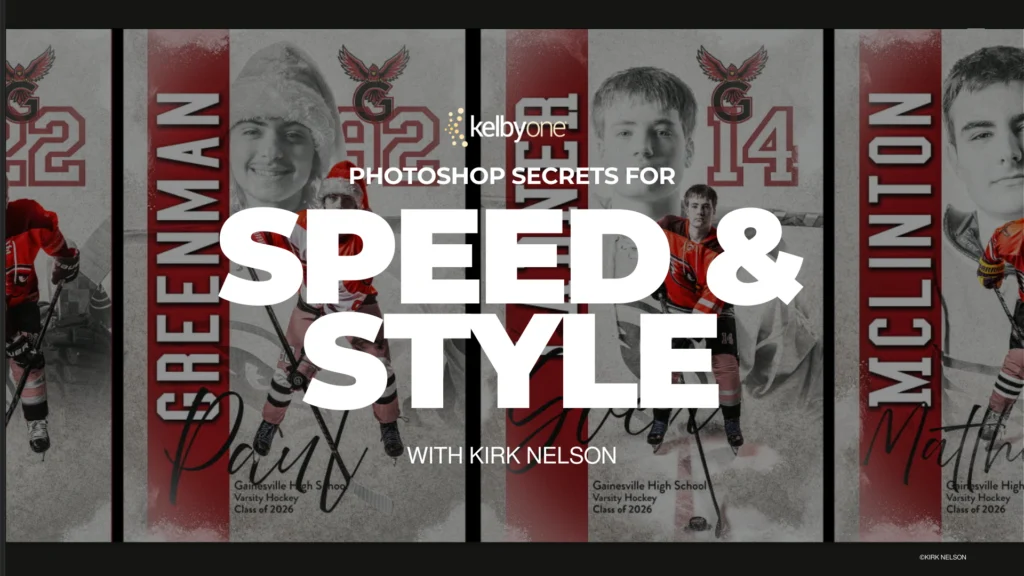
Nelson’s latest educational offering is meticulously crafted to address the core frustration of feeling stuck in an endless loop of identical steps. Through a real-world project-based methodology, he deconstructs complex workflows into actionable techniques, promising to make Photoshop not only faster and more efficient but also profoundly more enjoyable to operate. The class focuses on leveraging Photoshop’s inherent power through automation tools, including actions, custom brushes, and batch processing, to dramatically accelerate project completion and maintain creative momentum. The ultimate goal is to empower users to delegate the "heavy lifting" to Photoshop itself, freeing up valuable human capital for strategic creative thinking and execution.
The Challenge of Repetitive Workflows in Digital Creation
Adobe Photoshop stands as the industry standard for image manipulation, graphic design, and digital art, boasting an estimated user base in the tens of millions worldwide. From professional photographers processing hundreds of event photos to graphic designers ensuring brand consistency across myriad assets, and digital artists refining intricate illustrations, the software’s versatility is unmatched. However, this power often comes with a steep learning curve and, crucially, a susceptibility to repetitive strain. Tasks such as resizing images for different platforms, applying specific color corrections, watermarking, sharpening, or even just setting up document parameters can become mind-numbing when repeated across numerous files or projects.
Studies in productivity consistently highlight the detrimental impact of repetitive tasks on both efficiency and employee morale. In creative fields, this translates into missed deadlines, reduced profitability, and, perhaps most critically, a drain on creative energy. When designers and artists are bogged down by mundane, repeatable steps, their ability to innovate and focus on the artistic core of their work diminishes. This inefficiency is particularly acute in today’s fast-paced digital environment where content demands are constantly escalating, and turnaround times are shrinking. The imperative to optimize workflows is no longer merely an advantage but a fundamental requirement for sustained success and creative fulfillment.
Kirk Nelson’s Approach: Mastering Efficiency Through Automation
Kirk Nelson, known within the digital imaging community for his clear, practical teaching style and profound understanding of Photoshop, brings decades of experience to this new curriculum. His philosophy centers on demystifying complex software features and transforming them into accessible, real-world solutions. Nelson’s class is not merely a feature walkthrough; it’s a strategic guide to workflow optimization, demonstrating how seemingly disparate tools can coalesce into a powerful system.
Automating with Photoshop Actions
At the heart of Nelson’s teaching lies the mastery of Photoshop Actions. An Action is essentially a recorded series of commands that Photoshop can play back on demand. This functionality, present in Photoshop for many years, remains one of its most potent, yet often underutilized, automation features. Nelson elaborates on how to record, edit, and optimize actions for a vast array of tasks, from simple image adjustments like converting to grayscale or applying a specific filter, to complex multi-step processes such as creating layered effects, preparing images for web export, or applying intricate retouching sequences.
The utility of actions extends across virtually all creative disciplines. A wedding photographer might use an action to apply a consistent stylistic grade to an entire batch of photos. An e-commerce professional could automate the resizing, cropping, and watermarking of product images. Graphic designers can use actions to generate multiple versions of a layout (e.g., print-ready, web-optimized, social media formats) with a single click. Nelson’s class goes beyond basic action creation, delving into conditional actions, batch processing through actions, and integrating them seamlessly into a larger workflow, ensuring robustness and adaptability.
Precision and Speed with Custom Brushes
While brushes are primarily associated with painting and drawing, Nelson reveals their extensive utility in accelerating diverse Photoshop tasks. Custom brushes, tailored to specific needs, can dramatically reduce the time spent on repetitive detailing. For instance, instead of individually cloning or stamping a texture repeatedly, a custom brush can apply it with natural variation in a fraction of the time. In photo retouching, custom brushes can be designed for specific skin textures, hair strands, or environmental elements, allowing for highly realistic and efficient enhancements.
Beyond artistic applications, custom brushes are invaluable for masking, creating intricate selections, or even stamping logos and watermarks with precise control. Nelson’s instruction delves into creating brushes from existing images, defining brush dynamics (such as size, opacity, flow, and scattering), and organizing brush libraries for quick access. This module emphasizes how a well-curated set of custom brushes can act as powerful accelerators for detailed work, reducing mouse clicks and increasing creative fluidity.
Streamlining Volume: Batch Processing
Batch processing is the cornerstone of efficiency for anyone handling large volumes of digital assets. Nelson dedicates significant attention to this capability, demonstrating how to apply actions, scripts, and other automated processes to entire folders of images. This is particularly vital for professionals in fields like event photography, real estate photography, product photography, or even social media management, where hundreds or thousands of images might require identical treatment.
The class illustrates how to set up batch processes for resizing, renaming, applying copyright information, converting file formats, or performing complex image adjustments across an entire directory. This not only saves an enormous amount of time but also ensures absolute consistency across all processed files, a critical factor for maintaining brand integrity and professional standards. Nelson underscores the importance of proper file management and error handling within batch operations, providing robust strategies to prevent data loss or inconsistencies.
Consistency and Speed: Reusable Templates
Another critical aspect of Nelson’s workflow optimization strategy is the creation and intelligent use of reusable templates. Instead of starting each new project from a blank canvas, templates provide a pre-configured foundation, complete with layers, guides, smart objects, and even pre-applied effects. For graphic designers, this means having templates for social media posts, web banners, print advertisements, or corporate branding elements that adhere to strict guidelines. For photographers, templates might include specific collage layouts, album designs, or composite elements.
Nelson guides students through the process of building intelligent templates that are easy to update and adapt for various projects. This includes using Smart Objects for non-destructive editing, setting up Layer Comps for quick variations, and incorporating scripts or actions directly into the template structure. The ability to quickly deploy a well-designed template drastically cuts down on initial setup time, reduces the likelihood of errors, and ensures visual consistency across all outputs, allowing creatives to dive straight into the unique aspects of each project.
The Broader Spectrum of Workflow Automation
Beyond these specific tools, Nelson’s class integrates them into a holistic understanding of workflow automation. He emphasizes that true efficiency comes from a strategic approach to problem-solving, where repetitive tasks are identified, analyzed, and then systematically automated. This involves understanding the interrelationship between different Photoshop features, planning projects with automation in mind, and continually refining one’s personal workflow. The goal is to cultivate a mindset where Photoshop acts as a true "helpful assistant," anticipating needs and executing commands with precision and speed, rather than serving as a labor-intensive canvas.
The Educator’s Vision: Kirk Nelson’s Philosophy
Kirk Nelson’s pedagogical approach is rooted in the belief that technology should serve creativity, not hinder it. His class title, "Photoshop Secrets for Speed & Style," encapsulates this philosophy: speed through efficient workflows, and style through the freedom to focus on creative expression. Nelson frequently articulates the common sentiment among Photoshop users – the feeling of being overwhelmed or frustrated by the software’s complexity when faced with repetitive tasks. His vision is to transform this experience.
"If you’ve ever wished Photoshop felt a little more like a helpful assistant and a little less like extra work, this class will give you the tools to make that happen," Nelson states, echoing the sentiment of countless professionals. This transformation is not about cutting corners, but about working smarter. By offloading mundane tasks to automated processes, creatives can allocate more time to conceptualization, refinement, and the truly unique aspects of their craft. This paradigm shift can lead to not only increased productivity but also greater job satisfaction and a rekindled passion for digital creation.
The Context of Digital Skill Development
The launch of Kirk Nelson’s class comes at a time of unprecedented growth in online learning and digital skill development. The global e-learning market is projected to reach hundreds of billions of dollars in the coming years, driven by a continuous demand for specialized, practical knowledge that keeps pace with technological advancements. Platforms dedicated to creative software education, such as the one hosting Nelson’s class (implied by the kel.by link, likely KelbyOne, a leading platform for Photoshop training), play a pivotal role in this ecosystem.
These platforms provide accessible, high-quality instruction from industry experts, enabling professionals to upskill, reskill, and stay competitive in a rapidly changing market. The appeal of courses like Nelson’s lies in their direct applicability to real-world challenges. Unlike theoretical academic courses, these classes offer immediate, tangible improvements to a user’s workflow and output. This focus on practical, actionable techniques is particularly valuable for freelancers and small businesses where efficiency directly translates to profitability and client satisfaction.
Impact and Implications Across Creative Disciplines
The techniques taught by Kirk Nelson have far-reaching implications across various creative disciplines:
- For Professional Photographers: Imagine editing a thousand wedding photos with consistent color grading, sharpening, and watermarking in a fraction of the time it would take manually. This class directly addresses the critical need for speed in post-production, allowing photographers to deliver projects faster and take on more clients.
- For Graphic Designers: Ensuring brand consistency across myriad marketing materials is paramount. Reusable templates and automated asset generation mean designers can produce high-quality, on-brand content for social media, web, and print with unparalleled efficiency, freeing them to focus on innovative campaign concepts.
- For Digital Artists: While digital art is often seen as a highly manual process, automation can significantly enhance workflow for repetitive elements. Applying textures, creating variations of patterns, or setting up complex layered compositions can all benefit from Nelson’s strategies, allowing artists to iterate faster and experiment more freely.
- For Creative Agencies and Freelancers: Time is money. By dramatically reducing the hours spent on repetitive tasks, agencies can increase their output, improve project turnaround times, and boost profitability. Freelancers can become more competitive, taking on more projects without sacrificing quality or succumbing to burnout.
- For Content Creators and Marketers: In a world hungry for visual content, the ability to quickly produce high-quality, branded imagery is a significant advantage. Nelson’s class equips content creators with the tools to generate compelling visuals efficiently, supporting robust digital marketing strategies.
Supporting Data and Market Trends
The demand for Photoshop proficiency remains consistently high in the job market, with numerous positions across design, photography, marketing, and digital media requiring advanced skills. Data from various job boards and industry surveys consistently show "Adobe Photoshop proficiency" as a top skill requirement. Furthermore, the global creative industry continues its robust growth, emphasizing the need for tools and techniques that enhance productivity. The economic value of time saved through workflow optimization is substantial; even a modest reduction in project hours can translate into significant financial gains for individuals and organizations over time.
Adobe, as the developer of Photoshop, actively supports an ecosystem of third-party educators and content creators. This collaborative environment ensures that users can maximize the potential of the software through specialized training that goes beyond basic tutorials. Nelson’s class exemplifies this synergy, offering expert-led instruction that taps into the full power of Photoshop’s extensibility.
A Call to Action for Enhanced Creativity
Kirk Nelson’s "Photoshop Secrets for Speed & Style" class represents a timely and essential resource for anyone seeking to elevate their Photoshop proficiency and reclaim their creative joy. It’s an investment in not just learning new features, but in transforming one’s entire creative process. By providing a clear roadmap to harnessing automation, templates, and intelligent workflows, Nelson empowers users to move beyond the frustration of repetition and focus on the exhilarating aspects of digital creation.
For those eager to witness Nelson’s expertise firsthand, an introductory video is available, offering a glimpse into his engaging teaching style and the transformative content of the course. Further details and enrollment information for the full class can be accessed via the provided links, inviting creatives to embark on a journey towards a faster, more efficient, and ultimately more rewarding Photoshop experience.
In an era where efficiency and creativity are often seen as competing demands, Kirk Nelson’s new class offers a compelling solution, proving that with the right knowledge and tools, Photoshop can indeed become the ultimate helpful assistant, enabling creatives worldwide to unlock their full potential and focus on what truly matters: the art of creation itself.